 Botmonster Tech
Chat2DB stopped being open source at version 5.3.0
This post is open for corrections. Highlight any line of text to challenge it or ask for a clearer explanation and leave a comment.
The Chat2DB license change landed with version 5.3.0, and it moved the free SQL client from open source to source-available. You can still run it on your own laptop, or across a whole company, for nothing. Hosting it for outside users, embedding it in a product, and handing out compiled builds are now off limits.
Key Takeaways
- Most listings still call Chat2DB open source, and that stopped being true at 5.3.0.
- Using it yourself or across your own company is still free.
- Hosting it for other people or bundling it into a product is not allowed.
- Every release before 5.3.0 keeps the old Apache license.
- It has no logins, so never expose it beyond your own machine.
Everyone still calls it open source
Look up a free SQL client and Chat2DB turns up on most lists, filed under open source. The vendor’s own homepage at chat2db.ai still describes the tool as open-sourced from day one under a business-friendly Apache 2.0 license. Directory sites repeat the claim: OpenAlternative files it under Apache-2.0 and pitches it as an open-source alternative to TablePlus.
GitHub’s own license detector reads the repository’s LICENSE file and cannot match it to any known license. The OtterMind/Chat2DB repo page carries no license badge at all, because there is nothing standard to show. Package metadata uses the identifier LicenseRef-Chat2DB, and that LicenseRef- prefix is how SPDX marks a license with no name.
None of those listings are lying. Chat2DB shipped under plain Apache 2.0 for two years, so every round-up written in that window was right on the day it went live, and nobody circled back to re-read the license file afterwards.
The clearest live example sits in the Arch User Repository. The chat2db-community-bin package tracks version 5.3.2 and declares its license as Apache-2.0, which has not been accurate since 5.3.0. AUR recipes fetch the upstream installer on your own machine, so the packaging side is arguable, but the license field is simply out of date.
You can run the same check on any project in about ten seconds. Open the LICENSE file and read past the familiar boilerplate. Extra conditions mean the file is no longer the license its name suggests. Look for headings like “Permitted Use” or “Commercial Authorization Required.”
What the Chat2DB license change actually says
The LICENSE file calls itself a modified Apache License 2.0 with additional conditions, and it applies to version 5.3.0 and later only. Where those additions conflict with Apache 2.0, the additions win. The 5.3.0 release notes tell you to read the whole file before you use, modify, distribute, or embed the Community build.
| Allowed, free of charge | Needs written commercial authorization |
|---|---|
| Personal use on your own machine | Providing an external product or service |
| Self-hosted use by a school, research group, or non-profit | Managed delivery: hosting or administering it for outsiders |
| Internal use across your organization | Embedding it in a product you ship |
| Desktop app, web UI, Docker image, HTTP API, CLI, MCP, plugins | White-label or OEM versions |
| Redistributing the code or your changes in source form | Distributing installers, binaries, archives, or container images |
| Modifying it, with notices kept intact | Removing Chat2DB logos, copyright lines, or attribution |
The barred column applies whether you charge money or not, whether you serve one tenant or a thousand, and whether the software runs in your cloud account or your customer’s. Source sharing also survives the change, so you can publish your fork’s code but not its installer.
Consulting firms get their own carve-out. You may run Chat2DB in house on a client’s data and hand back reports, analyses, or migration results. You cross the line the moment that client gets credentials, an interface, or repeat access to the tool itself.
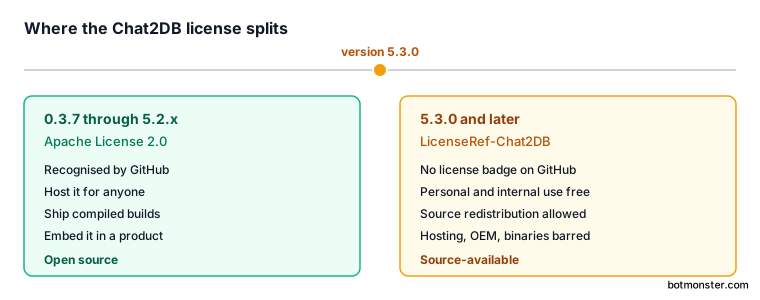
Everything published before 5.3.0, including 0.3.7 and the older 3.x tags, stays under plain Apache 2.0 and is untouched by the new terms. The separate Chat2DB CLI, which carries the MCP server, is also still plain Apache 2.0. The new conditions live in the main client repository alone.
Who the new license affects
Most readers are unaffected. A developer who queries databases on a laptop loses nothing and pays nothing. A company that installs the desktop build on staff machines is doing internal use, and the license names that case outright.
| What you are doing | Where you stand |
|---|---|
| Querying your databases locally | Free, unchanged |
| Rolling it out to staff on company machines | Free, internal use |
| Running the Docker image for your own team | Free, internal use |
| Consulting: running it in-house, delivering reports | Free, section 2 covers it |
| Hosting it as a service for customers | Commercial deal required |
| Embedding it in your product or rebranding it | Commercial deal required |
| Shipping a compiled build or container image to others | Commercial deal required |
| Packaging it for a Linux distribution | Same problem, a distro package is a compiled artifact |
That last row turns on the object-form clause: a distro package is a compiled build handed to strangers.
The fallback, if any of this blocks you, is to fork from a pre-5.3.0 Apache-licensed tag and maintain it yourself. That is legal, but you would be maintaining it alone, and it is a bigger jump than it sounds. Version 5.3.0 was rebuilt as a new baseline, and it cannot upgrade in place from the old 0.3.x line.
What the free Chat2DB build still does
The community build carries the whole feature set. The project README counts more than 30 databases through plugins. That list covers MySQL, PostgreSQL, Oracle, SQL Server, ClickHouse, MongoDB, Redis, SQLite, TiDB, Hive, DB2, Snowflake, BigQuery, and Elasticsearch. Loose files are the gap: for a folder of CSV or Parquet, DuckDB queries them in place with no server to point a client at.
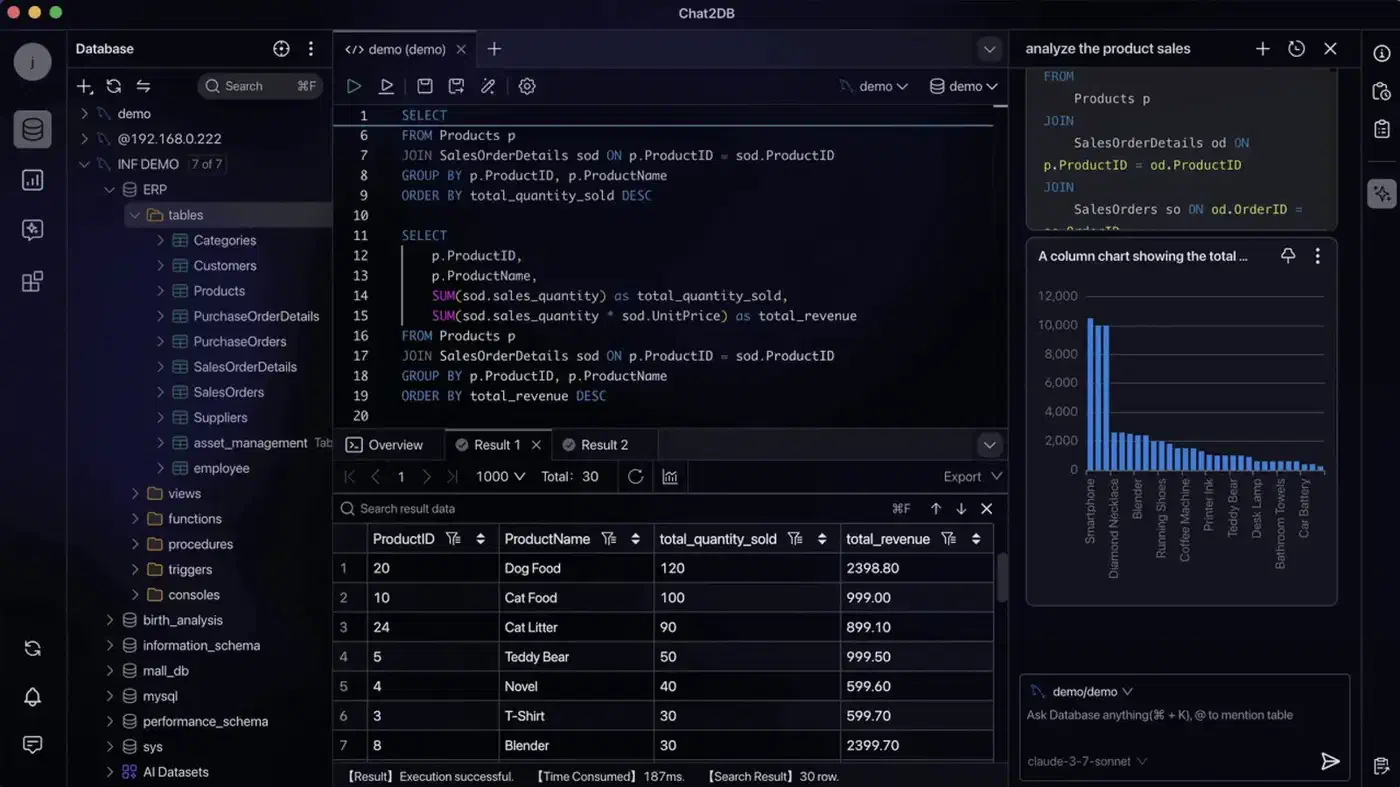
Around that sits a full SQL workspace. You get editing, completion, formatting, saved queries, and a history of what you ran. You can also browse metadata, manage tables and objects, and edit rows in place.
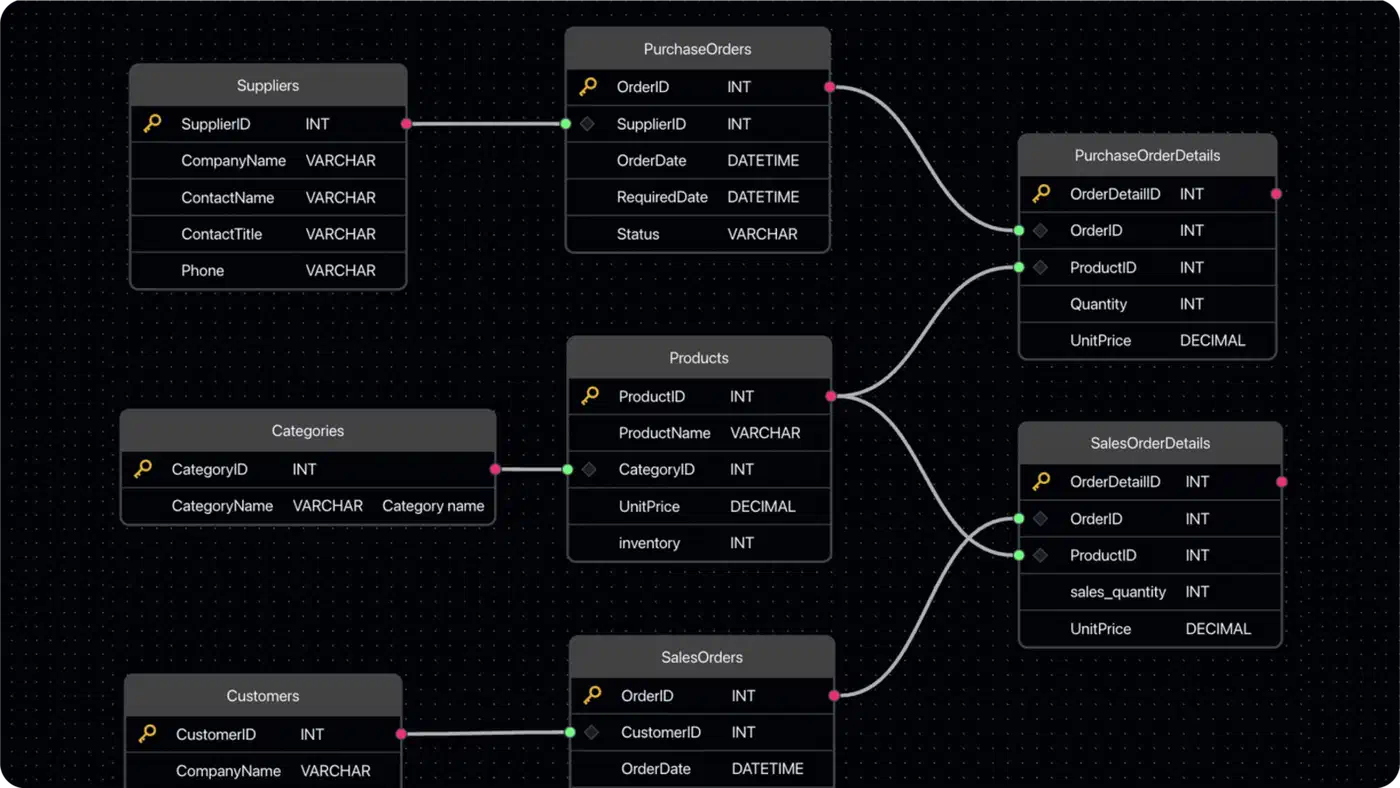
The AI assistant runs on a model you supply yourself. It writes, explains, and tunes SQL from a plain-language description, and there is no hosted AI and no account to create. Import and export, dashboards, charts, and ER diagrams fill out the rest. The Apache-licensed CLI adds MCP support, so coding agents can reach the same connections.
Desktop builds cover Windows, macOS, and Linux, with a Docker image for headless use. The paid Pro and Enterprise editions add hosted AI, user accounts, cloud sync across devices, and team governance.
The security model you have to respect
Chat2DB Community is built for one person on one machine. It has no logins and no walls between users. The security policy is blunt about what follows. Keep the HTTP service bound to 127.0.0.1 or ::1, and never expose it to other people or untrusted networks. Shared servers, LAN access, and anything facing the internet are all unsupported.
Custom JDBC drivers are runnable Java code, so install them only from sources you trust. Everything else you feed the app stays untrusted: config files, archives, SQL files, database contents, and AI answers.
The encryption key deserves its own warning, because it will cost somebody their saved passwords. Chat2DB encrypts stored database passwords and AI keys with AES-256-GCM. It uses one key per install, written to ~/.config/chat2db-community/encryption.key by the bundled setup script. Back that key up separately and keep it across upgrades and container rebuilds. Lose it or replace it, and every stored password and API key turns to noise.
Which mode you start in decides whether that key gets created for you. Only the desktop app creates a missing key on its own. Start there, move to Docker later, and the web build will refuse to boot until you hand it a valid key.