 Botmonster Tech
Simple feature flags you can maintain without paying LaunchDarkly

LaunchDarkly cost for the team in this post (five engineers, four Python services, 20,000 browser users a month) is $277 to $757 a month at the list prices on its pricing page on October 23, 2026. The spread comes down to how many server processes start their own SDK client. A feature flag module you write yourself has no meter. It’s a JSON file, env var overrides and one check function, about 100 lines of Python, and it gives you gradual rollouts, kill switches and per-environment toggles. Below, the same team is priced on ConfigCat, Unleash, Flagsmith and GrowthBook. Then we build the DIY SDK in Python, Go and TypeScript.
Key Takeaways
- LaunchDarkly Foundation bills $10 per service connection (first 5 included) and $8.33 per 1,000 client-side MAU a month, billed yearly (October 2026).
- A service connection is one server-side SDK instance in one environment, so pod replicas and gunicorn workers multiply it.
- For one five-engineer team, paid plans run from $110 a month (ConfigCat Pro) to $757 (LaunchDarkly with per-worker clients).
- The 100-line DIY SDK below costs $0 a month; it stops being the cheap option once you need Enterprise-style approvals, audit logs and a UI for non-engineers.
Paid platforms sell enterprise features like dashboards, audit logs, approvals and team tools, and those pay off at scale. Early products, internal tools and teams that want to own their stack can do without them.
What feature flags do and when you need them
A feature flag is a runtime conditional that controls whether a code path runs:
if flag_enabled("new_checkout"):
    use_new_checkout()
else:
    use_old_checkout()
It splits deploy from release. Code ships to production and stays dark until you flip the toggle. Feature flags come in four kinds:
- Release flags hide unfinished work so you can merge to main every day. That’s how trunk-based teams skip long-lived branches.
- Ops flags are kill switches. Wrap a flaky payment API in
flag_enabled("enable_payment_provider")and you can turn it off in seconds instead of deploying a rollback. - Experiment flags send a share of traffic to a variant, such as 5% of users on a new ranking model, for A/B tests and canary releases. The DIY SDK below handles the traffic split, but not the experimentation stats.
- Permission flags limit a feature to a group or an environment, like an admin panel for
beta_testersonly or a debug toolbar in staging.
Every SaaS platform covers all four feature types, so the real question is the price.

What LaunchDarkly costs in 2026
Every price below comes from the vendor’s own pricing page on October 23, 2026. Pricing models change (LaunchDarkly moved from per-seat to usage-based pricing), so check before you sign.
The four LaunchDarkly plans
| Plan | Price | What it includes |
|---|---|---|
| Developer | $0 a month, no card | Unlimited seats and flags, 1 project, 3 environments, 5 service connections, 1,000 client-side MAU, 100,000 experimentation MAU |
| Foundation | Pay as you go, billed yearly: $10 per service connection, $8.33 per 1,000 client-side MAU | Unlimited projects and environments, first 5 service connections included, no seat fees, 14-day trial |
| Enterprise | Custom pricing | Custom roles and teams, approvals and scheduled flag changes, release automation, SCIM provisioning |
| Guardian | Paid add-on to Enterprise | Release monitoring, guardrail metrics, automatic pause or rollback, exposure insights |
SSO and SAML are included on every plan, while Enterprise includes SCIM provisioning and approval workflows. Enterprise pricing is custom and private. Typical Enterprise deals run between $20,000 and $120,000 a year, going by contract data from Spendflo, a buying service (March 2025). Month-to-month pricing is higher than yearly: client-side MAU is $10 per 1,000 in the plan table on the same page.
How LaunchDarkly charges: service connections and MAU
There are two meters, both defined in the billing docs:
- Service connections cover server-side SDKs. One service connection is one copy of one server SDK linked to one environment, timed in minutes. Serverless and short-lived jobs pay for the part of the month they’re linked.
- Client-side MAU covers browser, mobile, AI and edge SDKs. It counts each unique context key seen in a month, so MAU is a count of users, not requests. Change a user’s key and that user counts twice. Anonymous contexts count too, so a site that flags logged-out visitors runs up MAU fast.
On self-serve plans, overage is billed at the start of the next month, and the account owner gets emails as it grows. Flags never slow down when you pass your MAU limit. On the free plan, going over month after month turns the account read-only. Experimentation can add a third meter, priced on experimentation MAU. On some plans, that MAU counts every context that could join an experiment, even ones that never did.
Why Python and Kubernetes multiply the bill
The service connection meter counts SDK copies. Run one API in 3 production pods and 1 pod in the staging environment and you have 4 connections. Python and Ruby make it worse. Servers like gunicorn and Puma fork a few worker processes per container, and each worker that runs its own SDK client is one more copy.
The vendor offers “special rates for K8s, Serverless, Python, & Ruby” with custom pricing, since these setups open so many server-side connections. Creating new SDK clients while the app runs, which the docs call “runaway instantiation”, leads to “explosive service connection costs.” So list price for a Python shop is a ceiling for custom pricing talks.
The DIY SDK has no such meter. Every worker in an environment reads the same flags.json from disk, and a thousand workers cost the same as one.
A worked monthly bill
The example team:
- 5 engineers who need logins
- 4 Python backend services, each with 3 production pods and 1 staging pod
- gunicorn with 4 workers per pod
- 20,000 client-side MAU, meaning monthly users of the browser app
LaunchDarkly Foundation, billed yearly, before any custom discount:
| Line item | One SDK client per pod | One SDK client per worker |
|---|---|---|
| Service connections | 4 services x 4 pods = 16 | 16 pods x 4 workers = 64 |
| Billable after 5 included | 11 x $10 = $110 | 59 x $10 = $590 |
| Client-side MAU | 20 x $8.33 = $166.60 | 20 x $8.33 = $166.60 |
| Monthly total | $276.60 | $756.60 |
| Yearly total | $3,319 | $9,079 |
The MAU line is the same in both columns, so only service connections grow. This math doesn’t include experimentation, observability or AI run overage, or any free client-side MAU included in the plan.
The same team on ConfigCat, Unleash, Flagsmith and GrowthBook
| Vendor and plan | What it charges for | This team, per month | Limits |
|---|---|---|---|
| LaunchDarkly Foundation | Service connections and client-side MAU | $276.60 to $756.60 | Every pod, worker and environment adds a connection |
| ConfigCat Pro | Flat plan, sized by config downloads | $110 | 100 flags, 3 environments, 25 million config downloads a month |
| Unleash Pay-as-you-go | $75 per seat | $375 (5 seats) | 53 million API requests a month on Cloud, then $5 per million; 5-seat minimum for self-hosted |
| Flagsmith Scale-Up | Flat plan, sized by requests and members | $300 | Start-Up ($45) caps at 3 team members and 1 million requests, so 5 engineers need Scale-Up |
| GrowthBook Pro (Cloud) | $40 per seat | $200 | Up to 30 users and 3 projects; the self-hosted free plan has unlimited users |
| DIY SDK (this post) | Nothing | $0 | No UI, no audit trail beyond git, one SDK per language you write yourself |
The ConfigCat, Unleash and GrowthBook plans include unlimited users, so they don’t charge per user. Flagsmith counts API requests, not users. So 20,000 MAU doesn’t move their price. PostHog is a fifth option: the first 1 million flag requests each month are free, and you pay per request after that.
LaunchDarkly vs ConfigCat on price
The two use different meters, and the meter decides the price. LaunchDarkly charges for every server SDK copy and every client-side MAU. ConfigCat charges a flat plan fee and counts how often your SDKs fetch the config file. Seats, service connections and MAU are unlimited on every ConfigCat plan, the free one included. For a team with many pods and users but few flags, ConfigCat Pro, priced at $110, beats every LaunchDarkly bill above. LaunchDarkly pulls ahead on experimentation, release checks and governance features. Its experimentation tools include Bayesian and frequentist analysis, CUPED variance reduction, sequential testing and holdouts. Those are what its Enterprise and Guardian tiers exist to sell.
Designing the flag configuration schema
It all starts with one config file. Store flags in flags.json at the project root (or /etc/myapp/flags.json on servers) as a flat map keyed by flag name.
Here’s a full example with six flags that cover all four types:
{
  "version": 2,
  "flags": {
    "new_checkout": {
      "enabled": true,
      "description": "Redesigned checkout flow with single-page layout",
      "environments": ["staging", "production"],
      "rollout_percentage": 25,
      "user_groups": [],
      "expires": "2026-08-01"
    },
    "dark_mode": {
      "enabled": true,
      "description": "Dark mode theme toggle for all users",
      "environments": ["staging", "production"],
      "rollout_percentage": 100,
      "user_groups": [],
      "expires": "2026-06-15"
    },
    "enable_payment_provider_v2": {
      "enabled": false,
      "description": "Kill switch for new payment provider integration",
      "environments": ["production"],
      "rollout_percentage": 100,
      "user_groups": [],
      "expires": "2026-09-01"
    },
    "experimental_search": {
      "enabled": true,
      "description": "ML-powered search results ranking",
      "environments": ["staging"],
      "rollout_percentage": 10,
      "user_groups": ["internal"],
      "expires": "2026-07-01"
    },
    "admin_debug_panel": {
      "enabled": true,
      "description": "Extended debug panel in admin interface",
      "environments": ["staging", "development"],
      "rollout_percentage": 100,
      "user_groups": ["beta_testers", "internal"],
      "expires": "2026-12-31"
    },
    "bulk_export": {
      "enabled": true,
      "description": "CSV/JSON bulk export for user data",
      "environments": ["staging", "production"],
      "rollout_percentage": 50,
      "user_groups": [],
      "expires": "2026-06-01"
    }
  }
}
Each flag has five fields. enabled is the master switch: when it’s false, the flag is off no matter what else is set. environments limits where the flag is live. rollout_percentage sets what share of users see the feature (0 to 100). user_groups limits permission flags to set groups. expires marks when to clean the flag up, which is how you keep flag debt down.
Env var overrides use the form FLAG_<NAME>=true|false. For example, FLAG_NEW_CHECKOUT=true forces the flag on, whatever the JSON says. Ops teams can then flip flags per deploy without editing files, which helps when each container needs its own setting.
The top-level version field lets the SDK cope with schema changes. When you add fields later, older SDKs can spot the version gap and either carry on or raise a clear error.
Building the evaluation SDK
The SDK is one Python module. It loads the config, checks flags and returns a boolean. Here’s the full code:
"""feature_flags.py - Lightweight feature flag evaluation SDK."""

import hashlib
import json
import logging
import os
import threading
from datetime import date
from pathlib import Path
from typing import Optional

logger = logging.getLogger(__name__)

_config: dict | None = None
_config_lock = threading.Lock()
_config_path: Path = Path("flags.json")


def _load_config(path: Optional[Path] = None) -> dict:
    """Load and parse the flag configuration file."""
    target = path or _config_path
    with open(target, "r") as f:
        return json.load(f)


def init(config_path: str = "flags.json") -> None:
    """Initialize the flag system. Call once at startup."""
    global _config, _config_path
    _config_path = Path(config_path)
    with _config_lock:
        _config = _load_config(_config_path)
    logger.info("Feature flags loaded from %s", config_path)


def reload_flags() -> None:
    """Hot-reload flags from disk without restarting the process."""
    global _config
    with _config_lock:
        _config = _load_config(_config_path)
    logger.info("Feature flags reloaded from %s", _config_path)


def _get_config() -> dict:
    """Return current config, loading from disk if not yet initialized."""
    global _config
    if _config is None:
        with _config_lock:
            if _config is None:
                _config = _load_config()
    return _config


def _check_rollout(flag_name: str, user_id: str, percentage: int) -> bool:
    """Deterministic percentage-based rollout using SHA-256 hashing."""
    hash_input = f"{flag_name}:{user_id}".encode("utf-8")
    hash_bytes = hashlib.sha256(hash_input).digest()
    hash_int = int.from_bytes(hash_bytes[:4], byteorder="big")
    return (hash_int % 100) < percentage


def flag_enabled(
    flag_name: str,
    user_id: Optional[str] = None,
    environment: Optional[str] = None,
    user_group: Optional[str] = None,
) -> bool:
    """Evaluate whether a feature flag is enabled.

    Args:
        flag_name: The flag identifier matching a key in flags.json.
        user_id: Optional user ID for percentage-based rollouts.
        environment: Override for current environment. Defaults to APP_ENV.
        user_group: The group the current user belongs to.

    Returns:
        True if the flag is enabled for the given context, False otherwise.
    """
    # Check environment variable override first
    env_override = os.environ.get(f"FLAG_{flag_name.upper()}")
    if env_override is not None:
        return env_override.lower() in ("true", "1")

    config = _get_config()
    flags = config.get("flags", config)  # Support both nested and flat formats
    flag = flags.get(flag_name)

    if flag is None:
        logger.warning("Unknown feature flag: %s", flag_name)
        return False  # Fail closed

    # Master toggle check
    if not flag.get("enabled", False):
        return False

    # Environment check
    current_env = environment or os.environ.get("APP_ENV", "development")
    allowed_envs = flag.get("environments", [])
    if allowed_envs and current_env not in allowed_envs:
        return False

    # User group check
    allowed_groups = flag.get("user_groups", [])
    if allowed_groups:
        if user_group is None or user_group not in allowed_groups:
            return False

    # Expiry warning
    expires = flag.get("expires")
    if expires:
        try:
            expiry_date = date.fromisoformat(expires)
            if date.today() > expiry_date:
                logger.warning(
                    "Feature flag '%s' expired on %s - schedule removal",
                    flag_name,
                    expires,
                )
        except ValueError:
            pass

    # Percentage-based rollout
    rollout = flag.get("rollout_percentage", 100)
    if rollout < 100 and user_id:
        return _check_rollout(flag_name, user_id, rollout)
    elif rollout < 100 and not user_id:
        return False  # Cannot evaluate percentage without a user ID

    return True
The SDK fails closed on unknown flags. Call flag_enabled("nwe_checkout") with a typo and it returns False and logs a warning, so the mistake shows up fast without breaking production.
Env var overrides always win. The SDK checks os.environ.get(f"FLAG_{flag_name.upper()}") before it reads the JSON. Ops teams can then force any flag on or off at once through container env vars, Kubernetes ConfigMaps or a plain export.
The percentage rollout is stable. The SDK hashes flag_name:user_id with SHA-256 and takes the first four bytes mod 100, so the same user always lands on the same side of the line. You don’t need a database to track who got what. The hash is even enough that a 25% rollout sends about 25% of user IDs down the new path.
Thread safety comes from _config_lock, a lock that guards the _config dict during reload. In a threaded Flask or Django server, one thread can call reload_flags() while another calls flag_enabled() and neither sees a half-written config. The lock is held only for the file read and the swap, so threads rarely wait. For asyncio servers, swap threading.Lock for asyncio.Lock and make the I/O awaitable.
Go implementation
The same pattern ports cleanly to Go. The main change is a sync.RWMutex for concurrent access:
package featureflags

import (
    "crypto/sha256"
    "encoding/binary"
    "encoding/json"
    "fmt"
    "os"
    "strings"
    "sync"
)

type Flag struct {
    Enabled           bool     `json:"enabled"`
    Environments      []string `json:"environments"`
    RolloutPercentage int      `json:"rollout_percentage"`
    UserGroups        []string `json:"user_groups"`
    Description       string   `json:"description"`
    Expires           string   `json:"expires"`
}

type Config struct {
    Version int             `json:"version"`
    Flags   map[string]Flag `json:"flags"`
}

var (
    config     *Config
    configLock sync.RWMutex
)

func Init(path string) error {
    configLock.Lock()
    defer configLock.Unlock()

    data, err := os.ReadFile(path)
    if err != nil {
        return err
    }
    config = &Config{}
    return json.Unmarshal(data, config)
}

func FlagEnabled(name, userID, env string) bool {
    envOverride := os.Getenv("FLAG_" + strings.ToUpper(name))
    if envOverride == "true" || envOverride == "1" {
        return true
    }
    if envOverride == "false" || envOverride == "0" {
        return false
    }

    configLock.RLock()
    defer configLock.RUnlock()

    flag, exists := config.Flags[name]
    if !exists || !flag.Enabled {
        return false
    }

    if len(flag.Environments) > 0 {
        found := false
        for _, e := range flag.Environments {
            if e == env { found = true; break }
        }
        if !found { return false }
    }

    if flag.RolloutPercentage < 100 && userID != "" {
        hash := sha256.Sum256([]byte(fmt.Sprintf("%s:%s", name, userID)))
        val := binary.BigEndian.Uint32(hash[:4]) % 100
        return int(val) < flag.RolloutPercentage
    }
    return true
}
Go’s sync.RWMutex lets many goroutines read the config at once, while a reload gets the lock to itself. That’s faster than a plain mutex when reads far outnumber writes, as they do with flag checks.
JavaScript and TypeScript implementation
For Node.js applications:
import { createHash } from "crypto";
import { readFileSync } from "fs";

interface Flag {
  enabled: boolean;
  environments: string[];
  rollout_percentage: number;
  user_groups: string[];
  description: string;
  expires: string;
}

interface FlagConfig {
  version: number;
  flags: Record<string, Flag>;
}

let config: FlagConfig | null = null;

export function init(path: string = "flags.json"): void {
  const raw = readFileSync(path, "utf-8");
  config = JSON.parse(raw);
}

export function flagEnabled(
  name: string,
  userId?: string,
  env?: string
): boolean {
  const envOverride = process.env[`FLAG_${name.toUpperCase()}`];
  if (envOverride === "true" || envOverride === "1") return true;
  if (envOverride === "false" || envOverride === "0") return false;

  if (!config) init();
  const flag = config!.flags[name];
  if (!flag || !flag.enabled) return false;

  const currentEnv = env || process.env.APP_ENV || "development";
  if (flag.environments.length > 0 && !flag.environments.includes(currentEnv))
    return false;

  if (flag.rollout_percentage < 100 && userId) {
    const hash = createHash("sha256").update(`${name}:${userId}`).digest();
    const val = hash.readUInt32BE(0) % 100;
    return val < flag.rollout_percentage;
  }

  return flag.rollout_percentage >= 100;
}
Node.js runs on one thread by default, so the JavaScript version needs no lock for hot reload. An fs.watch callback that calls init() is enough to pick up changes.
Gradual rollouts and kill switches in practice
The payoff comes from how you use the SDK during releases and outages.
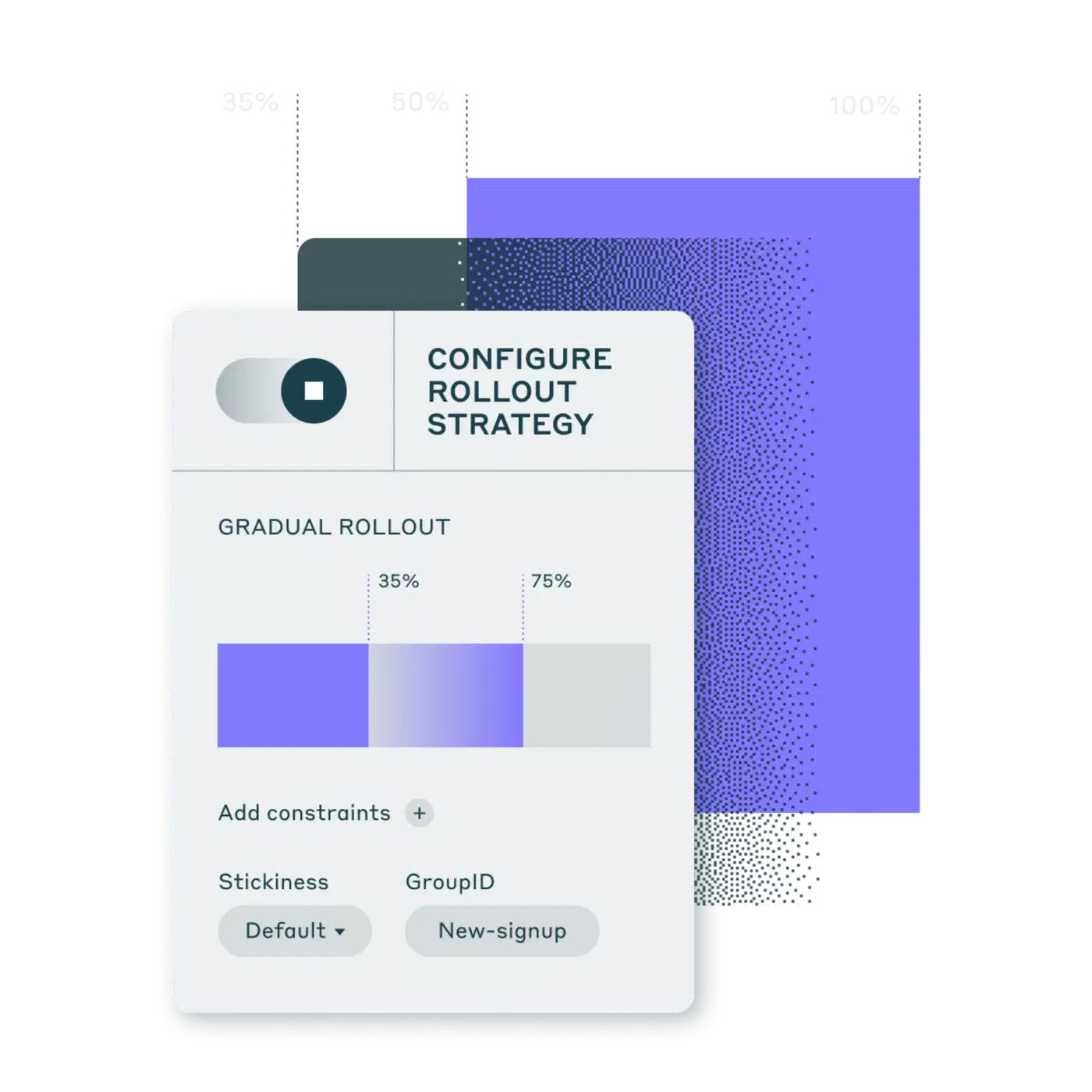
In a canary rollout, start at 1%, watch error rates and latency for 30 minutes, then go to 10%, wait again, then 50%, then 100%. Each step is one edit to flags.json or one env var change, with no deploy. If errors spike at 10%, drop back to 1% while you dig in. The stable hash keeps the same 1% of users in the experiment the whole time, so the bug you’re chasing doesn’t move.
A kill switch wraps calls to a flaky outside service in a flag check. When the service starts returning 500s, set FLAG_ENABLE_PAYMENT_PROVIDER_V2=false to fall back to the old one. That takes as long as setting an env var: seconds, against the 10-15 minutes a typical deploy takes.
In trunk-based work, developers merge unfinished features behind disabled flags every day. Main is always safe to deploy, because unfinished code never runs in production. That kills off long-lived feature branches and most of the merge conflicts they bring. When the feature is ready, turn the flag on in staging, test, then roll out to production.
Admin endpoint for flag inspection
To see flags in production, add a /flags endpoint that returns the state of every flag. Put it behind auth so only your team can reach it:
from flask import Flask, jsonify

app = Flask(__name__)

@app.route("/flags")
def get_flags():
    """Return current flag states for debugging. Requires auth."""
    config = _get_config()
    return jsonify(config)
On-call engineers can hit it to check flags without SSH access. Pair it with a small CLI for flipping flags. For a more polished toggler, build it as a Go command-line app with subcommands and an interactive UI.
"""flag_cli.py - Toggle feature flags from the command line."""

import json
import sys

def toggle(config_path: str, flag_name: str, enabled: bool) -> None:
    with open(config_path, "r") as f:
        config = json.load(f)

    if flag_name not in config["flags"]:
        print(f"Unknown flag: {flag_name}")
        sys.exit(1)

    config["flags"][flag_name]["enabled"] = enabled
    with open(config_path, "w") as f:
        json.dump(config, f, indent=2)
    print(f"Flag '{flag_name}' set to {enabled}")

if __name__ == "__main__":
    toggle(sys.argv[1], sys.argv[2], sys.argv[3].lower() == "true")
With many instances, each holding its own JSON file, swap the file for a database. SQLite works on a single node. Across many nodes, use Redis or PostgreSQL as the flag store. Keep its schema in sync with version-controlled migrations like Alembic.
Integration with FastAPI
Feature flags work well as a FastAPI dependency:
from fastapi import Depends, FastAPI, HTTPException

app = FastAPI()

def require_flag(flag_name: str):
    """FastAPI dependency that gates a route behind a feature flag."""
    def check():
        if not flag_enabled(flag_name, environment="production"):
            raise HTTPException(status_code=404)
    return Depends(check)

@app.get("/new-dashboard", dependencies=[require_flag("new_dashboard")])
async def new_dashboard():
    return {"message": "Welcome to the new dashboard"}
For Django, add a middleware that checks flags before routing:
class FeatureFlagMiddleware:
    def __init__(self, get_response):
        self.get_response = get_response
        self.flag_routes = {"/new-dashboard/": "new_dashboard"}

    def __call__(self, request):
        for path, flag in self.flag_routes.items():
            if request.path.startswith(path) and not flag_enabled(flag):
                return HttpResponseNotFound()
        return self.get_response(request)
Testing, cleanup and avoiding flag debt
Feature flags rot fast if nobody cleans them up. Each flag is a branch that doubles the states your system can be in. Two flags mean four states, and ten mean 1,024.
Every feature behind a flag needs at least two tests: one with the flag on and one with it off. Use a pytest fixture that patches flag_enabled. For more coverage, use a tool that can generate edge-case inputs for you in both states.
import pytest

@pytest.fixture(params=[True, False])
def new_checkout_flag(request, monkeypatch):
    monkeypatch.setenv("FLAG_NEW_CHECKOUT", str(request.param).lower())
    return request.param

def test_checkout_flow(new_checkout_flag):
    if new_checkout_flag:
        assert checkout_page() == "new_layout"
    else:
        assert checkout_page() == "classic_layout"
Also add a CI gate for expired flags. A pre-commit hook or CI step reads flags.json, checks each expires date and fails the build when a flag is past due:
"""check_expired_flags.py - CI gate for flag expiry."""

import json
import sys
from datetime import date

with open("flags.json") as f:
    config = json.load(f)

expired = []
for name, flag in config["flags"].items():
    if flag.get("expires"):
        if date.fromisoformat(flag["expires"]) < date.today():
            expired.append(f"  {name} (expired {flag['expires']})")

if expired:
    print("Expired feature flags found:")
    print("\n".join(expired))
    sys.exit(1)
Removing a flag safely takes five steps. Set rollout to 100% for at least two weeks. Check for errors or rollbacks in that time. Remove the flag_enabled check from the code. Remove the flag from flags.json. Deploy. Don’t skip the first step: two weeks at full rollout prove the feature is stable before the safety net goes.
Track flag count as a project metric. If one service has more than 20 live flags, you have flag debt. Set a team rule to remove at least one expired flag every sprint, and make it part of your definition of done.
Once a flag is gone from flags.json, stale calls to flag_enabled("removed_flag") return False with no error. Write a custom AST-based lint rule for Ruff or flake8 that checks each flag_enabled() call against the keys in flags.json and fails CI on a mismatch.
DIY flags vs. LaunchDarkly and the alternatives
| Feature | DIY (this post) | LaunchDarkly | Unleash (OSS) | Flipt | OpenFeature SDK |
|---|---|---|---|---|---|
| Cost (Oct 2026) | Free | $10 per service connection + $8.33 per 1,000 MAU, billed yearly | Free (self-host OSS) or $75/seat/mo | Free (GPL-3.0) | Free (CNCF) |
| Setup time | 30 minutes | 1-2 hours | 1-2 hours | 30-60 minutes | Varies by provider |
| Dashboard | None (JSON + CLI) | Full web UI | Web UI | Web UI + GitOps | Depends on provider |
| A/B testing | Percentage rollout only | Built-in with analytics | Basic via strategies | No | Provider-dependent |
| Audit log | Manual (git history) | Built-in | Built-in | Git history | Provider-dependent |
| Multi-language SDKs | Build per language | 30 SDKs | 15+ SDKs | Go, REST, gRPC | Standardized across languages |
| Vendor lock-in | None | High | Low (OSS core) | None | None (vendor-neutral spec) |
| External dependency | None | Yes (SaaS) | Optional (self-host) | None (single binary) | Depends on provider |
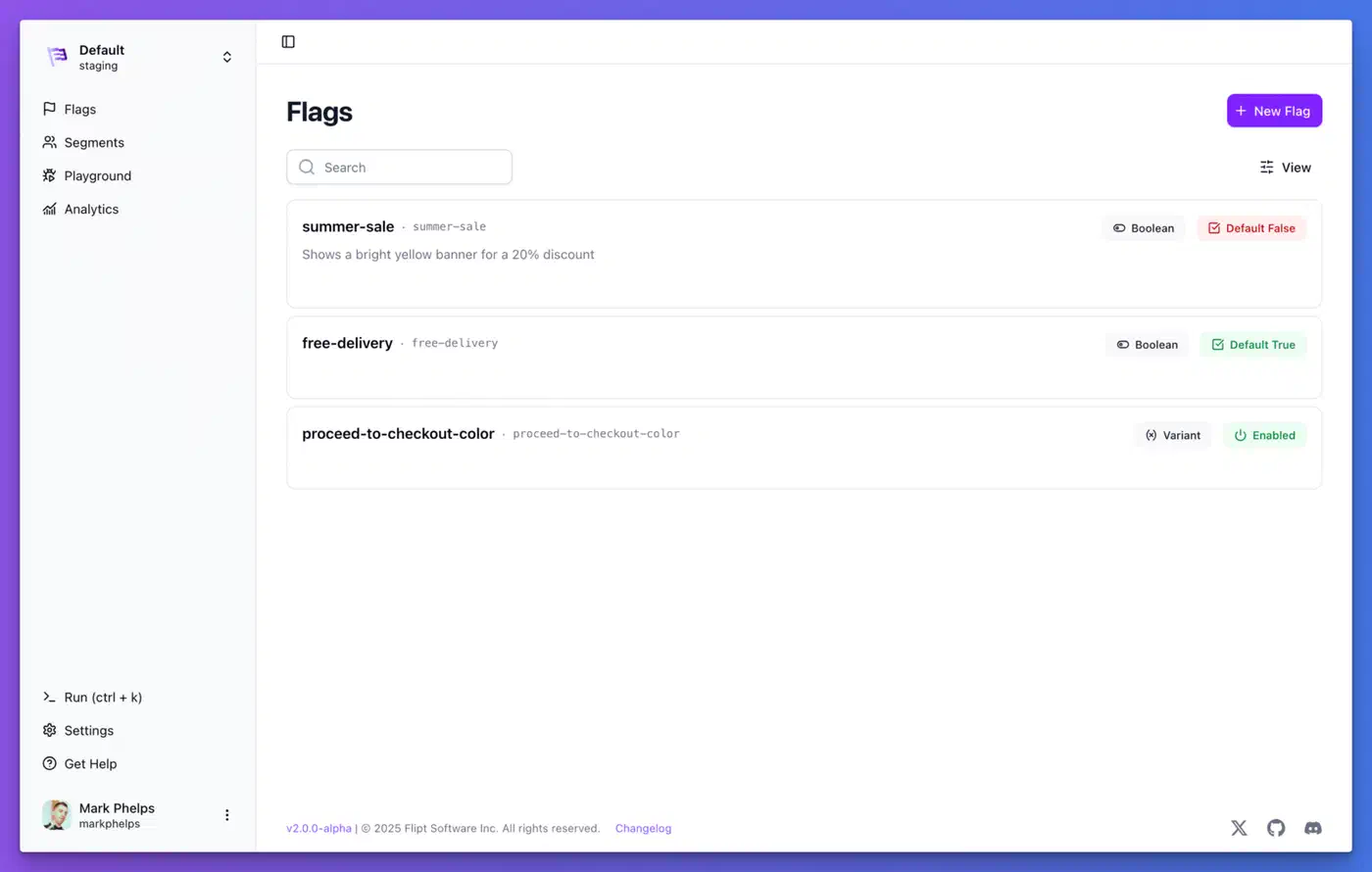
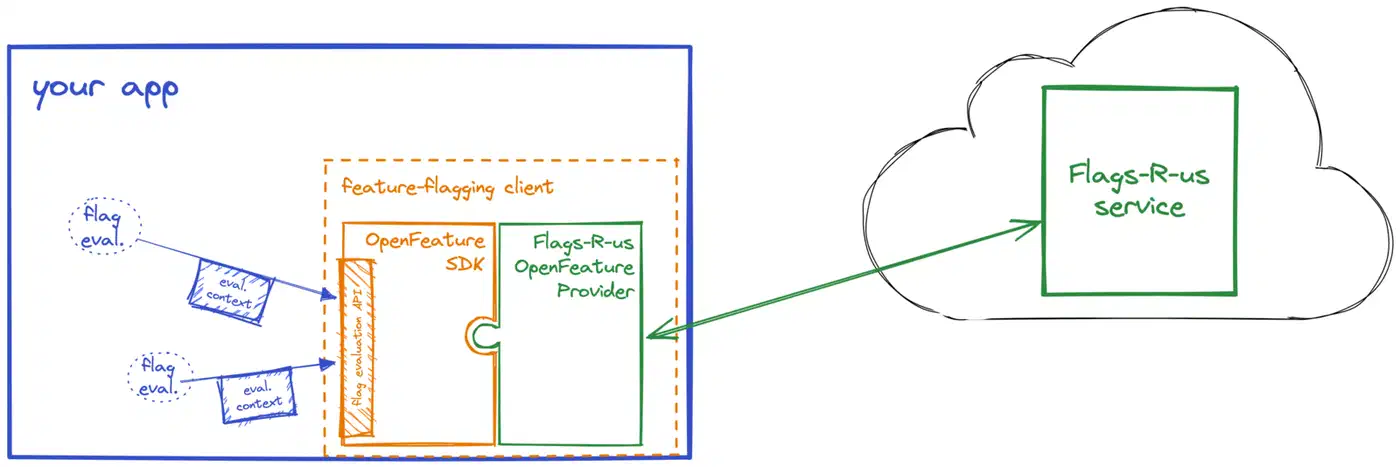
OpenFeature is a CNCF incubating project that defines one vendor-neutral API for flags. If you build DIY today but might move to a paid platform later, write your SDK as an OpenFeature provider. Your app code then never changes, and you just swap the backend. Flipt supports OpenFeature natively, and most paid platforms have adapters.
Build vs buy: when the DIY SDK stops being cheaper
The SDK here takes an afternoon to write. The real price is the upkeep: an SDK in each new language, the admin endpoint, the expiry gate and the lint rule. Turn the monthly price into hours to see where the line falls. At an assumed $100 an hour for an engineer (use your own rate), the team’s $276.60 LaunchDarkly bill pays for about 2.8 hours of feature flag upkeep a month. At $756.60 it pays for about 7.6 hours. ConfigCat Pro’s $110 pays for about 1.1 hours.
DIY works best with fewer than 50 flags, a team under 20 developers, and only engineers flipping flags. Buy a platform when one of these comes true:
- Product managers or support staff need to flip flags without a pull request.
- An auditor asks who changed which flag, when, with approval records (approvals are an Enterprise feature on LaunchDarkly).
- You need real experimentation statistics, not just a percentage split.
- You ship mobile or browser apps that need flags pushed to the client in real time.
If none of those apply yet, keep the JSON file and the $0 price tag.
LaunchDarkly cost questions
Is LaunchDarkly worth it?
It’s worth it when you use what the price buys: targeting rules run by non-engineers, custom roles, approvals, audit history, experimentation stats and release checks. If your flags are booleans and percentage rollouts that engineers flip, the team above pays $277 to $757 a month for a dashboard over a JSON file. Most of those features come with the Enterprise plan and the Guardian add-on.
Is LaunchDarkly free to use?
Yes, within limits. The Developer plan is $0 a month with no card, and it includes unlimited seats and flags, 1 project, 3 environments, 5 service connections, 1,000 client-side MAU and 100,000 experimentation MAU. Keep going over those limits and the account turns read-only until you upgrade to Foundation or Enterprise.
How does LaunchDarkly charge?
Foundation pricing is $10 a month for each service connection past the 5 included, plus $8.33 a month per 1,000 client-side MAU, billed yearly. There are no seat fees. Overage is billed at the start of the next month. Enterprise is a custom contract with custom pricing, and Guardian is a paid add-on on top of Enterprise.
Who are LaunchDarkly’s main competitors?
The ones priced above: ConfigCat, Unleash, Flagsmith, GrowthBook and PostHog. Add Split (now part of Harness), Statsig, Optimizely and CloudBees Feature Management, which is the old Rollout product CloudBees bought in 2019. For self-hosting, there’s Flipt and the open-source editions of Unleash, Flagsmith and GrowthBook.