 Botmonster Tech
Install Termux from F-Droid because Play ships a fork

The Termux Android Linux terminal turns a phone into a real shell with a package manager and about 2,900 packages, no root required. Install it from F-Droid or the project’s GitHub releases. The Google Play version is a separate fork that the core maintainers do not support, and mixing sources breaks the app.
Key Takeaways
- Termux gives an Android phone a real shell and package manager, no root.
- Skip Google Play. That build is an unsupported fork of the real app.
- Around 2,900 packages come from Termux’s own servers, built for Android.
- Android kills background processes, so hold a wake lock before long jobs.
- Add-on apps bring home screen widgets, device sensors, and a boot hook.
What the Termux Android Linux terminal gives you
Termux is a normal Android app that happens to hold a shell, a package manager, and its own software repositories. You install it and open it like anything else on your phone.
Two wrong ideas trip people up: that it emulates a computer, and that it installs a Linux distro next to Android. Neither is true. There is no virtual machine, emulator, or chroot anywhere in it, so startup is instant and the runtime cost is zero.
Termux packages are built against Android’s own C library and unpacked inside the app’s private folder. That design buys speed, but it costs compatibility. A binary made for Debian or Arch won’t just run here, so the project runs its own build farm at termux/termux-packages.
The stable ARM64 repository carries shells, compilers, editors, version control, and network tools, so you get Python, Go, Git, Vim, OpenSSH, curl, and ffmpeg on a device in your pocket.
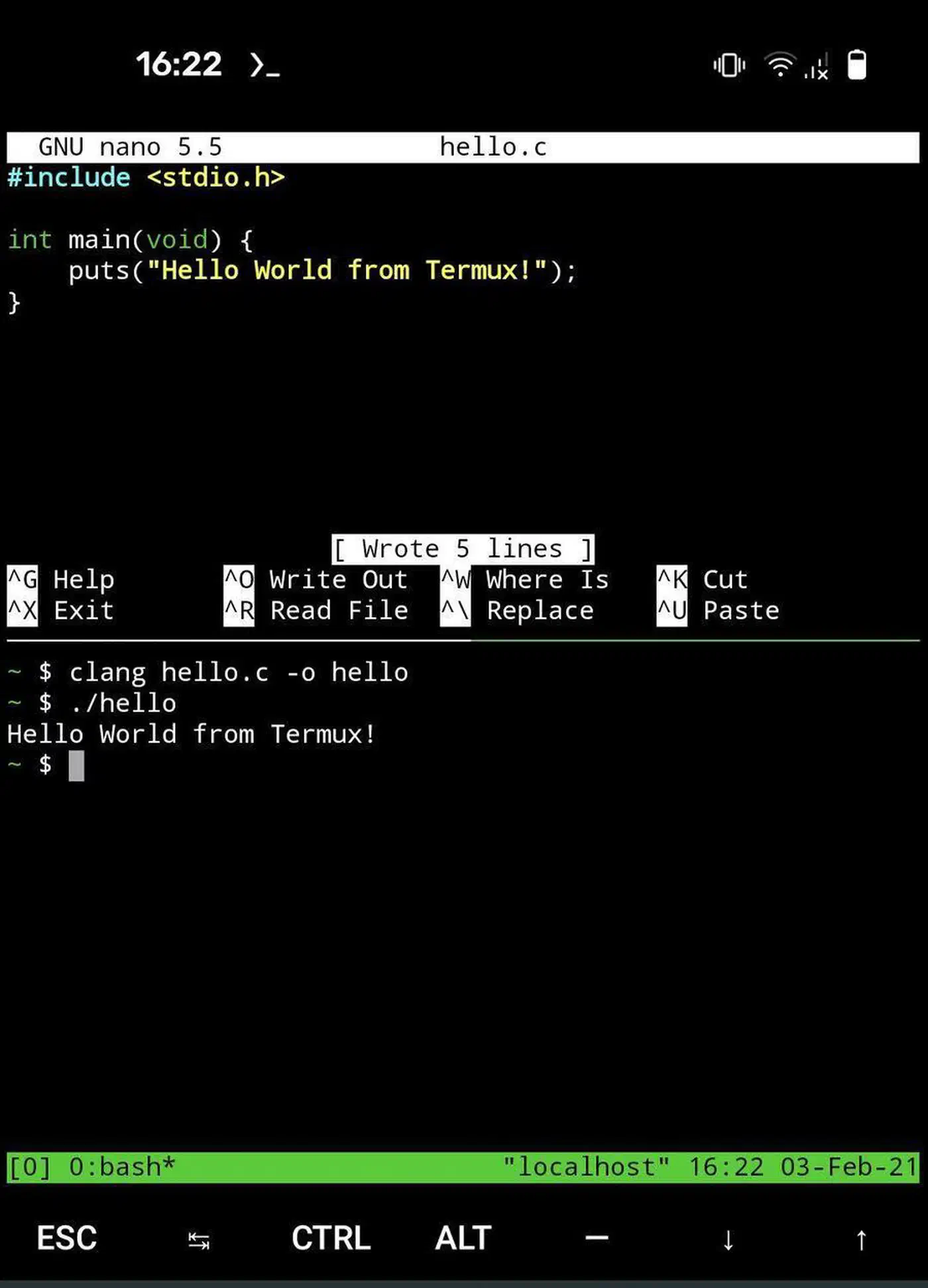
Running a server over SSH, firing off a script, syncing files, and making quick edits all work, though nobody builds a real project on a 6-inch screen.
Why the install source decides whether it works
Most “Termux is broken” reports are really “you installed the wrong build”. Termux ships from three places, and only two of them are the maintained app.
The Google Play listing comes out of a separate GitHub org called termux-play-store, owned by the project’s original author. To pass Play policy, that build rolled back ten releases worth of changes.
Basically, PlayStore
termux-appv0.120release is functionally equivalent tov0.108.
The same announcement calls the Play release an unofficial, forked release source and points issue reports at a different tracker. It also warns that the workaround the Play build uses to run binaries conflicts with Play policies, so the listing could disappear.
| Source | Built by | Android | Install size | The catch |
|---|---|---|---|---|
| F-Droid | F-Droid, from Termux releases | 7 and up | ~180 MB universal | Updates lag GitHub by days or weeks |
| GitHub releases | Termux core team | 7 and up | ~120 MB per architecture | Signed with a publicly shared test key |
| Google Play | A separate fork repository | 11 and up | Varies | Unofficial, reduced permissions, features removed |
Each source signs its app files with a different key, and Termux shares one Android user ID across the main app and every add-on. You therefore cannot upgrade across sources, and an F-Droid main app will not talk to a GitHub add-on.
When you get this wrong, Android does not explain itself. You get App not installed, INSTALL_FAILED_UPDATE_INCOMPATIBLE, or signatures do not match previously installed version. Add-ons install but never connect, and the whole thing looks like a bug in Termux. So pick one source, install the app and every add-on from it, and never mix.
How to install Termux correctly and set it up
Uninstall any Play Store copy first
Open Android settings, search the app list for termux, and remove the main app plus every add-on you find. A leftover copy blocks the new install.
Install from F-Droid or GitHub releases
Grab the app from the F-Droid listing or from GitHub releases. F-Droid is the easier path and handles updates for you. GitHub gets new versions first and offers smaller per-architecture builds. Pick one and stay on it.
Install the add-ons from the same source
There are four. Termux:API reaches device features, Termux:Widget adds home screen script shortcuts, Termux:Boot runs scripts at startup, and Termux:Float gives you a floating terminal.
Update the package list
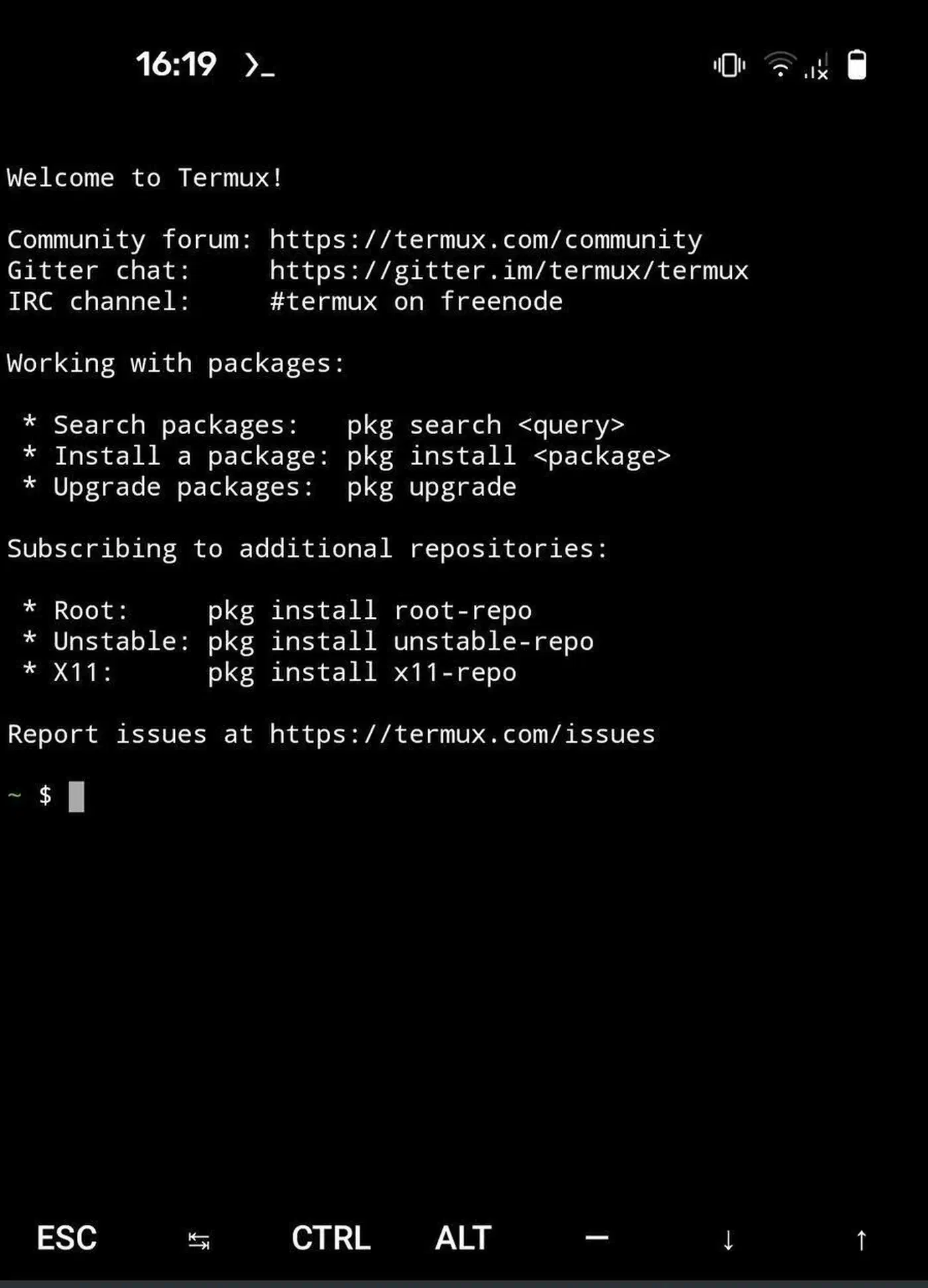
Open the app and run pkg upgrade before installing anything else. It refreshes the package index and pulls newer bootstrap tools.
Give it storage access
Run termux-setup-storage and accept the Android permission prompt. The command builds a ~/storage directory full of symlinks to your shared folders. Without it, Termux cannot see your downloads, photos, or documents at all.
Install what you actually need
Use pkg install openssh git python vim as a starting point. Everything comes from Termux’s own repositories, so package names sometimes differ from what a desktop distribution uses.
Stop Android killing your session
Open the Termux notification and tap Acquire wakelock. Then find Termux in your battery settings and set it to unrestricted. Both are needed, and on some phones neither is enough.
Add a real keyboard if you’ll use it seriously
A touchscreen keyboard leaves the terminal at demo level, so pair a Bluetooth keyboard if you want something you’ll actually reach for.
Fighting Android for your own processes
Android is built to stop apps running in the background, which is exactly what a terminal has to do. That clash is the biggest source of grief for anyone leaning on Termux.
Android 12 added a phantom process killer that trims child processes once more than 32 are alive across all apps at once. When it fires, your shell dies and the terminal prints [Process completed (signal 9) - press Enter]. The project tracks this in issue #2366, and its README warns that Termux may be unstable on Android 12 and later because of it.
Three defences help, in rough order of effort:
- Hold a wake lock, either by tapping
Acquire wakelockin the Termux notification or by runningtermux-wake-lockin the shell. It keeps the device out of deep sleep. - Take Termux off battery optimisation. The setting hides somewhere different on every phone, and dontkillmyapp.com maps the path per brand.
- Turn off the phantom process killer. Android 14 and later has a developer options toggle called
Disable child process restrictions. On Android 12 and 13 it takes an ADB command:adb shell "/system/bin/device_config put activity_manager max_phantom_processes 2147483647".
Even then, the system wins sometimes. Users report on issue #5150 that Android 15 still kills long jobs despite a held wake lock and an unrestricted battery setting. Several phone brands stack their own killing on top of stock Android, and no app setting beats it.
A wake lock carries long SSH sessions, scripted tasks, and file syncing without trouble. Beyond that, treat a phone as an always-on server only if you build in restarts and accept the odd sudden death.
What to do with it, and what to use instead
One job pays for Termux on its own: running servers over SSH. A full OpenSSH client in your pocket reaches a box from a train, a queue, or a friend’s sofa, and the laptop stays at home. If you want a graphical app instead, see how Termux stacks up against the best Android SSH clients.
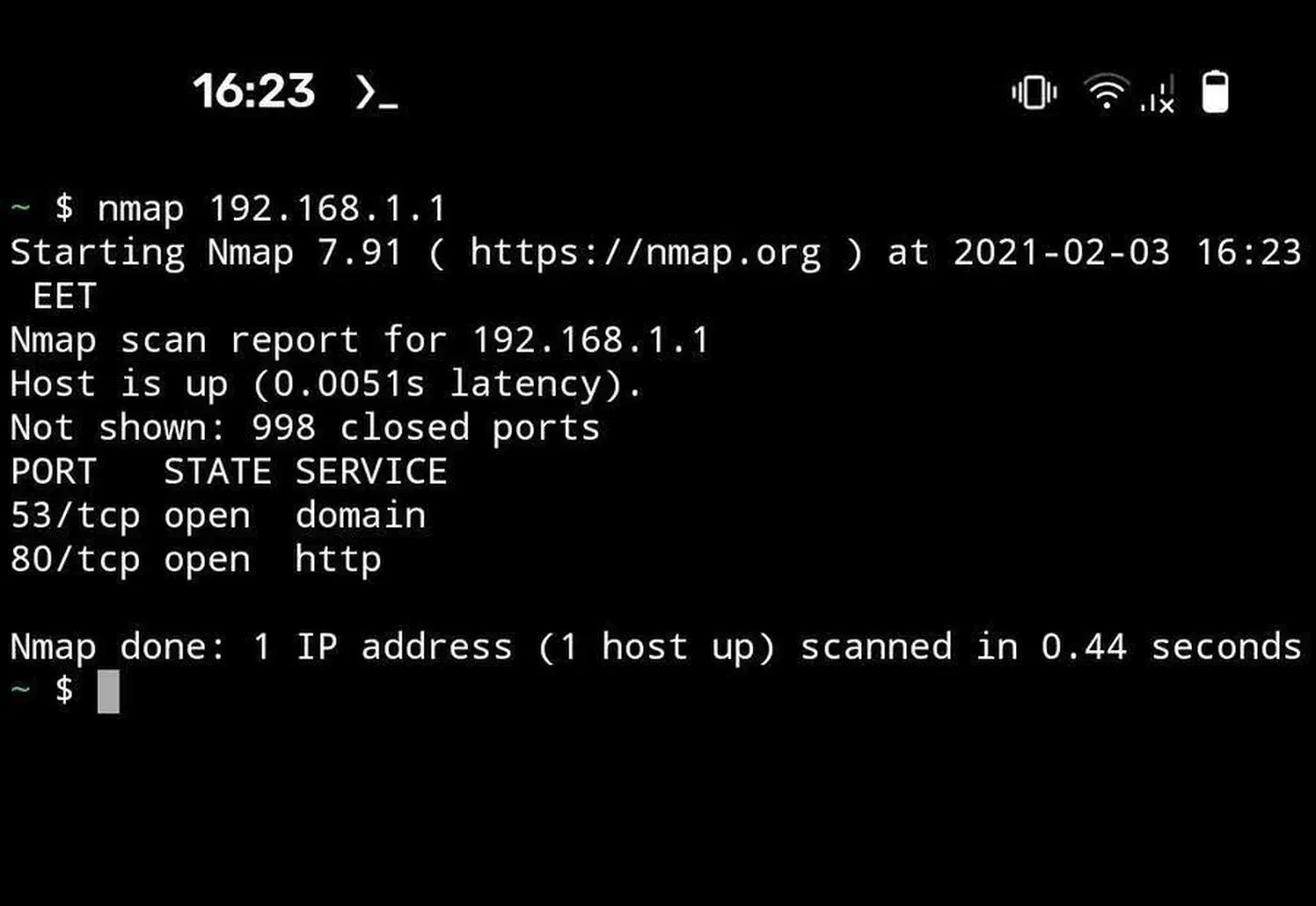
It earns its space on quick work too: fire off a script, sync files with rsync, edit a config, or poke at the network you’re standing in with nmap and dig.
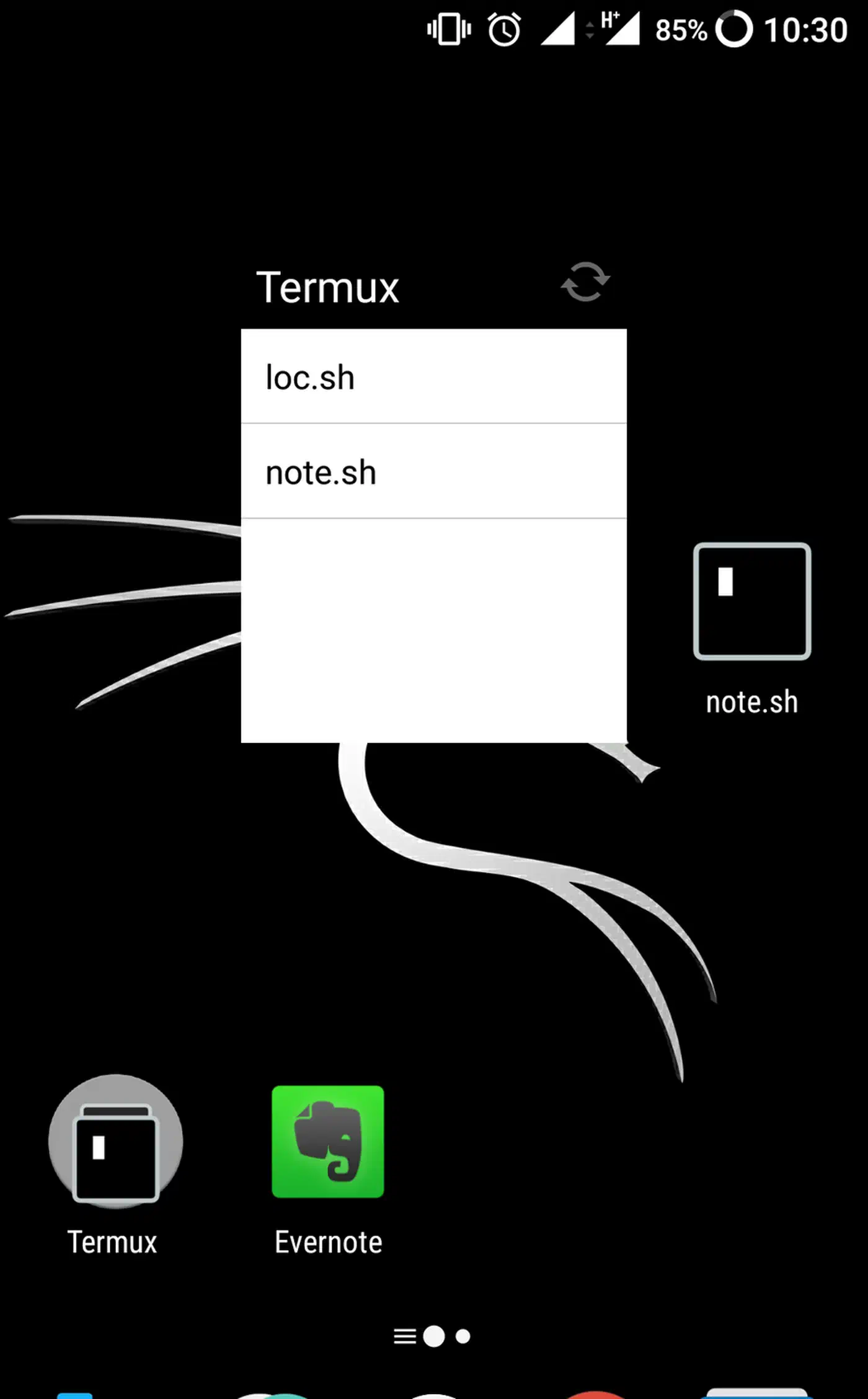
The add-ons are the underrated part. Termux:Widget puts a script on your home screen as a one-tap button. Termux:API wires the shell to the camera, clipboard, sensors, SMS, and notifications, so a shell script becomes a small phone automation. With Termux:Boot, a script runs whenever the phone starts.
Day-to-day coding is a losing battle on a phone screen with a soft keyboard, and an always-on server runs into the process killing described above. For heavier work, keep a small machine running at home and SSH into it from the phone. That split leaves Termux doing the part it’s best at.
The project itself is old and busy. The termux-app repository dates to 2015, is written mostly in Java, and carries around 58,000 stars. It also sits on roughly 565 open issues, with v0.118.3 as the last stable release and commits landing since. The package side stays active, though the maintainers have publicly asked for help on the app itself. Read that as stable rather than abandoned, and check r/termux when something acts up on your specific phone.