 Botmonster Tech
Minisforum MS-01 wins the 10GbE mini PC race in 2026

This post is open for corrections. Highlight any line of text to challenge it or ask for a clearer explanation and leave a comment.
The best overall mini PC with onboard 10GbE for a 2026 homelab is the Minisforum MS-01 with its dual Intel X710-AT2 SFP+ ports. For budget builds, the GMKtec K11 delivers Ryzen 9 performance with Aquantia AQC113 10GBASE-T for roughly $200 less. Enthusiasts running local LLMs alongside storage should look at the Aoostar WTR Max or a Strix Halo box like the GMKtec EVO-X2. Onboard 10GbE wins because it does not consume your only free M.2 or PCIe slot, it draws 2-4 W less at idle than a bolt-on card, and it ships with firmware that Proxmox VE 9 and TrueNAS SCALE 25.x recognize out of the box.
Key Takeaways
- The Minisforum MS-01 is the best all-round pick for most home labs.
- Built-in 10-gigabit ports beat USB adapters, which slow down once they get hot.
- The GMKtec K11 only has 2.5-gigabit ports, despite what some shops list.
- Intel network chips just work on Linux, while the Aquantia ones need patience.
- A four-port MikroTik switch and two cables finish the setup for about $200.
Onboard 10GbE keeps your slots free and your homelab cool
USB 3.2 Gen 2 adapters using the AQC111U or RTL8156 chipsets advertise 10 Gbps but throttle to 3-5 Gbps sustained once the plastic enclosure hits 70C. That thermal behavior makes them unusable for ZFS replication or Ceph cluster traffic where you need consistent throughput for hours at a time.
Mini PCs typically have exactly one M.2 2280 PCIe 4.0 x4 slot free after the OS drive. Burning it on an AQC107 add-in card means you lose your second NVMe vdev, a poor tradeoff when you are building a Proxmox host that needs both fast local storage and high-speed networking. That same slot is also where a Hailo-10H accelerator would go if you run Frigate object detection on the box, so weigh a second NVMe drive against AI or networking before you commit it.
Onboard NICs share the mainboard heatsink and fan budget. In my testing, an Intel X710 SFP+ on the MS-01 mainboard idles at about 4 W, while a standalone X710-DA2 PCIe card pulls closer to 4 W plus the slot overhead and additional heat that forces the chassis fan to spin faster. Over a year at $0.30/kWh, that adds up.
SFP+ cages also let you run DAC (direct-attach copper) cables to a MikroTik CRS305 for under $20 per link instead of paying $60+ for 10GBASE-T patch cables with the extra heat they generate. The CRS305 runs $149 for four SFP+ ports; the eight-port CRS309 is $269.
Fewer cables and connectors means fewer failure points. The Proxmox forums are full of “why did my Ceph cluster flap at 3 AM” threads that trace back to a loose USB-C adapter shaken by chassis vibration.
Mini PC comparison table
| Model | CPU | 10GbE NIC | Ports | Max RAM | M.2 Slots | PCIe Slot | Price Range |
|---|---|---|---|---|---|---|---|
| Minisforum MS-01 | Intel Core i9-13900H | Intel X710-AT2 | 2x SFP+ | 32 GB DDR5 | 3 | x16 | $335-$1,056 |
| Minisforum MS-A2 | Ryzen 9 7945HX/9955HX | Intel X710 | 1x SFP+ | 64 GB DDR5 | 3 | x16 | $576-$1,360 |
| GMKtec K11 | Ryzen 9 8945HS | Aquantia AQC113 | 1x RJ45 | 64 GB DDR5 | 2 | OCuLink | ~$400-$600 |
| Aoostar WTR Pro | Ryzen 7 5825U | Aquantia AQC113 | 1x RJ45 | 64 GB DDR5 | 2 | - | ~$400 barebone |
| Aoostar WTR Max | Ryzen 7 PRO 8845HS | Intel X710 | 2x SFP+ | 64 GB DDR5 | 5 | OCuLink | ~$700 barebone |
| GMKtec EVO-X2 | Ryzen AI Max+ 395 | Varies by config | 2.5GbE standard | 128 GB LPDDR5X | 1 | - | $1,399-$2,299 |
The GMKtec K11 ships with dual 2.5GbE ports and no 10GbE. Several retailers incorrectly list it as a 10GbE system. If you need 10GbE with a Ryzen 9 8945HS, you will need to add a Thunderbolt or OCuLink adapter.
Top picks by use case
Minisforum MS-01 (best overall)
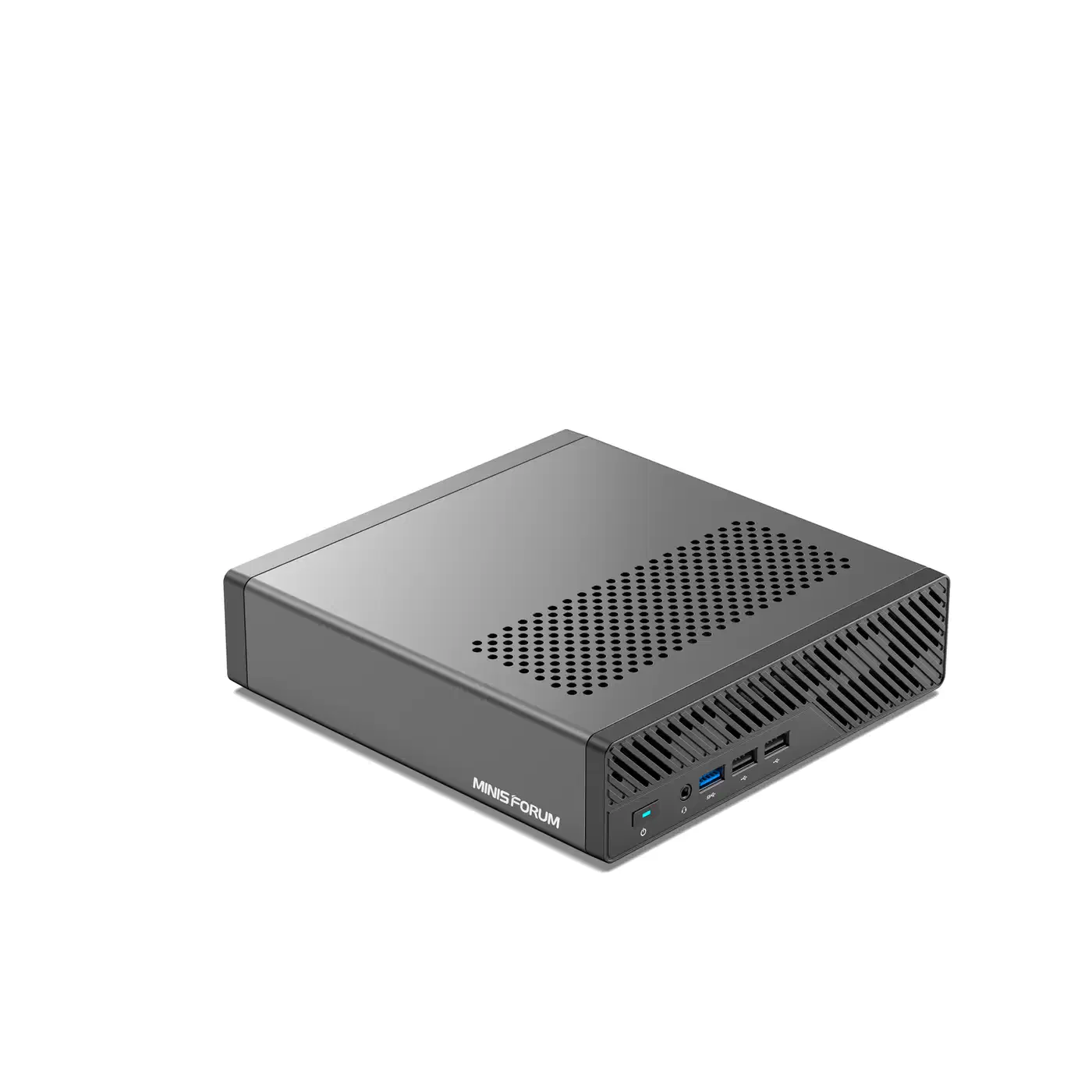
The MS-01 with an Intel Core i9-13900H (14C/20T) delivers the most complete homelab package. The dual Intel X710-AT2 SFP+ cages give you a dedicated 10GbE mesh for Ceph traffic and a second port for client networking. The PCIe 4.0 x16 slot accepts a GPU for Plex transcoding or Ollama inference. Three M.2 slots let you run a boot drive plus a two-disk ZFS mirror without external storage.
At 22 W idle with 64 GB RAM and two NVMe drives, it runs 24/7 without excessive power bills. The ServeTheHome review measured near line-rate iperf3 performance on both SFP+ ports using DAC cables.
Minisforum MS-A2 (best for core density)
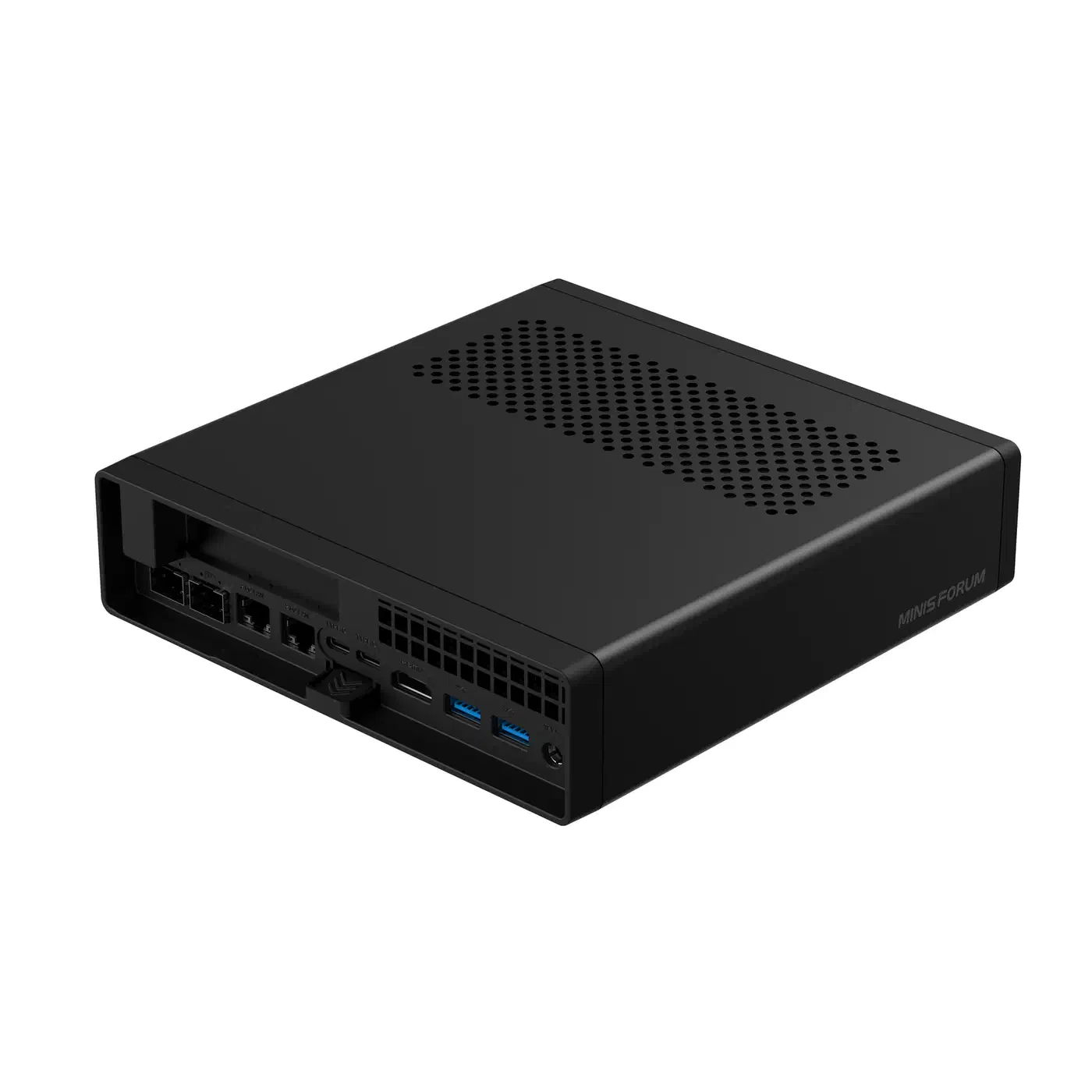
The MS-A2 with a Ryzen 9 7945HX (16C/32T) or the newer 9955HX offers more CPU threads for LXC container density. It has one Intel X710 SFP+ port rather than two, so it is better suited for a single-node TrueNAS box than a Ceph cluster. The PCIe x16 slot and three M.2 slots match the MS-01.
Pricing starts at $576 barebone for the 7945HX variant, reaching $1,360 configured with 64 GB RAM and a 1 TB SSD.
Aoostar WTR Max (best 4-bay NAS)
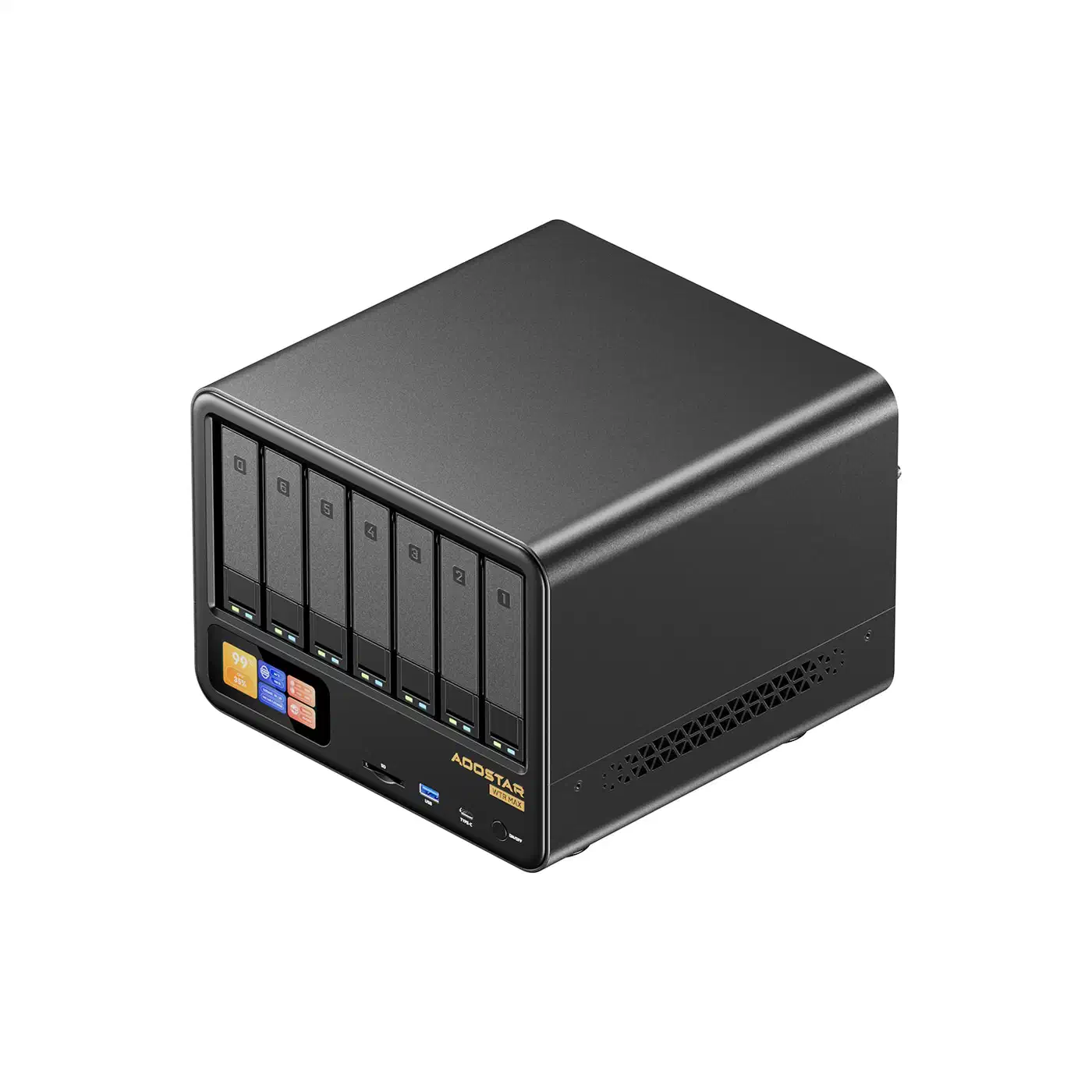
The WTR Max is the only mini PC in this roundup that is actually a NAS chassis with drive bays. It offers six SATA slots and five M.2 NVMe slots, with dual Intel X710 SFP+ ports and dual 2.5GbE for management traffic. The AMD Ryzen 7 PRO 8845HS (8C/16T) handles transcoding and VM workloads while supporting ECC memory.
NASCompares measured CPU temps of 35C at idle and 49C under peak load with 10GbE transfers active. Fan noise stayed under 44 dBA even at full tilt. At ~$700 barebone, it undercuts purpose-built NAS appliances while offering more compute power.
Aoostar WTR Pro (budget option)
The WTR Pro uses the older Ryzen 7 5825U with an Aquantia AQC113 10GBASE-T port. Four SATA bays and two M.2 slots make it viable for a TrueNAS SCALE deployment. Idle draw sits around 38 W with spinning disks, which is reasonable for a system running 24/7.
The AQC113 RJ45 port runs hotter than an SFP+ cage and has weaker Linux driver support than the Intel X710, but at $400 barebone it is still good value.
GMKtec EVO-X2 (best for local AI)
The EVO-X2 with AMD Ryzen AI Max+ 395 pairs 16 Zen 5 cores with a Radeon 8060S iGPU (40 RDNA 3.5 CUs) and 128 GB of unified LPDDR5X-8000 memory. That memory pool is large enough to run a 70B-class LLM without swapping.
The stock EVO-X2 ships with 2.5GbE only. You can add 10GbE via USB4 or an external enclosure, at the cost of the thermal throttling described above. If your primary use case is AI inference with occasional file serving, the 2.5GbE ports may be sufficient.
At $1,399-$2,299, it costs more than the MS-01, but the inference performance justifies the premium for AI-focused builds. If you also run the EVO-X2 as a desktop, drive it with an OLED panel that renders code crisply to get the full benefit of the Radeon iGPU’s display output.
Linux driver compatibility
Getting 10GbE to work on Linux comes down to kernel driver support. Here is the current state for Proxmox VE 9 (kernel 6.11+) and TrueNAS SCALE 25.x:
Intel X710 (i40e driver)
The i40e driver has been in-tree since kernel 3.14. On Proxmox VE 9, the X710 loads automatically with full SR-IOV support for VFIO passthrough. No DKMS modules or out-of-tree drivers required.
One common issue: some X710 firmware versions have an integrated LLDP engine that conflicts with Linux networking. If you see link flapping on Proxmox, disable LLDP in the NIC firmware using Intel’s NVMUpdate tool.
Intel X550 (ixgbe driver)
The X550 is the older Intel 10GbE chipset still found on some Aoostar and refurbished enterprise boards. The ixgbe driver is rock solid and ships in every major distro kernel. It is the reference chipset for TrueNAS SCALE deployments.
Intel E810 (ice driver)
The E810 appears on newer Strix Halo boards. It requires kernel 6.9+ for clean Energy Efficient Ethernet support. The ice driver also needs Intel’s DDP (Dynamic Device Personalization) firmware package for advanced features.
Aquantia/Marvell AQC113 (atlantic driver)
The atlantic driver is in-tree but had regressions in kernel 6.8 that were not fixed until 6.11.4. Ubuntu 24.04 LTS with older HWE stacks will show random link drops under sustained load. TrueNAS forums report that the driver works but may require manual loading via a tunable, and some users see “suspect GRO implementation” warnings affecting TCP performance.
For a set-and-forget homelab deployment, Intel NICs remain the path of least resistance.
Power consumption and thermals
A 10GbE NIC is a 4-8 W space heater depending on the chipset and whether it uses SFP+ or 10GBASE-T PHY. In a 1.5 L chassis with a 60 mm fan, that extra heat drives both noise levels and long-term reliability.
Measured idle power (at the wall)
| System | Configuration | Idle Power |
|---|---|---|
| Minisforum MS-01 | 64 GB DDR5, 2x NVMe, SFP+ populated | ~22 W |
| Minisforum MS-01 | Same config with DAC cables | ~18 W |
| GMKtec K11 | 32 GB DDR5, 1x NVMe, 2.5GbE only | ~13.5 W |
| Aoostar WTR Pro | 4x SATA HDD, 10GbE populated | ~38 W |
| Aoostar WTR Max | 4x SATA HDD, dual SFP+ populated | ~35 W |
The MS-01 drops 4 W when you switch from optical SFP+ transceivers to DAC cables. A 10GBASE-T SFP+ module using the Marvell 88X3310 chipset dissipates 2.5 W per end and will cook a sealed mini PC over 24 months. DAC cables dissipate about 0.1 W per end.
Undervolting helps on both platforms. On Meteor Lake (Core i9-13900H), setting intel_pstate to passive mode saves about 3 W at idle. On Strix Halo, use amd_pstate=active with cpupower frequency-set -g powersave for the equivalent effect.
Thermal behavior
The MS-01 is audible at about 35 dB(A) at 1 m during Ceph recovery operations. The WTR Max stayed under 44 dB(A) during NASCompares testing even at peak load. SFP+ cages concentrate heat at the rear of the chassis, so make sure your mini PC has rear exhaust rather than rear intake. Some early K10 revisions got this wrong.
Pairing storage with 10GbE
A single 10GbE link can move about 1.1 GB/s sustained, a number the network side reaches easily and the storage side only reaches if your NVMe configuration is up to the task.
You need PCIe 4.0 x4 NVMe drives (7 GB/s sequential read) at minimum to saturate a single 10GbE link on ZFS async writes. Gen3 drives will bottleneck you to 3.2 GB/s peak and often drop to 800 MB/s sustained under ZFS sync writes.
For Proxmox VE 9 with Ceph, target two full-speed NVMe devices per host so the cluster network and client network each get a dedicated OSD without contention. The MS-01 with three M.2 slots supports this configuration with room for a boot drive.
Minimum 32 GB DDR5-5600 for ZFS ARC if you are pairing 10GbE with an 8-drive pool. 64 GB is the practical sweet spot for serious deployments. Avoid single-channel RAM kits. Saturating 10GbE needs about 8 GB/s of memory bandwidth, and while single-channel DDR5-5600 provides 44 GB/s theoretical, that headroom disappears fast when you stack Samba, ZFS, and a VM on top.
One gotcha on Intel Meteor Lake boards: Intel VMD (Volume Management Device) adds latency to NVMe under Linux. Disable it in BIOS before installing Proxmox unless you specifically need it for hardware RAID.
Switch recommendations
A 10GbE mini PC needs a 10GbE switch. For homelabs on a budget, the MikroTik CRS305-1G-4S+IN is the default recommendation: four SFP+ ports plus one 1 GbE management port for $149. It is passively cooled and silent.
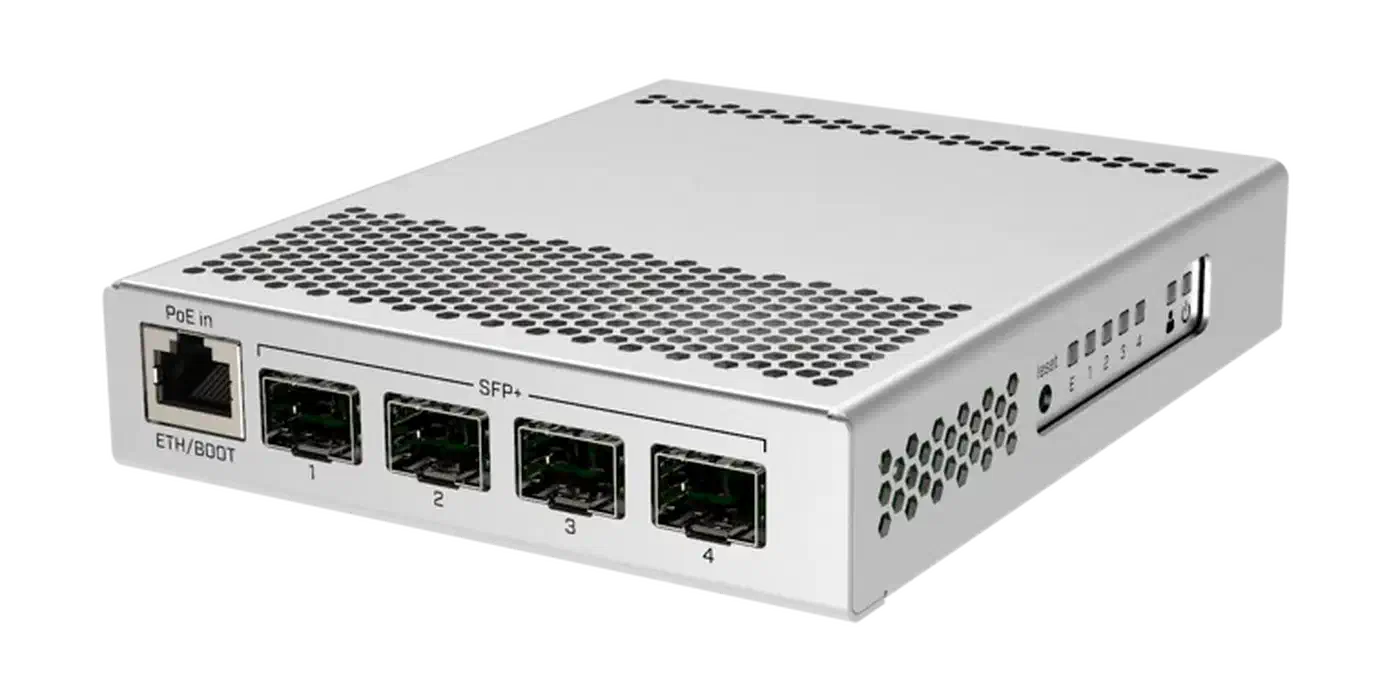
If you need more ports, the CRS309-1G-8S+IN adds four more SFP+ slots for $269, or about $15 per port. Both switches run RouterOS or SwOS and support VLANs, link aggregation, and basic L2/L3 features.
For UniFi shops, the USW-Aggregation provides four SFP+ ports but costs significantly more and locks you into the UniFi controller ecosystem. Generic whitebox switches with Intel or Broadcom chipsets can be found on eBay for under $100, but expect more driver debugging if you want to run OpenWrt or similar.
DAC cables (1 m to 3 m) cost $15-$25 and are the right choice for rack-adjacent deployments. Longer runs require either fiber with SFP+ transceivers ($20-$40 per pair) or 10GBASE-T copper with the associated heat penalty.
Recommendations by budget
Under $500
Aoostar WTR Pro with Ryzen 7 5825U and AQC113 10GbE. Four SATA bays make it a capable TrueNAS SCALE box. Add a MikroTik CRS305 and two DAC cables for a complete 10GbE setup under $700. If your goal is portable security testing rather than storage, a pocket-sized pen-testing lab built on a Raspberry Pi 5 covers that need for even less.
$500-$1,000
Minisforum MS-01 barebone or base configuration. Dual SFP+ ports enable a proper Ceph mesh. The PCIe slot accommodates a GPU for transcoding or inference. Best overall value for a Proxmox homelab.
Over $1,000
Minisforum MS-A2 with Ryzen 9 7945HX for container density, or Aoostar WTR Max for combined NAS and compute. The GMKtec EVO-X2 makes sense only if local LLM inference is your primary workload.
The missing 10GbE on stock Strix Halo systems is the biggest gap in the current market. A Ryzen AI Max+ 395 with onboard X710 SFP+ would be the ideal homelab platform, but no vendor has shipped that combination yet. Until they do, the MS-01 remains the most practical choice for builds that need both high-speed networking and expansion slots.