 Botmonster Tech
The M.2 NVMe SSDs actually worth buying for your homelab in 2026

The WD Black SN8100 (Gen5, TLC, up to 14,900 MB/s) is the best overall NVMe SSD for homelabs in 2026, while the WD Black SN7100 (Gen4, TLC) offers the best value for most builds. Avoid QLC drives for write-heavy NAS workloads. TLC endurance is worth the small price premium for data you can’t lose.
Picking an SSD for a homelab is different from picking one for a gaming PC. Your homelab drives run 24/7, handle sustained write workloads from VMs and containers, and need to last years without surprise failures. The wrong choice (a cheap QLC drive in a write-heavy Proxmox setup, for instance) can burn through its endurance rating in under a year. This guide covers which drives are worth buying right now, what to skip, and how to keep them healthy once they’re installed.
A price warning before we get into the drives: NAND flash prices have more than doubled since mid-2025. Phison’s CEO confirmed that the same 1 TB TLC chip that cost $4.80 in July 2025 now costs $10.70, and Kingston reported a 246% increase in NAND wafer pricing. All 2026 NAND production is already sold out, and new fab capacity won’t arrive until late 2027. “Wait for cheaper” is no longer a viable strategy.
Gen5 vs Gen4: does your homelab need PCIe 5.0?
Gen5 NVMe SSDs are mature now, but most homelab workloads won’t use the extra bandwidth. The raw numbers:
- Gen4 sequential reads: ~7,000-7,250 MB/s
- Gen5 sequential reads: ~14,000-14,900 MB/s, roughly double on paper
Homelab workloads are IOPS-limited. VM boots, Docker layer pulls, database queries, and ZFS scrubs are dominated by random 4K reads and writes, where the Gen5 advantage shrinks to about 10-30%.
Gen5 helps with large sequential transfers (cloning VM images, restoring backups from NVMe-over-Fabrics targets), video editing scratch disks where you’re streaming multiple 4K/8K files simultaneously, and NVMe-oF setups serving storage to multiple machines over the network.
Gen4 is enough for 90% of homelab use cases: boot drives for Proxmox or TrueNAS, Docker volume storage, VM disk images with thin provisioning, ZFS SLOG or L2ARC cache devices, and general NAS caching.
In late September 2026 the Gen5 SN8100 cost $492 for 2TB on Tom’s Hardware’s SSD price tracker, a steep premium for marginal real-world gains in most homelab scenarios.
Always-on systems also have to budget for power and heat. Gen5 drives draw 6.5-7W active versus Gen4 at 4-6W. Over a year of 24/7 operation, those extra watts add up in both electricity cost and cooling requirements. The WD SN8100’s 6nm SM2508 controller improved Gen5 power efficiency compared to earlier designs, but Gen4 drives still win here.
TLC vs QLC: endurance for always-on systems
The flash type inside your SSD determines how long it’ll last under sustained writes, and homelab drives see a lot of writes.
TLC (Triple-Level Cell) stores 3 bits per cell. Consumer TLC drives typically offer 600-1,200 TBW (Terabytes Written) endurance for a 2TB model. Write speeds stay consistent because TLC cells handle program/erase cycles more gracefully.
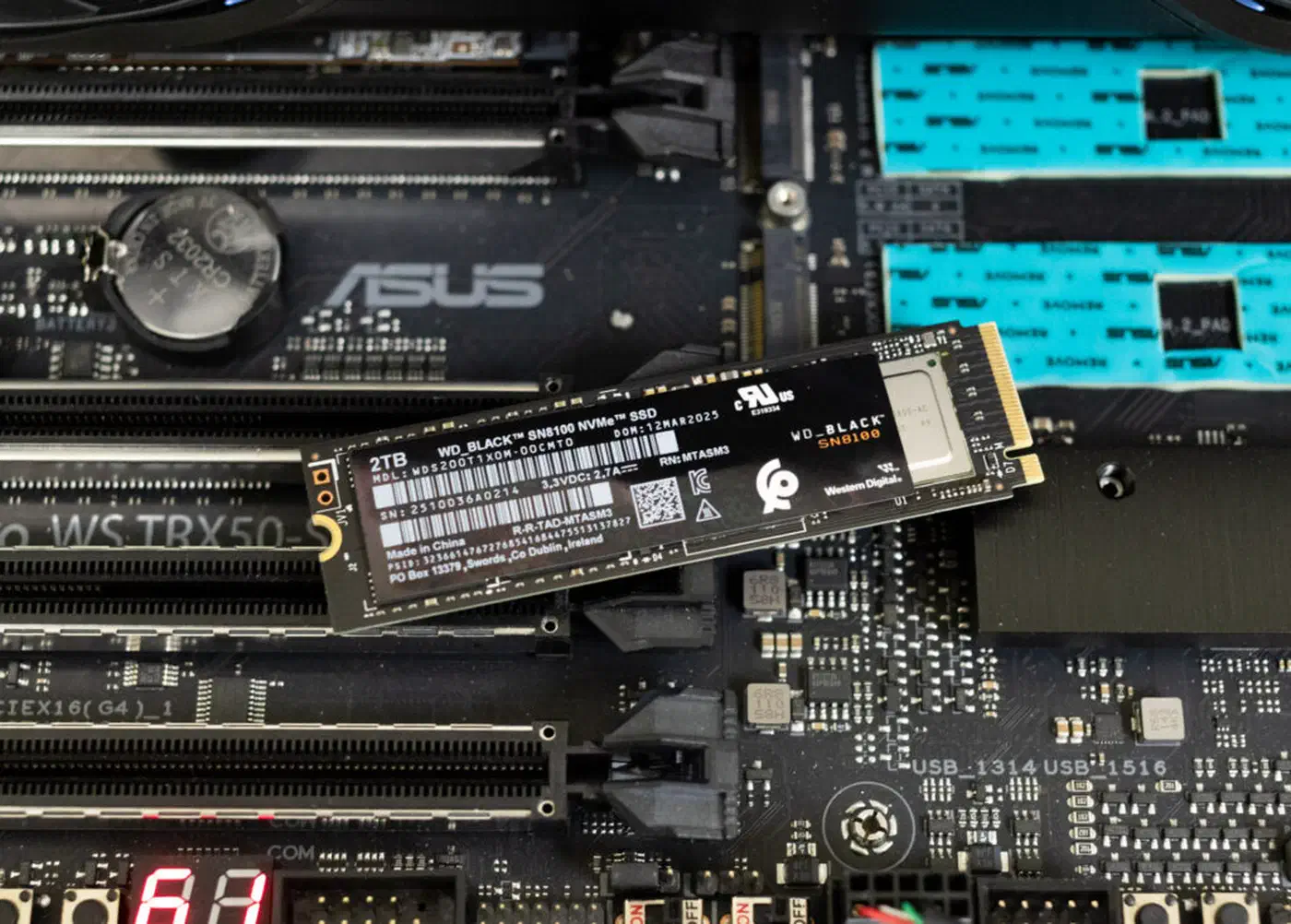
QLC (Quad-Level Cell) stores 4 bits per cell. The extra bit per cell means higher density and lower cost, but endurance drops to 300-600 TBW for a 2TB drive. Worse, write speeds collapse once the SLC cache is exhausted.
SLC cache exhaustion
QLC drives advertise fast sequential write speeds, but those numbers only hold within a small SLC cache - typically 50-100GB of dynamic cache space. Once the cache fills, write speeds plummet to 500-1,500 MB/s. For a homelab running Proxmox with several VMs writing logs, database WAL files, and Docker container layers simultaneously, that cache exhaustion happens regularly.
When QLC Is Acceptable
QLC drives aren’t universally bad. They work fine for:
- Media libraries where reads dominate (Plex, Jellyfin storage)
- Cold storage tiers
- Boot drives with minimal write activity
When to Choose TLC
For anything write-intensive in a homelab, TLC is the right call:
- Proxmox VM storage
- Docker volumes with active containers
- Database hosts (PostgreSQL, MariaDB WAL files)
- Surveillance recording buffers
- ZFS SLOG devices
To put endurance in perspective: a 2TB TLC drive rated at 1,200 TBW can sustain about 1.6 TB of writes per day for two years. That’s far more than any homelab will generate. The consumer metric DWPD (Drive Writes Per Day) of 0.3 is standard and more than sufficient.
The Best NVMe SSDs for Homelab Use
Here are the specific drives worth buying in 2026, ranked by use case.
| Drive | Gen | NAND | Read/Write (MB/s) | TBW (2TB) | Controller | Price (2TB) |
|---|---|---|---|---|---|---|
| WD Black SN8100 | 5 | TLC | 14,900 / 14,000 | 1,200 | SM2508 (6nm) | ~$492 |
| WD Black SN7100 | 4 | TLC | 7,250 / 6,900 | 1,200 | Polaris 3 (HMB) | ~$130 |
| Samsung 990 EVO Plus | 4/5 | TLC | 7,250 / 6,300 | 600 | Samsung (nickel-coated) | ~$195 |
| Seagate FireCuda 540 | 5 | TLC | 10,000 / 10,000 | 2,000 | Phison E26 | ~$180 |
The SN8100 price is the late-September 2026 best US price; the other three are early-2026 prices that the NAND shortage has likely pushed higher, so check current listings.
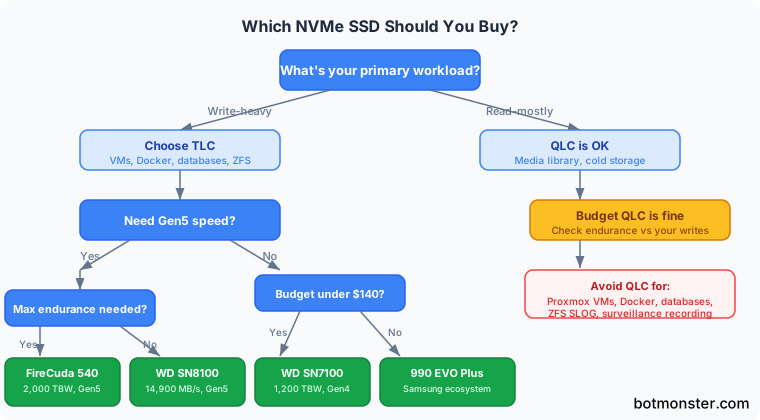
This decision tree covers the main factors for choosing a drive.
Best Overall (Gen5): WD Black SN8100
The SN8100 uses Silicon Motion’s SM2508 controller on a 6nm process with Kioxia 218-layer BiCS8 TLC NAND. It hits 14,900 MB/s sequential reads and 14,000 MB/s writes (2TB/4TB models), with 2.3M/2.4M random read/write IOPS.
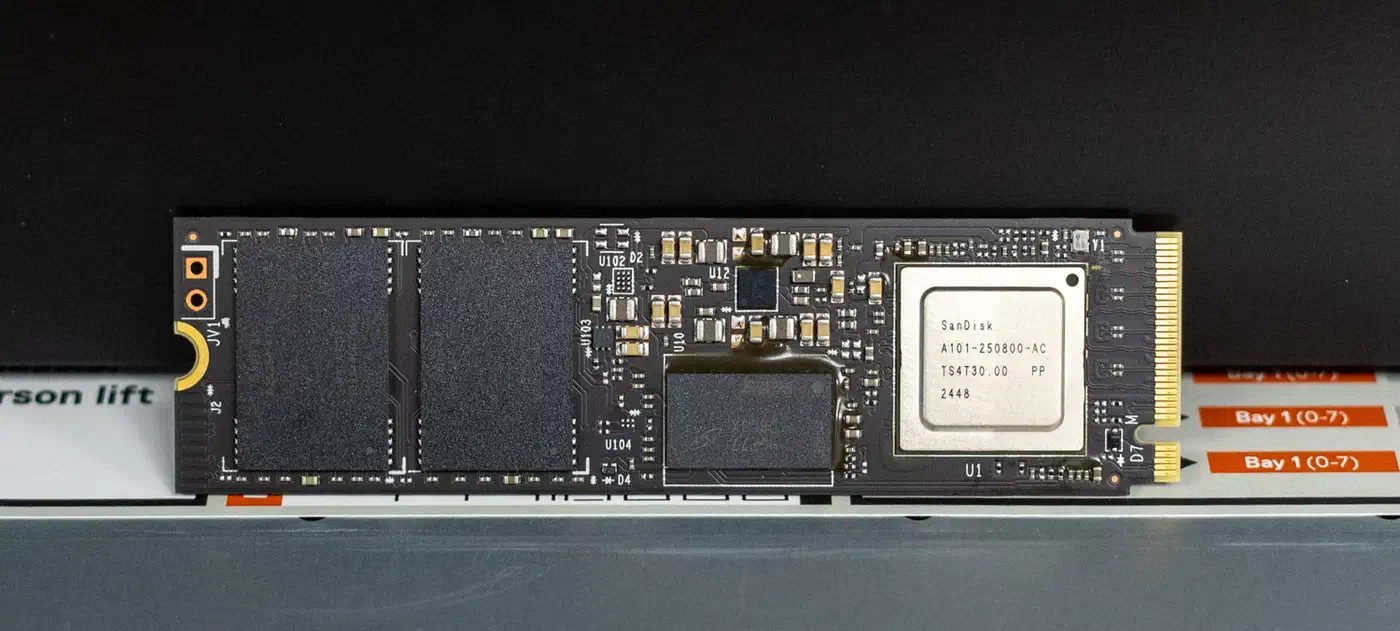
Its power efficiency suits homelab use. At 6.5W active read and 5mW idle, it runs far cooler than first-generation Gen5 drives. The SN8100 is single-sided at all capacities (1TB, 2TB, 4TB), so it fits in tight mini-ITX builds and NAS enclosures without clearance issues.
It launched at $179.99 (1TB), $279.99 (2TB), and $549.99 (4TB). By late September 2026 the best US prices had climbed to $249, $492, and $699. An 8TB model is expected later in 2026.
Best Value (Gen4): WD Black SN7100
The SN7100 is DRAMless, using Host Memory Buffer (HMB) instead, which keeps the price down without sacrificing much real-world performance. It uses WD’s in-house Polaris 3 controller with the same 218-layer TLC NAND as the SN8100.
At 7,250/6,900 MB/s sequential and 1,200 TBW endurance for the 2TB model, it’s the best TLC drive you can buy under $140. Power draw is also very low: WD claims up to 100% better efficiency over the previous SN770. SanDisk now sells the drive as the SANDISK Optimus GX 7100.
For a Proxmox boot drive doubling as VM storage in a small homelab, this is the one to get.
Best Budget: Samsung 990 EVO Plus
The Samsung 990 EVO Plus straddles Gen4 x4 and Gen5 x2, hitting 7,250/6,300 MB/s. Samsung’s firmware maturity and the excellent Magician monitoring software make this a reliable choice for anyone who prefers the Samsung ecosystem.
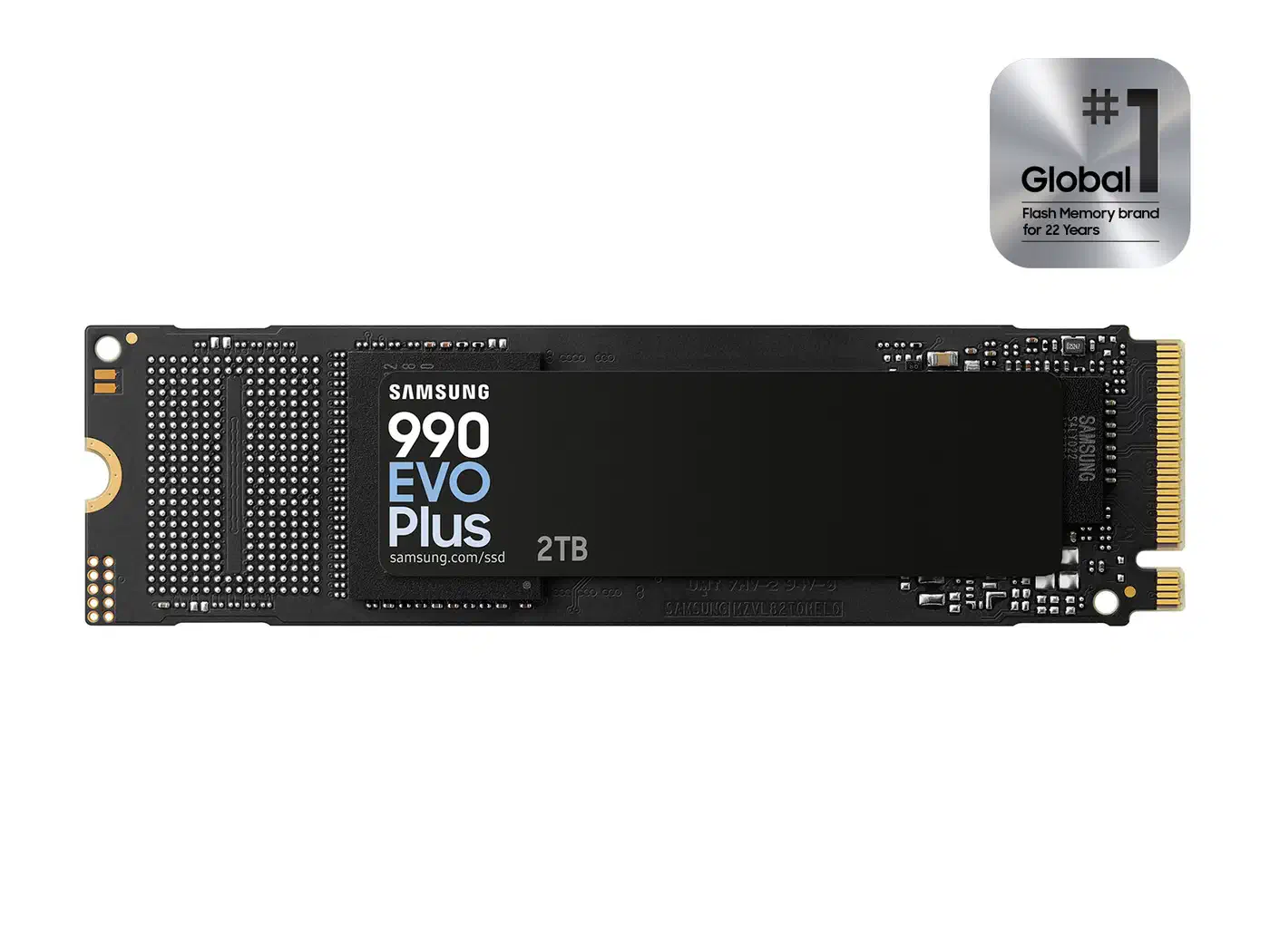
The tradeoff: only 600 TBW at 2TB, half the endurance of the WD drives. For boot drives and light VM workloads, that’s still plenty. For write-heavy roles, look at the SN7100 instead.
Best for NAS Caching: Seagate FireCuda 540
The FireCuda 540 offers 2,000 TBW at 2TB, the highest endurance in the consumer Gen5 segment. It uses the Phison E26 controller with 232-layer TLC NAND and a DDR4 DRAM cache.
At 10,000/10,000 MB/s symmetric read/write, it’s slower than the SN8100 in raw throughput and more durable under sustained write loads. That makes it the right pick for ZFS SLOG devices, TrueNAS write caching, or any role where the drive gets hammered with writes continuously.
Seagate’s included 3-year Rescue Data Recovery Service is a nice bonus, though you shouldn’t rely on it as a backup strategy.
Drives to Avoid for Homelab Use
- Any QLC drive in a write-heavy role: the endurance math doesn’t work out for 24/7 operation
- DRAMless QLC drives: the worst of both worlds for sustained random writes
A note on Crucial: Micron announced in December 2025 that it would stop shipping Crucial consumer products at the end of February 2026, redirecting supply to larger strategic customers. Crucial SSDs still in stock may be good deals, and Micron says it will keep providing warranty service and support. If you spot a Crucial P5 Plus at a clearance price, it’s still a solid TLC drive, though the brand is end-of-life.
M.2 form factors: 2230, 2242, and 2280
Before buying, check which M.2 sizes your motherboard or NAS accepts. The numbers indicate width and length in millimeters:
- 2280 (22mm x 80mm) is the standard for desktop motherboards and most NAS devices. All drives recommended above are 2280.
- 2242 (22mm x 42mm) shows up in some mini PCs and compact NAS enclosures. Fewer high-performance options available, so check the slot size before pairing a drive with a small-form-factor home lab server.
- 2230 (22mm x 30mm) is used in Steam Deck, handheld gaming PCs, and some ultracompact mini PCs. Limited to lower-capacity drives.
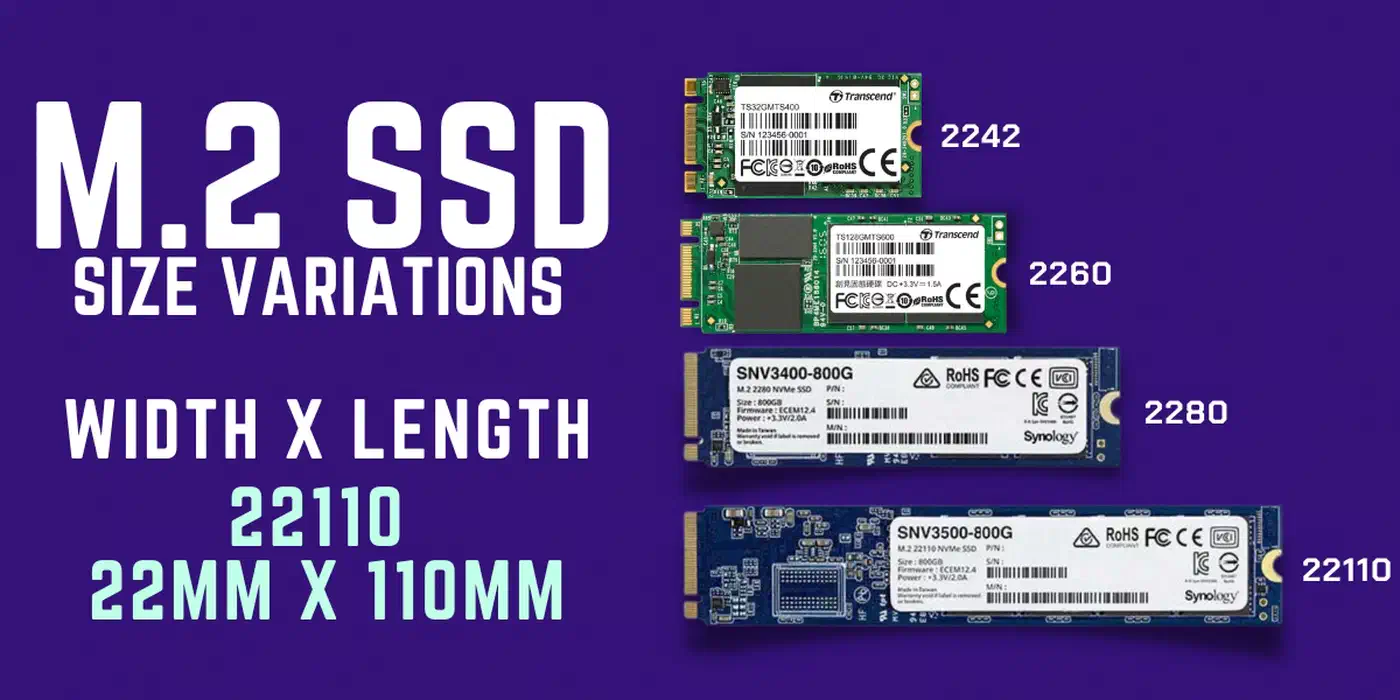
The form factor doesn’t affect speed directly - a 2230 NVMe with the same controller and NAND performs identically to a 2280 version. Larger drives do have more surface area for heat dissipation, which helps under sustained workloads. A 2230 drive shoved into a ventilation-free NAS enclosure will thermal throttle faster than a 2280 with a proper heatsink.
If your board has a 2280 slot, use it. You get the widest selection of drives and the best thermal characteristics. If you need to run multiple NVMe drives from a single PCIe slot, PCIe bifurcation adapters let you install up to four M.2 drives with no performance penalty.
Choosing the Right Capacity
Homelab storage needs vary widely. A rough sizing guide:
- 500GB-1TB works for a Proxmox or TrueNAS boot drive and VM images for a small lab with 3-5 VMs.
- 2TB is the sweet spot: boot OS, Docker volumes, and moderate VM storage on a single drive, at the best price-per-GB ratio at current pricing.
- 4TB makes sense for heavy VM usage, large database instances, or a media cache. Gen4 4TB drives are available around $250.
If you keep Windows and Linux on one drive, size up. Two OS installs plus a shared exFAT partition eat into that budget fast.
Single Drive vs Mirror
For data you care about, mirror two 2TB drives instead of buying one 4TB. A ZFS mirror gives you redundancy with instant failover if one drive dies. A single 4TB drive failure means downtime and a restore from backup.
Proxmox storage tiers work well here. Use a ZFS mirror of two NVMe drives as the fast pool for VM disks (thin-provisioned), and a bulk HDD pool of spinning disks for backups, ISOs, and media storage.
Over-Provisioning
Leave 10-15% of your SSD capacity unallocated. This gives the drive’s controller spare blocks for wear leveling, garbage collection, and maintaining consistent write performance over time. On a 2TB drive, that means formatting only ~1.7-1.8TB as usable space.
Heatsinks
Gen5 drives throttle without active or passive cooling. If your motherboard includes an M.2 heatsink, use it. If not, aftermarket M.2 heatsinks run $8-15 and can drop sustained temperatures by 10-20C. Gen4 drives are less temperature-sensitive but still benefit from basic cooling in enclosed cases.
Installation and Health Monitoring on Linux
Installing the drive takes five minutes. Setting up monitoring so you catch failures before data loss takes a bit longer.
Initial Setup
After physically installing the drive, verify detection:
lsblk
nvme list
The nvme list command shows model, firmware version, serial number, and capacity for each connected NVMe device.
Firmware Updates
Use fwupd to keep drive firmware current:
fwupdmgr refresh
fwupdmgr update
Not all NVMe drives support fwupd yet, but WD and Samsung drives generally do. Check the LVFS device list for compatibility.
Partitioning and Formatting
For a dedicated VM storage pool with ZFS:
zpool create -o ashift=12 nvme-pool mirror /dev/nvme0n1 /dev/nvme1n1For a simpler ext4 setup:
sgdisk -Z /dev/nvme0n1
sgdisk -n 1:0:0 -t 1:8300 /dev/nvme0n1
mkfs.ext4 /dev/nvme0n1p1
SMART Health Monitoring
The smartctl command from smartmontools gives you the critical health data:
smartctl -a /dev/nvme0Key fields to watch:
Temperature: sustained readings above 70C indicate inadequate coolingPercentage Used: how much of the drive’s rated endurance has been consumedData Units Written: total writes in thousands of 512-byte units (multiply by 512,000 to get bytes)Power On Hours: uptime counter
Automated Alerts
Configure smartd to send email alerts when thresholds are exceeded. Add your drive to /etc/smartd.conf:
/dev/nvme0 -a -o on -S on -n standby,q -W 0,45,55 -m your@email.comThis monitors all attributes and sends alerts when temperature exceeds 55C.
NVMe Temperature Logging
For quick temperature checks without the full SMART dump:
nvme smart-log /dev/nvme0 | grep -i temperatureTRIM Maintenance
On ext4 or Btrfs, enable the systemd TRIM timer:
sudo systemctl enable --now fstrim.timerThis runs fstrim weekly on all mounted filesystems. For ZFS, enable automatic TRIM on your pool:
zpool set autotrim=on nvme-poolTracking Endurance Over Time
To project remaining drive lifespan, note the “Data Units Written” value from smartctl monthly. Calculate your daily write rate and compare it against the drive’s TBW rating. A 2TB TLC drive rated at 1,200 TBW with an average write rate of 50GB/day has roughly 65 years of endurance left.
NVMe-over-Fabrics: Sharing Storage Across the Network
For homelabs with multiple machines, NVMe-over-Fabrics (NVMe-oF) lets you expose local NVMe drives as network-accessible block devices. Unlike iSCSI, NVMe-oF speaks the NVMe protocol natively, eliminating the SCSI translation overhead.
Two transport options are available:
- NVMe/TCP works over standard Ethernet with no special hardware. Good enough for most homelab setups. Port 4420 is the standard.
- NVMe/RDMA requires RDMA-capable NICs (RoCE or InfiniBand) but delivers lower latency. Overkill for most homelabs unless you already have the hardware.
On the storage server (target), load the nvmet and nvmet-tcp kernel modules and configure namespaces through /sys/kernel/config/nvmet or with nvmetcli. On the client (initiator), install nvme-cli, discover targets, and connect:
nvme discover -t tcp -a 192.168.1.100 -s 4420
nvme connect -t tcp -n my-nvme-target -a 192.168.1.100 -s 4420
Gen5 bandwidth starts making sense here: serving NVMe storage to three or four machines simultaneously can saturate a Gen4 drive’s throughput, while a Gen5 drive has headroom to spare.
Wrapping Up
For most homelabs, the WD Black SN7100 at around $130 for 2TB is the right call. It delivers TLC endurance, solid Gen4 performance, and excellent power efficiency. If you need Gen5 speeds for NVMe-oF or large sequential workloads, the WD Black SN8100 is the current leader. And if write endurance is your top priority, the Seagate FireCuda 540 offers 2,000 TBW that’s hard to match.
Whatever you choose, mirror your drives with ZFS, monitor SMART data, and enable TRIM.