 Botmonster Tech
ConvertX is a self-hosted file converter for 1000 formats
This post is open for corrections. Highlight any line of text to challenge it or ask for a clearer explanation and leave a comment.
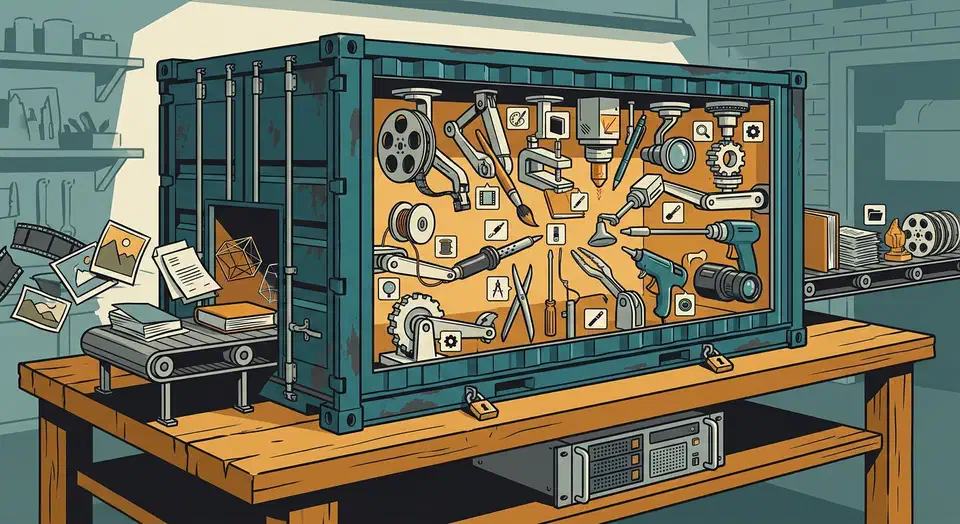
ConvertX is a self-hosted file converter that runs in one Docker container. Inside it sits a web page wrapped around 19 command-line tools, including FFmpeg, ImageMagick, LibreOffice, and Calibre. The advertised 1000+ formats is the sum of what those tools each support. Files never leave your machine.
Key Takeaways
- ConvertX converts files on your own server, so nothing is uploaded to a stranger.
- It wraps 19 existing tools, which is where the huge format list comes from.
- One Docker command gets you a working web page on port 3000.
- Converted files delete themselves every 24 hours unless you change that.
- The first account created is the admin, so never leave a fresh install exposed.
Why run a self-hosted file converter at all?
Most people find this category after a bad moment. You dragged a signed contract into a free online PDF tool and watched the progress bar. Then you wondered where that file went, and who has it now. Free converters receive your document, and you have no say in what they do with it afterwards.
Browser converters cap file size and queue you behind other users. They also limit you to a few jobs a day, then stamp a watermark on the way out. A container on your own box has none of those rules.
Feeding 200 photos through a web tool one at a time is a chore, while dropping all 200 onto a local page is a single action. The conversion also keeps working when your connection doesn’t.
The hardware is already yours, and every tool inside the container is free software. A browser tool still wins for a single conversion on a laptop you don’t administer. Deploying a container there is more work than the job itself.
What is actually inside the container
The project README publishes the per-tool input and output counts, and adding them up is exactly where the thousand-format headline comes from.
| Tool | Handles | Formats in | Formats out |
|---|---|---|---|
| FFmpeg | Video and audio | ~472 | ~199 |
| ImageMagick | Images | 245 | 183 |
| GraphicsMagick | Images | 167 | 130 |
| Assimp | 3D assets | 77 | 23 |
| Vips | Images | 45 | 23 |
| Pandoc | Documents and markup | 43 | 65 |
| LibreOffice | Office documents | 41 | 22 |
| Calibre | Ebooks | 26 | 19 |
The remaining eleven engines are small but they are the reason odd jobs succeed. Inkscape, resvg, and dvisvgm cover vectors, while Potrace goes the other way and traces raster images into vectors. libheif handles HEIF, libjxl handles JPEG XL, and XeLaTeX renders LaTeX.
A few engines cover jobs nobody plans for. msgconvert reads Outlook messages, and a VCF to CSV path rescues contact exports. Dasel swaps between JSON, TOML, YAML, CSV, and XML, while Microsoft’s Markitdown turns documents into Markdown.
The headline number is those per-tool counts added together, with input and output totals summed separately. The README itself notes that many FFmpeg entries are duplicates. So the total is honest arithmetic on a table of counts, and the dropdown you actually see is far shorter.
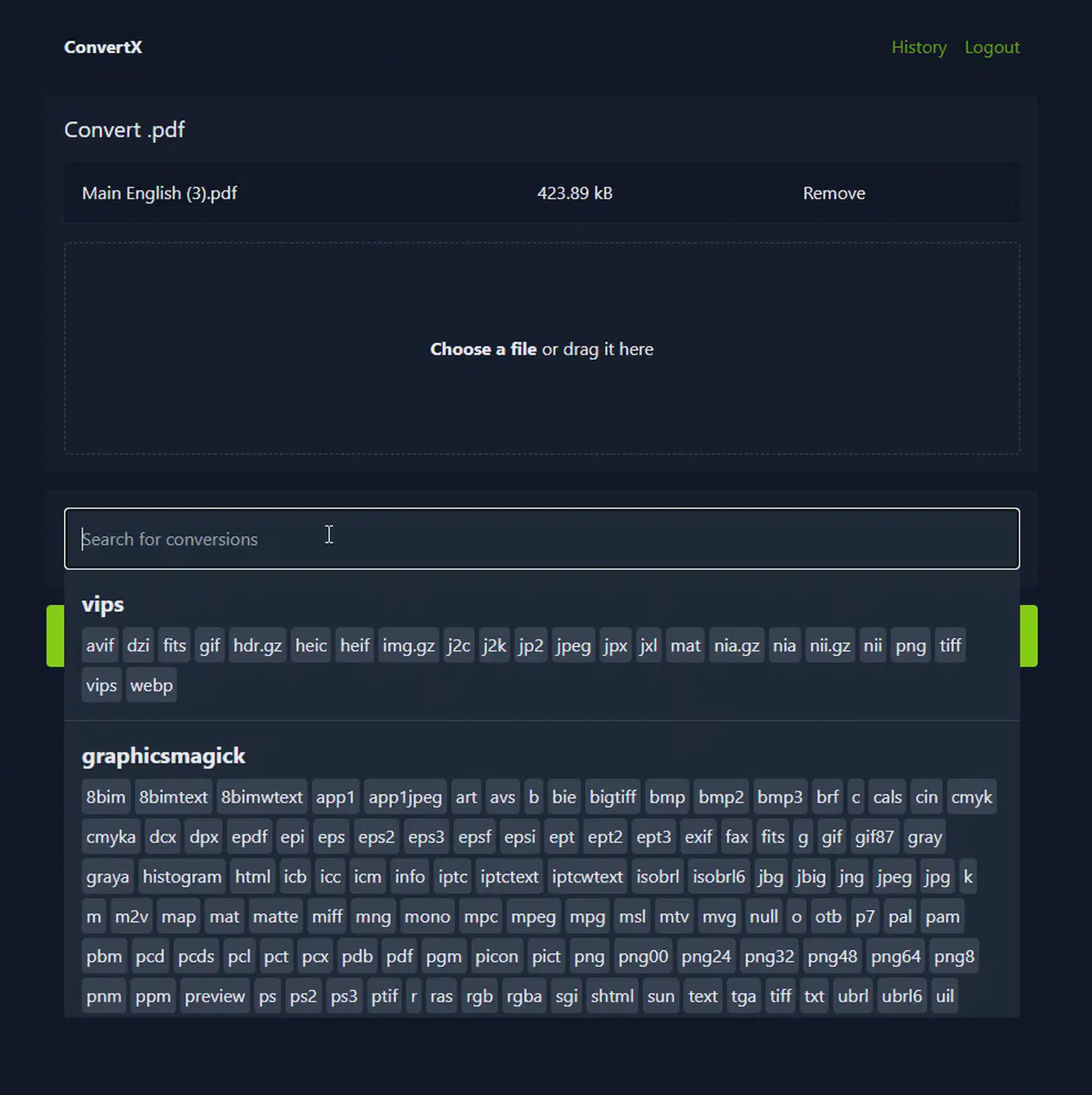
The release image weighs about 1.45 GB. That is heavy for a utility container, though fair for one shipping LibreOffice, Calibre, and a full FFmpeg build. The app itself is small: TypeScript running on Bun with the Elysia framework.
How to run ConvertX in Docker and convert your first file
The whole deployment is one Compose file and one visit to a browser.
Write the Compose file
Use the image ghcr.io/c4illin/convertx, publish port 3000, and mount ./data:/app/data. That volume holds the SQLite database and the converted files, so skipping it means losing your accounts on the next restart.
Set a JWT secret
Add JWT_SECRET to the environment with a long random string. Leave it unset and the container generates a fresh random value at startup, which logs every user out on every restart.
Start it
Run docker compose up -d. For a throwaway test, docker run -p 3000:3000 -v ./data:/app/data ghcr.io/c4illin/convertx is enough.
Create the first account immediately
Open http://localhost:3000 and register. The first registration claims the instance, so do this before the port is reachable from anywhere but your desk.
Fix login problems over plain HTTP
If the login form refuses to work on a plain address, set HTTP_ALLOWED=true. Restrict that to a local network and never to a public host.
Convert a batch
Upload several files at once, pick one target format, and let the queue run. On a small server, set MAX_CONVERT_PROCESS to cap how many jobs run at the same time, because the default of 0 means unlimited.
Set your retention
AUTO_DELETE_EVERY_N_HOURS defaults to 24. Set it to 0 to keep files forever, in which case nothing ever reclaims the disk space.
Tune video conversion
FFMPEG_ARGS and FFMPEG_OUTPUT_ARGS pass flags straight into FFmpeg, at the input and output side respectively. Use them for hardware acceleration or an encoder preset such as -preset veryfast.
Locking it down before anyone else finds it
ConvertX ships with no account, and the first person to hit the registration page gets it. The README warns you plainly not to leave a fresh instance unconfigured and open.
ACCOUNT_REGISTRATION defaults to false, which is the right default, yet it does nothing about that first unclaimed slot. Two more switches, ALLOW_UNAUTHENTICATED and HTTP_ALLOWED, exist for local convenience and both should stay off on anything with a public address.
Retention doubles as a security control. AUTO_DELETE_EVERY_N_HOURS decides how long a payslip or a passport scan sits on disk after you convert it.
Put the whole thing behind a reverse proxy with HTTPS instead of publishing port 3000 to the internet. Treat the upload endpoint as real attack surface, because it hands attacker-controlled files to 19 parsers. The project’s own release history backs this up: 0.18.0 fixed a path traversal flaw in the conversion API, and 0.16.0 patched a separate advisory.
Pick your image tag on purpose too. The :latest tag follows tagged releases, while :main rebuilds on every commit to the main branch. Only the first belongs on a machine you depend on.
Where it fits next to the command line
Every engine inside the container already exists on the command line, so the wrapper has to earn its place. What it adds is a job queue, a history page you can download from later, and multi-file uploads. It also brings real accounts and a target-format picker, so you stop looking up flags. You can do all of it in a shell, but it takes far more typing.
Households and small teams win, because one person runs the server and everyone else just needs a bookmark. Anyone already fluent with ffmpeg and pandoc inside a scripted pipeline gains almost nothing and should skip it.
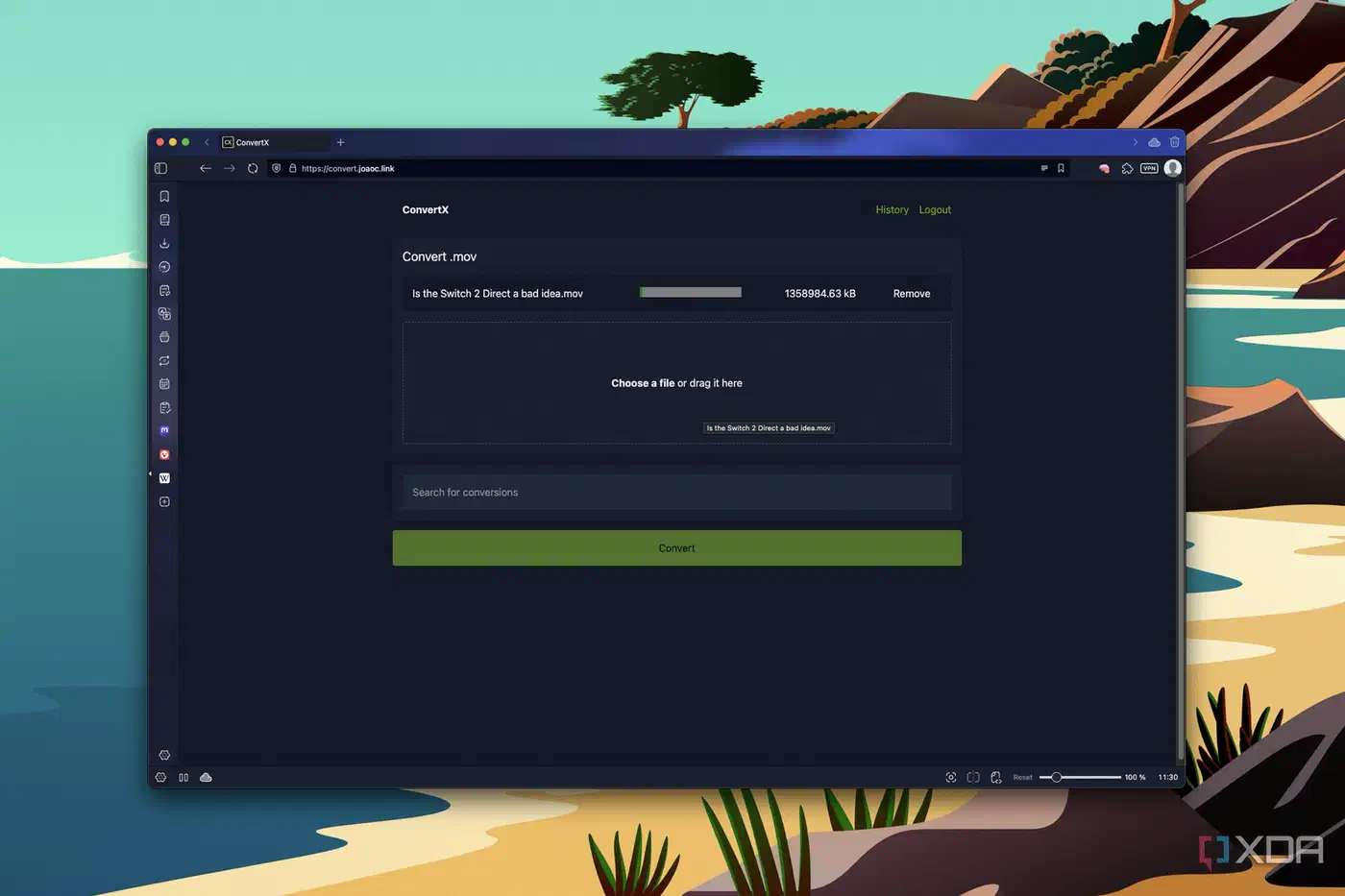
XDA’s João Carrasqueira ran it on a NAS and put the case plainly.
I don’t plan on touching another online converter ever again. Being able to do this on my own server just makes all the sense in the world.
He also flagged a caveat. Video conversion took a while on hardware with no discrete GPU, and the output showed slight quality loss he couldn’t tune from the web interface. Video work is CPU-bound, which is what MAX_CONVERT_PROCESS is there for.
Hardware acceleration works, up to a point. The long-running hardware acceleration issue shows people getting VAAPI and QuickSync running by passing /dev/dri into the container and installing the right host drivers.
is it only me or GPU acceleration in ConvertX with VAAPI/QSV is limited to decode? I see here -c:v libx264 is hardcoded. It means always use SW encoding.
That reading holds up. The FFmpeg converter appends -c:v libx264 after your own arguments, so a hardware encoder passed through FFMPEG_OUTPUT_ARGS gets overridden. Hardware acceleration speeds up decoding, and the encode stays on the CPU. An open pull request proposes the fix. Until it lands, plan for software encoding.
ConvertX compared to a PDF-only toolkit
Stirling PDF is the narrower, deeper alternative. It does one document type properly, with editing, merging, splitting, and OCR that ConvertX has no answer for. For scans you want to keep and search later, Paperless-ngx runs OCR on every page and files it for you.
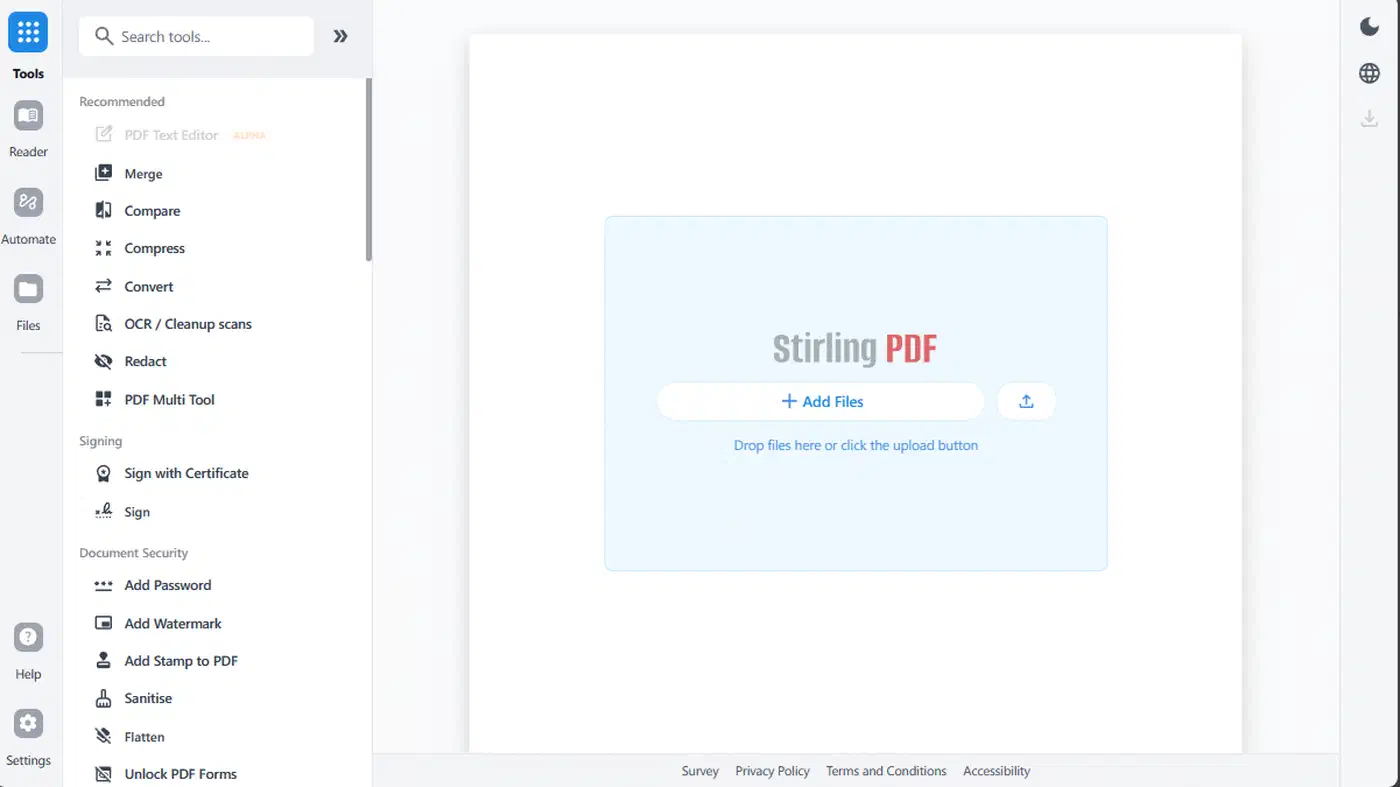
| Tool | Scope | Engines | Best for |
|---|---|---|---|
| ConvertX | Any file type | 19 bundled tools | Mixed media, batch jobs, ebooks, 3D assets |
| Stirling PDF | PDF only | PDF toolchain plus OCR | Editing, merging, splitting, signing PDFs |
The licence is AGPL-3.0, which constrains you if you ever plan to offer it as a hosted service to other people. When a conversion fails, the error lands in the container log rather than a friendly panel. Run docker logs convertx to see the actual reason.
The project ships releases at a steady pace. Roughly 125 issues stay open, and a large share are requests for yet another format. For a tool whose entire job is covering formats, that backlog reads more like demand than neglect.