 Botmonster Tech
OmniGet wraps yt-dlp in an app that plays your courses
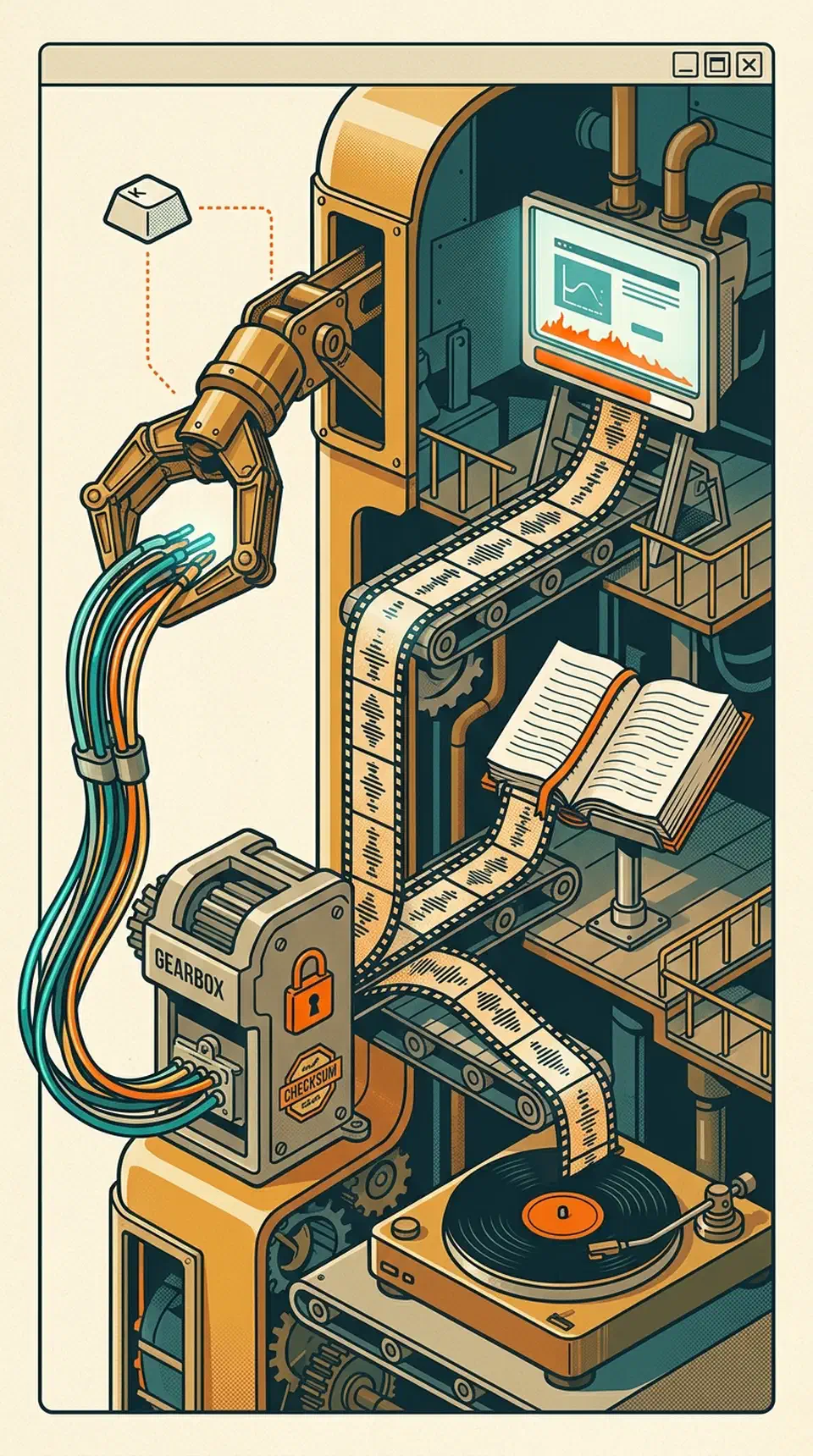
OmniGet is an open source video downloader app that does not stop at downloading. It bundles yt-dlp and FFmpeg, checks yt-dlp by SHA256 before running it, then plays what it fetched. A course player tracks your progress, a reader opens EPUB and PDF, and a music library holds the audio.
Key Takeaways
- Copy a link, press one shortcut, and OmniGet downloads it in the background.
- It runs on yt-dlp underneath, so it reaches the same 1,800 sites.
- One window plays your courses, reads your books, and holds your music.
- It runs portable from a USB stick and writes nothing to your system.
- macOS blocks it on first launch, because nobody paid Apple to sign it.
What an open source video downloader app adds over yt-dlp
Most people who find OmniGet already have yt-dlp installed. yt-dlp is the extraction engine, and OmniGet runs it rather than competing with it. Nothing in the app reaches a site yt-dlp cannot.
What changes is the cost of entry. yt-dlp asks you to install Python, learn the flags, and write a format selector. OmniGet asks for one file and a pasted link, then shows the quality options before you commit.
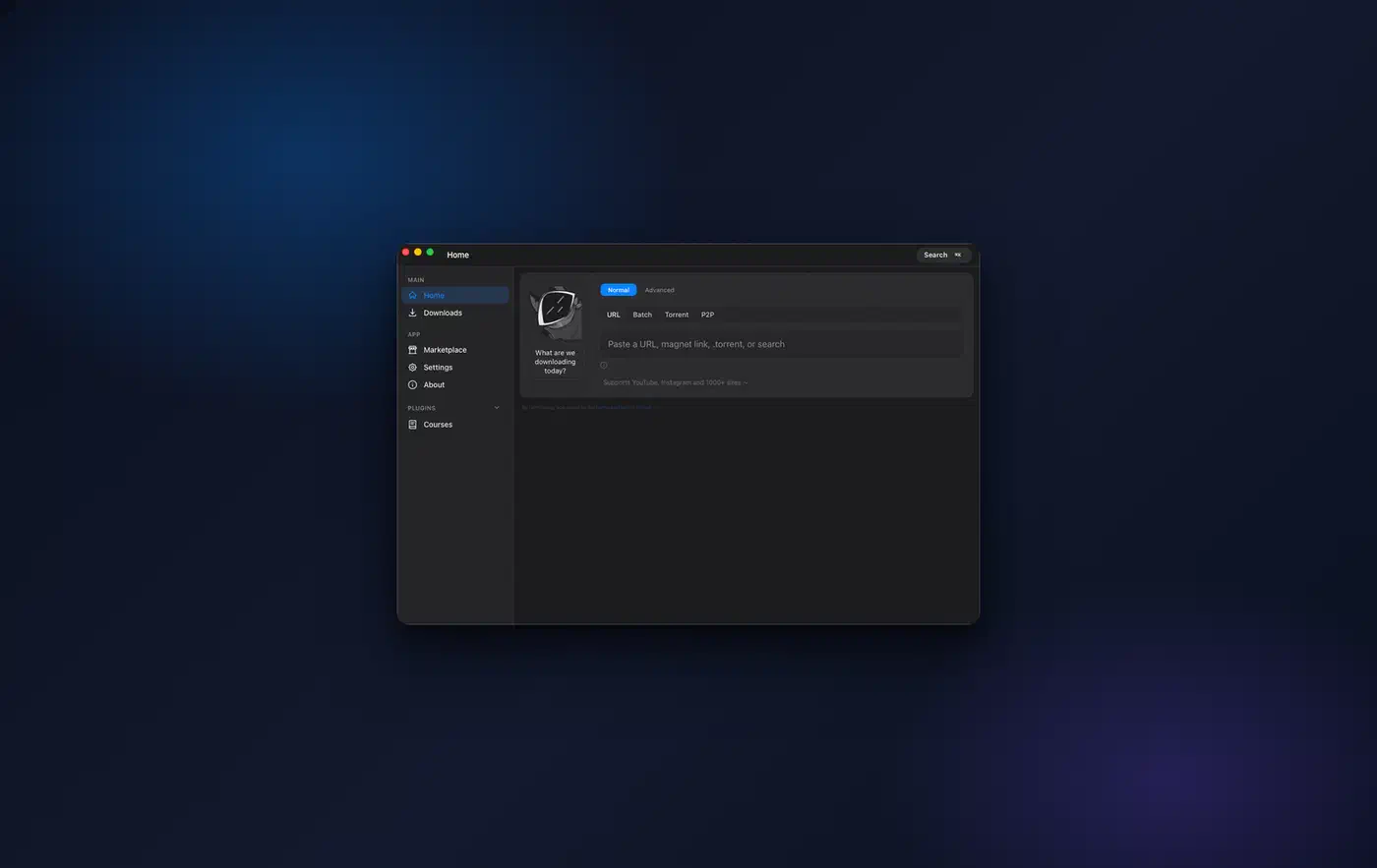
Around that sit the parts a terminal does not hand you. There is a queue that retries and resumes, a download history, and a library you can browse. Both bundled tools install and update themselves.
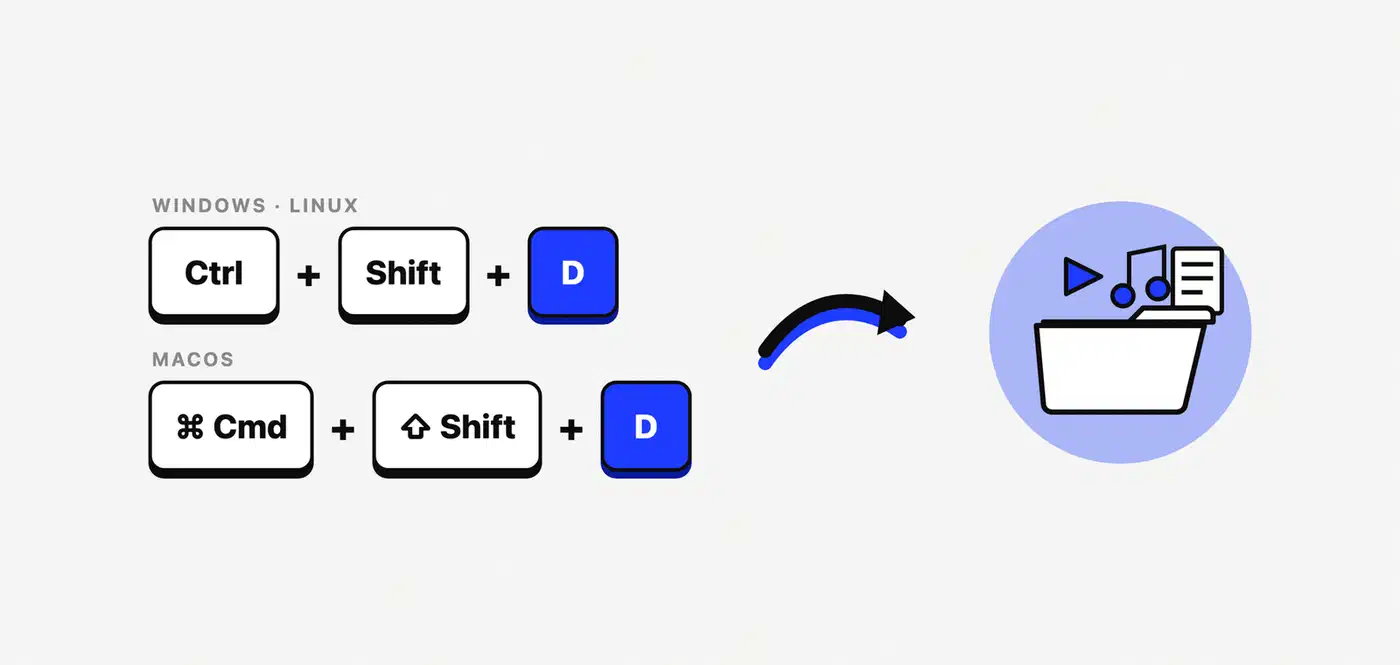
The clipboard hotkey is the feature people keep it for. Copy a link anywhere on your system, press Ctrl+Shift+D, or Cmd+Shift+D on macOS, and the file lands in your folder. The window never has to open.
The project frames the choice fairly itself: if you only want files, stay with yt-dlp.
| Tool | What it asks of you | What you get back |
|---|---|---|
| OmniGet | One file, no Python | Preview, queue, history, player, reader, music library |
| yt-dlp | Python, flags, a format selector | Unmatched control over about 1,800 sites, files only |
| Single-purpose downloaders | One app per site | Edge cases on that one platform, handled first |
| Paid course downloaders | A subscription | Closed code, for material you already bought |
What happens when yt-dlp breaks
Sites change, extractors break, and a bundled copy of yt-dlp can fall behind the upstream project. OmniGet updates its bundled tools in the background, though the project publishes no schedule for how fast that happens.
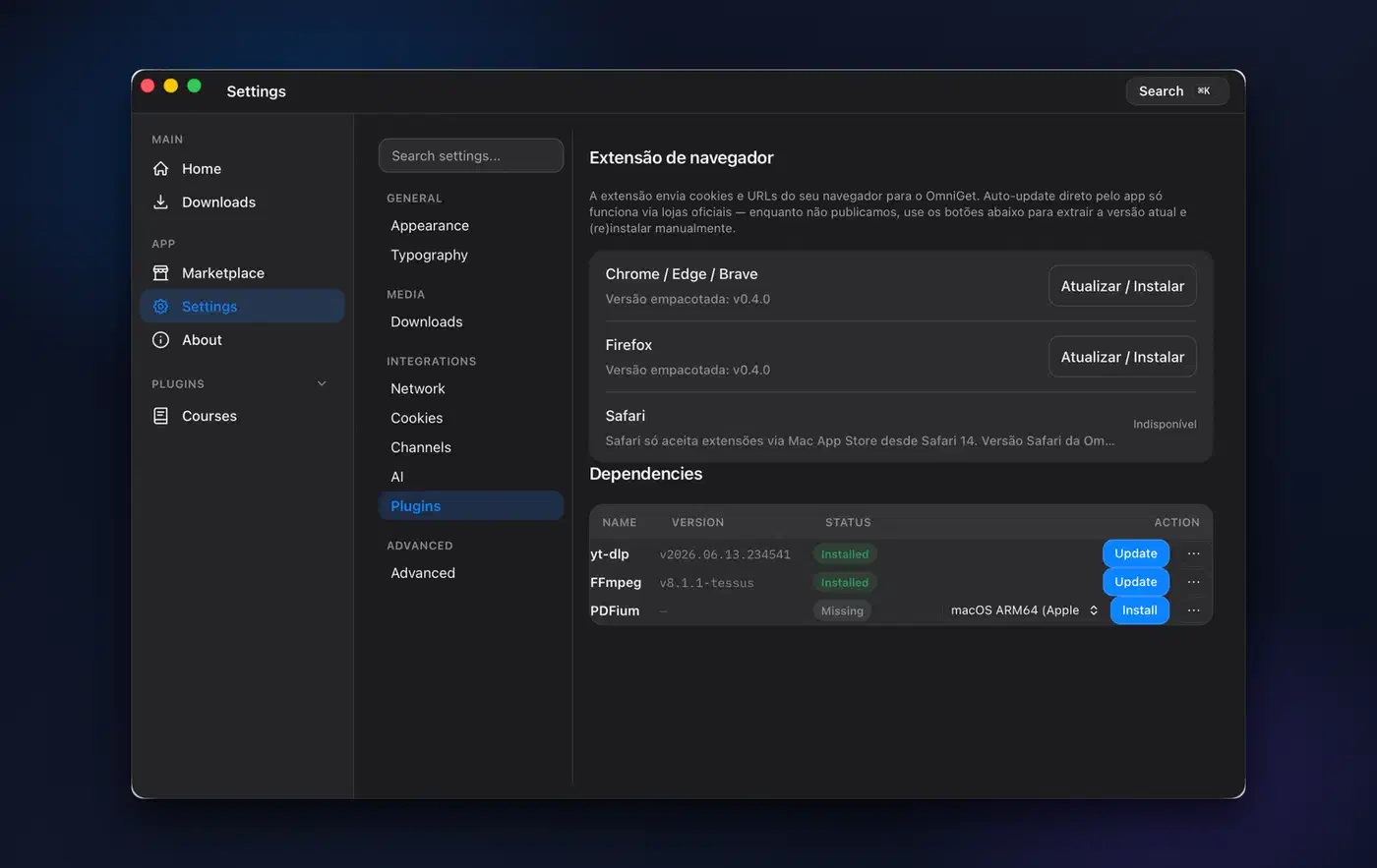
The app detects yt-dlp, FFmpeg, and PDFium already installed on your machine. It labels where each binary came from, so you can point it at a copy you update yourself.
The download runs through yt-dlp either way, so the app cannot make it faster. Speed and ETA are reported by the downloader itself, so you can see a stall while it is happening. No independent benchmark of the app against yt-dlp run directly has been published.
The half of OmniGet that plays your files
The course player is the centrepiece. Download a Udemy or Hotmart course and work through it inside the app, resuming at the second you stopped. Notes pin themselves to a timestamp and jump back to that moment when you click them, and attached PDFs open beside the video.
The player reads a real course, so lessons and their attachments stay in the order the instructor set. You never have to hunt through numbered folders in a file manager.
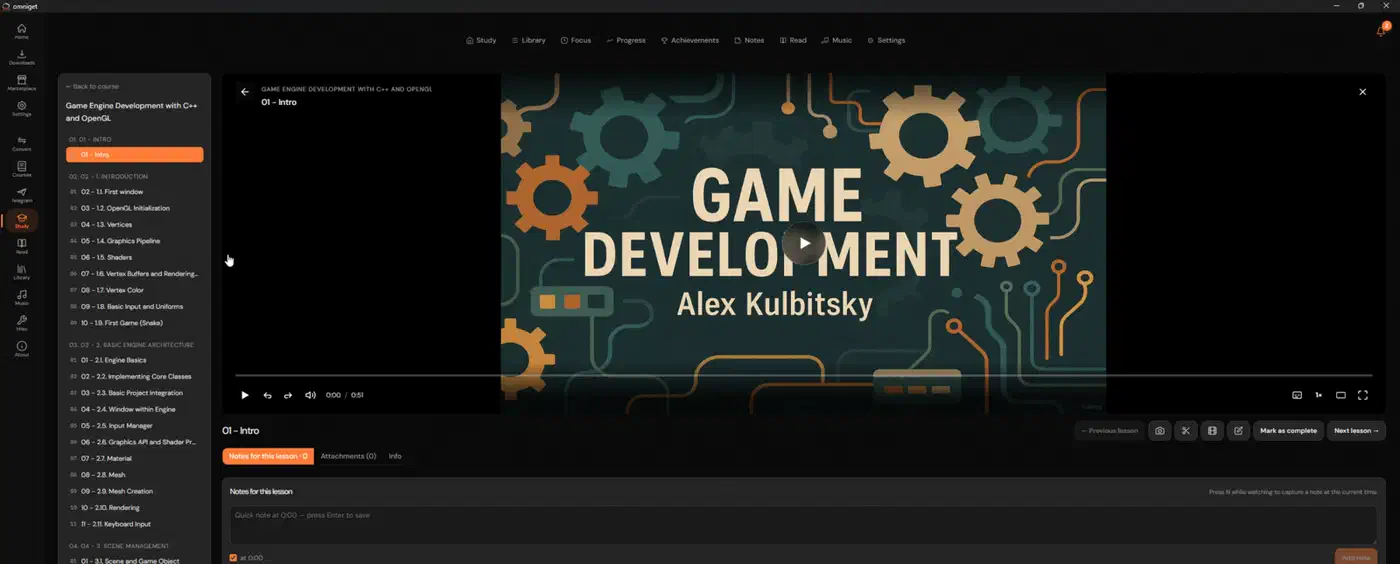
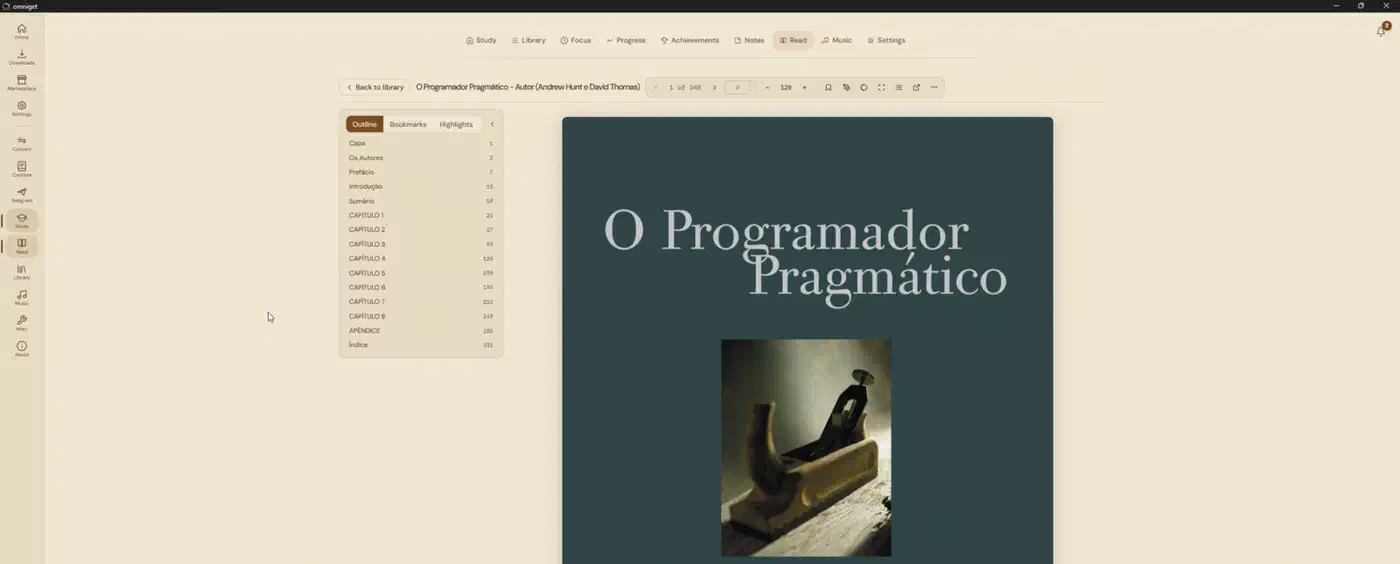
The reader handles EPUB, PDF, CBZ, TXT, and HTML, pulling the cover and author name out of the file itself. Highlights, bookmarks, and a focus mode with a paper-feel theme come with it.
Music gets the same treatment. Point the app at your audio folder and it shows albums with covers and artists with discographies. It plays MP3, FLAC, M4A, OGG, and Opus, and synced lyrics scroll along with the track.
Subtitles come along with the video in any language, embedded into the file if you want them there. Whisper generates them when a source has none.
Torrents, magnet links, and Telegram chats sit in the same queue as web video, which is unusual and removes yet another separate app.
What the plugins do
Courses, Telegram, and Convert ship as plugins rather than core code. Each one is a Rust dynamic library built on the project’s own plugin SDK, bundled with the app and installed on first launch. They update themselves too, and an uninstall survives those updates. To convert documents and ebooks as well as media, ConvertX wraps FFmpeg, LibreOffice and Calibre in one web page you host.
Third parties can write their own against a published template and get listed in the project’s plugin registry. A spaced-repetition feature also sits in the project’s topic list, aimed at the study habit the course player encourages.
Installing something nobody signed
OmniGet is not signed with a paid certificate, so both macOS and Windows warn you on first launch. On macOS the app will not open at all until you clear the quarantine flag and self-sign it. On Windows, SmartScreen shows a blue warning that clears with two clicks and does not come back.
Code signing certificates cost a fee every year, and OmniGet chose the warnings over passing that cost on to users.
An unsigned binary means you are trusting the download source instead of the signature. Take builds from the project’s own releases page and nowhere else. A mirror you found in a search result carries the risk a signature would have ruled out.
The app does verify the component most likely to be tampered with: yt-dlp is checked by SHA256 before every run.
Portable mode takes one file to switch on. Drop an empty file named portable.txt next to the executable, and settings, database, cookies, plugins, caches, and the bundled tools all live in a folder beside it. Nothing touches AppData\Roaming or any other user directory, so the whole install works from a locked-down work machine or a USB stick.
The project never says whether stored cookies are encrypted at rest, which is awkward for anyone keeping a paid course login in the app. A LinkLoot writeup suggests trying the browser extension with a throwaway profile first, since that extension hands page cookies and auth headers to the app. Either way, treat a logged-in course session as a sensitive file.
Windows, macOS, and Linux all get the same features on both x86-64 and ARM64. Only the packaging and the first-launch friction differ.
The code is Rust on Tauri, licensed GPL-3.0, with the name, logo, and Loop mascot held back as trademarks. An independent review at LinuxLinks called it a young project already shaping up into a useful tool.
How to get OmniGet running and download your first link
Download the build for your system
Windows users take the portable .exe or the .msi from the releases page, or run winget install -e --id tonhowtf.OmniGet. macOS users take the .dmg. Linux users take the .deb, the .rpm, or the AppImage, in x86-64 or ARM64.
Clear the first-launch warning on macOS
The app is unsigned, so Gatekeeper blocks it. Run xattr -cr /Applications/omniget.app and then codesign --force --deep --sign - /Applications/omniget.app. You do this once, then open the app normally.
Clear the warning on Windows
SmartScreen shows a blue warning on the first run. Click More info, then Run anyway. It does not come back.
Fix the AppImage on newer Debian and Ubuntu
Recent releases of both ship without FUSE 2, which the AppImage needs. Install libfuse2, or start it with ./omniget.AppImage --appimage-extract-and-run. The .deb package avoids the problem entirely.
Let it fetch its own tools
On first launch the app installs yt-dlp and FFmpeg itself. The bundled plugins install at the same time, with nothing for you to configure.
Download with the hotkey
Copy any link, then press Ctrl+Shift+D, or Cmd+Shift+D on macOS. The app reads your clipboard and downloads in the background, without opening its window.
Preview first, if you would rather
Paste the link into the box on the home screen instead. You see the available quality options before you commit to a download.
Make it portable, optionally
Put an empty file named portable.txt next to the executable and relaunch. Settings, database, cookies, plugins, and the bundled tools all live in a folder beside it from then on.
Where the legal line sits
The project states its own position plainly. OmniGet is meant for personal use. Respect copyright and each platform’s terms of service, and expect to be responsible for what you download.
The claim it makes about courses is narrower than the category usually admits. The app downloads only what your own logged-in session can already reach. The platform still decides what that session can open.
It also does not strip DRM, so protected content stays out of reach.
Platform terms are a separate question from copyright, too. Downloading is often against a site’s terms even where the copy is perfectly legal for you to keep.
One policy in the notice to platform owners is unusual. A company representative can email from a company address, and the platform comes off the supported list right away. That is a lower bar than most downloaders offer.
Keep it to material you own or paid for. Copyright law treats a personal archive very differently from redistribution.