 Botmonster Tech
Watch 500 news feeds on your own PC with World Monitor

World Monitor pulls more than 500 news feeds onto a 3D globe that runs on your own machine. Clone it, run three commands, and it starts with zero environment variables. Point its AI at a local Ollama model and no API key ever leaves your box. But its own getting started guide still calls the whole thing a proof of concept.
Key Takeaways
- World Monitor puts 500 plus news feeds on one map you host yourself.
- It runs with no API keys and can think using local Ollama.
- Three commands start it: clone, npm install, npm run dev.
- Its country risk scores are opinion, and the docs openly say so.
- The project is six months old, so treat it as a proof of concept.
What is World Monitor and what does it aggregate?
World Monitor is a single-page dashboard that merges news, market data, and map layers into one screen. It comes from Elie Habib, co-founder and CEO of the music streaming firm Anghami, and it ships under AGPL-3.0-only. The code lives at koala73/worldmonitor and the hosted build runs at worldmonitor.app.
The project started as a weekend build in January 2026. The goal was to make a day of messy world news readable on one map. The project’s own history page claims millions of users across more than 170 countries, and WIRED covered the build.
The README feature list counts 500 plus curated feeds across 15 categories, drawn from 65 plus outside providers. A freshness monitor watches 35 source groups and flags the ones that go quiet. The data sources catalog lists the providers one by one.
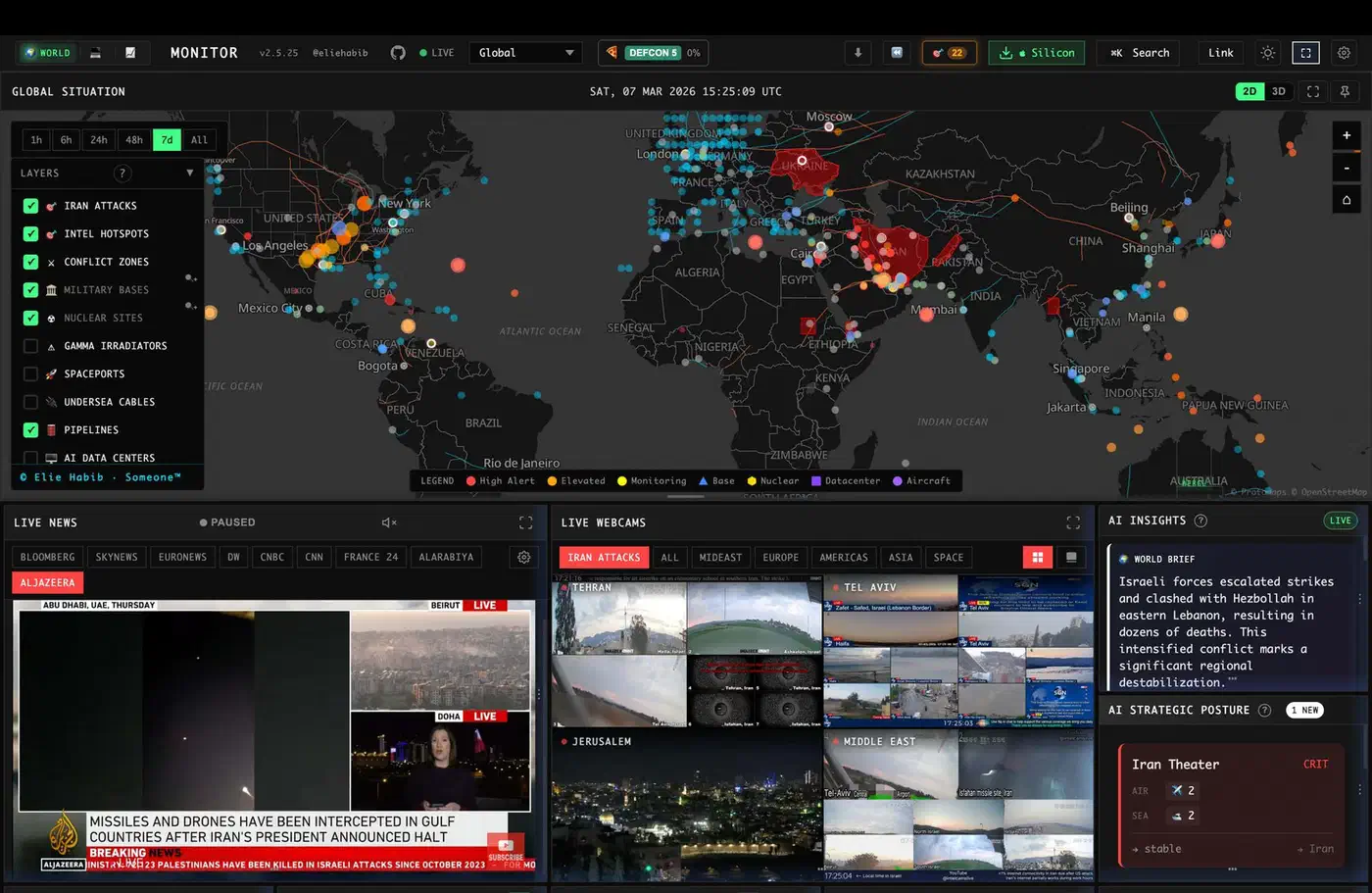
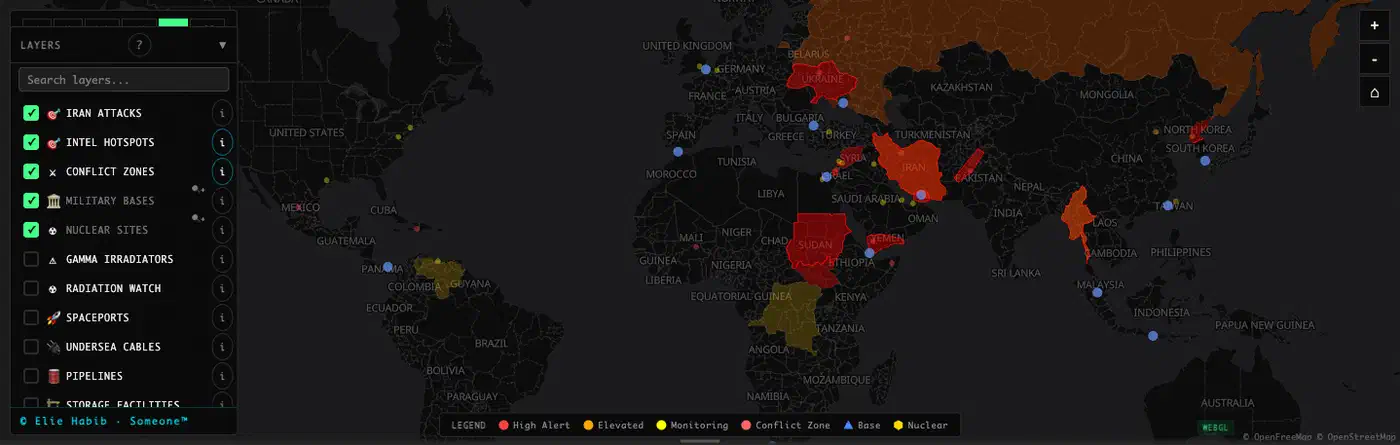
Two map engines share the work. The 3D globe uses globe.gl on top of Three.js. The flat WebGL map uses deck.gl with MapLibre GL. Between them they carry 56 map layer types, and phones fall back to a lighter D3 and TopoJSON view to save battery.
Beyond the news, the dashboard runs signal layers. It correlates military, economic, disaster, and escalation events. A finance radar tracks 29 stock exchanges plus commodities and crypto. Separately, a Country Instability Index scores 31 Tier-1 countries. Six site variants come out of the same tree: world, tech, finance, commodity, happy, and energy. All six speak 25 languages with right-to-left support, and a Tauri 2 desktop build wraps the lot.
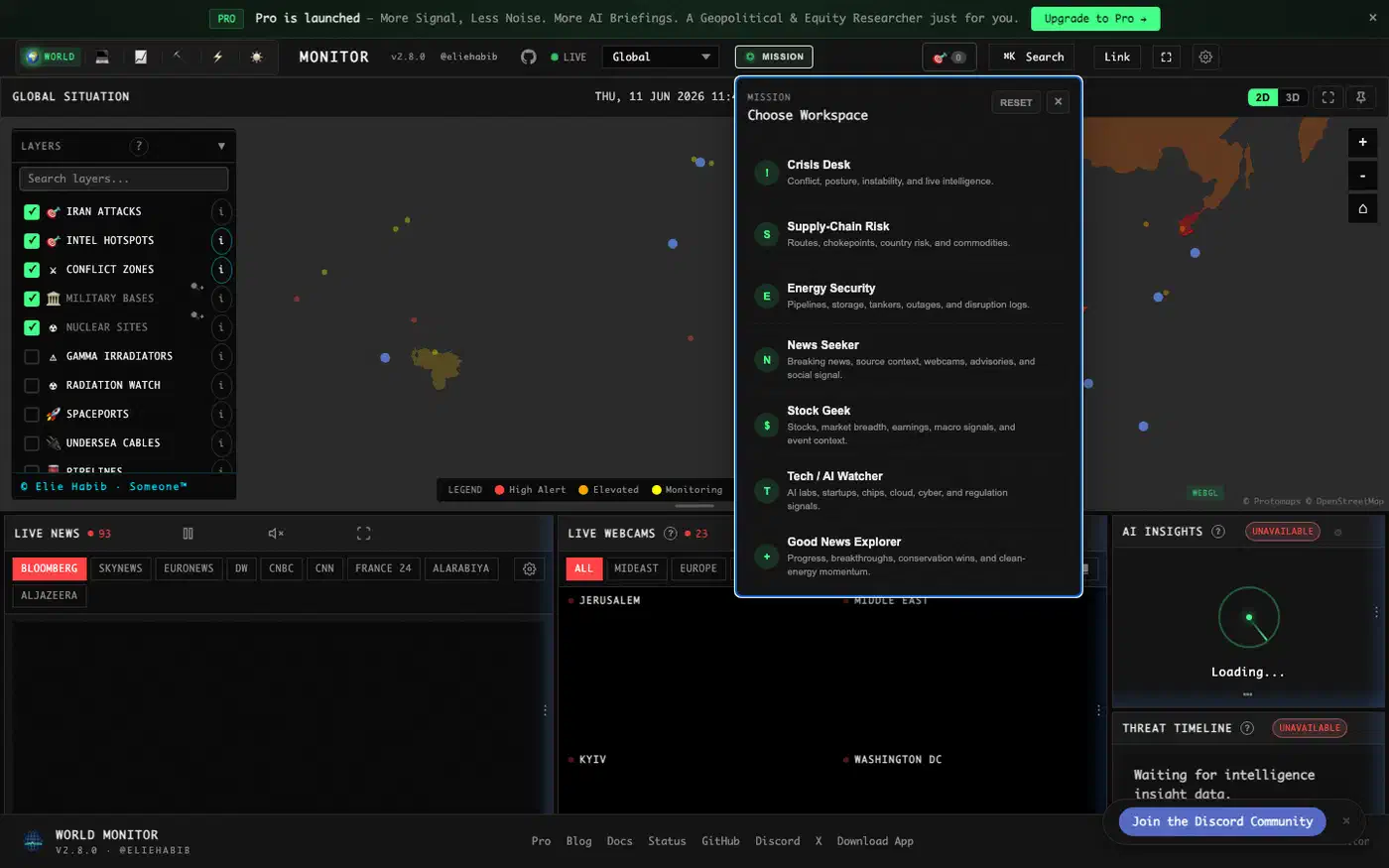
Per the support status section, every site variant and desktop binary comes out of one codebase and one release process, so the web app and the installer never drift apart on version.
The repo itself is busy. It shows 118 contributors and 313 commits in the last 30 days, against 292 open issues and 964 closed ones.
Running World Monitor locally with Ollama and no API keys
Clone the repo, run npm install, then npm run dev. No signup, no key to paste. The README quick start is blunt about it: the app runs with no environment variables set at all.
One small snag: the README points you at http://localhost:3000, while the getting started guide prints http://localhost:5173, the Vite default. Read the port off your own terminal rather than trusting either page. You can pin it with DEV_PORT in .env.local.
The AI layer is where local hosting pays off. World Monitor tries providers in a fixed order, and Ollama sits first in that chain, ahead of Groq and OpenRouter. A browser-side T5 model waits at the end as the last resort. A machine with Ollama installed never has to call a paid endpoint for a news brief.
The exact keys are in .env.example, which runs to over 1,100 lines. For a local model you want these:
| Variable | What it does |
|---|---|
OLLAMA_API_URL | Address of your Ollama server |
OLLAMA_MODEL | Which pulled model to use |
OLLAMA_API_KEY | Bearer token, left blank for a local unauthenticated box |
LLM_API_URL | Any OpenAI-compatible endpoint, checked first |
LLM_API_KEY | Token for that endpoint |
LLM_MODEL | Model name for that endpoint |
The generic LLM_* trio is the wider door: any OpenAI-compatible server, so vLLM and llama.cpp work as well as Ollama.
A second local path lives in the browser. Transformers.js and ONNX Runtime Web run small models client side, so summarization keeps working even with the server asleep. The architecture docs say the dashboard stays useful with zero API keys. The static layers, the map, and the ML models all work offline.
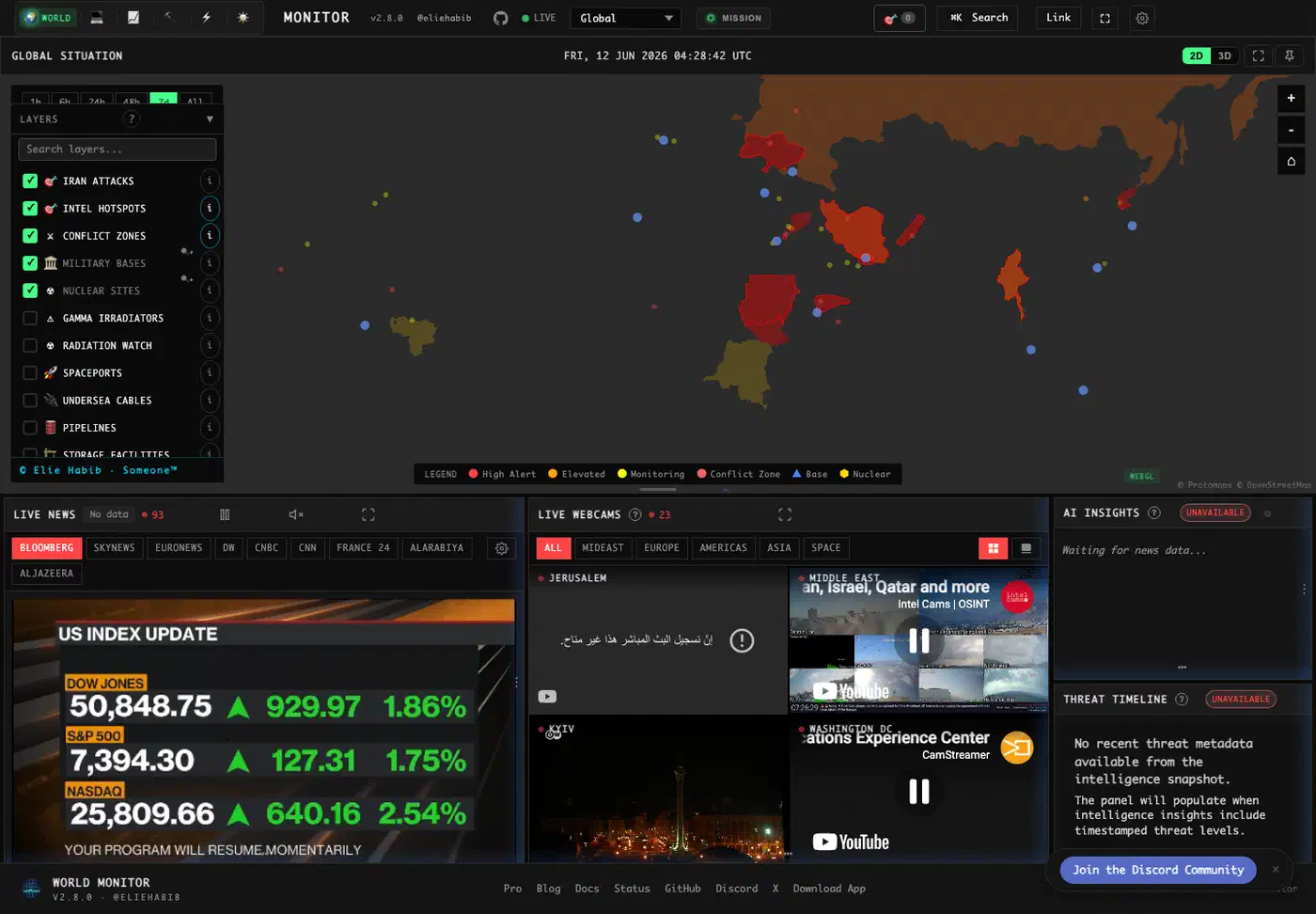
Some publishers block requests coming from Vercel, Railway, and AWS. Those RSS feeds return 403, and a circuit breaker switches them off. A home connection sits outside those block lists, so a self-hosted instance can pull feeds the public site has to drop.
How to self host World Monitor with local Ollama
Clone the repository
Run git clone https://github.com/koala73/worldmonitor.git && cd worldmonitor to fetch the vanilla TypeScript and Vite codebase.
Install dependencies
Run npm install. This pulls the Vite toolchain, globe.gl and Three.js for the 3D globe, and deck.gl with MapLibre GL for the flat map.
Start the dev server
Run npm run dev and open the URL your terminal prints. The app boots with no environment variables set. Override the port with DEV_PORT in .env.local.
Pick a site variant
Swap the default world build for a focused one with npm run dev:tech, npm run dev:finance, npm run dev:commodity, npm run dev:happy, or npm run dev:energy. All six variants come from the same codebase.
Point the AI at local Ollama
Install Ollama, pull a model, then set OLLAMA_API_URL and OLLAMA_MODEL in .env.local. Leave OLLAMA_API_KEY blank for a local box. News synthesis now runs on your hardware instead of Groq or OpenRouter.
Add optional feed credentials
Check .env.example for the data sources that want keys, such as Finnhub, EIA, ACLED, and OpenSky. Leave the rest blank. The free feeds keep working without them.
Build for production
Run npm run typecheck and then npm run build:full to produce the deployable bundle.
Deploy the instance
Follow the self-hosting guide to ship the build to Vercel, a Docker container, or plain static hosting. To keep Vercel-style deploys on a server you own, a self-hosted PaaS such as Coolify handles the build and the certificate.
The architecture and what self hosting actually costs
The docs split setup into three tracks, and the gap between them is the real cost story.
| Track | What you need | Who it is for |
|---|---|---|
| App-only local dev | Node and npm, no env vars | Anyone who just wants the dashboard |
| Contributor build | Go 1.21 plus, Node.js 22 plus, make install | People editing the .proto contracts |
| Full Docker stack | Node.js 22 plus, Docker or Podman, three secrets | People running the relay and cache themselves |
The full Docker stack is a different animal. It adds a Railway-style relay, Redis, and seed scripts, and it refuses to start until you set RELAY_SHARED_SECRET, REDIS_PASSWORD, and REDIS_TOKEN yourself. The docs point to a SELF_HOSTING.md walkthrough in the repo for that path.
The frontend is deliberately plain. It’s vanilla TypeScript with Vite, no React and no Vue, and the docs put the bundle at about 250KB gzipped. Web Workers handle clustering and correlation off the main thread. IndexedDB stores snapshots and baselines, which the docs describe as megabytes of state.
Behind the hosted site sits far more machinery. There are 290 Protocol Buffer definitions across 35 services, 60 plus Vercel Edge Functions, 21 Railway cron jobs seeding Redis, and a three-tier cache. Page load pre-fetches 38 datasets in a single Redis pipeline call. None of that is required for track one. But it explains why the public site feels instant and a bare clone doesn’t.
The honest self-hosting cost is mostly client side. A WebGL globe plus constant feed polling leans on your GPU and browser far more than on any VPS. I haven’t measured browser memory or CPU on a long-running instance, so treat those numbers as untested here.
MCP server and CLI access for AI agents
World Monitor’s programmatic access section lists an MCP server, a REST API, a CLI, and SDKs in three languages. The browser is treated as one client among several, and agents and scripts are first-class users rather than an afterthought bolted on later.
The MCP server answers at https://worldmonitor.app/mcp over Streamable HTTP. Listing tools is public, while calling one needs an X-WorldMonitor-Key header or an OAuth 2.1 flow.
The CLI is the cheapest way to look around. The worldmonitor npm package responds to npx worldmonitor tools, which prints every MCP tool with no key at all. Install it globally with npm install -g worldmonitor and you also get a wm alias. Real calls such as worldmonitor risk IR --api-key wm_xxx do need a key.
For scripts, the REST base is https://api.worldmonitor.app, described by a published OpenAPI spec. The SDKs are zero-dependency and mirror the CLI: Python via worldmonitor-sdk, Ruby via the worldmonitor gem, and Go via sdk/go. The project also publishes llms.txt and an agent skills catalog of 25 skills.
The agent path is a paid, hosted service. Keys come from worldmonitor.app/pro. The same paid-data pattern turns up in OpenSEO, an open source SEO tool that talks MCP but bills every keyword lookup to your own DataForSEO key. The docs give no standalone recipe for running the MCP server beside your own dashboard. The nearest thing is the Tauri desktop build, whose Node.js sidecar mirrors the cloud API handlers locally. Anyone planning an offline agent setup should test that before committing.
World Monitor vs other self-hosted news readers
Most self-hosted feed readers stop at reading. World Monitor tries to be a situation map, and the trade is complexity.
| Project | License | Language | AI briefs | Map view | Agent API |
|---|---|---|---|---|---|
| World Monitor | AGPL-3.0-only | TypeScript | Yes, local or hosted | Yes, 3D and WebGL | Yes, MCP plus REST |
| FreshRSS | AGPL-3.0 | PHP | No | No | REST and Fever |
| Miniflux | Apache-2.0 | Go | No | No | REST |
| NewsBlur | MIT | Python | No | No | REST |
FreshRSS and Miniflux are the safer picks for plain reading. Miniflux in particular is one Go binary and a Postgres database, and it has years of production use behind it. World Monitor, in contrast, carries a much larger surface to keep running.
Limits and licensing
The license section is short. The code is AGPL-3.0-only, and commercial use is allowed as long as you meet the copyleft and source-availability terms that come with it.
An instance your team reads internally is fine, and so is a fork once you share the source where required. Private-source proprietary use or official branding needs a separate commercial or trademark deal.
The Country Instability Index needs a warning label, and to the project’s credit it wears one. The score is 40 percent baseline risk plus 60 percent live events. The event half then blends four inputs: unrest at 25 percent, conflict at 30 percent, security at 20 percent, and information pressure at 25 percent. Every weight is published on the CII methodology page, which also disowns any outside pedigree for the numbers. They trace back to no academic index, no peer-reviewed paper, and no third-party risk product, and the page tells you to read them as opinionated rather than empirical.
Never quote a CII number as if a standards body issued it. Offline users get one more wrinkle. The published scores come from a server-side endpoint, while the browser-side scorer is documented as a fallback renderer. So a fully disconnected instance still paints the map, though the numbers may drift from the hosted ones.
Feed bias is structural too. Somebody picked those 500 feeds, and an AI layer on top inherits whatever slant the picking carried. Support for 25 languages with native feeds softens that. The docs are similarly frank about coverage gaps. Vessel tracking leans on shore-based receivers that reach only about 50km out, so open ocean and remote regions stay thin.
Then there is age. The repo was created on 2026-01-08, so everything here is six months old. The getting started guide still calls the project a proof of concept that demonstrates what is possible with public data.
So the fair verdict splits. Clone it tonight for the local-first news dashboard, because that part genuinely works with no keys and no account. Watch the agent tooling, since the MCP and SDK layer is unusually complete for a project this young. Don’t build a compliance workflow or a real decision on the instability scores, at least not yet.