 Botmonster Tech
ESP32 boards for ESPHome: radio-first picks, deep-sleep tested

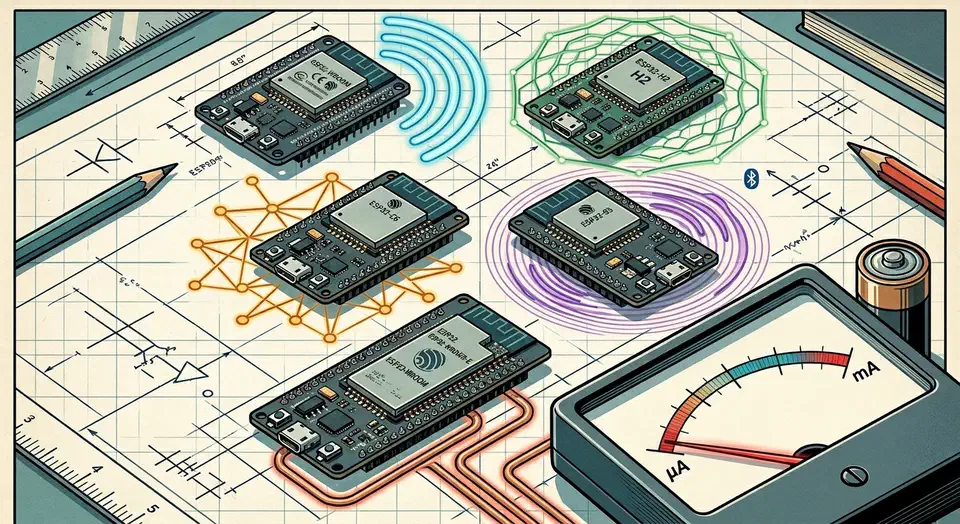
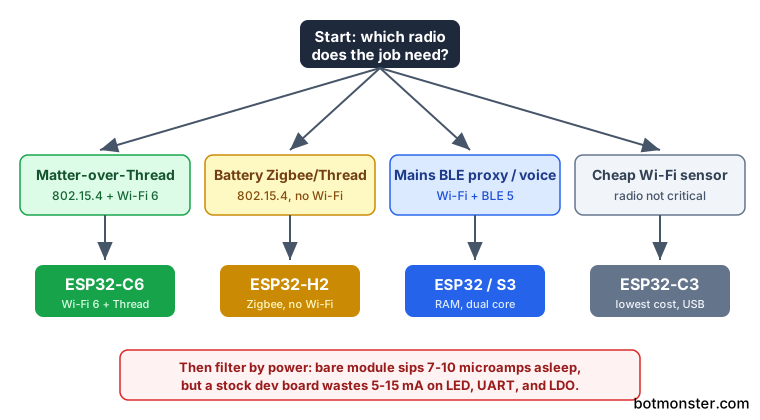
The best ESP32 board for ESPHome in 2026 is the one whose radio matches the job, then the one whose deep-sleep current matches your power source. Pick the ESP32-C6 for Matter-over-Thread, the ESP32-H2 for battery Zigbee, and the classic ESP32 or S3 for mains BLE proxies. Bare modules sip 7-10 microamps asleep, but stock dev boards waste 5-15 mA.
Key Takeaways
- Match the chip to the radio first: C6 for Thread, H2 for Zigbee, S3 for BLE proxies.
- Bare ESP32 modules sip 7-10 microamps asleep; stock dev boards waste 5-15 mA.
- The C6 is the only ESP32 with Wi-Fi 6 plus a Thread radio, great for Matter.
- The H2 has no Wi-Fi, so it needs a Zigbee or Thread mesh to talk at all.
- All five chips work in ESPHome, but C6 and H2 need the ESP-IDF framework.
What is the best ESP32 board for ESPHome in 2026?
There is no single winner, because the right board depends on the radio your project needs. So start from the radio, then filter by power source, then by GPIO and flash headroom. That order saves you from buying a powerful chip that lacks the one radio your sensor requires.
Here is the short decision rule:
- Matter-over-Thread or a future-proof mesh points to the ESP32-C6. It carries Wi-Fi 6 and an 802.15.4 radio in one chip.
- A battery Zigbee or Thread sensor with no Wi-Fi nearby points to the ESP32-H2.
- A mains-powered BLE proxy, voice assistant, or camera points to the classic ESP32 or the ESP32-S3, which add RAM and a second core.
- A cheap Wi-Fi sensor where any radio will do points to the ESP32-C3, the lowest-cost option with native USB.
All five variants are supported in the ESPHome ESP32 platform , though the C6 and H2 need the ESP-IDF framework, as covered further down. If you would rather buy than build, the same mesh also takes off-the-shelf sensor picks .
ESPHome boards
ESPHome boards are any boards whose chip ESPHome can flash: the ESP32 family covered here, plus the older ESP8266, the RP2040, and Beken and Realtek chips through LibreTiny. In your YAML, the board: key under esp32: picks the exact model, such as esp32-c6-devkitc-1, and sets flash size and pin mapping. For new ESPHome boards in 2026, start with an ESP32 variant: it has the widest component support, and the C6 and H2 add Thread and Zigbee radios the older chips lack.
ESP32 Chip Lineup and Full Spec Matrix
This table compares radios, cores, memory, GPIO, USB, and price across the 2026 lineup. The numbers come from the espboards.dev 2026 ESP32 comparison chart , cross-checked against the Espressif ESP32-C6 product page and the Espressif ESP32-H2 product page .
| Board / Chip | Radios | Cores / Clock | RAM | Flash | GPIO | USB | Price |
|---|---|---|---|---|---|---|---|
| Classic ESP32 (WROOM-32) | Wi-Fi 4, BLE 4.2 | 2x Xtensa LX6 @ 240 MHz | 520 KB SRAM | 4 MB | ~34 (25 usable) | CH340/CP2102 UART | ~$4-6 |
| ESP32-S3 (WROOM-1) | Wi-Fi 4, BLE 5.0 | 2x Xtensa LX7 @ 240 MHz | 512 KB SRAM (+8 MB PSRAM opt.) | 8-16 MB | 45 | Native USB-OTG | ~$6-8 |
| ESP32-C3 | Wi-Fi 4, BLE 5.0 | 1x RISC-V @ 160 MHz | 400 KB SRAM | 4 MB | 22 | Native USB-JTAG | ~$2-4 |
| ESP32-C6 | Wi-Fi 6, BLE 5.3, 802.15.4 | 1x RISC-V @ 160 MHz (+LP @ 20 MHz) | 512 KB SRAM | 4-8 MB | 30 | Native USB-JTAG | ~$5-8 |
| ESP32-H2 | BLE 5, 802.15.4, no Wi-Fi | 1x RISC-V @ 96 MHz | 320 KB SRAM | 4 MB (in-package) | ~22 | Needs UART bridge | ~$5-7 |
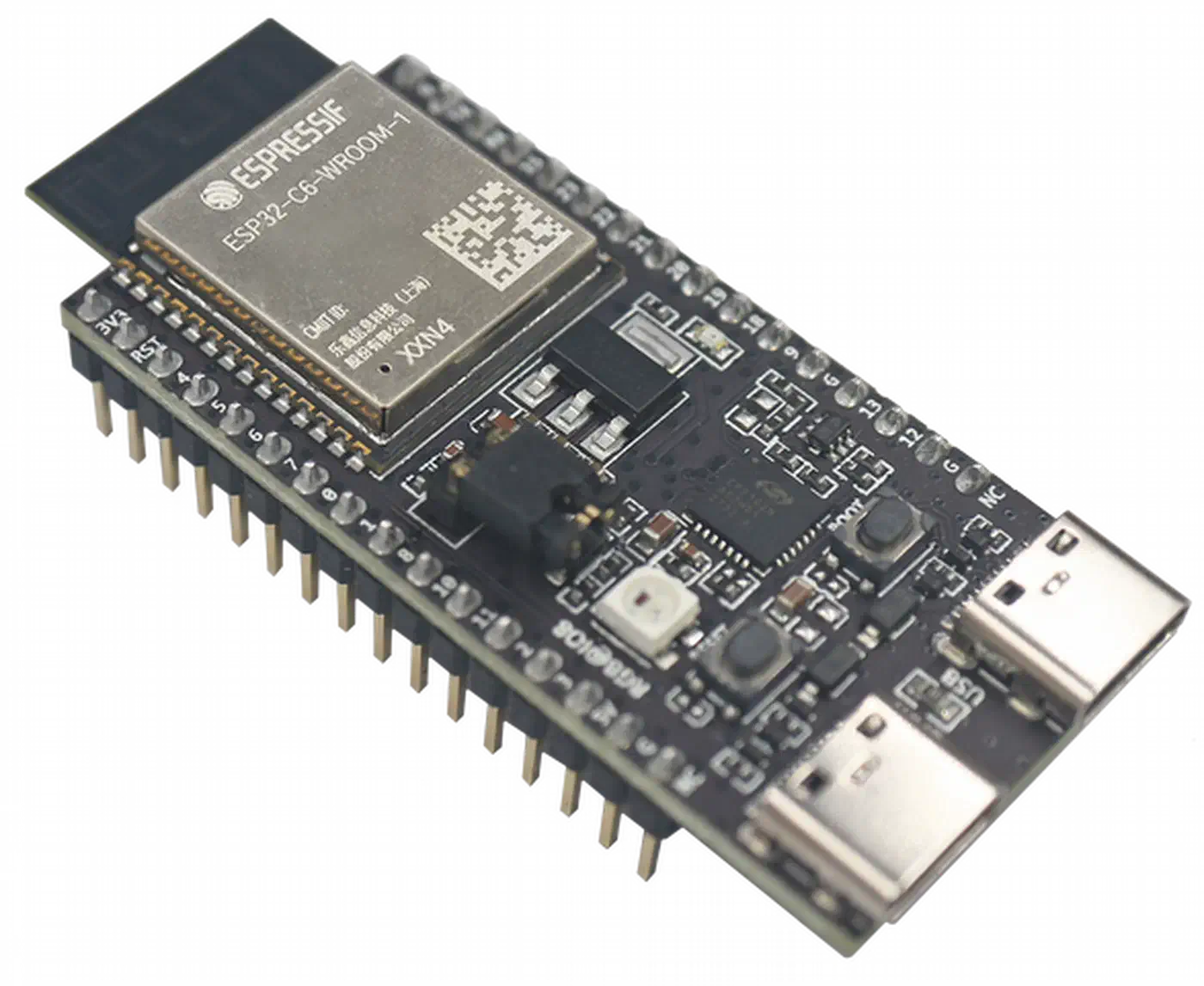
Native USB makes flashing simpler: the C3, S3, C6, and H2 expose USB directly, while the classic ESP32 leans on an onboard CH340 or CP2102 bridge. The module variant decides memory. The WROVER module adds PSRAM (typically 8 MB) over the plain WROOM, and that extra RAM is what lets a BLE proxy track many devices or a voice node hold a wake-word model. For a simple Wi-Fi sensor, WROOM is plenty; reach for WROVER only when the job is heavy.
Deep-Sleep Current Draw: Which Boards Survive on a Battery
Most roundups quote the datasheet deep-sleep figure, which covers only the bare module, while battery life depends on what the whole board pulls. The ESP-IDF current-consumption guide lists clean bare-module numbers: the S3 idles around 7 microamps with the RTC on, the C3 around 8, the classic ESP32 around 10, the H2 around 8, and the C6 between 7 and 15 depending on RTC config.
A stock dev board (a DevKitC or a SuperMini) pulls 5-15 mA in deep sleep, roughly 1000x the bare-module figure. The culprits are always the same three onboard parts: the USB-UART bridge, the power LED, and an always-on LDO regulator with a high quiescent draw.
On my own ESPHome sensor builds, the drain has always come from those board parts. On one SuperMini node, the power LED and the AMS1117 regulator together held the board near 8 mA in deep sleep, so a fresh cell lasted about a week. I desoldered the LED and swapped to a low-quiescent regulator, then read the result on a USB power meter: the same node dropped to roughly 12 microamps and now runs for months on the identical battery.
At about 10 microamps idle plus a brief wake every few minutes, a 2000 mAh LiPo realistically lasts many months. At 10 mA of stock-board idle, the same cell dies in days. For any battery node, strip those board parts before you shop for a fancier chip.
ESPHome gives you the duty-cycle lever to push average current lower. The deep_sleep component
controls wake and sleep windows through run_duration and sleep_duration. Pair it with a fast Wi-Fi connect, or skip Wi-Fi entirely and run a Thread sleepy end device, which idles around 30 microamps between polls. That is lower than keeping a Wi-Fi link associated the whole time.
| Chip | Deep-sleep (bare module) | Battery node viable? | Best radio use-case | ESPHome support |
|---|---|---|---|---|
| Classic ESP32 | ~10 microamps | Yes, but Wi-Fi wake cost is high | Mains BLE proxy, multi-sensor hub | Mature (Arduino + ESP-IDF) |
| ESP32-S3 | ~7 microamps | Yes (mind PSRAM and board parts) | BLE proxy, voice assistant, camera | Mature (Arduino + ESP-IDF) |
| ESP32-C3 | ~8 microamps | Yes, best cheap battery Wi-Fi node | Low-cost Wi-Fi sensor, small BLE proxy | Mature (Arduino + ESP-IDF) |
| ESP32-C6 | ~7-15 microamps | Yes, strong for Thread sleepy nodes | Matter-over-Thread, Wi-Fi 6 sensor | Good, ESP-IDF only |
| ESP32-H2 | ~8 microamps | Yes, built for battery Zigbee/Thread | Battery Zigbee or Thread sensor (no Wi-Fi) | Good, ESP-IDF only |
Matching the Radio to the Job: Thread, Zigbee, Wi-Fi, and BLE
Buying the wrong radio is the most expensive ESP32 mistake. People grab an S3 for a job that needs Thread, or buy an H2 expecting a Wi-Fi fallback that does not exist. So map the use case to the radio first, then to the chip that carries it.
- Matter-over-Thread, the 2026 default for new battery sensors, needs an 802.15.4 radio. That means the ESP32-C6 (which keeps Wi-Fi 6 as a bonus) or the H2.
- A Zigbee end device on an existing Zigbee2MQTT or ZHA mesh also needs 802.15.4. The ESP32-H2 is purpose-built for it, and the C6 works too.
- A plain Wi-Fi sensor or BLE proxy needs no 802.15.4 at all. The classic ESP32, S3, or C3 all fit. The C3 can go further and turn its Wi-Fi radio into a motion sensor , with no extra hardware bolted on.
The H2 has no Wi-Fi radio whatsoever, so it cannot fall back to a Wi-Fi network if the mesh drops; it must join a Zigbee or Thread mesh to talk at all. That is a deliberate trade for very low power, confirmed in the Espressif ESP32-H2 announcement . Buy it only when you already run a mesh.
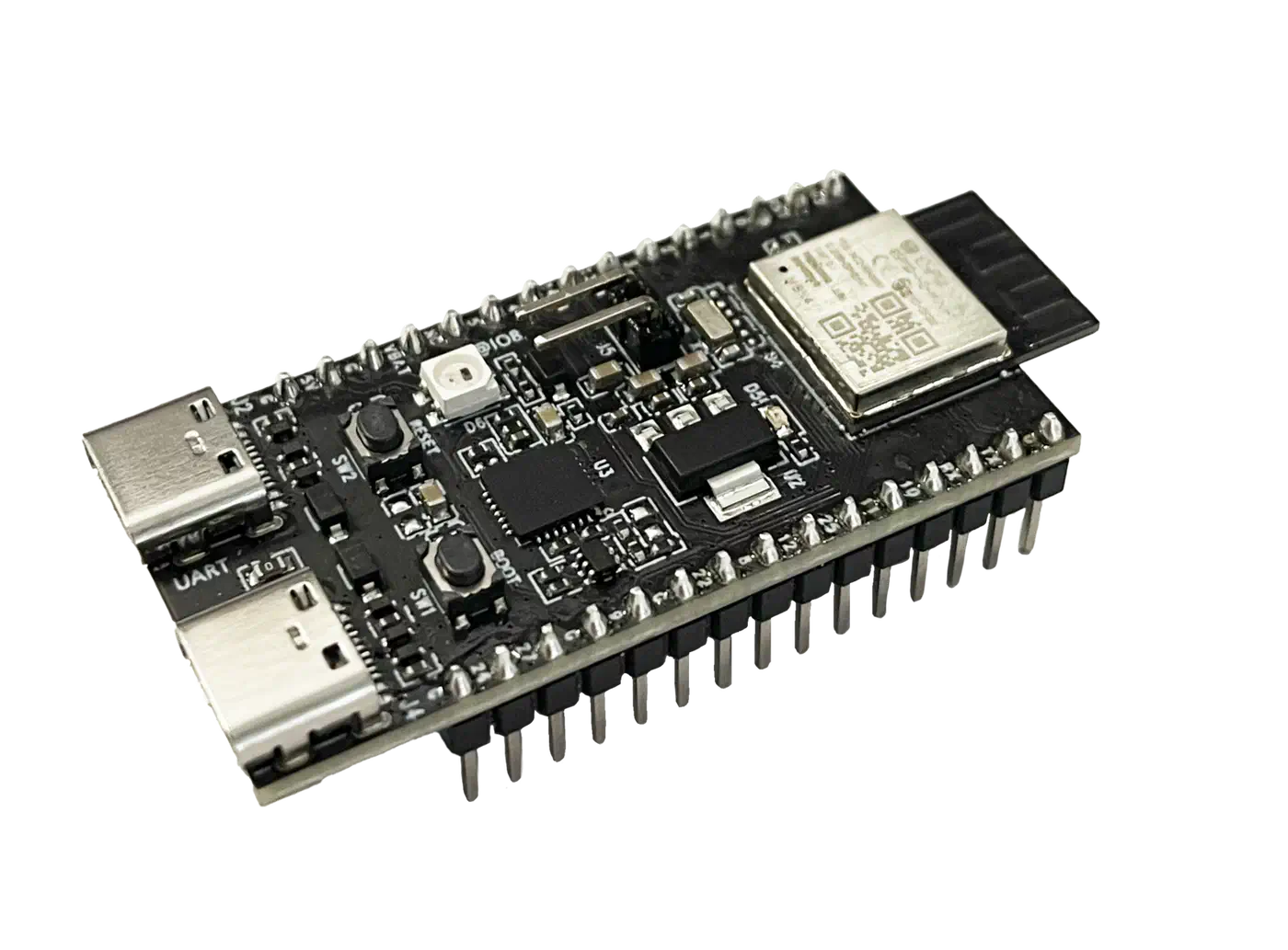
For a Bluetooth proxy build, the C3, C6, and S3 support Bluetooth 5 Long Range, which penetrates walls better than the classic ESP32’s older BLE 4.2, as noted in the ESPHome Bluetooth Proxy docs . If you are placing a proxy to reach a far room, the newer chips earn their price. For range, a module with an IPEX/u.FL connector and an external antenna beats a PCB-trace antenna, which is worth the extra few dollars on a proxy you mount near a wall.
For a worked example of the H2 path, I run an ESP32-H2 Thread device with ESPHome at home. It pairs the radio-matching advice here with the actual config and wiring.
ESPHome support maturity and framework requirements
ESPHome supports all five chips in 2026, but the newer 802.15.4 chips force one framework and ship younger components.
The classic ESP32, S3, and C3 run on either Arduino or ESP-IDF. The C6 and H2 require ESP-IDF, because Arduino does not support them, per the ESPHome ESP32 platform docs. So if your workflow assumes the Arduino framework, the two mesh chips will break that habit.
Native OpenThread support arrived in ESPHome on ESP-IDF for the C6 and H2, with sleepy-end-device support landing in the 2025.11 release. On the Zigbee side, the ESPHome Zigbee component added binary-sensor support on the H2 and C6 in ESPHome 2026.5.0 , and ZHA and zigbee2mqtt recognize the device automatically. Both paths are usable today, but they are younger than the rock-solid Wi-Fi path, so expect more iteration.
Here is my opinionated verdict per chip:
- Classic ESP32: the best mature default for mains multi-sensor hubs and budget BLE proxies. Its analog inputs also drive a mains-powered pool chemistry monitor that reads pH and ORP over the ESP32 ADC.
- ESP32-S3: the best pick for heavy jobs like voice, camera, and on-device wake words, thanks to PSRAM and dual LX7 cores.
- ESP32-C3: the best cheap battery Wi-Fi sensor, with native USB flashing.
- ESP32-C6: the most future-proof pick, and the best choice for Matter-over-Thread.
- ESP32-H2: the best dedicated battery Zigbee or Thread sensor, but only if you already run a mesh.