 Botmonster Tech
Half of popular Vue pagination libraries fail screen readers

This post is open for corrections. Highlight any line of text to challenge it or ask for a clearer explanation and leave a comment.
Half of the popular Vue pagination libraries fail screen readers. I read the code that ten Vue 3 paginators ship. Naive UI renders page numbers as divs you can’t tab to, and three npm packages never mark the current page. Vuetify, Quasar, PrimeVue and Reka UI pass, though PrimeVue 5 now needs a license key.
Key Takeaways
- Naive UI page numbers can’t be reached with the Tab key.
- Three small npm paginators never tell screen readers which page you’re on.
- Vuetify, Quasar, PrimeVue and Reka UI pass the basic accessibility checks.
- PrimeVue 5 is no longer open source, so some teams pin 4.5.5.
- For Tailwind or Nuxt apps, Reka UI is the headless pick that gets ARIA right.
I graded twelve Vue 3 options from the code each package ships: ten paginators and two logic-only tools.
| Library | Type | Current page marked | Real buttons | Link mode | Last release |
|---|---|---|---|---|---|
| Vuetify 4.3 | Kit | ✅ | ✅ | Oct 2026 | |
| Quasar 2.35 | Kit | ✅ | ✅ | ✅ | Oct 2026 |
| PrimeVue 5.0 | Kit, paid | ✅ | ✅ | Oct 2026 | |
| Element Plus 2.14 | Kit | ✅ | Sep 2026 | ||
| Naive UI 2.45 | Kit | Aug 2026 | |||
| Reka UI 2.11 | Headless | ✅ | ✅ | ✅ | Oct 2026 |
| Nuxt UI 4.12 | Kit on Reka | ✅ | ✅ | ✅ | Oct 2026 |
| vue-awesome-paginate 1.2 | Standalone | ✅ | ✅ | Jun 2024 | |
| vuejs-paginate-next 1.0 | Standalone | Feb 2022 | |||
| HENNGE vue3-pagination 1.0 | Standalone | ✅ | Mar 2021 | ||
| TanStack Table 9.3 | Logic only | yours | yours | yours | Oct 2026 |
| VueUse useOffsetPagination | Logic only | yours | yours | yours | Sep 2026 |
The two logic-only tools render no markup, so their accessibility is whatever you build on top.
What an accessible Vue pagination component has to render
Four checks decide whether a Vue pagination component works for keyboard and screen reader users:
- A labelled landmark: a
<nav>orrole="navigation"element with a name, so users can jump straight to it. - Real controls: each page is a
<button>or an<a href>, which the browser makes focusable and clickable with Enter and Space. - One current page:
aria-current="page"on the active item and nowhere else. - Labelled edge controls: first, previous, next and last carry a text label, not only an arrow icon.
The aria-current attribute marks the current item in a set of related elements. Its page value is meant for pagination links, and only one element in the set should carry it.
Without that attribute, a screen reader reads every page the same way, for example “button, 4”, and the user can’t tell which page they’re on. Without a focusable element, keyboard users can’t reach the page numbers. A click handler on a styled <div> looks like a button to a mouse user and like plain text to everyone else. The same ARIA discipline applies to accessible web forms.
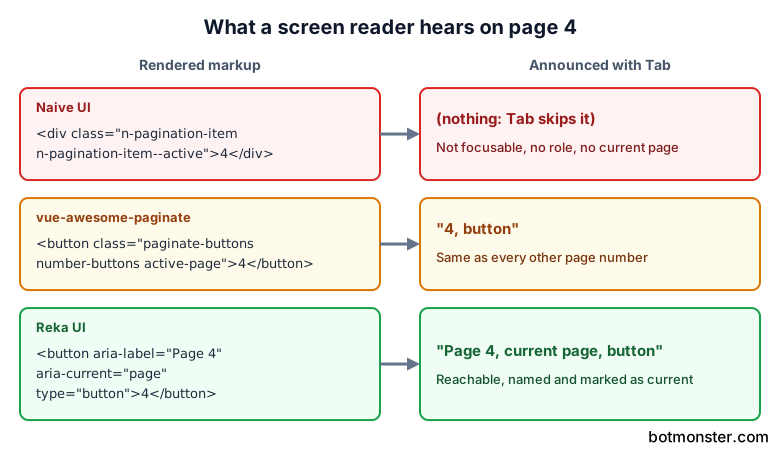
The grades below come from the shipped dist file or the component source, searched for aria-, role, tabindex and the element that renders each page. Claims made only in the docs didn’t count. Arrow-key support is a bonus; Tab plus Enter or Space on real buttons is the baseline.
Which Vue pagination libraries mark the current page?
These pass all four checks:
- Vuetify VPagination wraps itself in
role="navigation"with a translated label. Each button getsaria-currentand its own label, and the edge controls getaria-disabled. It’s also the only one here where ArrowLeft and ArrowRight move the page and the focus. - Quasar QPagination has had a labelled navigation landmark and
aria-current="page"since version 2.25. Its first, previous, next and last labels come from the language pack. - PrimeVue Paginator renders page buttons inside a nav element, each with
aria-labelandaria-current="page"on the active one. The “page X of Y” report announces changes througharia-live="polite". - Reka UI Pagination renders a
navroot, and each item is a real button labelled “Page N”, witharia-current="page"only on the selected one. The labels are hard-coded English, so apps in other languages must override them.
These fail at least one check:
- Naive UI NPagination renders page items, previous, next and the fast-jump arrows as
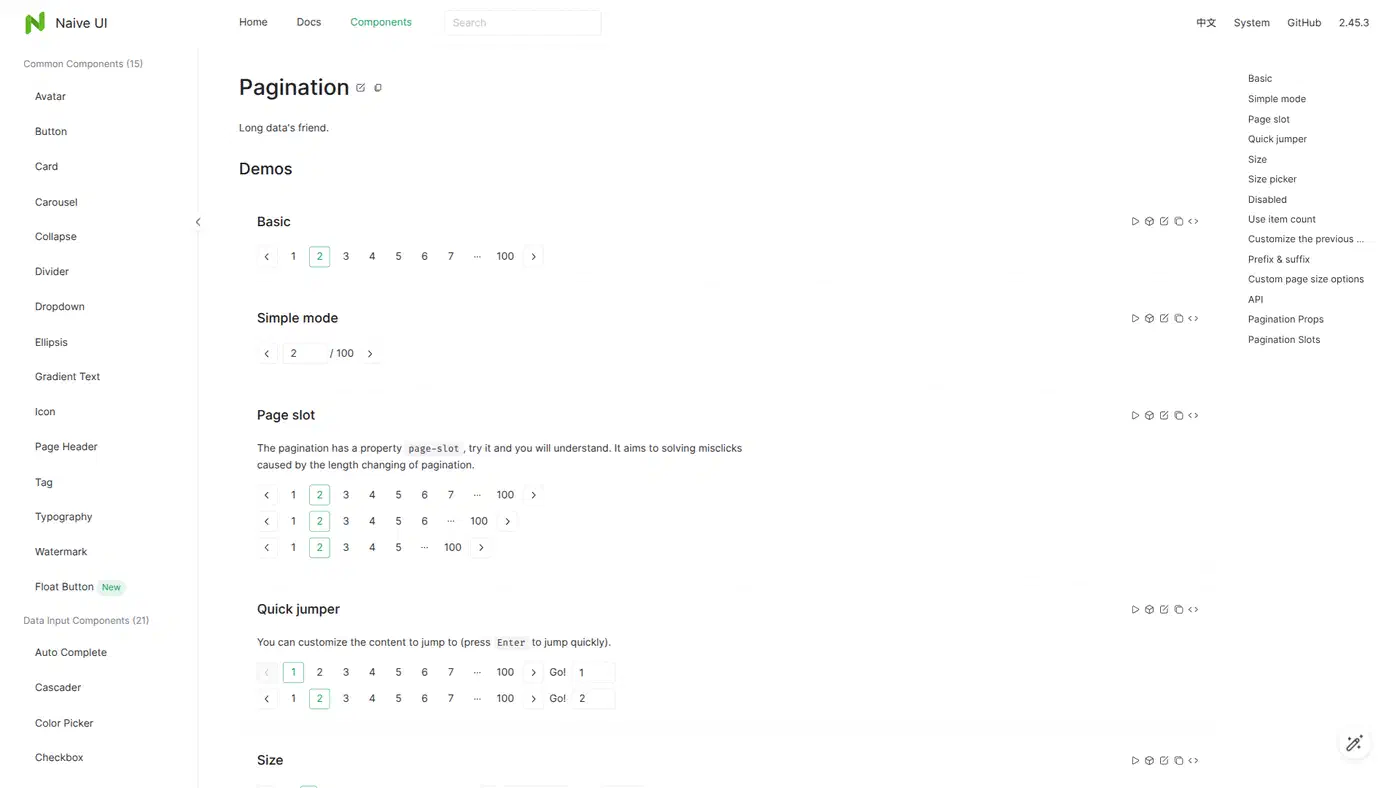
<div>elements with click handlers. Its 33 KB pagination source file contains noaria,roleortabindex, so Tab skips every page number. Only the quick-jump input and the page size picker are reachable by keyboard. - Element Plus ElPagination half passes. Its page numbers are list items with tabindex, a translated
aria-labelandaria-current, and they respond to a click or an Enter keyup. With no button role, screen readers announce list items, and Space does nothing. - vue-awesome-paginate 1.2.0 renders real
<button>or<a>elements, so the keyboard works. Its dist file has zeroaria-strings, though, so there’s no current-page marker and no label on the arrows. - vuejs-paginate-next 1.0.2 uses
<a>tags with nohref, adds a manualtabindexand keyup handler, and ships zeroaria-strings. - @hennge/vue3-pagination labels its buttons “Go to page N”, but the active page is only a CSS class.
Of the ten styled or standalone paginators, four fail outright and Element Plus passes halfway, so half of them fall short. Nuxt UI inherits Reka’s markup, so it passes along with it.
When your library fails, wrap it or replace it. Patching the DOM after render to add aria-current breaks every time the component re-renders. In contrast, jQuery pagination plugins fire a page event after each redraw, so a one-line patch in that handler is enough.
The small Vue 3 pagination packages stopped updating
A search for “vue pagination” on npm turns up old packages first. Three of them only work with Vue 1 or 2: If you’d rather skip Vue, web components offer a framework-agnostic route.
- v-pagination 0.1.4 requires
vue >=1.0 <2.0.0and last shipped in 2016. - vue-paginate 3.6.0 is pinned to Vue 2.3.3 and last shipped in 2018.
- vuejs-paginate 2.1.0 is the Vue 2 original that vuejs-paginate-next ported. It last shipped in 2018, yet it still pulls about 35,000 downloads a week, so a high download count says nothing about Vue 3 support.
The Vue 3 standalone packages are frozen too. vue-awesome-paginate last published in 2024, vuejs-paginate-next in 2022, and HENNGE’s component in 2021.
Their packaging has problems of its own:
- vue-awesome-paginate and vuejs-paginate-next list
vueunderdependenciesinstead ofpeerDependencies. As a result, Bundlephobia puts each at about 30 KB gzipped, because it counts the whole Vue runtime. An app that already ships Vue drops the duplicate. What the app pays for is the component file: about 25 KB and 13 KB unminified. - vuejs-paginate-next ships a 145 KB demo GIF inside
dist/and lists@vue/test-utilsas a runtime dependency. It also injects the previous and next text withinnerHTML, so never pass user input to those props. - HENNGE’s component is the exception, tiny at about 1.8 KB gzipped.
With type="link" and link-url="/blog?page=[page]", vue-awesome-paginate renders anchors that search engines can follow, and it runs in Nuxt 3 through a small client plugin.
Use these for a prototype. Anything that has to pass an accessibility audit needs one of the kits or Reka UI.
PrimeVue 5 needs a license key now
PrimeTek moved PrimeVue 5 to the PrimeUI license. New major versions ship as compiled npm packages and are no longer open source. Releases already published under MIT keep that license.
Version 4.5.5 is the last MIT release. Version 5.0.0 followed later in 2026, and 5.0.4 depends on @primeui/license-manager, an offline key checker.
The free Community tier requires meeting all four limits: under $1M yearly revenue, fewer than 5 developers, fewer than 10 employees and under $3M in funding. Community keys expire every 12 months and renew for free. Everyone else pays $599 per developer through 2026 and $799 from 2027.
Without a key, the app shows an “Invalid PrimeUI License” notice. Some teams now pin primevue@4.5.5 and block the major bump in Dependabot, as in this downgrade pull request and this decision issue.
In the Paginator, first, rows and totalRecords handle lazy server paging, template controls the layout, and rowsPerPageOptions adds a page size picker.
Pinning makes sense for internal tools and short-lived apps. Long-lived products, and anything that needs security fixes, should plan a migration or budget for licenses.
Vuetify, Quasar, Element Plus and Naive UI paginators compared
If you already use one of these kits, these are the props that matter for server-side paging:
- Vuetify takes
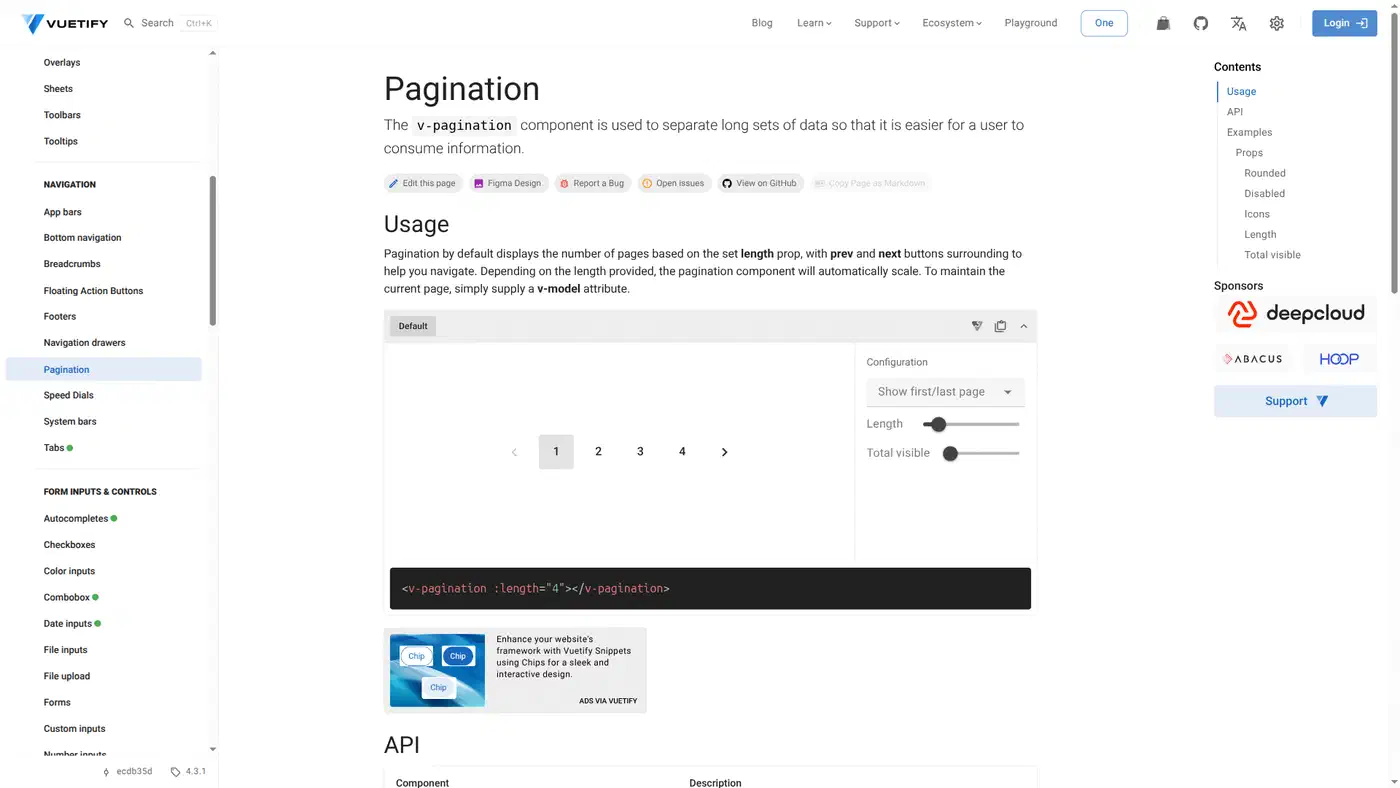
length(the page count),total-visible,show-first-last-pageanddensity. Since 4.1,show-first-last-page="only-first"can also hide the last-page button when the total is unknown. Vuetify 4.0 moved to CSS layers with no!important, which changes how your custom pagination styles apply. - Quasar takes
max,max-pages,boundary-numbersandellipses. Itsinputmode swaps the buttons for a number field when there are huge page counts, andto-fnturns pages into router links. - Element Plus takes
totalorpage-count,pager-count(7 by default),page-sizesand a layout string such as'prev, pager, next, jumper, ->, total'. If you setcurrent-pagewithout handling@update:current-page, the control silently freezes. The oldcurrent-changeevent is discouraged. - Naive UI takes
item-countorpage-count,page-slot(9 by default),show-size-picker,show-quick-jumperand asimplemode. Its quick-jump dropdown can slow rendering when there are many pages, so turn it off for large datasets.
Only Quasar renders page items as router links out of the box. The other three emit events, so the page number lives in component state unless you sync it to the URL yourself.
Headless pagination with Reka UI, Ark UI and Nuxt UI
Tailwind, shadcn-vue and Nuxt apps often use a headless option instead of a styled kit:
- Reka UI is the new name of Radix Vue. Its pagination parts are
PaginationRoot,PaginationList,PaginationListItem,PaginationEllipsisandPaginationFirst,Prev,NextandLast, driven byv-model:page,siblingCountandshowEdges. Every part acceptsasandasChild, so items can render as<a>or<NuxtLink>. - Nuxt UI UPagination 4.12 styles Reka’s primitive and adds a
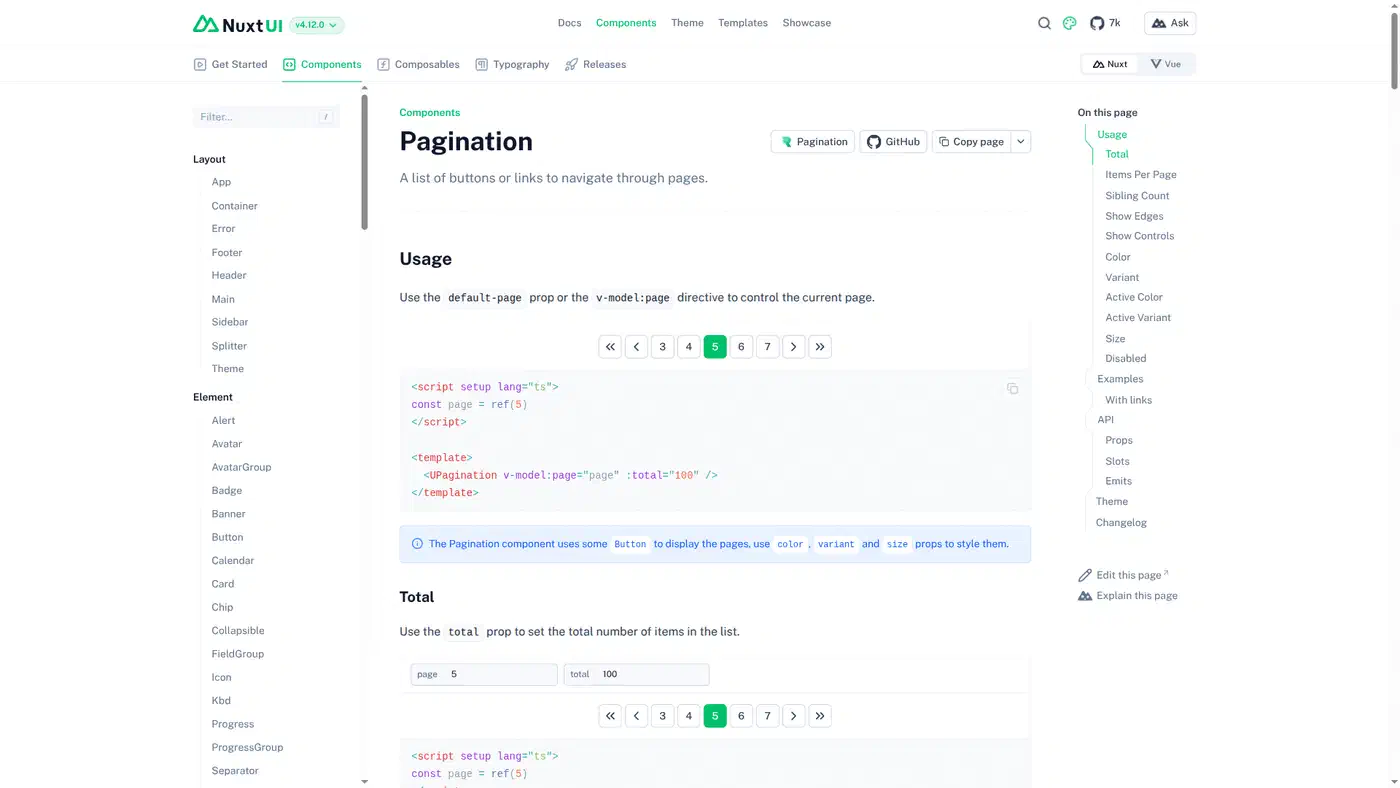
toprop that maps a page number to a route, so pages become real links. Add a#hashto that route to stop the jump to the top of the page. shadcn-vue’s Pagination is also built on Reka. - Ark UI for Vue (5.40) takes
count,pageSize,siblingCount,boundaryCount, andtype: 'link'withgetPageUrlfor real hrefs. Itsslice()helper cuts your array down to the current page. I didn’t verify Ark’s rendered Vue markup, so it isn’t graded above.
The old radix-vue package stopped at 1.9.17 in 2025, yet it still sees about 2.5 million downloads a week. If it’s in your package.json, switching to reka-ui is the upgrade path, since the old name gets no fixes.
How do I paginate server-side data in Vue?
When the data lives behind an API, only one page should cross the network.
TanStack Table v9 for Vue does server paging with manualPagination: true plus rowCount. When the total is unknown, set pageCount to -1 instead. The table then treats data as one page that’s already been cut. Put the pagination state in your TanStack Query key so each page caches on its own. Pair it with Reka UI or a kit paginator for the buttons.
Client-side paging is the simplest choice when the browser can fetch and keep the whole dataset. Server-side wins when the full dataset would cost too much to query, transfer or store in the browser. Row count alone doesn’t decide it.
VueUse useOffsetPagination takes total, page, pageSize and an onPageChange callback where your fetch goes. It returns currentPage, pageCount, isFirstPage, isLastPage, prev and next. It has no page-number list or ellipsis logic, so it fits previous/next UIs and “load more” buttons rather than numbered paginators.
<script setup>
import { ref, onMounted } from 'vue'
import { useRoute, useRouter } from 'vue-router'
import { useOffsetPagination } from '@vueuse/core'

const route = useRoute()
const router = useRouter()
const rows = ref([])
const total = ref(0)

async function loadPage({ currentPage, currentPageSize }) {
  const res = await fetch(`/api/orders?page=${currentPage}&size=${currentPageSize}`)
  const body = await res.json()
  rows.value = body.rows
  total.value = body.total
  router.replace({ query: { ...route.query, page: currentPage } })
}

const { currentPage, pageCount, isFirstPage, isLastPage, prev, next } = useOffsetPagination({
  total,
  page: Number(route.query.page) || 1,
  pageSize: 20,
  onPageChange: loadPage,
})

onMounted(() => loadPage({ currentPage: currentPage.value, currentPageSize: 20 }))
</script>
Keeping the page in the URL query, such as ?page=3, means refresh, the back button and shared links all land on the right page. Quasar to-fn, Nuxt UI to, Ark getPageUrl and vue-awesome-paginate link-url do it for you. For event-only components, watch route.query.page yourself.
Pagination in Nuxt with server rendering
Without total-visible, Vuetify’s VPagination measures its own width with a ResizeObserver after mount, and before that it guesses from the display width. The server HTML and the first client render can then show a different number of buttons. Set total-visible and the count is the same on both sides.
Search engines need real <a href> links to find page 2 and beyond. With a button-only paginator, those pages are reachable only through other links on the site. Nuxt UI’s to prop is the zero-config option inside Nuxt. Reka with asChild and NuxtLink, Ark’s link mode and Quasar’s to-fn also render anchors, and vue-awesome-paginate does too through its client plugin. The same goes for results lists, as in a Meilisearch and HTMX search page.
For the server to render the right page on first load, read the page from the route and key the fetch on it:
<script setup>
const route = useRoute()
const page = computed(() => Number(route.query.page) || 1)
const { data } = await useFetch('/api/orders', { query: { page } })
</script>
Which Vue pagination library should you pick?
Pick by what you already run:
- Vuetify or Quasar: use the built-in paginator, since both pass.
- Element Plus: usable as is, with a wrapper if you face a formal accessibility audit.
- Naive UI: keep the kit, and swap the paginator for a Reka UI one styled to match.
- Tailwind, shadcn-vue or Nuxt: Reka UI, or Nuxt UI’s UPagination inside Nuxt.
- Data table with server data: TanStack Table for state plus Reka UI for the buttons.
- Just previous and next: VueUse
useOffsetPaginationand two buttons. - PrimeVue: pin 4.5.5 or buy a license, and don’t let Dependabot make that choice for you.
For new code, skip vuejs-paginate-next, v-pagination, vue-paginate and vuejs-paginate.