 Botmonster Tech
You don't need a React pagination library, just 40 lines

This post is open for corrections. Highlight any line of text to challenge it or ask for a clearer explanation and leave a comment.
For page numbers, you don’t need a React pagination library. A 40-line helper with the same math as MUI’s pager renders plain links in a Server Component and keeps the page in the URL. Popular widgets need client JavaScript or slip on accessibility. Reach for TanStack only when cursors or table state make paging hard.
Key Takeaways
- Page numbers with gaps take under 40 lines of plain code.
- Keep the page in the URL so links, Back and sharing work without extra code.
- The code runs on the server, so the pager ships no JavaScript.
- Several popular pagination widgets get small accessibility details wrong.
- Use TanStack Query for cursors and infinite lists, where hand-written code breaks.
What does a React pagination library do?
A pager starts with range math: which page numbers to show, where the gaps go, and how many neighbours to keep around the current page. MUI calls those knobs siblingCount and boundaryCount. Mantine’s usePagination hook calls them siblings and boundaries, and both libraries default each to 1.
Then it renders markup: a <nav>, a list of real links, aria-current="page" on the current page, and a gap that screen readers can make sense of.
The harder jobs are fetching the right slice, caching pages, and resetting to page 1 when a filter changes. Cursor APIs with no total count are harder still. Pagination widgets do none of this. Here is what the common options do cover, with react-paginate, Chakra UI and shadcn/ui among them:
| Package | Version | Range logic | Link mode | Server Component | React 19 |
|---|---|---|---|---|---|
| react-paginate | 8.3.0 | ✅ | hrefBuilder | ✅ | |
| MUI Pagination | 9.5.0 | ✅ | renderItem | ✅ | |
| Mantine Pagination | 9.7.4 | ✅ | getItemProps | 19.2+ | |
| Chakra UI Pagination | 3.37.0 | ✅ | type="link" | ✅ | |
| shadcn/ui Pagination | copy-in | built in | ✅ | ✅ | |
| React Aria Components | 1.22.1 | ✅ | |||
| TanStack Table | 9.3.1 | ✅ | |||
| 40-line helper | yours | ✅ | built in | ✅ | ✅ |
Every package with range logic also needs a client boundary, and the one that runs on the server makes you write the range yourself.
The 40-line React pagination hook, written out
The helper uses the same constant-width algorithm as MUI’s usePagination, which is MIT-licensed, rewritten as a pure function. When a gap would hide exactly one page, it shows that page number instead. The whole file is 35 non-blank lines, and the range math is 15 of them.
export type PageItem = number | "gap";

export function getPageRange(current: number, total: number, siblings = 1, boundaries = 1): PageItem[] {
  const slots = boundaries * 2 + siblings * 2 + 3;
  const range = (from: number, to: number) => Array.from({ length: to - from + 1 }, (_, i) => from + i);
  if (total <= slots) return range(1, total);

  const start = Math.max(Math.min(current - siblings, total - boundaries - siblings * 2 - 1), boundaries + 2);
  const end = Math.min(Math.max(current + siblings, boundaries + siblings * 2 + 2), total - boundaries - 1);

  return [
    ...range(1, boundaries),
    start > boundaries + 2 ? "gap" : boundaries + 1,
    ...range(start, end),
    end < total - boundaries - 1 ? "gap" : total - boundaries,
    ...range(total - boundaries + 1, total),
  ];
}

type Options = { page: number; total: number; hrefFor: (page: number) => string; siblings?: number; boundaries?: number };

export function getPagination({ page, total, hrefFor, siblings, boundaries }: Options) {
  const current = Math.min(Math.max(1, page), Math.max(1, total));
  const items = getPageRange(current, total, siblings, boundaries);
  const pages = items.map((value, index) =>
    value === "gap"
      ? {
          type: "gap" as const,
          key: `gap-${index}`,
          from: ((items[index - 1] as number) ?? 0) + 1,
          to: ((items[index + 1] as number) ?? total + 1) - 1,
        }
      : { type: "page" as const, key: `page-${value}`, page: value, href: hrefFor(value), current: value === current },
  );
  return {
    pages,
    previous: current > 1 ? hrefFor(current - 1) : null,
    next: current < total ? hrefFor(current + 1) : null,
  };
}
The wrapper is called getPagination on purpose. It calls no React hooks, so it runs anywhere, a Server Component included. Libraries name the same idea usePagination because their versions hold state.
With the defaults and 10 pages, the output looks like this:
| Current page | Rendered |
|---|---|
| 1 | 1 2 3 4 5 … 10 |
| 5 | 1 … 4 5 6 … 10 |
| 10 | 1 … 6 7 8 9 10 |
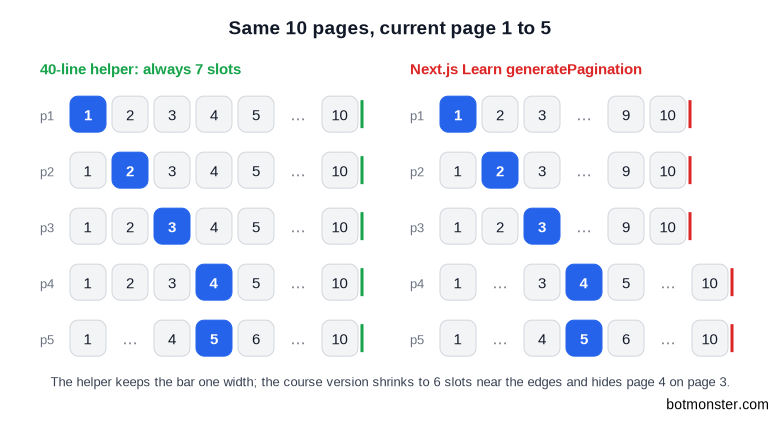
Once there are more than seven pages, the helper always returns seven slots. The control never changes width as you click through it. By contrast, the generatePagination helper in the official Next.js Learn dashboard course returns six items near the edges and seven in the middle, so the bar shifts. On page 3 of 10 it shows 1 2 3 … 9 10, which leaves page 4 reachable only through Next. It also has no sibling or boundary options.
Users will send ?page=999 and ?page=abc, and the pager should survive both. The first line of getPagination clamps the incoming page, so ?page=999 lands on the last page, and the route below turns ?page=abc into page 1 before the helper sees it. As a correctness check, the range function was run against every page of every total from 1 to 60, with siblings and boundaries from 0 to 3. In every case the current page showed, numbers only went up, the width stayed constant once the total passed the slot count, and no gap hid a single page.
How do I paginate with searchParams in the Next.js App Router?
A Server Component reads the page from the URL, fetches one slice, and renders links. That is the baseline every library has to beat, and it ships no client JavaScript for the pager.
Since v15.0.0-RC, searchParams in a page is a Promise, so you await it. Reading it also opts the page into request-time rendering. With Cache Components turned on, read it as deep in the tree as you can, so the rest of the page stays in the static shell.
searchParams is a plain object, not URLSearchParams. A URL like ?page=1&page=2 arrives as an array, so normalise each value before you parse it:
import { Suspense } from "react";
import { Pager } from "./pager";

type SearchParams = Promise<Record<string, string | string[] | undefined>>;

const first = (value: string | string[] | undefined) => (Array.isArray(value) ? value[0] : value);

export default async function InvoicesPage({ searchParams }: { searchParams: SearchParams }) {
  const params = await searchParams;
  const query = first(params.query) ?? "";
  const totalPages = await fetchInvoicePages(query);
  const requested = Number.parseInt(first(params.page) ?? "1", 10) || 1;
  const page = Math.min(Math.max(1, requested), Math.max(1, totalPages));

  const hrefFor = (n: number) => {
    const next = new URLSearchParams();
    for (const [key, value] of Object.entries(params)) {
      const single = first(value);
      if (key !== "page" && single) next.set(key, single);
    }
    next.set("page", String(n));
    return `/invoices?${next}`;
  };

  return (
    <>
      <Suspense key={query + page} fallback={<InvoicesSkeleton />}>
        <InvoicesTable query={query} page={page} />
      </Suspense>
      <Pager page={page} total={totalPages} hrefFor={hrefFor} />
    </>
  );
}fetchInvoicePages, InvoicesTable and InvoicesSkeleton stand in for your own data code. hrefFor runs on the server, so there is no useSearchParams and no client boundary. The key on Suspense makes the skeleton show on every page change. Your search form should drop page from the URL when the query changes, so results start again at page 1.
The pager itself is about 25 lines of JSX. It assumes your CSS has an sr-only class that hides text visually but keeps it for screen readers:
import Link from "next/link";
import { getPagination } from "@/lib/pagination";

type PagerProps = { page: number; total: number; hrefFor: (page: number) => string };

export function Pager({ page, total, hrefFor }: PagerProps) {
  if (total <= 1) return null;
  const { pages, previous, next } = getPagination({ page, total, hrefFor });

  return (
    <nav aria-label="Pagination">
      <ul>
        {previous && <li><Link href={previous}>Previous</Link></li>}
        {pages.map((item) =>
          item.type === "gap" ? (
            <li key={item.key}>
              <span aria-hidden="true">…</span>
              <span className="sr-only">skipping pages {item.from} to {item.to}</span>
            </li>
          ) : (
            <li key={item.key}>
              {item.current ? <span aria-current="page">{item.page}</span> : <Link href={item.href}>{item.page}</Link>}
            </li>
          ),
        )}
        {next && <li><Link href={next}>Next</Link></li>}
      </ul>
    </nav>
  );
}
With the page in the URL, users can bookmark and share a page, and the Back button works. The first paint is server-rendered, and analytics see the page without extra client code. When the same screen also edits data, React 19 server actions can replace the API layer.
Teams that want typed, parsed query state across many params often use nuqs and its parseAsInteger parser. For a single page param, you don’t need it.
Accessible pagination markup, and where the libraries slip
Accessibility is the usual argument for buying a pager. However, the rules for accessible pagination are short, and Martin Underhill’s pattern adds a few of its own:
- Label the nav “Pagination”. Screen readers add the role themselves, so a “Pagination navigation” label is read as “Pagination navigation, navigation”.
- Mark the current page with
aria-current="page". Underhill renders it as a<span>instead of a link to itself. - Keep the accessible name equal to the visible number, so voice-control users can say “click 4”. Don’t override it with
aria-label="Page 4". - Give the gap real text such as “skipping pages 6 to 9”. Screen readers often read a bare “…” as nothing, or as an empty bullet.
- Remove dead Previous and Next links on the first and last page instead of rendering disabled fakes.
For me, it’s better to remove the unusable links entirely
Popular packages break some of these rules:
- react-paginate renders
<ul role="navigation">with no<nav>, which wipes the list semantics. It overrides every number witharia-label="Page N", and the current one with “Page N is your current page”. WithouthrefBuilder, its links becomerole="button"anchors with nohref. - MUI Pagination labels its root “pagination navigation”, which triggers the double announcement, and names each item “Go to page N”. On the plus side, it moves focus back to the current page after a click.
- shadcn/ui Pagination gets
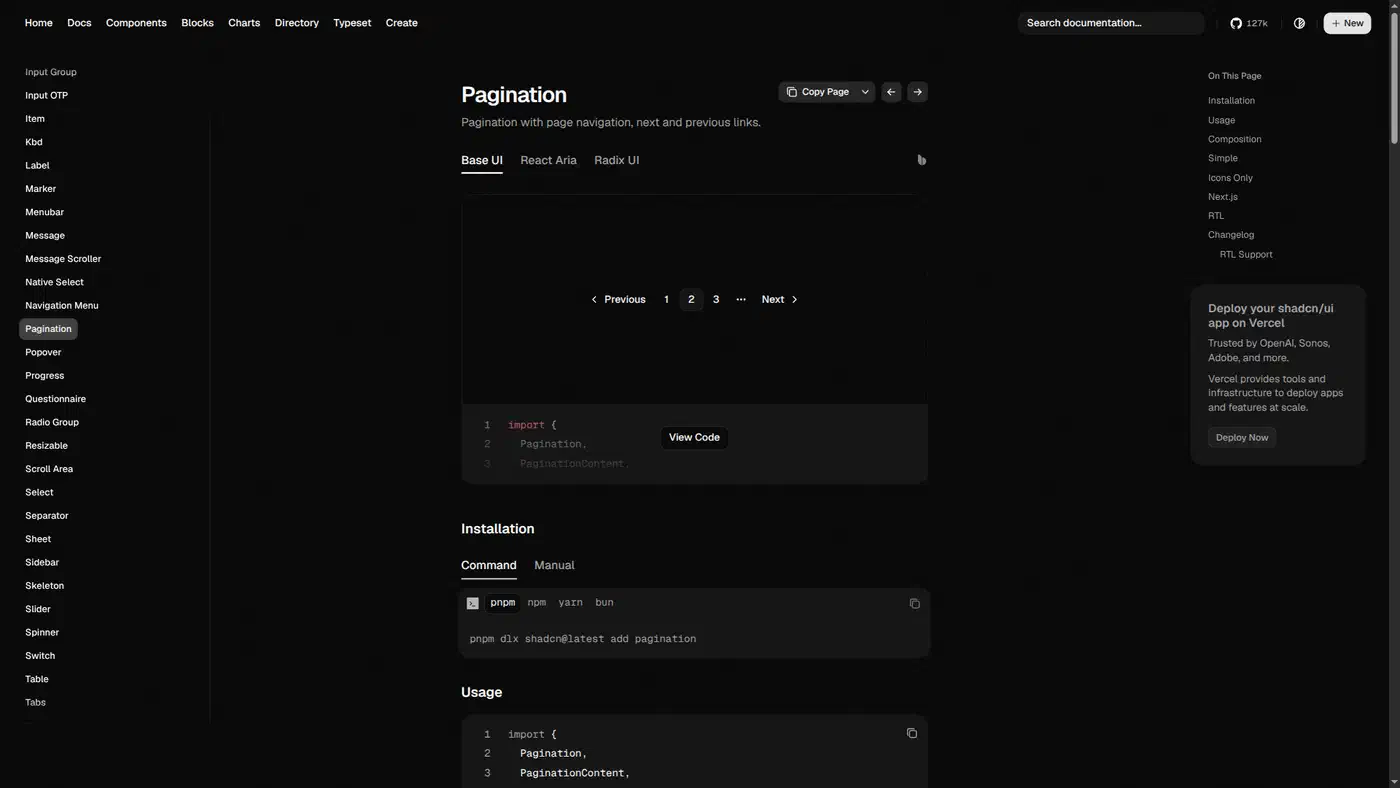
<nav>andaria-currentright. Its ellipsis, though, puts the screen-reader text “More pages” inside anaria-hiddenspan, so screen readers never hear it.
These slips aren’t unique to React: none of the small plugins that still run on jQuery 4 sets aria-current. Three small Vue pagination packages skip it too.
The 40-line pager follows every rule on that list, and you can read every attribute it renders.
How the React pagination libraries compare
Three standalone widget libraries still show up in lockfiles:
- react-paginate 8.3.0 is still a class component with
static defaultProps. React 19 keeps defaultProps for classes and silently ignores propTypes, so itsprop-typesdependency does nothing there. Its last release, in January 2025, added React 19 to the peer range. It needs a client boundary. Skip it for new code, even though it still draws about 770,000 weekly npm downloads, mostly from older apps. - react-js-pagination 3.1.0 shipped again in September 2026 after a gap of more than six years. Skip it.
- rc-pagination 5.1.0 is the engine behind Ant Design’s pager. It is fine if you already run Ant Design, and there is no reason to add it otherwise.
Design-system components make more sense, but only inside their own design system:
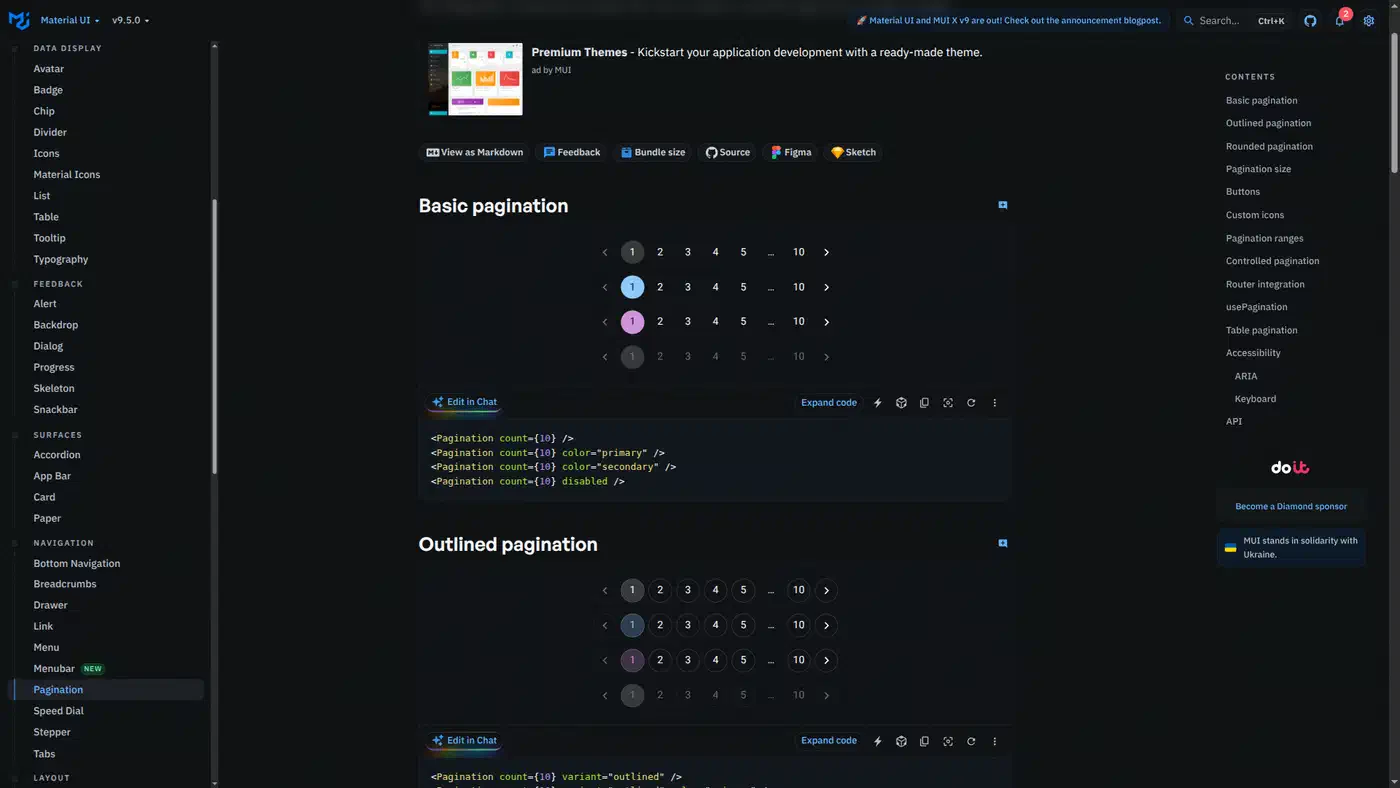
- MUI Pagination 9.5.0 has the best range logic in the group, restores focus, and offers
TablePaginationfor tables. Watch the index:TablePaginationcounts pages from 0, whilePaginationstarts at 1. It needs Emotion and a client boundary. Pick it if MUI is already in the app. - Mantine Pagination 9.7.4 builds on a clean
usePaginationin@mantine/hooksthat returns(number | 'dots')[]. It also has a responsive layout that collapses to “Page X of Y” in narrow spaces. Mantine 9 requires React 19.2 or newer. Use it in apps that already run Mantine. - Chakra UI Pagination 3.37.0 is built on Ark UI. Its
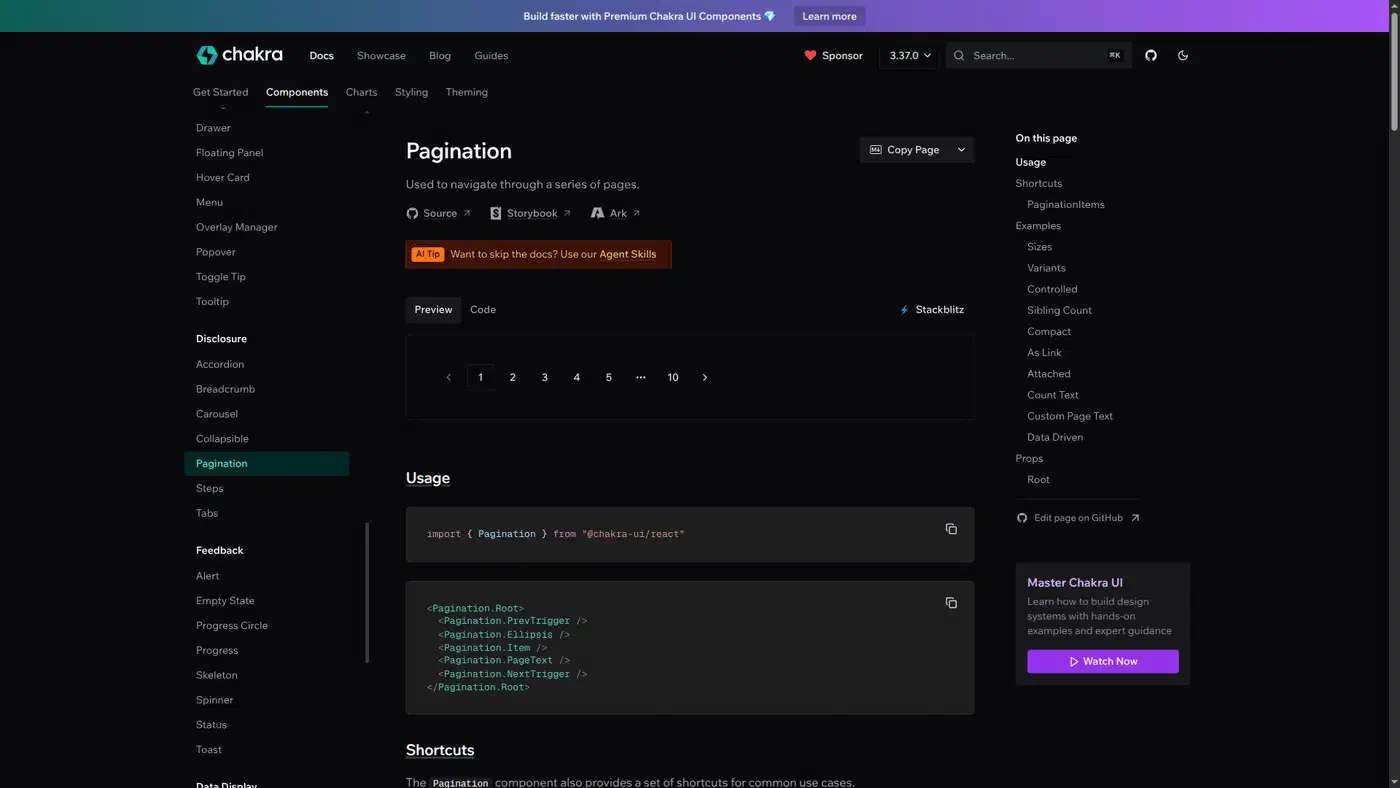
countprop takes the total number of items rather than pages, a common first bug. Link mode usestype="link"withgetPageUrl. - shadcn/ui Pagination is copy-in markup with no range logic, so you write the range yourself anyway. It pairs naturally with the 40-line helper.
React Aria, React Aria Components and React Spectrum have no Pagination component at all. A maintainer said in discussion #9481 that you can build one from React Aria links or buttons. A Spectrum Pagination spec existed once but was never prioritised, because the virtualizer can show infinite data instead.
When a React pagination library earns its weight
Data grids tangle pagination with sorting, filtering and page size, which is the job of TanStack Table’s pagination feature. On the client, v9 uses tableFeatures({ rowPaginationFeature }) with createPaginatedRowModel(). For server data, set manualPagination: true and pass rowCount from the API. TanStack Table is headless, so it still renders no page numbers; feed getPageCount() into the 40-line helper. Svelte apps use the same split, pairing TanStack Table 9 with one of the Svelte pagination libraries built for runes.
TanStack Table counts pageIndex from 0 while URLs count from 1, so convert at one edge only. Also, reset the page index when filters, sorting or page size change. TanStack turns its automatic reset off under manualPagination.
An installed design system already ships a pager. If MUI, Mantine or Chakra is in the bundle anyway, that pager costs almost nothing extra and matches the rest of the UI. The case against libraries is about adding a package for this one control.
Virtualized or infinite lists suit products that want scrolling instead of pages. The React Aria team’s view is that virtualization replaces page numbers. In the same thread, other teams push back: their accessibility requirements call for real pages, with clear start and end points and a working Back button.
Translated labels at scale favour a design-system pager, which takes translated labels through props such as Chakra’s translations and MUI’s getItemAriaLabel. Hand-rolled code needs your own i18n setup, including right-to-left layouts.
Cursor and infinite pagination with TanStack Query
Page numbers with plain useQuery flicker, because each page key is a brand-new query. Setting placeholderData to keepPreviousData fixes this by keeping the old page on screen. Then isPlaceholderData lets you disable Next until the real data lands.
Cursor APIs have no total, so page numbers make no sense there. Instead, use useInfiniteQuery with initialPageParam and a getNextPageParam that returns the next cursor:
const feed = useInfiniteQuery({
  queryKey: ["feed"],
  queryFn: ({ pageParam }) => fetchFeed(pageParam),
  initialPageParam: null as string | null,
  getNextPageParam: (lastPage) => lastPage.nextCursor,
  maxPages: 10,
});
On refetch, TanStack Query reloads every page in order, starting from the first. As a result, stale cursors don’t cause duplicate or skipped rows. A hand-written “load more” built on useState almost never does this.
maxPages caps memory and refetch work on long feeds. Only one fetch runs at a time, so check !isFetching before a scroll observer calls fetchNextPage. When TanStack Table runs on a cursor API, pass pageCount: -1. Then getCanNextPage() always returns true, and there is no Last button.