 Botmonster Tech
Which jQuery pagination plugins still work on jQuery 4?

This post is open for corrections. Highlight any line of text to challenge it or ask for a clearer explanation and leave a comment.
Most jQuery pagination plugins still work on jQuery 4, because few of them touched what it removed. bootpag, pagination.js and simplePagination call nothing jQuery 4.0 deleted. twbs-pagination does: it calls the removed push method when you attach it to anything but a <ul>. None of the four tells screen readers which page is current.
Key Takeaways
- bootpag, pagination.js and simplePagination use nothing jQuery 4 removed.
- twbs-pagination crashes on jQuery 4 unless you attach it to a list.
- pagination.js needs the full jQuery build to load pages from a URL.
- DataTables 3 runs without jQuery but still plugs into it if it’s there.
- None of the small plugins tells screen readers which page is current.
jQuery pagination plugins on old sites after jQuery 4
Plenty of WordPress themes, admin panels and server-rendered apps already ship jQuery. They need page links under a list, and nobody wants a framework rewrite to get them. jQuery 4.0.0 is the first major version in almost 10 years, and it deletes APIs that plugins from 2012 to 2021 leaned on. Static sites that need no jQuery at all can speed up Hugo builds with a warm image cache.
WordPress core still ships jQuery 3. The move to 4.0 is open as Trac ticket #60478, and it waits on removing jQuery Migrate 3.x first. Site owners can try a jQuery 4 release candidate, 4.0.0-rc.1, with the official Test jQuery Updates plugin. The likely failure is a theme update that bumps jQuery and a paginator that throws on page load. Teams leaving page builders behind can look at Instatic, a self-hosted visual CMS.
Each verdict below comes from reading the plugin’s shipped file against the jQuery 4 removal list, without a browser test run. If you restyle the plugins, Tailwind CSS v4 changes how that setup works.
What did jQuery 4 remove that breaks old plugins?
A pagination plugin touches a small part of jQuery, so only a few removals apply:
- Static helpers are gone:
jQuery.isArray,trim,type,isFunction,isNumeric,parseJSON,now,camelCaseandnodeName. Each has a native swap, such asArray.isArray,String.prototype.trim,JSON.parseandDate.now. push,sortandspliceno longer exist on jQuery objects. They were never documented, but the jQuery 4.0 upgrade guide lists them as breaking because some plugins used them. The fix is[].push.call($elems, elem).toggleClass(boolean)is gone. The two-argumenttoggleClass(className, state)still works.- IE 10 and older lost support. IE 11 keeps it until jQuery 5.
The 4.0.0 file still defines .bind(), .unbind(), .delegate(), the shorthand events like .click() and .keyup(), and the native event.which property, so plugins that use them run unchanged.
The slim build drops ajax, effects, Deferreds, Callbacks and queues, and weighs about 19 KB gzipped against roughly 27 KB for the full build. Any plugin that calls $.ajax needs the full file.
For a plugin you don’t know, the fastest audit is jQuery Migrate 4. Its development build logs a console warning for every removed API it sees. It also puts jQuery.fn.push back, with a warning, so it works as a stopgap for the one break below.
The verdict table for jQuery 4 pagination plugins
| Plugin | Latest | Last release | jQuery 4 | Slim build | Bootstrap 5 | Loads data | Real URLs | Gzip |
|---|---|---|---|---|---|---|---|---|
| bootpag | 5.0.1 | 2026 | ✅ | ✅ | ✅ | ✅ | 1.3 KB | |
| pagination.js | 2.6.0 | 2023 | ✅ | arrays only | CSS shim | ✅ | 4.9 KB | |
| simplePagination | 1.6 | none | ✅ | ✅ | partial | hash only | 2.7 KB | |
| twbs-pagination | 1.4.2 | 2021 | <ul> only | ✅ | ✅ | ✅ | 2.1 KB | |
| DataTables | 3.1.5 | 2026 | ✅ | ✅ | ✅ | ✅ | 42 KB |
Here “jQuery 4” means the shipped file calls no API that 4.0 removed. Sizes are the minified file gzipped, except simplePagination, which ships no minified build. DataTables’ 42 KB covers the whole table library, paging included.
bootpag, the smallest option that tracks Bootstrap 5
Botmonster created bootpag from scratch and still maintains it, so read this section with that in mind. You can try it in four live bootpag demos. Version 5.0.1 is on npm and declares a peer dependency of jQuery 1.6 or newer.
The minified file is 3.3 KB raw and 1.3 KB gzipped, the smallest in this list. On jQuery 4 it calls no removed helper, uses .push only on plain arrays and always passes toggleClass two arguments. It uses .click(), which 4.0 keeps. It never calls $.ajax or a Deferred, so nothing stops it on the slim build.
Bootstrap 5 classes are the defaults: itemClass: 'page-item', linkClass: 'page-link' and wrapClass: 'pagination'. Every class is an option, so Bootstrap 3 or a custom theme needs only a few overrides.
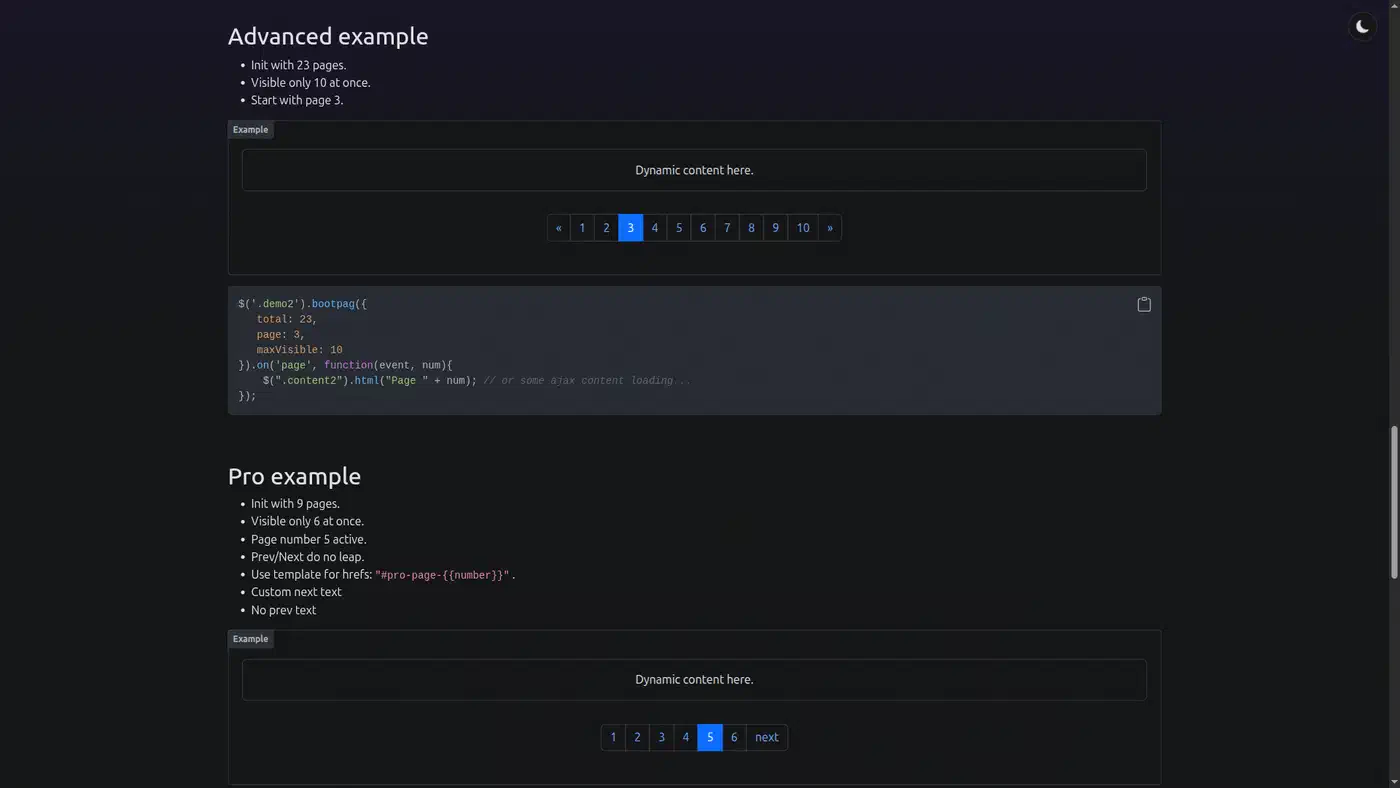
bootpag doesn’t fetch anything itself. You listen to its page event, load the content, then call it again when the server reports a new total:
$('.demo1').bootpag({
    total: 5
}).on("page", function(event, num){
    $(".content").html("Page " + num);
    $(this).bootpag({total: 10, maxVisible: 10});
});
For links, href: "?page={{number}}" with hrefVariable builds real URLs, and a hash template like #pro-page-{{number}} works for client routing. It doesn’t touch history.pushState. One call can also drive two synced paginators, one above a list and one below it.
On accessibility, the active link gets no aria-current, and the first and last arrows ship as aria-hidden spans with no aria-label. Those arrows are also off by default: firstLastUse is false in the code, and the true default in the demo page’s options table is a doc error.
pagination.js, the one that fetches pages for you
pagination.js has the most features here and is the only plugin that owns the AJAX loop. It ships its own type checks instead of jQuery’s helpers, so it calls nothing that 4.0 removed.
Its dataSource option takes an array, a function or a URL. With a URL, it calls $.ajax, finds the rows through locator, reads the count through totalNumberLocator and renames query parameters with alias. All of that is in the pagination.js docs.
The slim build has no $.ajax, so URL mode breaks there. Either load the full jQuery file or pass ajaxFunction, which receives the same settings object and its success callback:
$('#pager').pagination({
    dataSource: '/api/items',
    locator: 'items',
    totalNumberLocator: function (res) { return res.total; },
    ajaxFunction: function (settings) {
        fetch(settings.url + '?' + new URLSearchParams(settings.data))
            .then(function (res) { return res.json(); })
            .then(settings.success, settings.error);
    },
    callback: function (data) { renderList(data); }
});
None of the other small plugins has a page-size picker, a “go to page” box, navigator text like “1-10 of 240”, or before and after hooks on every action.
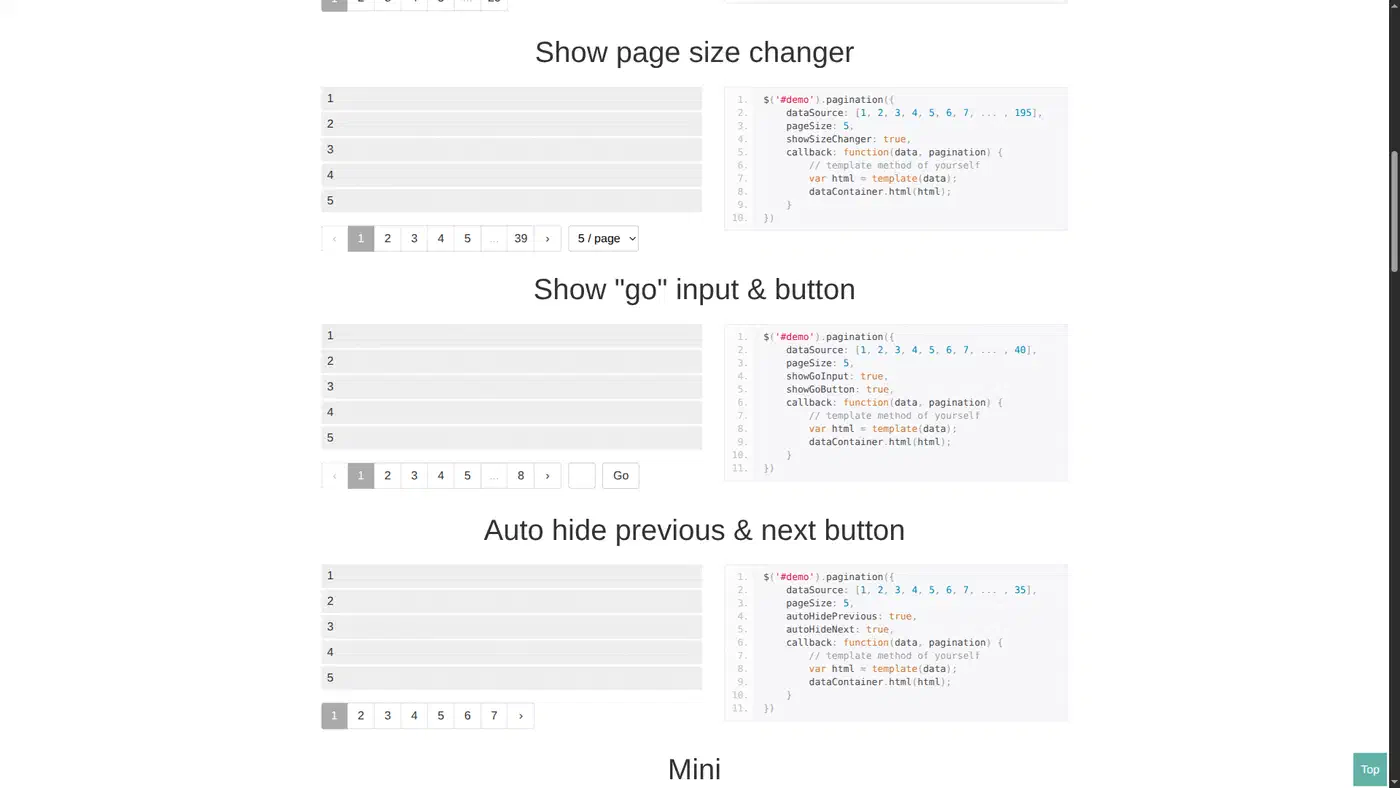
It ships its own themes, such as paginationjs-theme-blue, plus paginationjs-small and paginationjs-big size classes, but no Bootstrap preset. For Bootstrap 5, set ulClassName: 'pagination' and pageClassName: 'page-item', then add a small CSS shim. The script is 15.1 KB minified and 4.9 KB gzipped, plus 1.2 KB gzipped for its stylesheet. It uses ES2015 template literals, so IE 11 needs a transpile step, and it has no URL or history handling.
simplePagination still runs, but looks dated under Bootstrap 5
simplePagination.js dates from 2012 and still runs on jQuery 4. It uses .bind('blur'), .click(), .keyup() and event.which, and all four survived in 4.0.0.
The file header says v1.6, but there’s no official npm package and no GitHub release, so you load it from jsDelivr’s /gh/ path or copy it into your project. There’s no minified build either: the 11 KB file gzips to 2.7 KB, plus 1.1 KB for its CSS. Its features:
- Edges and ellipsis, where a click on the ellipsis lets you type a page number.
labelMapfor custom page labels.updateItems,drawPageandredrawto change the pager after load.- Three CSS themes: light, dark and compact.
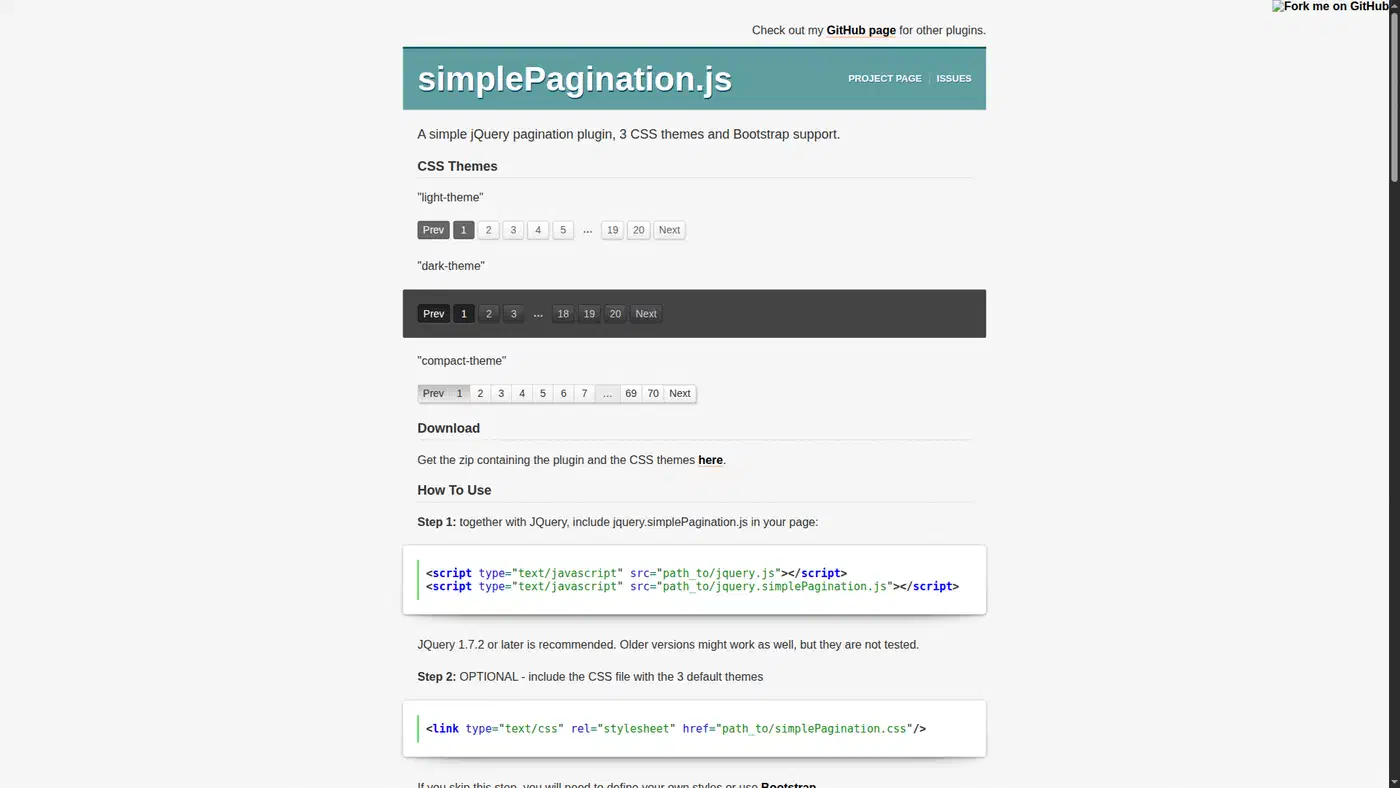
Its markup only half fits Bootstrap 5. Links get page-link, but list items get no page-item, and the current page renders as <span class="current">. The active page and the ellipsis look wrong without a CSS shim. Links default to #page-N hashes, which only suit a hash router.
twbs-pagination breaks on jQuery 4 unless you attach it to a list
twbs-pagination 1.4.2 still turns up in Bootstrap-era admin panels, so this is the break you are most likely to hit.
When the target element isn’t a <ul>, the constructor builds an empty jQuery object and calls .push() on it. This is the code in jquery.twbsPagination.js:
var $newListContainer = $([]);
elements.each(function(index) {
    var $newElem = $("<ul></ul>");
    $(this).append($newElem);
    $newListContainer.push($newElem[0]);
});
jQuery 4 removed push from jQuery objects, so a <div id="pager"> target should fail with a TypeError on init. A <ul> target skips that branch. The plain fix is to initialize it on a <ul class="pagination">. If you can’t change the markup, patch the one line:
[].push.call($newListContainer, $newElem[0]);Bootstrap 4 and 5 classes (page-item, page-link) are the defaults, and href: true builds real ?page=N links for server-rendered paging. It also has a loop mode and hideOnlyOnePage. The file is 6.5 KB minified and 2.1 KB gzipped.
Changing the page count means calling destroy and starting again. The twbs-pagination demos stop at Bootstrap 4.0.0-alpha.4, and the docs are marked “not completed yet”.
DataTables 3 paging, when the table needs more than page links
DataTables is a table library that pages, sorts and searches. DataTables 3.0 dropped the jQuery requirement, and 3.1.5 is the newest release.
If jQuery is on the page, DataTables registers itself as a jQuery plugin, and with ES modules you call DataTable.use(jQuery) (DataTables jQuery manual). The manual’s own CDN example loads jQuery 4.0.0 ahead of DataTables 3.1.5.
Old DataTables code can still break. Callbacks like rowCallback no longer get a jQuery this; they get DataTables’ own Dom object, so wrap it as $(this). jQuery-only selectors such as :gt(), :lt() and :contains() stop working in DataTables calls, although DataTables adds its own :eq(). The DataTables 3 upgrade notes list the rest.
Paging settings moved too. The control now goes through the layout option, with paging.type, paging.buttons and paging.boundaryNumbers (paging feature). The older pagingType option has been deprecated since 2.1. DataTables 3 still supports server-side processing, and the official Bootstrap 5 integration targets the latest Bootstrap 5 (compatibility). Sites that still need IE stay on the 1.x line, 1.13.11.
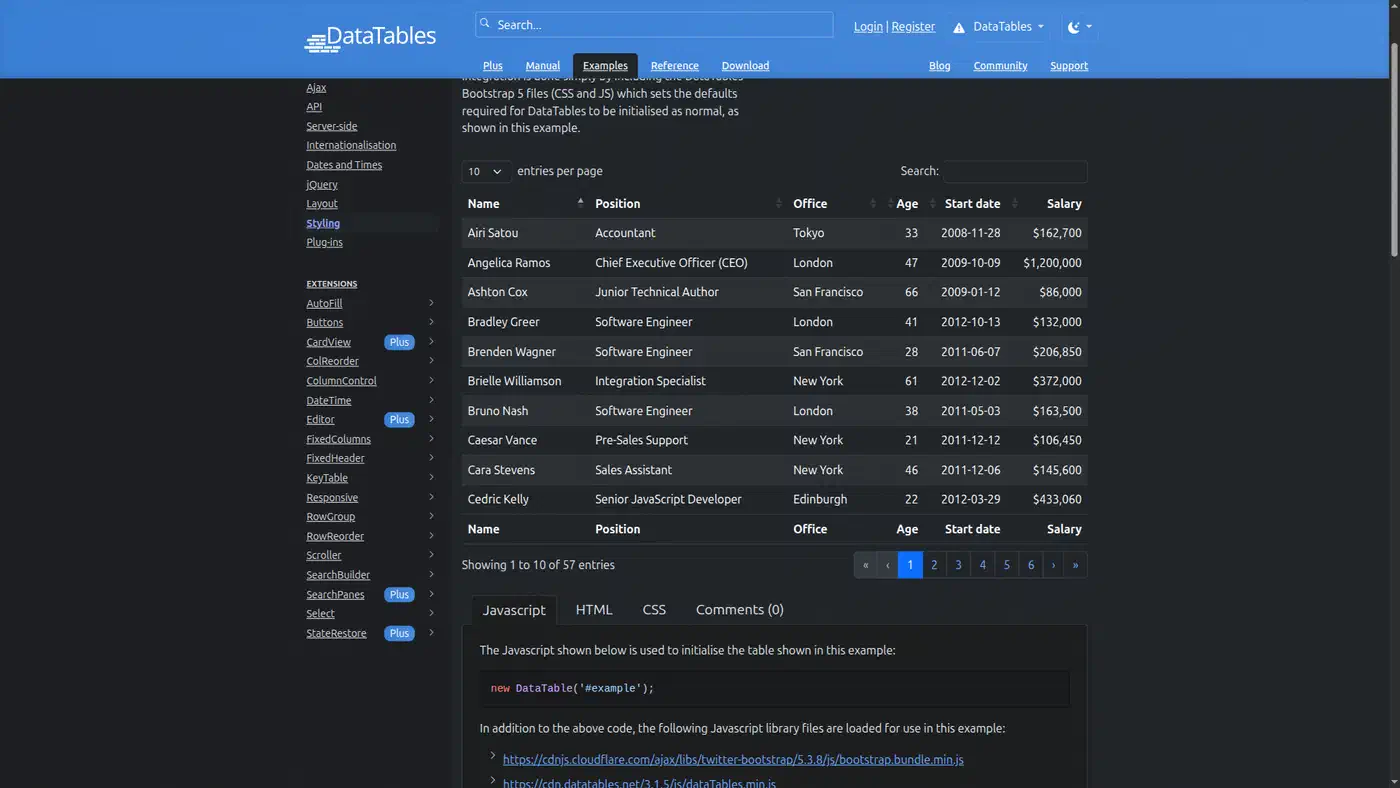
The core alone is 42 KB gzipped, about 32 times bootpag. The Editor extension is now part of the paid DataTables Plus suite. If one table needs sorting, search and paging, DataTables earns its weight; for page links under a list of cards, a small plugin is enough.
Which plugin should a legacy site pick?
- bootpag for a Bootstrap 5 site with its own AJAX code that wants the smallest file.
- pagination.js on the full jQuery build when the plugin should fetch and render pages, with a page-size picker.
- twbs-pagination on a
<ul>, or bootpag with anhreftemplate, for server-rendered pages with real?page=NURLs. - DataTables 3 for a full data grid.
- simplePagination only where it already runs; don’t pick it for a new Bootstrap 5 page.
Whichever you choose, add the accessibility layer yourself. Wrap the pager in <nav aria-label="..."> and add tabindex="-1" to disabled links, per Bootstrap’s pagination guidance. Then set aria-current="page" on the active link in the page callback. With bootpag, the active class is already in place when the event fires:
$('.pager').on('page', function (event, num) {
    $(this).find('[aria-current]').removeAttr('aria-current');
    $(this).find('li.active a').attr('aria-current', 'page');
});
If the pager is under a data table, the same rules apply to the table itself; the guide to accessible data table sorting and keyboard navigation covers that side. Before you upgrade jQuery on a live site, run the jQuery Migrate 4 development build for a day and read the console. Every warning there names a call that would have broken without it.