 Botmonster Tech
Which Svelte pagination libraries survive Svelte 5 runes?

This post is open for corrections. Highlight any line of text to challenge it or ask for a clearer explanation and leave a comment.
Most Svelte pagination libraries still work on Svelte 5 runes, but only some are written for them. I checked 18 pagination and table packages against npm and compiled nine in default and forced runes mode. Eight are runes-native, four break once runes are forced on every file, and three are dead.
Key Takeaways
- Svelte 5 still runs old-style components, so most pagination libraries did not break.
- Trouble starts when you force runes mode on every file, libraries included.
- Bits UI, Skeleton, Flowbite Svelte and TanStack Table are rebuilt for runes.
- svelte-paginate has not shipped since 2022 and fails in runes mode.
- A
?page=link read by a SvelteKit load function is often all you need.
Which Svelte pagination libraries work with Svelte 5?
Each row below comes from the package’s npm metadata plus a compile of its pagination components with Svelte 5.57.3. “Forced runes” means the component still compiles when a project sets runes: true for every file. “Real links” means the pager can render <a href> elements that crawlers and the back button understand.
| Package | Latest | Runes-native | Forced runes | aria-current | Real links |
|---|---|---|---|---|---|
| Bits UI | 2.20.3 | ✅ | ✅ | child snippet | |
| shadcn-svelte | 1.7.2 | ✅ | ✅ | ✅ | child snippet |
| Skeleton | 5.0.1 | ✅ | ✅ | ✅ | ✅ |
| Ark UI | 5.25.1 | ✅ | ✅ | ✅ | type="link" |
| Flowbite Svelte | 1.33.1 | ✅ | ✅ | on <li> | ✅ |
| TanStack Table | 9.3.1 | ✅ | n/a | n/a | n/a |
| vincjo datatables | 2.8.1 | ✅ | n/a | n/a | n/a |
| Carbon | 0.113.1 | ✅ | |||
| Sveltestrap | 7.1.0 | ✅ | |||
| svelte-ux | 1.0.11 | ||||
| svelte-paginate | 0.1.0 |
Pick shadcn-svelte if you already use Tailwind and like copy-paste components, Skeleton if you want real links and full ARIA out of the box, and Bits UI if you style everything yourself.
In their peer ranges, Skeleton and Flowbite Svelte require svelte ^5.40.0, Bits UI wants ^5.33.0, and @vincjo/datatables wants ^5.56.1. Carbon declares no Svelte peer at all. Sveltestrap accepts ^4.0.0 || ^5.0.0, and svelte-ux goes back as far as Svelte 3.56. A wide range like that usually means old syntax that Svelte 5 tolerates.
Why old Svelte 4 components still run on Svelte 5
The “Svelte 5 broke every library” story is mostly wrong. The compiler decides the mode per file, so a component written in Svelte 4 syntax compiles fine next to your runes code. Old and new components can also call each other in both directions, as the Svelte 5 migration guide spells out.
To count as runes-native, a pagination library has to rewrite a fixed set of patterns:
export letprops become$props()destructuring.$$restPropsbecomes a rest property inside that destructuring.createEventDispatcherandon:changebecome callback props such asonPageChange.- Slots and
let:pagesbecome snippets. - A two-way
bind:pageneeds$bindable()on the library side.
In a default-mode app, on:event behaves the same as in Svelte 4. That is why on:setPage from svelte-paginate and on:change from Carbon keep firing. createEventDispatcher is deprecated, yet the migration script leaves it alone, because converting it could break the components’ users. Carbon, Sveltestrap and svelte-ux kept the old syntax for the same reason.
The runes mode setting that breaks old pagination components
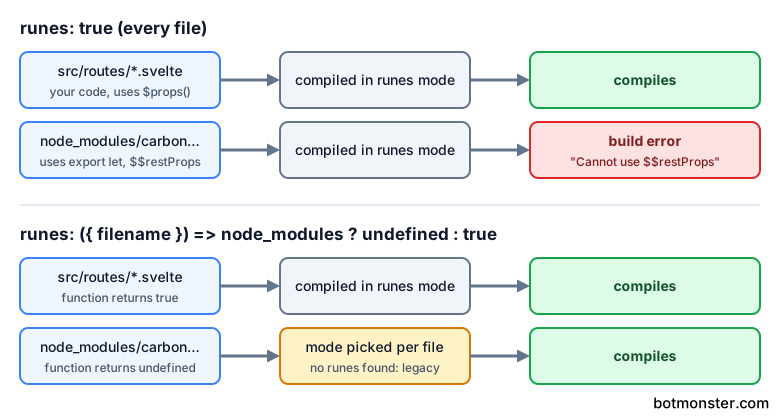
Setting compilerOptions.runes: true in svelte.config.js forces runes on every .svelte file, including those in node_modules. Someone filed this as a bug in sveltejs/svelte #9632, and Rich Harris closed it a day later as working as expected.
I downloaded each library’s latest tarball and compiled every pagination component with Svelte 5.57.3, once in default mode and once with runes forced. Every component compiled in default mode. With runes forced, these failed:
- svelte-paginate
PaginationNav: “Cannot useexport letin runes mode”. Its Light and Dark variants fail on$$propsinstead. - Carbon
PaginationandPaginationNav: “Cannot use$$restPropsin runes mode”. - Sveltestrap
PaginationandPaginationLink: the same$$restPropserror. - svelte-ux
Pagination: “Cannot use$$propsin runes mode”.
Carbon failed despite a release in 2026, which I did not expect: its source still uses export let and $$restProps. The Svelte Material UI 9 data table Pagination passed in both modes, alongside Bits UI, Skeleton, Flowbite Svelte and Ark UI.
Carbon’s position is deliberate:
The aim for this library is to be compatible with Svelte 3, 4, and 5 (non-Runes mode).
The fix is to force runes on your own files only. Since Svelte 5.54, runes accepts a function of the filename, so you can return undefined for library files and let them pick their own mode:
const config = {
  compilerOptions: {
    runes: ({ filename }) =>
      filename.split(/[/\\]/).includes('node_modules') ? undefined : true
  }
};

export default config;
On older Svelte 5 releases, vite-plugin-svelte’s dynamicCompileOptions({ filename }) does the same job from the vitePlugin key. Either way, the config now holds a function, and ESLint cannot serialize one. Override the setting in eslint.config.js so the Svelte ESLint parser gets a plain value.
Headless options from Bits UI, Melt UI and Zag.js
Headless libraries give you state and keyboard handling with no styling.
Bits UI exposes Pagination.Root with count, perPage, siblingCount, loop and orientation. You bind the page with bind:page, or with function bindings like bind:page={getPage, setPage}. Pages arrive in a children snippet as items of type page or ellipsis (Bits UI pagination). The docs’ structure example still uses Svelte 4 let:pages, so copy the snippet form from the API section instead.
Bits UI 2.20.3 renders a <div> root with <button> pages. Each page gets aria-label="Page N" and data-selected, but no aria-current and no nav landmark. Screen reader users therefore can’t tell which page they are on unless you add those yourself. Its Vue sibling Reka UI does set aria-current, which puts it among the Vue paginators that pass a screen reader check.
shadcn-svelte fills that gap. Its wrapper around Bits UI adds role="navigation", aria-label="pagination" and aria-current="page" on the active link (shadcn-svelte pagination). Install it with:
npx shadcn-svelte@latest add pagination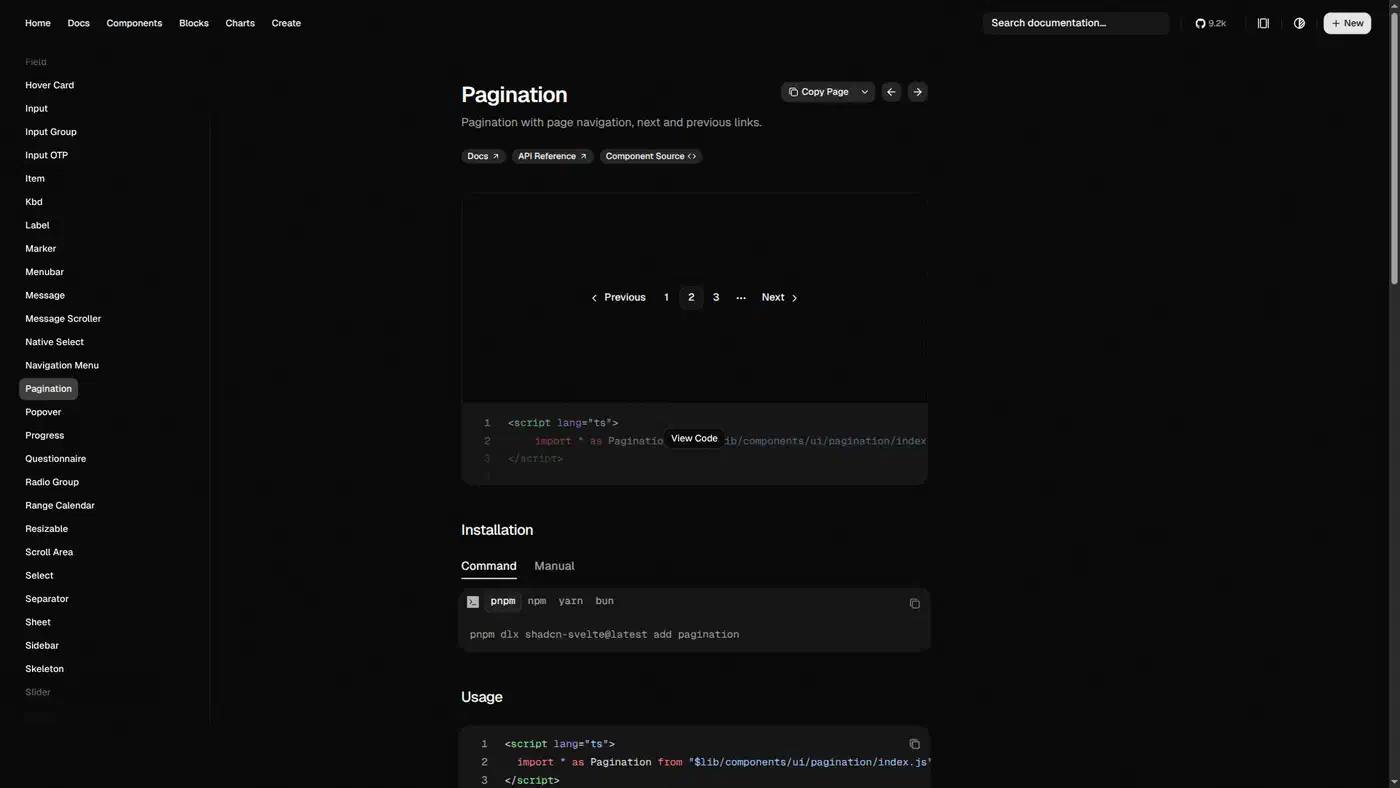
Melt UI has stalled. The store-based createPagination in @melt-ui/svelte 0.86.6 still installs on Svelte 5, but the package has had no release since early 2025 (Melt UI pagination builder). Its runes successor, the melt package, ships 18 builders and none of them is pagination.
Zag.js is the state machine behind both Skeleton and Ark UI pagination. It puts aria-current="page" on the current item, labels the prev, next, first and last triggers, and lets you translate those labels. Its boundaryCount option keeps the first and last pages visible next to the ellipsis.
Styled components in Skeleton and Flowbite Svelte
Skeleton 5.0.1 takes count, pageSize, page, siblingCount and boundaryCount, plus onPageChange and onPageSizeChange callbacks. Its parts are FirstTrigger, PrevTrigger, Item, Ellipsis, NextTrigger and LastTrigger. Set type="link" and pass getPageUrl, and each page becomes a real href (Skeleton pagination).
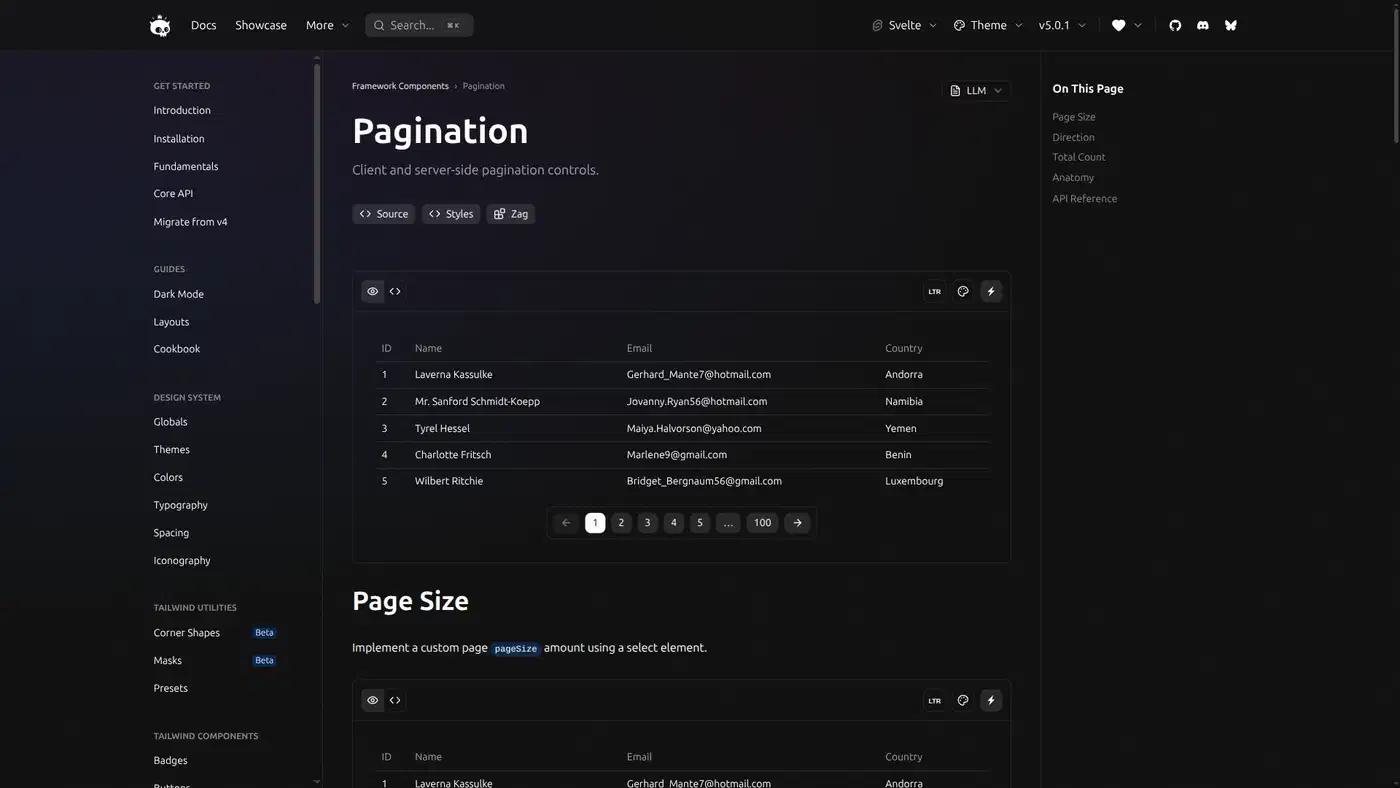
Flowbite Svelte has used runes since its 1.0 rewrite. Its PaginationNav takes currentPage, totalPages, visiblePages (5 by default) and a required onPageChange (PaginationNav source). It shows a sliding window of numbers with no ellipsis and no jump to first or last. With layout="table" it prints “Showing X of Y Entries” instead.
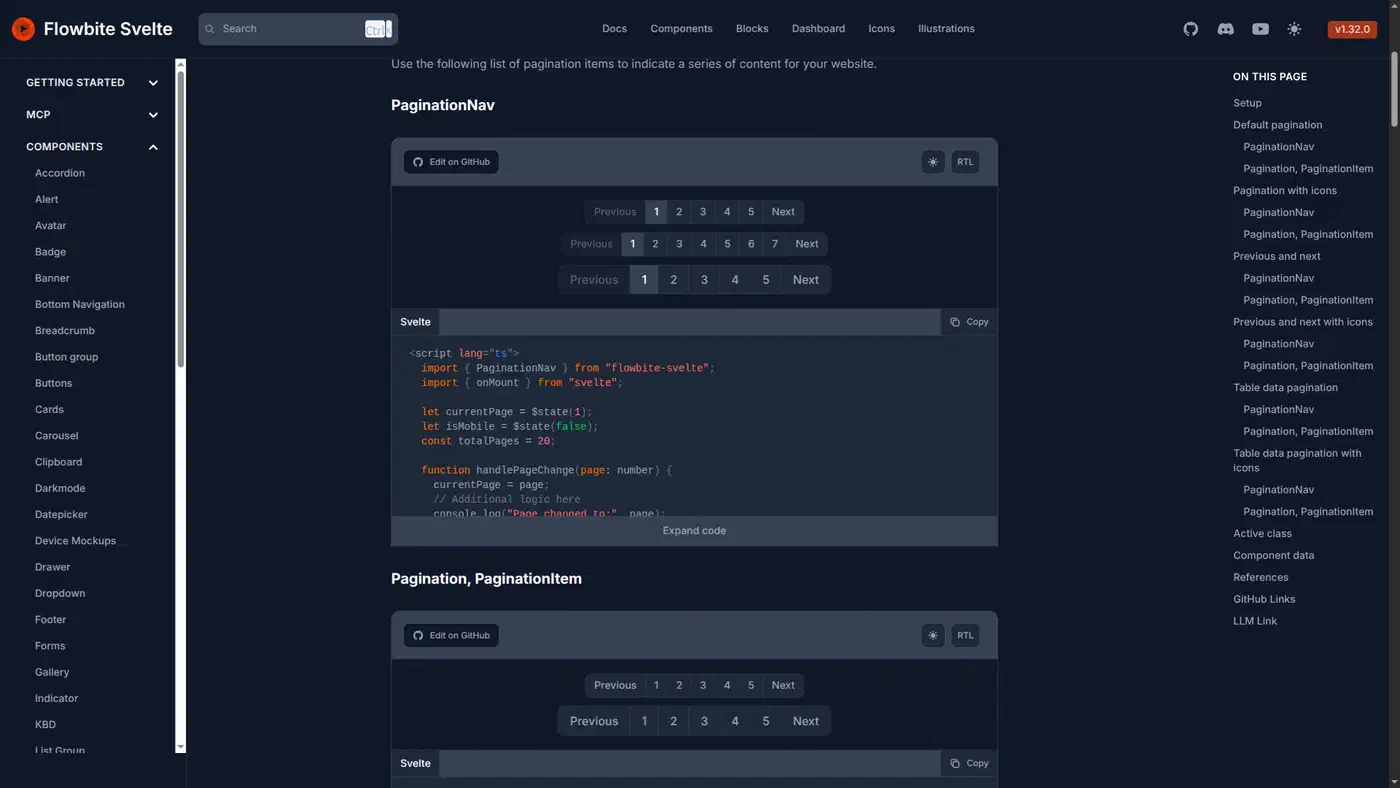
Flowbite puts aria-current="page" on the <li> rather than the button. Screen readers expect it on the focusable element, which is the link itself in the accessible pagination pattern. For URL paging, Flowbite’s separate Pagination component takes a pages array of { name, href, active } and renders anchors. A 2.0.0-next line of Flowbite Svelte is also out on npm.
| Feature | Skeleton | Flowbite |
|---|---|---|
| Ellipsis | ✅ | |
| First/last jump | ✅ | |
aria-current placement | Item | <li> |
| Real links | type="link" | Pagination |
| Page-size callback | ✅ |
Skeleton is the better default for long page ranges, while Flowbite’s sliding window suits short lists.
Paginating data tables with TanStack Table 9 and vincjo datatables
The table library owns the rows and the page state, and you draw the controls.
TanStack Svelte Table 9 went stable in 2026 and requires Svelte 5, with no Svelte 3 or 4 compatibility shim (TanStack Table v9 Svelte migration guide). Svelte 4 apps should stay on version 8, whose peer range is ^4.0.0 || ^3.49.0. In v9, createSvelteTable became createTable, flexRender became a <FlexRender> component, and paging is an opt-in feature:
const features = tableFeatures({
  rowPaginationFeature,
  paginatedRowModel: createPaginatedRowModel(),
});

const [pagination, setPagination] = createTableState<PaginationState>({
  pageIndex: 0,
  pageSize: 10,
});
pagination is a getter, so you read it as pagination() in the table’s state, pass onPaginationChange: setPagination, and move with table.nextPage(). TanStack draws no buttons, so pair it with a Bits UI or Skeleton pager.
@vincjo/datatables 2.x is also runes-based: new TableHandler(data, { rowsPerPage: 50 }) gives you a reactive handler. The v1 API lives on under @vincjo/datatables/legacy, so you can move one table at a time.
How do I paginate in SvelteKit without a library?
For content lists, a load function that reads ?page= gives each page its own URL, which crawlers can index and the back button can return to. The UI is a short list of links. In src/routes/posts/+page.server.ts:
import { db } from '$lib/server/db';

const PAGE_SIZE = 20;

export async function load({ url }) {
  const total = await db.countPosts();
  const totalPages = Math.max(1, Math.ceil(total / PAGE_SIZE));
  const requested = Number(url.searchParams.get('page')) || 1;
  const page = Math.min(Math.max(requested, 1), totalPages);
  const items = await db.listPosts({
    limit: PAGE_SIZE,
    offset: (page - 1) * PAGE_SIZE,
  });
  return { items, page, totalPages };
}
Calling url.searchParams.get('page') makes load rerun only when that one parameter changes, because SvelteKit tracks search parameters on their own. Reading url.searchParams any other way reruns load on every query change, so sort or filter tweaks would refetch the page.
The matching +page.svelte renders plain links with aria-current on the current one:
<script lang="ts">
  let { data } = $props();
</script>

<ul>
  {#each data.items as item (item.id)}
    <li><a href="/posts/{item.slug}">{item.title}</a></li>
  {/each}
</ul>

<nav aria-label="Pagination">
  <ul>
    {#each { length: data.totalPages }, i}
      <li>
        <a href="?page={i + 1}" aria-current={data.page === i + 1 ? 'page' : undefined}>
          {i + 1}
        </a>
      </li>
    {/each}
  </ul>
</nav>
This works with JavaScript turned off.
SvelteKit 3 changes a few details for client-side paging. It requires Svelte 5.57.1 or later and removes $app/stores, so you read page.url from $app/state. Since page.url is now readonly, copy it into a new URL before calling searchParams.set (Migrating to SvelteKit v3). In goto, keepFocus plus noScroll became reset: false, and replaceState became replace. None of the pagination packages I checked import $app/stores, so the upgrade leaves them alone.
You still want a library when you need ellipsis logic, keyboard focus handling, a page-size selector or table state.
Dead and dying Svelte pagination packages
- svelte-paginate 0.1.0 last shipped in 2022 against Svelte 3. Its
mainfield points at a file missing from the tarball, and its usage still relies on$:andon:setPage(repo). It runs in default mode and fails with runes forced. Replace itspaginate()helper with one line:let paged = $derived(items.slice((page - 1) * size, page * size)). - svelte-pagination 0.0.1 had a single release in 2020. Drop it for any library in the table above.
- svelte-headless-table has a
svelte ^4.0.0peer and no release since 2024. Move to TanStack Table 9. - @melt-ui/svelte has had no release since early 2025, and its runes successor has no pagination. Use Bits UI.
- svelte-ux 1.x uses legacy syntax, with a 2.0 line on the
nexttag. Keep it out of forced runes mode until 2.0 ships. - svelte-pagination-ui 0.0.3 is a small runes component from 2026. It is too young to judge.
For most content sites, the plain SvelteKit links above beat all of them. Reach for Skeleton or shadcn-svelte when you need a richer pager, and TanStack Table 9 when the rows live in a table. Older jQuery apps face a version jump of their own, though most jQuery 4 pagination plugins survive it.
A pager built as a framework-agnostic web component sidesteps the runes question entirely.