 Botmonster Tech
Ghidra is the NSA tool that reads compiled software
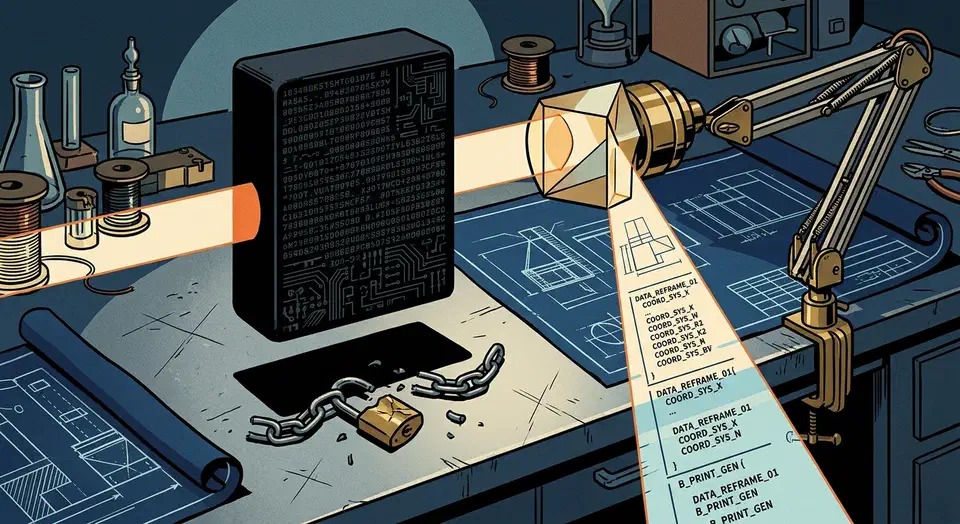
Ghidra reverse engineering work almost always starts in one window, the decompiler, which turns raw machine code back into readable C. The NSA released the tool free in 2019. Before that, an equivalent decompiler meant a commercial licence. Hex-Rays still charges $8,599 a year for the plan that bundles every decompiler.
Key Takeaways
- Ghidra shows you readable code instead of raw bytes from a compiled program.
- The same decompiler power used to cost thousands of dollars a year.
- It reads dozens of processor families, from x86 and ARM64 down to Z80.
- A team can share one project and pull apart a binary together.
- You still need permission to analyse software you don’t own.
What Ghidra reverse engineering actually involves
Reverse engineering starts with a compiled program. The compiler has already thrown away the names, the comments, and most of the structure the author wrote. What is left is machine code plus whatever scraps the file format kept.
Disassembly comes first. It turns bytes into processor instructions, which is mechanical work that tools have done well for decades.
Decompilation is the hard part. There is no single correct answer, because information was destroyed on the way down. So a decompiler has to guess at the structure: loops, branches, function arguments, local variables. Modern decompilers do that well, though the output is still an educated guess.
Structure can be rebuilt, but meaning cannot. Variable names, comments, and the author’s intent are gone for good.
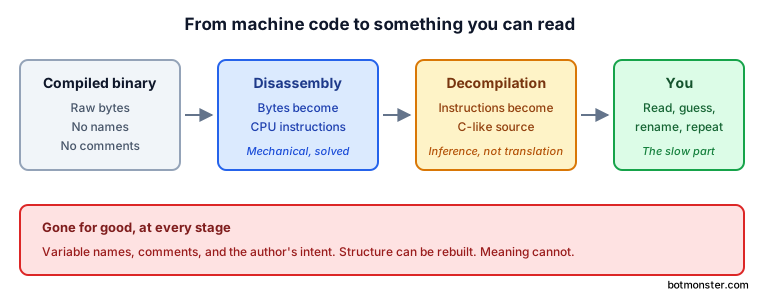
So the human half of the work is reading and renaming. You open a function called FUN_00401230, trace what it touches, form a theory, and rename it parse_header. Then you do it again. Understanding a binary is closer to translating an undocumented protocol than to opening a file.
Malware analysts do this to find out what a sample does, and security teams do it to check software they have no source for. Others are hunting vulnerabilities, talking to an undocumented file format, or keeping abandoned software alive.
The decompiler and what its release changed
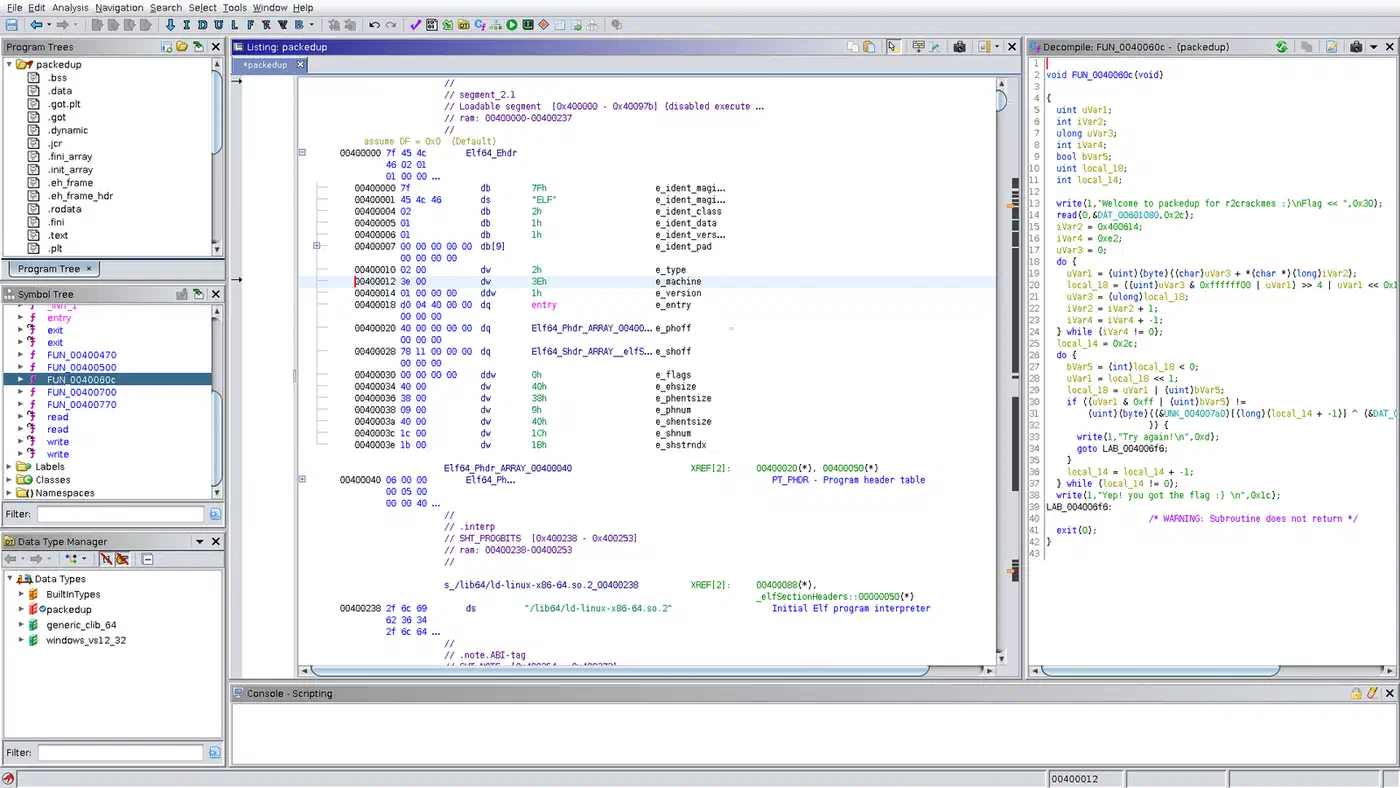
Ghidra is a software reverse engineering framework built by the NSA Research Directorate. Its decompiler pane sits beside the disassembly. It rebuilds C-like source one function at a time as you work through the file.
Reading rebuilt C is far faster than reading assembly, and the gap widens on an architecture you barely know. You can get useful work done on a MIPS or PowerPC binary in an afternoon, because the decompiler absorbs the instruction set for you.
Before 2019, that power carried a price tag. A Hacker News thread on IDA pricing ran the same week Ghidra went public. Users worked through the list together: $1,879 for the disassembler, then $2,629 for each architecture decompiler you bolted on. One commenter added up the full set at over $15,000.
| Tool | Decompiler access | Price |
|---|---|---|
| Ghidra | Every architecture, no tiers | Free |
| IDA Pro | 2 cloud decompilers on the entry plan, all local ones on the top plan | $1,099 to $8,599 a year |
| Binary Ninja | 4 architectures free, 18+ on the top plan | Free to $2,999 |
The release dropped the entry price to zero, which changed who could do the work at all. A student, a hobbyist, or a one-person security shop got the same class of decompiler as a government lab.
People did ask the obvious question about a spy agency handing out free software. Rob Joyce, then the NSA’s top cybersecurity adviser, answered it on stage at the RSA Conference.
This is the last community you want to release something out to with a backdoor installed.
The source has been public on GitHub since 2019 under the Apache 2.0 licence, and a lot of suspicious people have read it since.
Still, the decompiler has an honest limit. Its output is a rebuild, and it can be wrong in ways that look fine. One misread calling convention gives you C that reads well and describes the wrong program. So you check the odd parts against the disassembly.
What else it does besides read code
The parts around the decompiler are what make Ghidra a framework. Other open tools do the same. Ghostty ships a reusable terminal engine so other programs can build on its core. RocketWerkz did the same for games with BRUTAL, a bare C# framework that ships no editor at all.
- Nearly 40 processor modules ship in the source tree, from x86 and ARM64 down to 6502, Z80, AVR, MSP430, RISC-V, and Xtensa. An embedded target stops being a specialist problem.
- A Ghidra server lets several analysts work one binary at once, instead of emailing copies around and losing everyone’s notes.
- You can automate repetitive analysis in Java or in Python, and PyGhidra supports Python 3.9 through 3.14.
- The plugin model is why the community has stacked years of tooling on top.
- Version tracking compares two builds of the same program to see what a patch changed, which is the core workflow behind patch analysis.
- BSim finds functions that look alike across a pile of binaries, which helps when you know you have seen the code before but cannot place it.
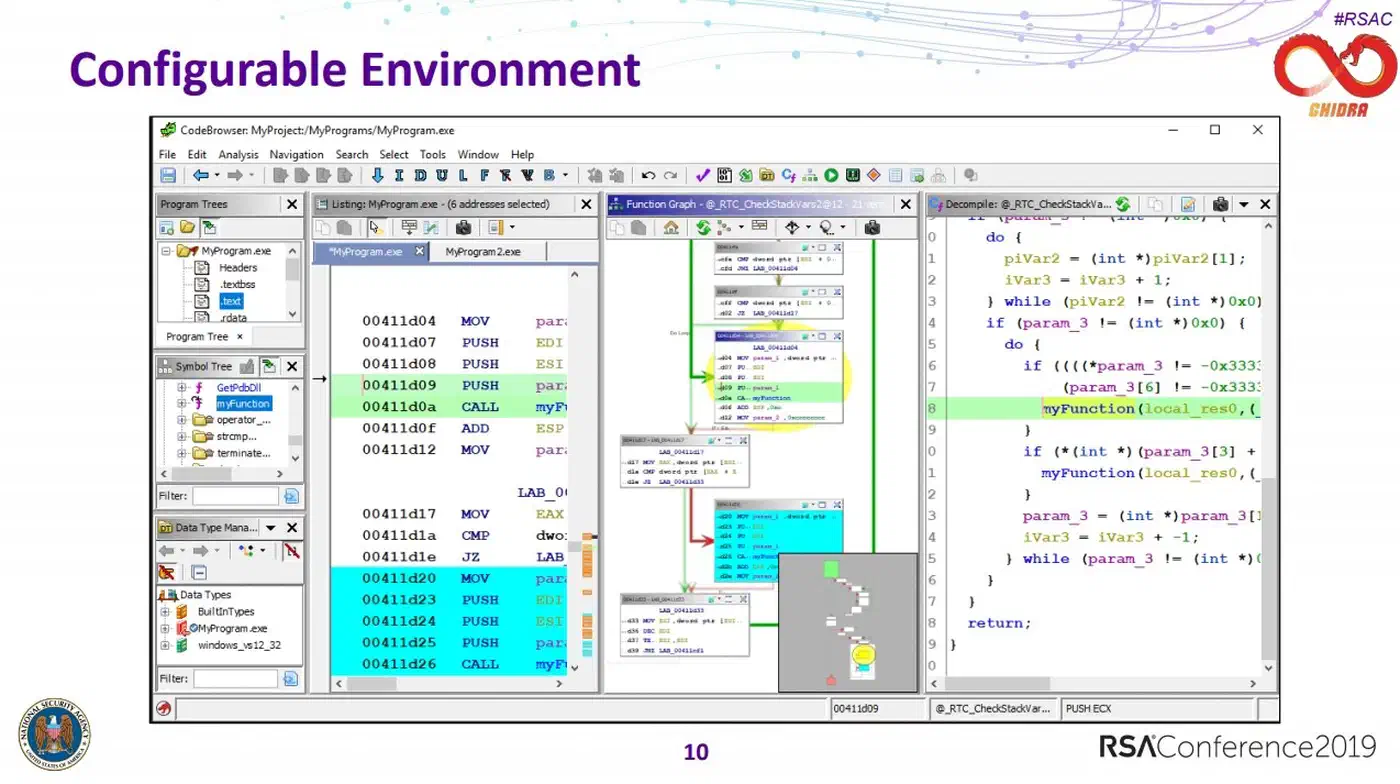
- The data type manager lets you apply known structures to raw memory, and that window is where a lot of the bytes start making sense.
How to analyse your first binary in Ghidra
Install a Java runtime
Ghidra runs on Java. The Getting Started guide asks for a 64-bit JDK 21 runtime, plus Python 3.9 to 3.14 if you want the debugger and PyGhidra. Check what your release needs, because it moves between versions.
Download from the official source and launch it
Get the release zip from the GitHub releases page or the official site at nsa.gov/ghidra. Pick the file named ghidra_<version>_<release>_<date>.zip, not either of the source archives. Don’t grab a reverse engineering tool from a random mirror. There’s no installer. Unzip it where you want, never on top of an older copy, then run ./ghidraRun, or ghidraRun.bat on Windows.
Create a project
A project holds one or more programs and everything you learn about them. Create a shared project instead of a local one if more than one person will work on the binary.
Import something you are allowed to analyse
Start with a small program you compiled yourself. That way you own it outright, and you already have the source to check the output against.
Run the auto-analysis
Accept the defaults on the first pass. Auto-analysis finds functions, strings, and cross-references. It takes a while on a big binary. The docs list 4 GB of RAM as the minimum, and a large binary will want considerably more.
Start in the decompiler window
The decompiler pane beside the disassembly is the point of the tool. Start there every time, and drop into assembly only when the C looks wrong. New users often do this backwards and conclude the tool is hard.
Rename things as you understand them
Rename a variable or a function and the change spreads through the whole analysis. Naming a thing is how you come to understand it.
Compare against your source
Because you compiled the program, you can check what the decompiler got right and where it drifted. That calibration teaches you more about trusting the output than any tutorial will.
The rules and the realistic learning curve
The tool is free and lawful to own. What you may point it at is a separate question. The answer depends on the software’s licence and on the law where you live. Nothing here is legal advice.
Binaries you compiled yourself are the obvious practice ground. Training programs built to be weak on purpose and public capture-the-flag challenges are made for this. Anything owned by someone else needs permission first, since both the licence terms and your local law apply.
The interface is dense, and the first binary is baffling. The second one is noticeably easier. The fastest way through is to compile something small, analyse it, then check the decompiled output against the source you wrote.
Help ships in the box. The download has a docs/GhidraClass folder with beginner, intermediate, advanced, debugger, and BSim courses, plus exercise files. The community has produced years of tutorials as well. The Ghidra Wikipedia entry is a decent map of the project’s history.
The project is still very much alive. The repository sits above 71,000 stars, version 12.1.2 shipped in 2026, and commits land every week. Roughly 1,882 open issues sounds alarming until you see the size of the thing. Nearly 40 processor modules, a debugger, a server, and a C++ decompiler all live in one tree.