 Botmonster Tech
Mole replaces four Mac cleanup apps with one command
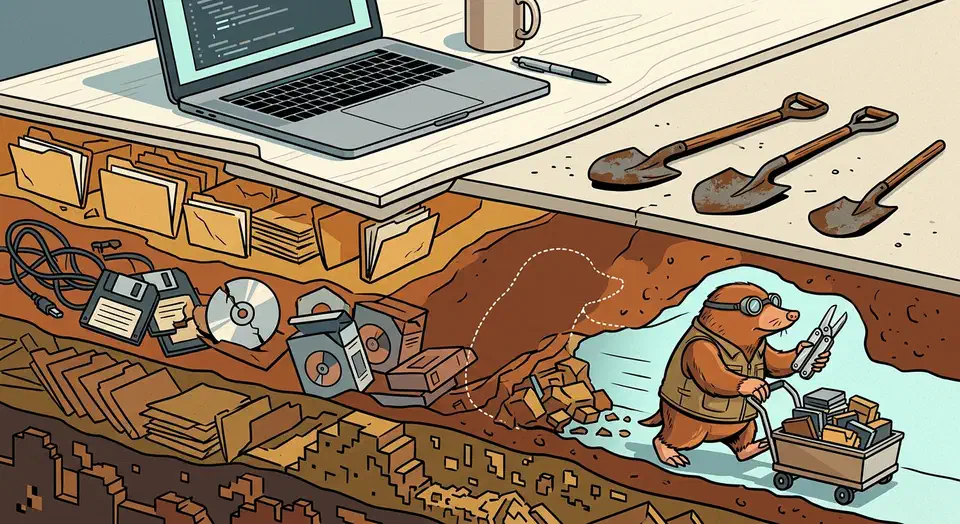
Mole is a mac cleaner terminal tool that does the work of four separate Mac utilities. It clears caches, uninstalls apps with their leftovers, maps your disk, and shows live system stats. Every destructive command takes a --dry-run flag. A log records each file operation, so you can replay what happened.
Key Takeaways
- Mole does the work of four Mac utilities from one terminal binary.
- Every delete command has a dry run that shows what would go.
- It removes an app plus its launch agents, preferences, and hidden leftovers.
- One command reclaims old
node_modules,target, andvenvfolders. - The command-line tool is free, and a separate paid app exists for people who want windows.
What a mac cleaner terminal tool replaces
Four jobs that normally mean four purchases collapse into one Homebrew install. Mole puts short commands under a single mo entry point.
| Command | Stands in for | What it does |
|---|---|---|
mo clean | CleanMyMac | Caches, logs, temp files, and orphaned data from apps you already deleted |
mo uninstall | AppCleaner | Removes an installed app plus its launch agents, preferences, and extensions |
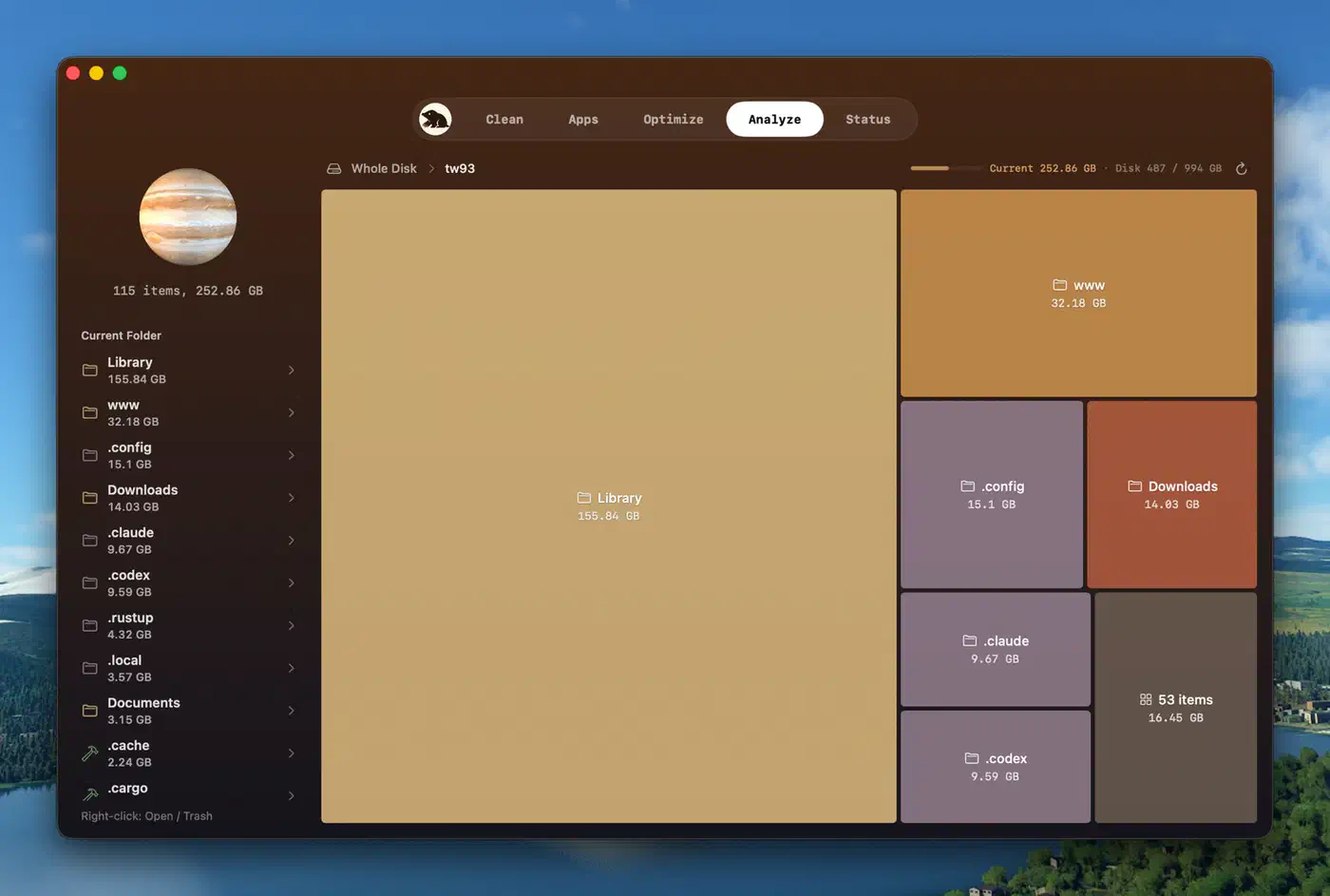
mo analyze | DaisyDisk | Interactive disk explorer that sends files to Trash through Finder |
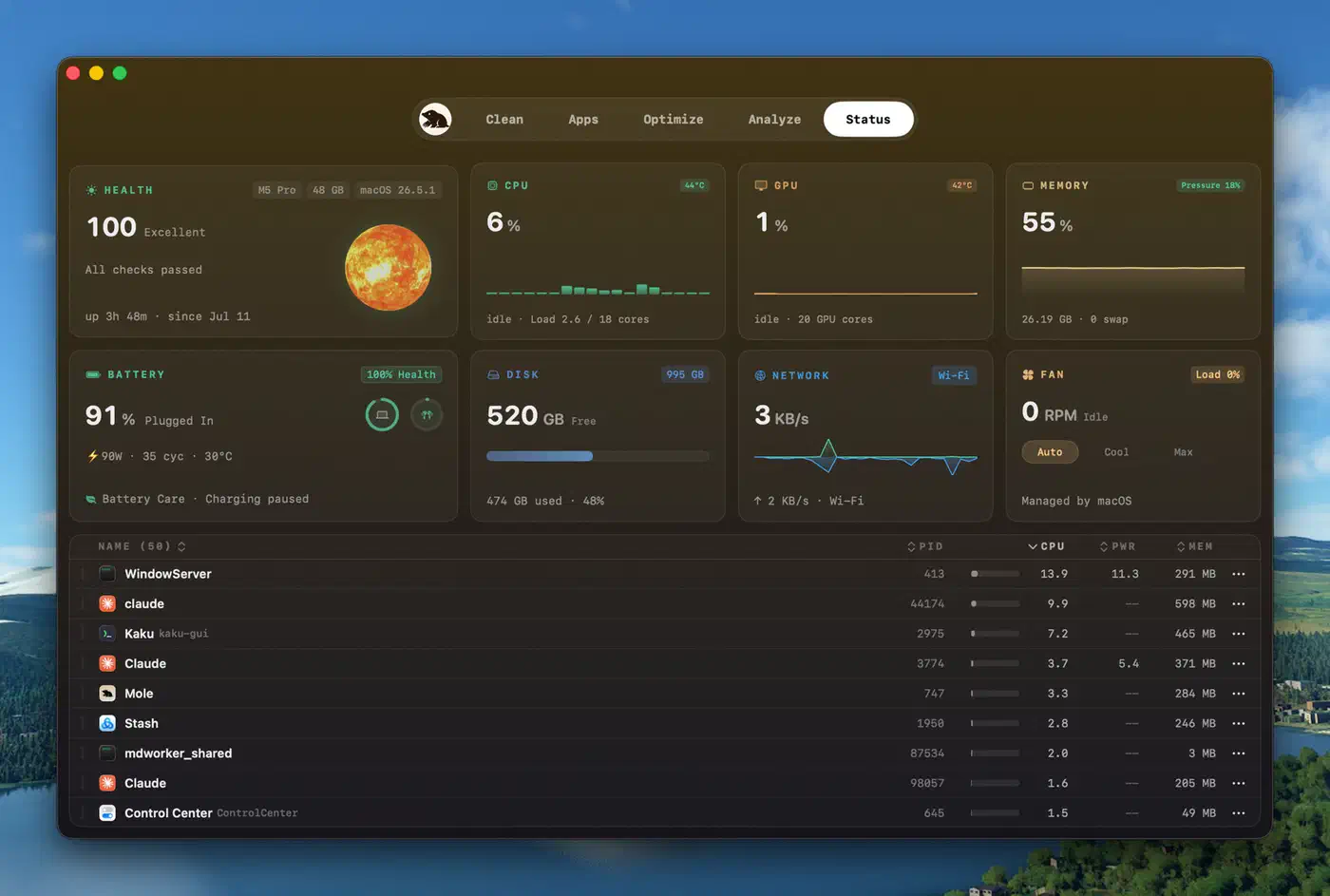
mo status | iStat Menus | Live CPU, memory, disk, power, network, and per-process load |
Two commands have no obvious paid equivalent. mo purge hunts down stale build folders such as node_modules, target, .build, and dist. mo installer sweeps up the .dmg and .pkg files filling Downloads, Desktop, iCloud, and Homebrew’s cache.
Mole carries over 61,000 GitHub stars, keeps a near-empty issue backlog, and its release history shows a new version about once a week. Arrow keys and Vim bindings h/j/k/l both work, and mo completion wires up tab completion.
I ran it on my MacBook and watched it identify 40 GB of reclaimable space, mostly left over from developer tools like Xcode and Node.js, along with browser caches.
Smaller machines see smaller wins: a dry run on Jon Brown’s Mac surfaced 9.71GB across 469 items in 40 categories, with 3.30GB of that sitting in the user app cache alone.
How Mole avoids deleting something you needed
A wrong guess in a cleanup tool costs you a file, so Mole puts a dry run in front of every destructive command. clean, uninstall, optimize, installer, remove, and purge all accept --dry-run. Adding --debug prints the reasoning behind each candidate. Nothing is deleted until you have seen the list.
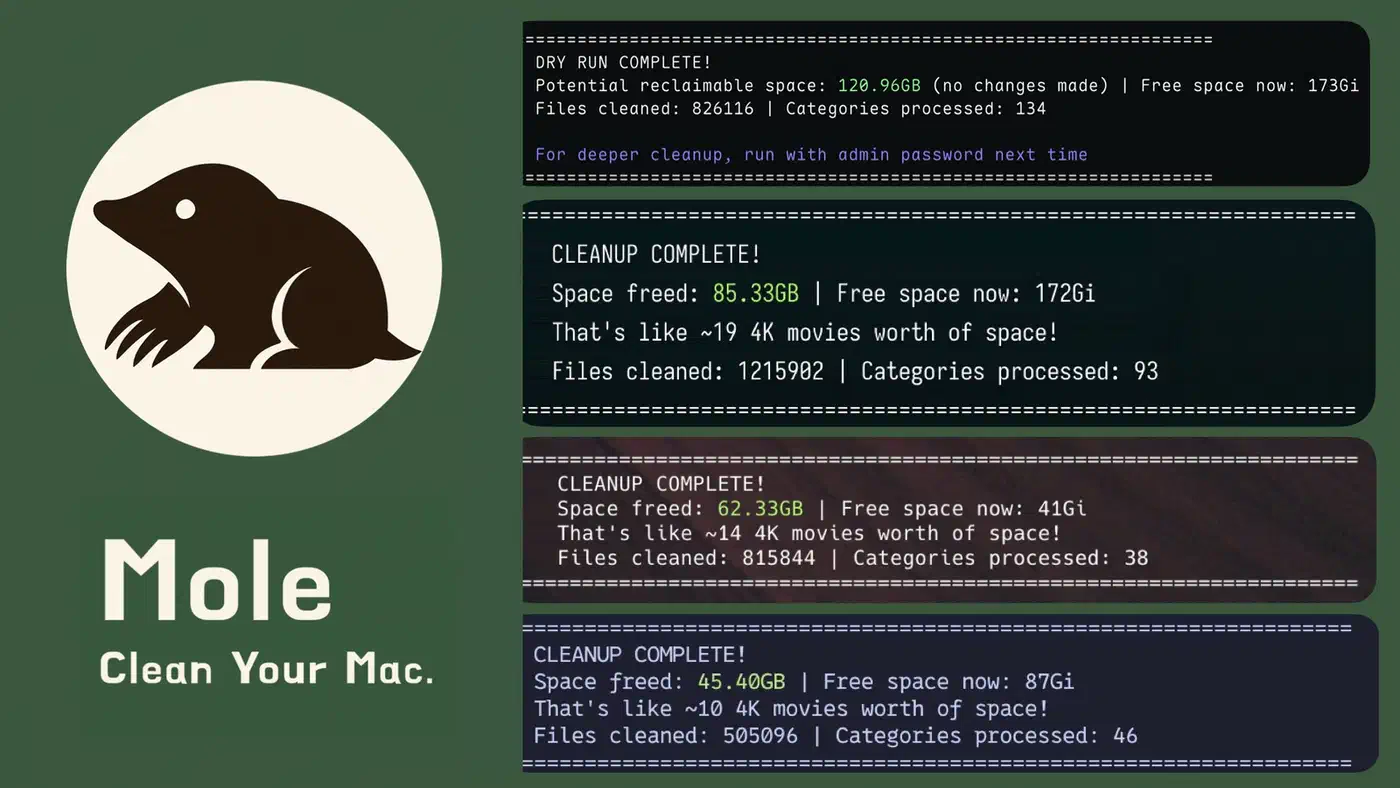
Every file operation then lands in ~/Library/Logs/mole/operations.log. mo history reads it back, and mo history --json gives you a machine-readable version. Set MO_NO_OPLOG=1 if you’d rather keep no record at all.
Whitelists persist between runs. mo clean --whitelist and mo optimize --whitelist mark things that must survive, saved to ~/.config/mole/whitelist. Path patterns work too, so a long-lived mounted disk image at /Volumes/mail stops showing up as a detach candidate.
The published security audit sets out the boundaries. Nine path prefixes stay protected even under sudo, including /, /System, /usr, /etc, and /Library/Extensions. Deletion helpers reject relative paths, .. traversal segments, and paths carrying control characters. The security policy classes deletion logic itself as a security-sensitive area of the project.
Mole also refuses to auto-delete third-party temporary directories, because a build marker and a file date can’t prove a checkout is disposable. In developer cleanup it removes unused simulator volumes but skips anything flagged as in use. One release even snapshots Homebrew’s executable links before running brew cleanup. Anything cleanup drops while the formula is still installed gets restored.
The sharp edge is mo purge, which deletes for good because it doesn’t route through Trash. Projects touched in the last seven days are only unselected by default, so a stray keypress can still take one. A review published by Nektony, which sells a competing uninstaller, leans on that point.
mo clean, mo uninstall, mo purge, and mo remove use rm -rf. Nothing goes to Trash, and nothing comes back without a Time Machine backup.
The same review claims Mole shows no preview before you confirm, which the documented --dry-run flag contradicts, though the recovery warning still holds.
Install Mole and run a safe first cleanup
Install it
Run brew install mole on macOS 14 or later. The project also ships a script installer for older systems on a best-effort basis, but the Homebrew path is the one to prefer.
Open the menu
Type mo on its own. The interactive menu is the quickest way to see everything the tool covers before you commit to a command.
Preview before you delete
Run mo clean --dry-run first, and add --debug for the per-candidate detail.
Run the real cleanup
With the preview checked, mo clean does the real work. It clears caches, logs, temporary files, and leftovers from apps you removed by dragging them to the Trash months ago.
Uninstall properly
Run mo uninstall for apps that are still installed. It removes the application plus its preferences, caches, launch daemons, and extensions in one pass.
Reclaim project space
Run mo purge --dry-run, then mo purge. This clears old build artifacts such as node_modules, target, and venv.
Check what happened
mo history prints a readable list of what was removed.
Protect what you keep
Run mo clean --whitelist to mark caches that should never be touched.
Living with Mole day to day
Terminal compatibility is the first thing to sort out. Mole auto-detects your terminal app and flags known issues with iTerm2. It points you at Alacritty, kitty, WezTerm, Ghostty, or Warp instead. Set MO_LAUNCHER_APP=<name> to override the detection.
Install fd alongside it. The project recommends it for the project artifact scan, and mo purge is noticeably quicker with it present.
Both mo analyze and mo status accept --json. mo status also switches to JSON on its own when its output is piped, so mo status | jq '.health_score' works with no flag at all. The health score blends CPU, memory, disk, temperature, and I/O load, so treat the number as a rough signal.
Scan scope is configurable. mo purge --paths sets which project directories get scanned, defaulting to ~/Projects, ~/GitHub, and ~/dev. External drives under /Volumes are skipped for faster startup, so run mo analyze /Volumes to reach them.
A setup script adds Raycast and Alfred launchers for five common commands, though Raycast still needs a one-time manual step to register the script directory. Windows users get an experimental branch rather than a release, so treat Mole as macOS-only. For Windows cleanup, the open source FluentCleaner reads the winapp2.ini rules written for CCleaner and ships without ads.
Is the free CLI enough, or do you need the paid app?
The command-line tool is free and GPL-3.0 licensed. You get the whole thing, with no upgrade nag built in.
Mole for Mac is a separate proprietary app from the same author, with lifetime updates and a 14-day refund window. It adds visual cleanup review, app update checks, disk maps, live status, and a menu bar readout.
| Mole CLI | Mole for Mac | |
|---|---|---|
| Price | Free | $19 one-time, 2 Macs |
| Source | Open, GPL-3.0 | Proprietary |
| Interface | Terminal | Native windows and menu bar |
| Scriptable | Yes, JSON output | No |
| Works over SSH | Yes | No |
Stay on the CLI if you’re comfortable in a shell, or if you want cleanup that scripts, schedules, and runs over SSH. Buy the app if you want to see the deletion list in a window before agreeing. Plenty of people will never type --dry-run twice a month, and $19 buys that habit for them.
The author explains the licence split. A modified version you share stays open under GPL-3.0, and forks are asked to pick a different name and credit the original. The free tool is not being starved to sell the paid one.