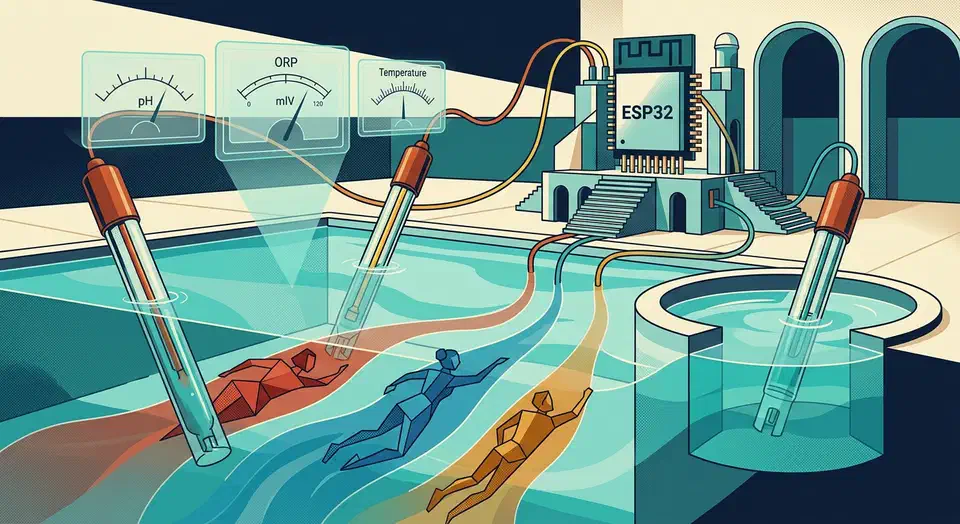
The average American household spends about $1,500 a year on electricity. Most of that money walks out the door with no clear sense of where. Your utility’s smart meter can tell you how many kilowatt-hours you used yesterday. It won’t tell you that your old gaming console quietly pulls 30W while it sits “off.” It won’t tell you that your water heater runs each morning right when grid prices peak. Home Assistant fixes that. Pair the right hardware with the built-in Energy Dashboard, and you get per-device, per-circuit visibility that changes how you use power.
Building Multi-Step AI Agents with LangGraph
Modern AI agents use LangGraph to run cyclic workflows that need memory and self-correction. By framing your agent as a stateful graph, you move past simple linear prompts. You build autonomous systems that loop, branch on tool output, recover from failures, and save progress across hours or days of work.
This post walks LangGraph from core ideas to production deployment. You’ll learn how to design a state schema, set up self-correcting retry logic, build multi-agent patterns, and serve your agent through a production API. Working Python code runs throughout.
Fixing Wayland Screen Tearing on Linux Mint (2026)
Screen tearing on Linux Mint in 2026 is rarer than in the X11 days. It still shows up on Wayland when the render pipeline is not in sync end to end. Most guides oversimplify and claim Wayland alone wipes out tearing forever. In practice, you need the right kernel, the right driver path, sane compositor settings, and monitor settings that match what your GPU can deliver.
This guide is for Linux Mint users on modern hardware, especially high refresh displays and mixed monitor setups. It walks through root causes, check commands, VRR setup, fractional scaling traps, NVIDIA steps, and a full troubleshooting matrix. By the end, you can tell whether tearing comes from compositor timing, GPU sync, display config, or a bad session choice for your hardware.
Build a DIY Smart Mirror with Home Assistant Integration
A DIY smart mirror uses a two-way mirror panel, a monitor, and a Raspberry Pi running MagicMirror² . Behind the glass, the monitor shows widgets that seem to float in the reflection. Link it to Home Assistant and it turns from a novelty into a useful home panel. You see which lights are on, if the front door is locked, and your next calendar event.
Materials and Hardware Shopping List
Getting the parts right before you cut or mount saves a lot of pain. Two pieces shape the final build: the mirror and the monitor.
Setup an E-Ink Monitor for Coding and Reduced Eye Strain
An E-Ink monitor as a second display cuts eye strain by removing the backlight and blue light that hurt your eyes. Modern E-Ink refresh modes in 2026 make these screens usable for text work. You still need to tune your Linux theme and turn off animation. This is a niche product for a niche problem. Know what it fixes, and what it can’t, before you spend over $1,000.
Why E-Ink for Coding? The Science of Eye Strain
Screen eye strain (the clinical name is “computer vision syndrome”) has three distinct causes. E-Ink handles all three better than any LCD or OLED panel.
Upgrade Laptop to WiFi 7: M.2 2230 Card and Linux Driver Setup
Upgrading your laptop to WiFi 7 requires swapping your internal M.2 wireless card for a newer module like the Intel BE200 . This upgrade enables Multi-Link Operation (MLO) for significantly higher throughput and lower latency on compatible 6GHz networks. The physical swap takes about 15 minutes; the main hurdles are verifying your laptop is upgradeable and selecting a card with good Linux driver support.
Is Your Laptop Upgradeable? Checking Before You Buy
Not all laptops have a user-accessible M.2 wireless card. Some manufacturers solder the WiFi chip directly to the motherboard - common in ultra-thin designs and many post-2020 premium laptops. Others include an M.2 slot but bury it under thermal shielding or RAM sticks that require full disassembly to reach.
Botmonster Tech