 Botmonster Tech
AppFlowy is Notion where the data stays on your disk

AppFlowy is an open source Notion alternative that keeps your workspace on your own disk or a server you run. You get documents, kanban boards, calendars, and databases in one app. The local-first storage is the whole point, because it means a decade of notes never sits inside an account someone else can close.
Key Takeaways
- AppFlowy gives you Notion-style documents, boards, and databases in one app.
- Your workspace sits on your own disk or a server you run.
- The open licence means the code cannot be closed off later.
- AI features are optional, and you pick which model answers.
- Export works one page at a time, so plan your exit early.
What an open source Notion alternative has to replace
Notion sells a long feature list, and most people touch only a small slice of it.
The core idea is a page that is also a row in a database, and everything above it is built on that one trick, so getting it wrong breaks all of the rest.
Three views do almost all the work in daily use:
- A document is a page of text, with blocks you can nest and drag around.
- A board puts those pages on cards in columns, and you drag them between states.
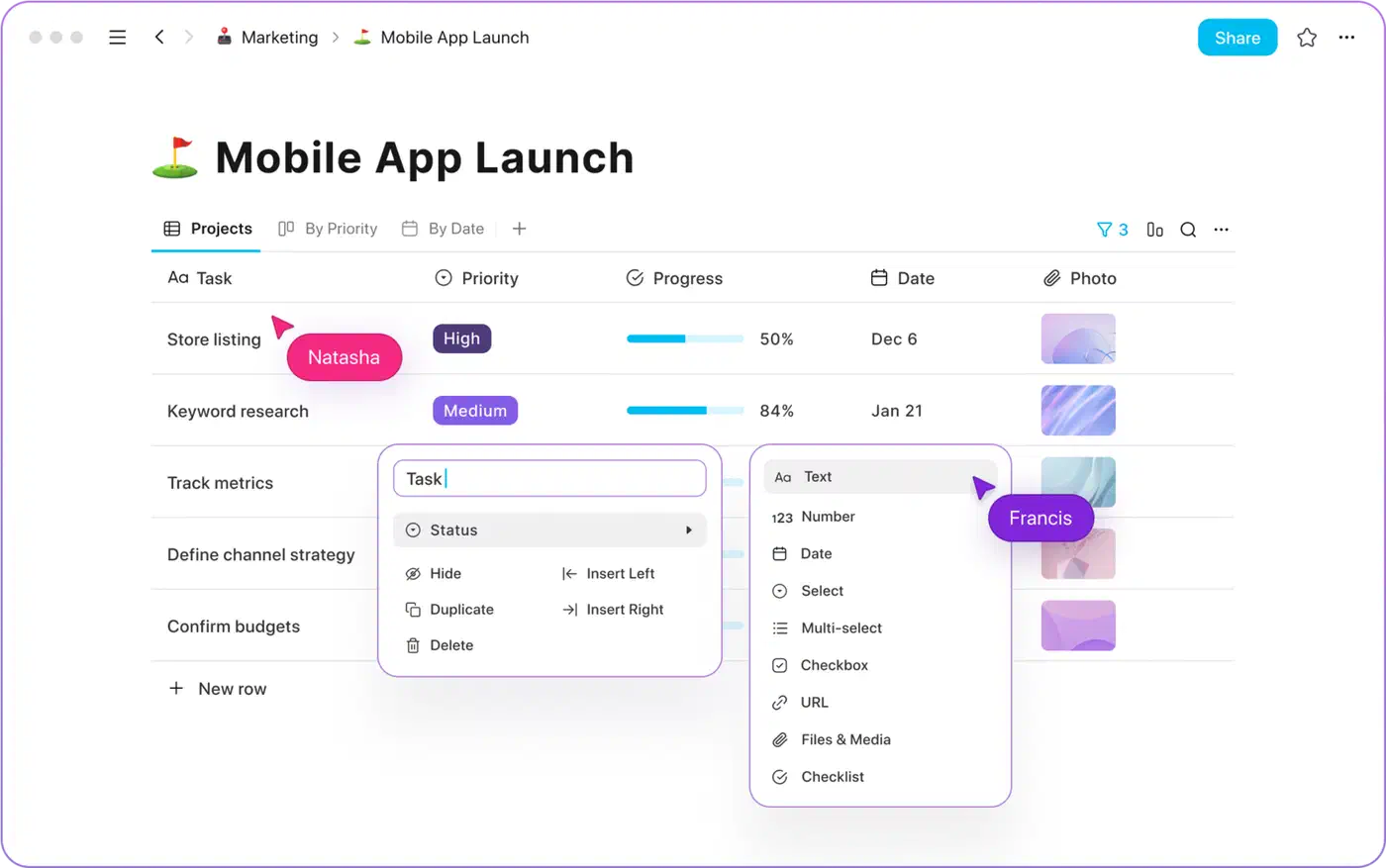
- A table shows them as rows with typed fields, filters, and sorts.
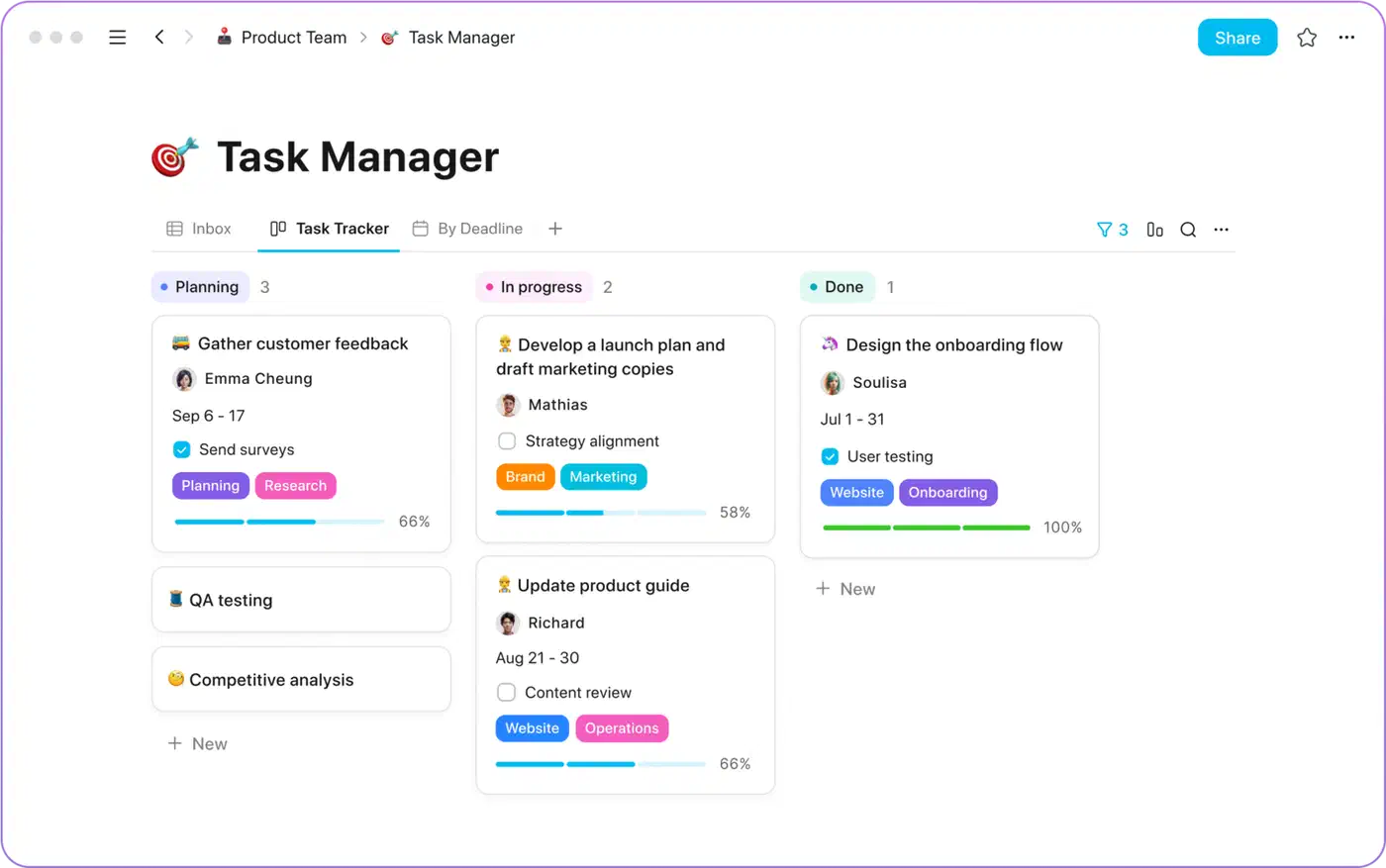
The board here is one view among many, not the whole app. If a board is all you want, a dedicated tracker like Fizzy in a single container is the lighter answer.
Relations between databases are the workhorse nobody puts on the box. They turn a pile of notes into a system, and lightweight clones usually stop short of them. Templates, by contrast, come up in every comparison and get real use mostly on teams.
Real-time editing and comments are the other heavy piece. A small project has the furthest to go here, because live collaboration is expensive to build and painful to test.
Counting features misses the point anyway. The real test is whether the twenty percent you actually use holds up under daily load. Plenty of people also leave over something other than features. They got tired of watching years of their own thinking sit in an account they did not control.
Where your data actually lives
AppFlowy runs in three shapes, and picking one drives every other decision you will make about it.
| Shape | Where the workspace lives | Sync between devices | Setup effort |
|---|---|---|---|
| Local only | A file on your own machine | None | Install the app |
| Self-hosted | A server you run | Through your own server | Docker, a domain, TLS, upkeep |
| AppFlowy Cloud | The project’s servers | Handled for you | Sign in |
Local-only is the purest version of the promise, with no account in the loop and nothing leaving the machine. The catch is that a workspace on one laptop stays on one laptop.
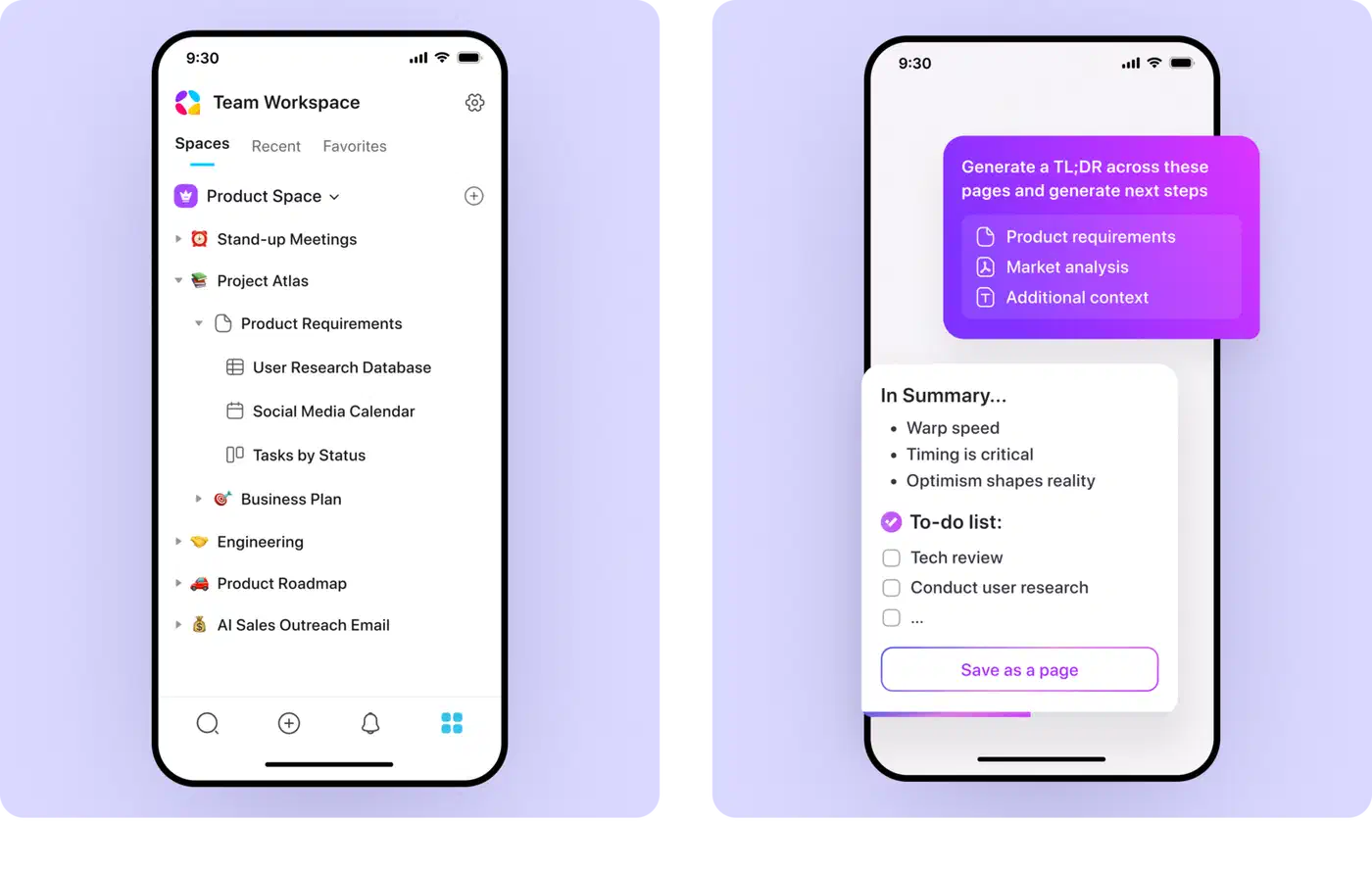
Self-hosting is where the real work sits. The project publishes a step-by-step self-hosting guide that walks through a Docker deployment. Read the terms before you plan a team rollout, though. The AppFlowy Cloud repository explains that the managed and supported self-hosted builds come from a closed fork under a commercial licence. The free self-hosted tier covers one user seat plus up to three guest editors.
The desktop client itself is AGPL-3.0, which keeps the code open even for anyone offering it as a service. The pattern it guards against is familiar: a note tool changes hands or changes pricing, and your archive is hostage to the outcome.
It protects you from none of your own mistakes, though. Once the data is on your disk, nobody else is taking backups of it. Work out which of the three shapes you will really run before you adopt anything, because installing an app and running a server are different projects.
The AI features, and who answers them
Asking questions across your own notes means sending those notes somewhere. So the thing to check in any AI writing feature is who receives the text.
AppFlowy ships the usual set: writing help, summaries, and chat that can read your workspace. The difference is that you can point it at a model you run yourself. Local AI became free for everyone in the 0.8.7 release through an Ollama integration. It covers macOS on Apple silicon, Windows 10 and up, and Linux. Ollama then runs open models such as Llama 3.1, DeepSeek R1, Gemma 3, or Phi-4 on your own hardware. The catch is the box underneath, and the hardware math for a $0/month setup is less flattering than the sticker suggests.
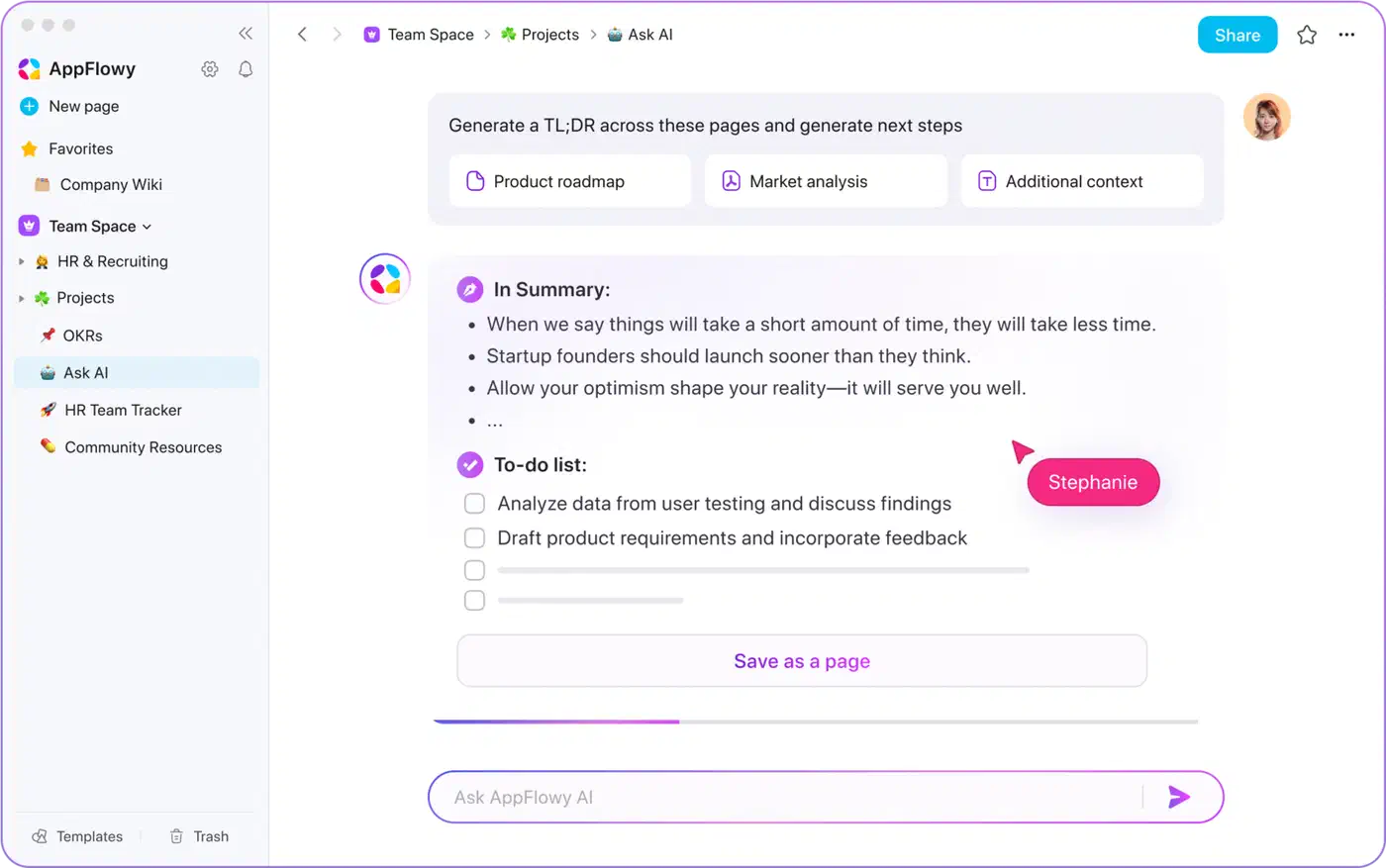
That closes the loop the local-first storage opened. Your documents stay on your disk, and the model reading them runs on the same machine.
It looked worse from the outside for a long time. When the project hit the front page of Hacker News, one commenter bounced off the AI setup immediately:
They promise local AI but require a cloud login to even enable it. I didn’t go past that.
The Ollama path answered that complaint, but two caveats survive. Local text-to-image is still missing, so image generation stays a cloud feature. And a model small enough to run on a laptop is worse at question answering over long documents than the big hosted ones. You are trading answer quality for privacy.
The hosted route exists too, and it costs money. The pricing page puts the free plan at one workspace, two members, 5 GB of storage, and 10 AI responses. Pro runs $10 per user per month billed annually. An AI MAX add-on at $8 per user per month unlocks the frontier models.
What AppFlowy is not ready for
The project started in 2021 and has picked up close to 75,000 GitHub stars since. It is built in Flutter and Rust, and it still carries roughly a thousand open issues. Its own README says the team does not claim to beat Notion on functionality or design yet.
Export is the sharpest edge, and the one to test first. The AppFlowy team confirms in a community answer on export formats that a document page comes out as .md and a database page as .csv, one page at a time. Whole-workspace export is listed as planned work. A separate bug report on nested lists shows that round-tripping structure carries no guarantee either. A page-by-page export is a poor exit door for a workspace holding several hundred pages.
| AppFlowy | Notion | |
|---|---|---|
| Data location | Your disk, your server, or their cloud | Their cloud only |
| Source code | Open, AGPL-3.0 desktop client | Closed |
| Offline use | Full, local-first by design | Limited cache |
| AI model | Hosted models or a local one you choose | The vendor’s models |
| Free tier | 1 workspace, 2 members, 5 GB | Personal plan, unlimited pages |
| Bulk export | One page at a time | Whole workspace |
AppFlowy has apps on the App Store and Play Store, and the README notes Android 10 or above with no ARMv7 support.
Switching makes sense for an individual or a small team that wants control, lives inside documents, boards, and tables, and can shrug off rough edges. Waiting makes sense for anyone leaning on deep database relations or heavy real-time collaboration. The same goes if you have a very large archive to move, since the export path cannot carry it back out yet.
How to try AppFlowy without committing your notes to it
The safe way to evaluate a workspace tool is to use it for something real while keeping your existing archive exactly where it is.
Install the desktop app
Grab the build for your platform from the GitHub releases page or the official site. Flathub, Snap, and the mobile stores are all options too.
Use it for real work from day one
Testing with fake content teaches you nothing. Pick a project you are actively running and put it in there.
Build the three primitives
Make a document, a board, and a database view. Those three pieces are what everything else gets assembled from, so any weakness shows up fast.
Test the feature you would miss most
For most people that is database relations, templates, or one specific view type. Work out which one is yours and hammer it early, before you get attached to the tool.
Try it on your phone
Open the mobile app and capture a few notes from a bus or a queue. Mobile is where note tools break down, and a desk-only trial will never show you that.
Decide how you want sync
Local-only is fine for one machine. More than one device means either AppFlowy Cloud or running the backend yourself, and those two answers have very different costs.
Check the export before you import anything
Export a page and open the file. That file is your way out, so learn its shape while you still have somewhere else to go.
Move one project across first
Migrate a single active project rather than your whole archive. If it survives a month of real use, move more, and if it does not, you have risked a month of work rather than a decade of it.