 Botmonster Tech
Sonarr never downloads anything and that is the point
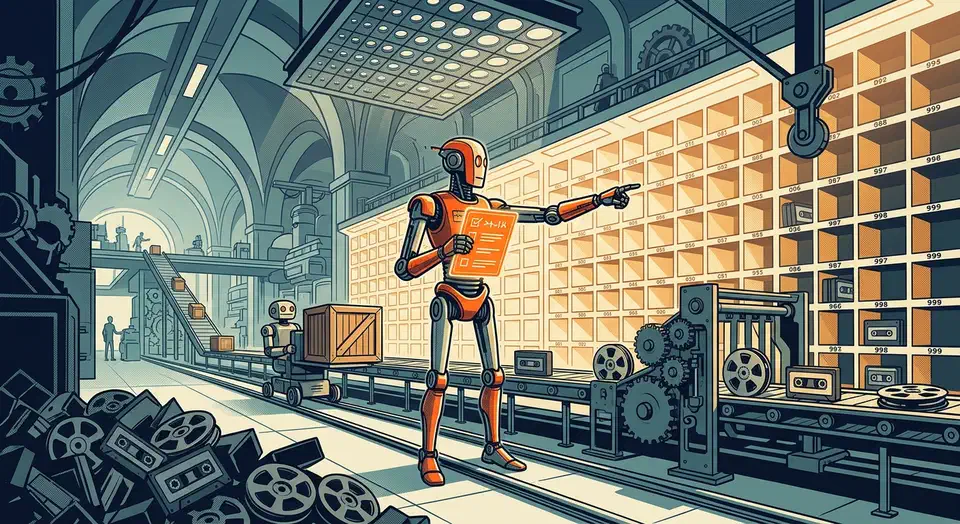
Sonarr TV automation never downloads a single byte. It tracks which episodes of your series exist, checks them against your quality rules, then hands the transfer to a separate download client. When the file lands, Sonarr does the job nobody wants: renaming it and filing it where a media server can find it.
Key Takeaways
- Sonarr decides what to grab and when, and something else does the grabbing.
- Its best trick is renaming and filing, the boring part of the job.
- Quality profiles stop it grabbing a version your TV can’t play.
- It needs an indexer, a download client, and a player wired together.
- What you point it at is your call and your responsibility.
What Sonarr TV automation actually does
Most people install Sonarr expecting a downloader and get a scheduler instead. The project describes itself on GitHub as a smart PVR for newsgroup and bittorrent users, and the PVR part is the honest word. It is a recorder with a shopping list, and the shopping list is the whole product.
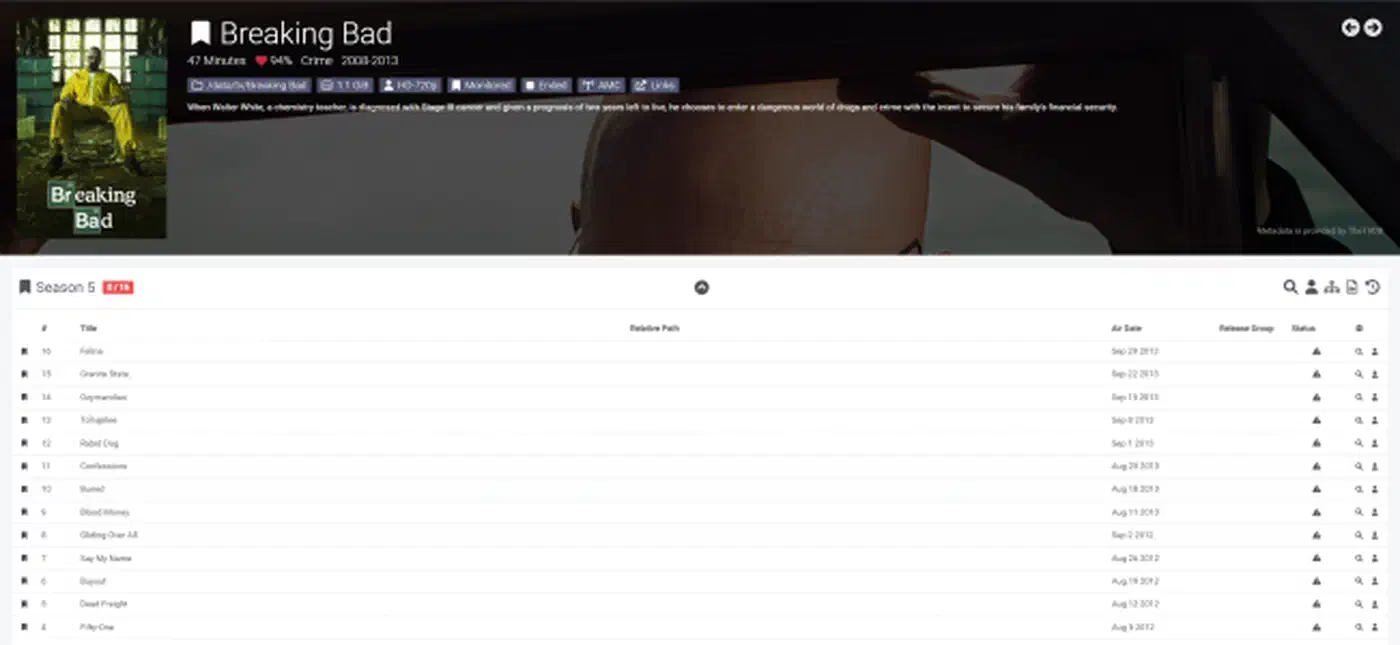
The bookkeeping is Sonarr’s real work. It holds a list of every episode of every series you track, then compares that against what sits on your disk. It waits for a release that meets your rules, then asks something else to fetch it.
The transfer itself belongs to a download client. Sonarr talks to that client over an API, watches the progress, and waits. If the grab fails, it blocklists the release and looks again later.
When the file finishes, Sonarr renames it and drops it into a folder structure your media server can read. Media servers identify content by name and folder layout, so that step decides whether your library works at all. Most of Sonarr’s value sits in that renaming pass.
A library that looks broken is usually full of files named things like show.s01e04.1080p.WEB.x265-GROUP.mkv that no scanner can match to a real episode. Jellyfin’s TV show documentation
asks for Series Name (year) folders and Season 01 subfolders. It also warns that characters like : and ? in filenames cause problems. Sonarr enforces that shape on every file, forever, without you thinking about it.
Quality profiles are the setting people get wrong
A quality profile is an ordered list of acceptable video qualities plus a ceiling where upgrading stops. The Sonarr settings documentation explains the two controls: Upgrades Allowed turns the ratchet on, and Upgrade Until tells it when to stop. Qualities higher in the list are preferred, and only checked qualities are wanted.
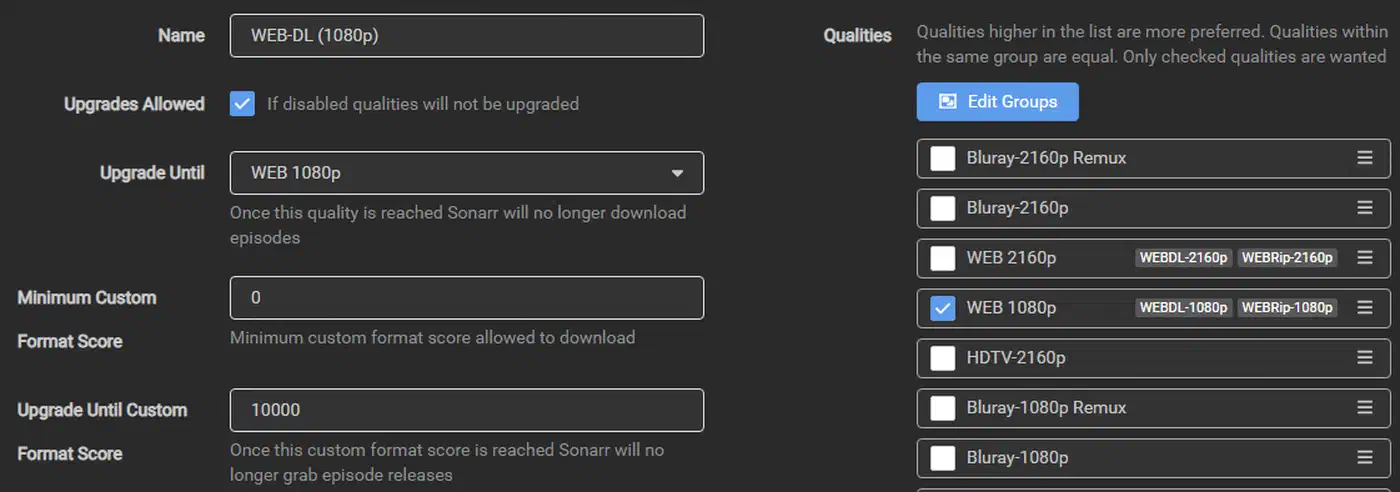
A profile that accepts everything will grab a WEB 1080p tonight, a Bluray 1080p next week, and a remux after that. Each one replaces the last, so your disk absorbs three transfers for one episode.
Tighten it too far and a monitored series sits there and never grabs a thing. The tool looks broken while doing exactly what you told it.
Your hardware pays for a different mistake. Grab a format your player can’t handle natively and every playback becomes a live re-encode. Jellyfin’s transcoding docs rank direct play as the lowest possible load on the server. They also warn that HEVC, VP9 and AV1 are very demanding on a CPU with no hardware acceleration. A quality decision you make in Sonarr becomes CPU load on your media server months later.
Beyond raw resolution, Sonarr has custom formats: scored rules that match release groups, sources, languages, and file size. You set a minimum score for a release to be grabbed and a score ceiling for upgrades. Negative scores push releases you never want below the threshold. The TRaSH quality profile guides are the reference most people end up using here.
Start with one resolution you know your setup plays without transcoding. Add a second only after the first one behaves.
The pieces around Sonarr
Sonarr on its own does nothing. It’s one program in a chain of four, and each link has a single job. The playback end of that chain is a choice of its own, and a media server with no paywall is the usual answer.
| Piece | Its job | What happens without it |
|---|---|---|
| Sonarr | Tracks series, picks releases, renames and files | Files land wherever, named however |
| Prowlarr or Jackett | Gives Sonarr somewhere to search | Sonarr has nothing to look at |
| qBittorrent or SABnzbd | Moves the actual bytes | Nothing ever transfers |
| Jellyfin or Plex | Plays the result and shows the artwork | You have a tidy folder and no interface |
The storage layout underneath is the piece that breaks most often. Sonarr and the download client must see the same files at the same paths. When they do not, Sonarr’s remote path mapping does a dumb find-and-replace on the path string. The docs are blunt that this is a patch for split setups, such as a client on Linux and Sonarr on Windows.
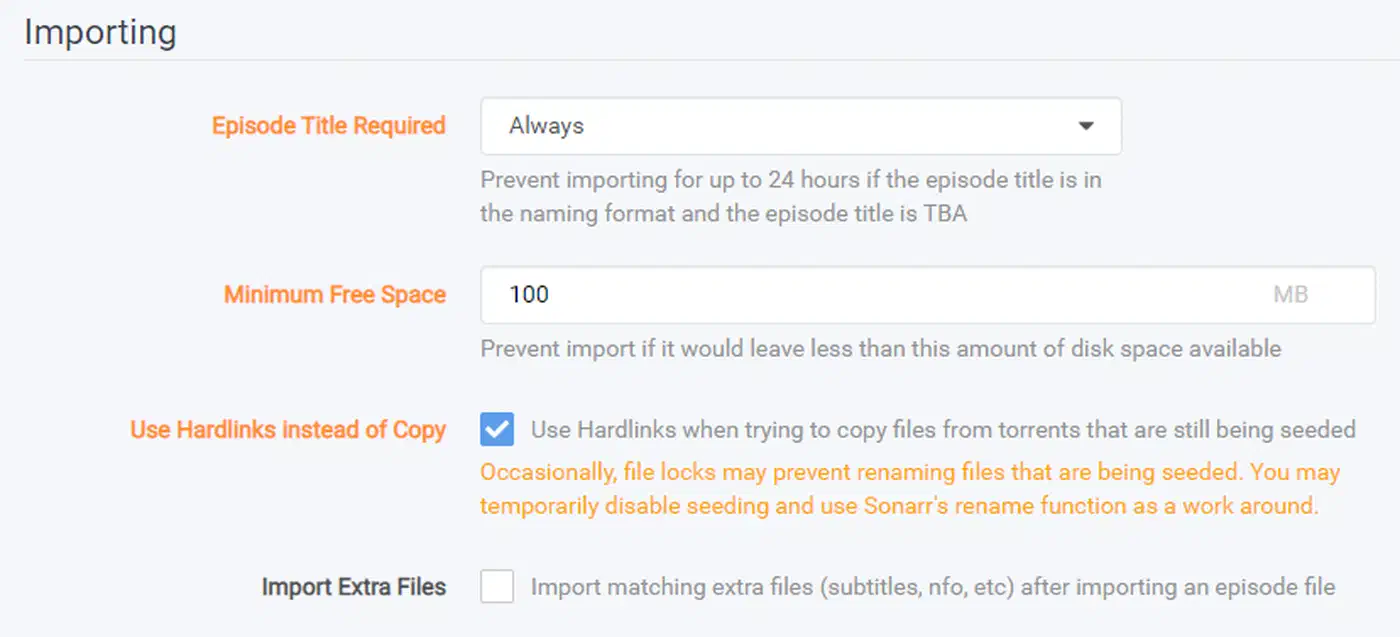
Keeping both on one filesystem also unlocks hardlinks. The TRaSH hardlinks guide explains that a hardlink lets the same file sit in two places without using twice the space. Your torrent client keeps seeding while your library holds its own copy. However, hardlinks can’t cross separate filesystems, partitions, or mounts. Some filesystems, such as exFAT, don’t support them at all.
The same architecture repeats across the family. Radarr does films, Lidarr does music, and they share the interface, the concepts, and the Servarr wiki . Learn one and the second takes an evening.
How to set up Sonarr with a download client and a library
Install Sonarr
Use the official Docker image or your platform’s package. Give it a config volume on local storage and access to the same storage your download client writes to. The wiki warns that the config folder holds a SQLite database, so it must not live on a network share.
Get the paths right first
Mount one parent folder into both containers rather than mounting downloads and media separately. Almost every path problem people report on the forums traces back to this.
Connect a download client
Add your client under Settings, Download Clients, and hit Test before moving on. Turn on Completed Download Handling so Sonarr imports finished items instead of leaving them in the client.
Connect an indexer
Sonarr needs somewhere to look. Add the indexer, test it, then run a manual search on a series and confirm you get results back. No results here means nothing later will work. Most indexers want an email address to sign up, and a disposable inbox you host keeps that off your main mailbox.
Define a quality profile
Pick the resolution and source you want, and set an upgrade ceiling. One resolution is a fine starting point.
Set the naming format
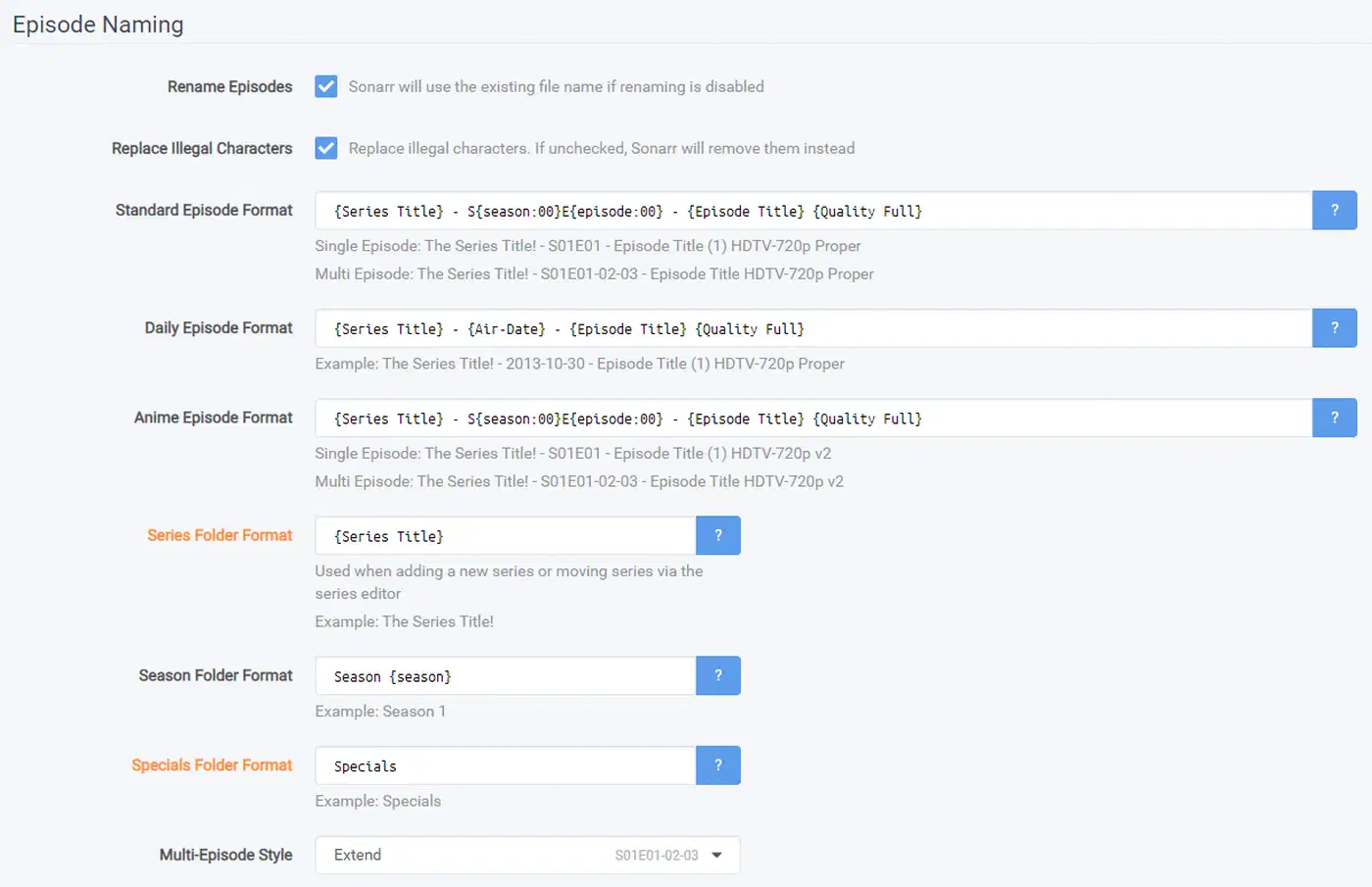
Under Settings, Media Management, pick a series folder, season folder, and episode file format your media server parses cleanly. Include the year and, if your server supports it, a metadata provider ID.
Add a series
Choose the series, the root folder, the quality profile, and whether to search for existing episodes now or only monitor future ones. Searching a full back catalogue on day one is how people fill a disk by accident.
Watch one episode go through end to end
Confirm four things in order: the grab, the download, the import, and the rename. If any of those needed a human, something is misconfigured, and it will still be misconfigured the next time an episode airs.
What you are responsible for
Sonarr is an open-source library manager and scheduler. The repository has been going since 2011, the code is C#, and the licence is GPL-3.0. The 4.0.19 release line carries around 95 open issues against roughly 15,000 stars.
Sonarr ships with no indexers of its own and finds nothing at all until you add one. Every release it sees comes from a service you chose and configured yourself.
So what you point it at, and whether that is lawful where you live, is entirely your decision. The software does not check.
Plenty of legitimate uses get overlooked. People use Sonarr to manage their own TV recordings and to organise media they bought. Others use it to force one consistent naming scheme onto a library that grew badly over fifteen years. That last job is worth the setup on its own.
An indexer or download client reachable from the internet is a running service like any other. Put it behind the same protections you’d give anything else on your network. Keep the web interfaces off the open internet.