 Botmonster Tech
Thirty days of COSMIC Desktop
1.0 on Pop!_OS 24.04 LTS, and I am keeping it. Switch if you are a keyboard-first developer who wants a real tiling-plus-floating hybrid, appreciates Rust-grade stability, and likes a UI that sits under 900 MB at idle. Wait a release or two if you depend on a big GNOME extension collection, niche input methods (CJK/IBus edge cases), or a heavy accessibility stack. The COSMIC Store’s catalog is still smaller than Flathub’s GNOME Circle or the KDE offerings, and only a handful of third-party cosmic-ext-* applets exist in 2026. Everyone else should at least boot the live ISO before deciding. COSMIC 1.0 is the first new Linux desktop in a decade that does not feel like a fork of something older.
Wayland

COSMIC Desktop 1.0: One Month of Daily Driving System76's Rust DE

Multi-Monitor Linux Setup with Mixed DPI Displays
On Wayland with GNOME 46+ or KDE Plasma 6.1+, each monitor gets its own scale factor. A 4K center display at 200% and side 1080p monitors at 100% work without trade-offs. X11 still hurts here. The whole desktop shares one scale, so one display always looks wrong. If old Linux DPI pain has kept you on a single monitor, the 2026 Wayland stack has caught up.
Why Mixed DPI Is Hard
The typical developer setup pairs a 27" 4K center monitor (163 PPI) with one or two 24" 1080p side panels (92 PPI). That’s nearly a 2x pixel density gap. The OS has to draw UI elements at different sizes on each screen.

Wayland Screen Sharing: XDG Portal, PipeWire Fix
Screen sharing on Wayland fails because Wayland’s security model blocks apps from grabbing other windows or the full desktop. The fix has three layers. First, install the right XDG Desktop Portal backend for your compositor. Second, check that PipeWire is running as your media daemon. Third, set your browser or app to use the portal capture path, not the old X11 one. Once these align, screen sharing works in Zoom, Teams, Discord, and Google Meet on any major Wayland compositor .
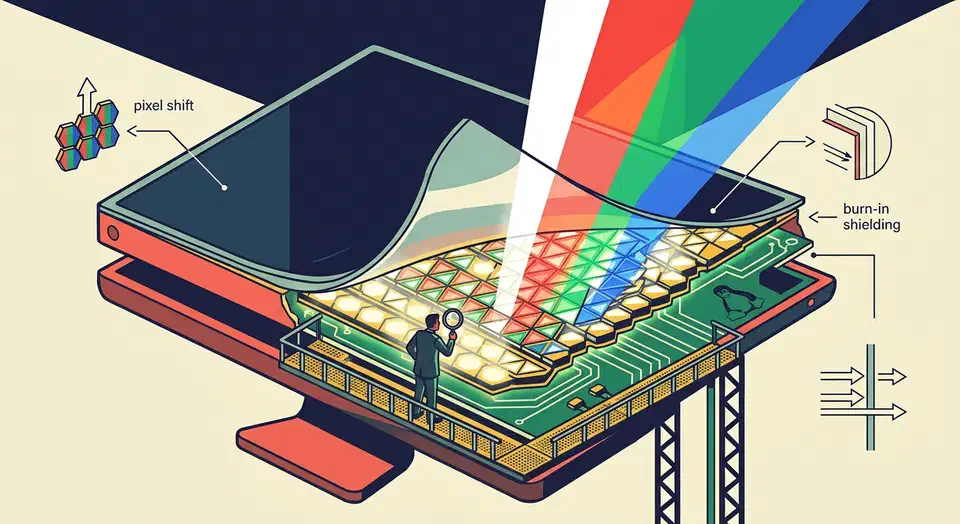
Best OLED Monitors for Coding 2026: WOLED Beats QD-OLED for Text
For coding in 2026, the LG UltraFine OLED 32GS95UE is the default pick: a 32-inch 4K WOLED panel at 140 PPI with five-year burn-in coverage and clean Linux support on Wayland under KDE Plasma 6.3 or later. WOLED beats QD-OLED on small monospace text, and 27-inch 1440p OLEDs should be avoided outright.
Key Takeaways
- The LG UltraFine OLED 32GS95UE is the default coder pick in 2026, with five-year burn-in coverage and clean Linux support.
- WOLED beats QD-OLED for small monospace text, and 140 PPI is the density where color fringing stops being visible.
- 27-inch 1440p OLEDs make code text look worse than a cheap IPS panel at the same price.
- KDE Plasma 6.3 on Wayland is the only mature Linux path for OLED HDR, brightness, and 10-bit color in early 2026.
- Use grayscale font antialiasing, dark themes, and auto-hidden system bars to keep burn-in risk near zero.
The Text Clarity Problem: WOLED vs QD-OLED Subpixel Layouts and Why They Matter for Code
OLED panels do not use the standard horizontal RGB stripe that ClearType and freetype subpixel hinting were designed around. WOLED uses a WRGB quad (a white subpixel next to the three color subpixels), and QD-OLED uses a triangular RGB arrangement. Both produce visible color fringing on small black-on-white text unless you compensate with scaling, hinting tweaks, or raw pixel density. If your first few hours with a new OLED leave you thinking VS Code looks off, this is usually what your eyes are picking up.

Migrate to Wayland Without Reinstalling Linux
You can switch your Linux install from X11 to Wayland without reinstalling anything. The move comes down to picking a Wayland session at your login screen. After that, three things need follow-up: Xwayland for legacy X11 apps, input setup through libinput instead of xorg.conf, and a few environment variables. Those variables let toolkits like Qt, GTK, and Electron render through Wayland instead of falling back to X11. Most people finish in an afternoon. You can keep an X11 session as a fallback until you’re happy everything works.

Hyprland vs Sway vs COSMIC: Best Wayland Compositor for Developers in 2026
Sway is the most stable, battle-tested tiling compositor for developers who want an i3-like setup with zero surprises. Hyprland offers the flashiest animations and deepest customization. It also demands more tinkering. COSMIC from System76 is the best pick if you want a polished, full desktop with tiling built in, instead of stitching a compositor together by hand.
The right pick depends on how you actually work. How many monitors do you run? Do you want to set up everything by hand? How much patience do you have for the odd glitch? Those answers map straight to the splits across design, display handling, tiling models, plugins, and real-world stability.