 Botmonster Tech
SolidCraft is a Fusion 360 alternative AI wrote in 10 days

This post is open for corrections. Highlight any line of text to challenge it or ask for a clearer explanation and leave a comment.
SolidCraft is a free Fusion 360 alternative that Claude coding agents built in ten days. It already models simple parts. It runs on eight targets, from ARM Linux and FreeBSD to the browser. Extrudo, another AI-built CAD app, runs on four. Neither one is ready to replace Fusion for paid work.
Key Takeaways
- AI coding agents built SolidCraft, a working Fusion-style CAD app, in ten days.
- SolidCraft runs on Windows, Mac, Linux, FreeBSD, ARM chips and in a browser.
- Extrudo is also AI-built, but its desktop apps run on far fewer machines.
- Both handle simple 3D-printed parts and fail on harder ones.
- Fusion still wins for CAM, PCB design and paid work. It costs $680 a year.
- Onshape is the main paid rival. It runs in any browser and costs $1,500 a year.
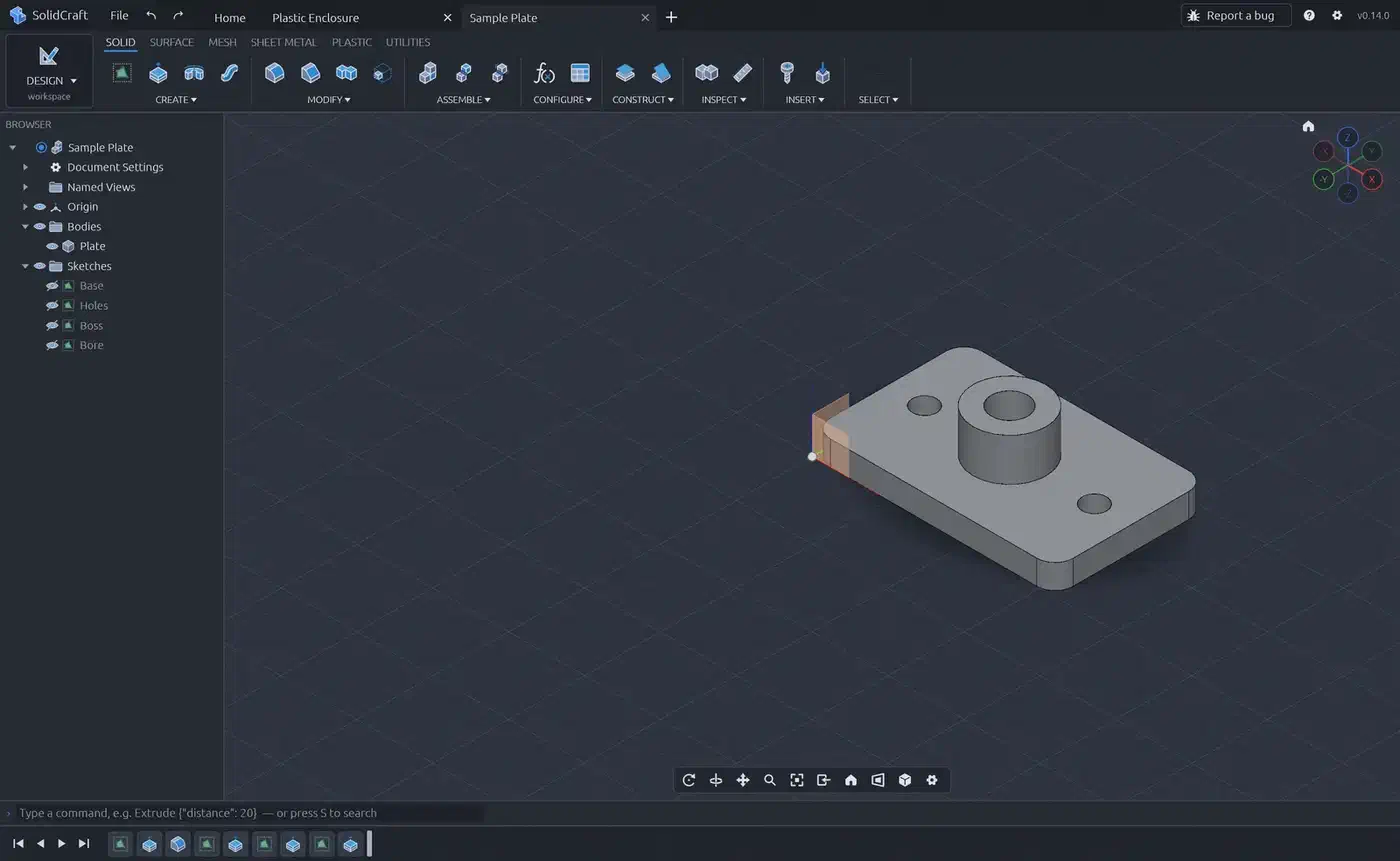
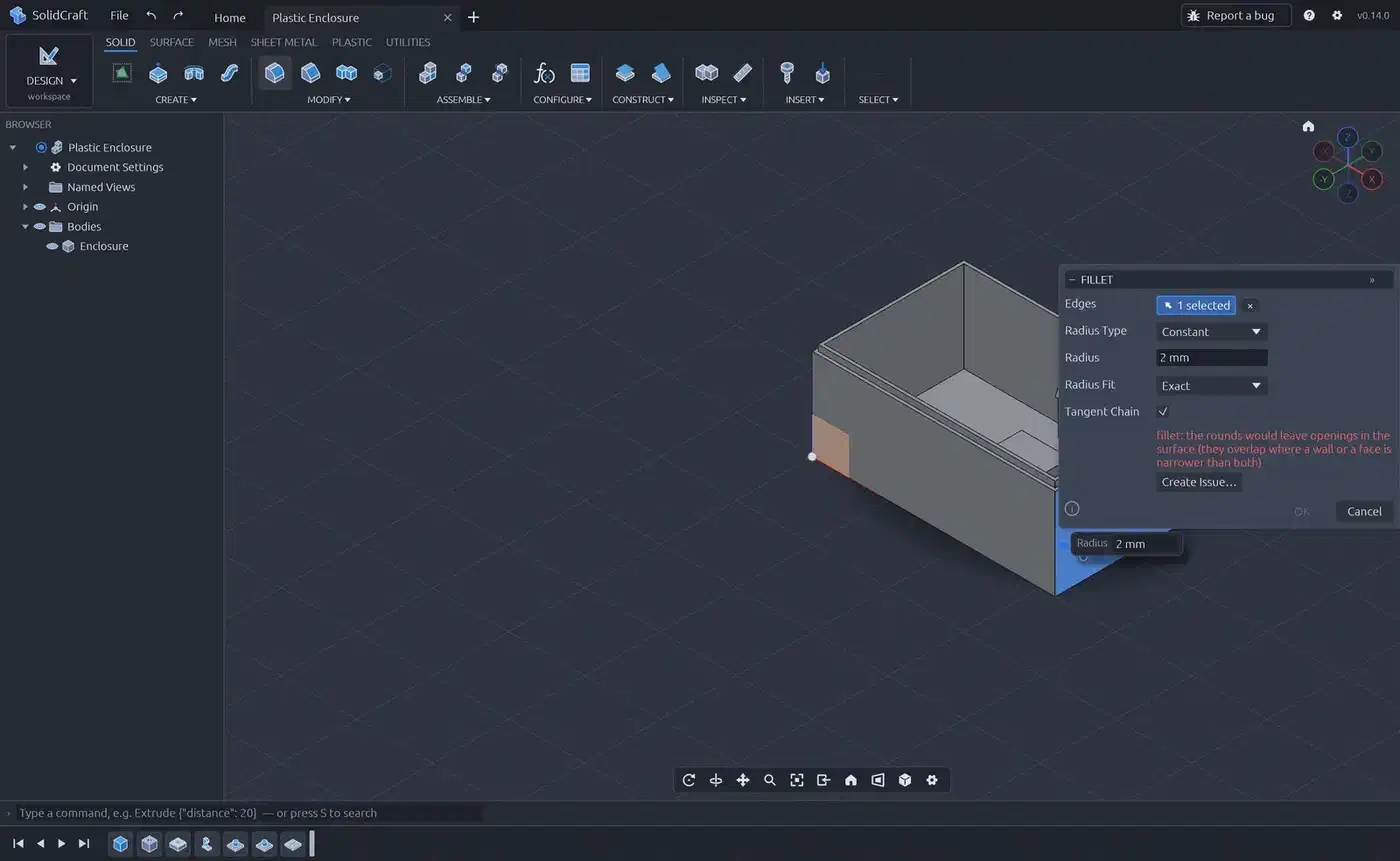
This is SolidCraft 0.14 in a browser tab. There’s no install and no account. If you’ve used Fusion, the layout will look familiar: the ribbon on top, the parts tree on the left and the timeline at the bottom.
Why people are looking for a Fusion 360 alternative
Price is the first complaint. Fusion costs $85 a month or $680 a year per user. You can’t buy it once and keep it.
Fusion saves your designs to Autodesk’s cloud by default. They’re only as safe as your account. There’s also no Linux app. The browser version is the only way in, and the free and trial licences don’t include it. So a Linux hobbyist can’t run Fusion at all.
Autodesk has cut its free tier again and again, and it has dropped its maker tools. Hobbyists know a free licence can shrink at the next renewal.
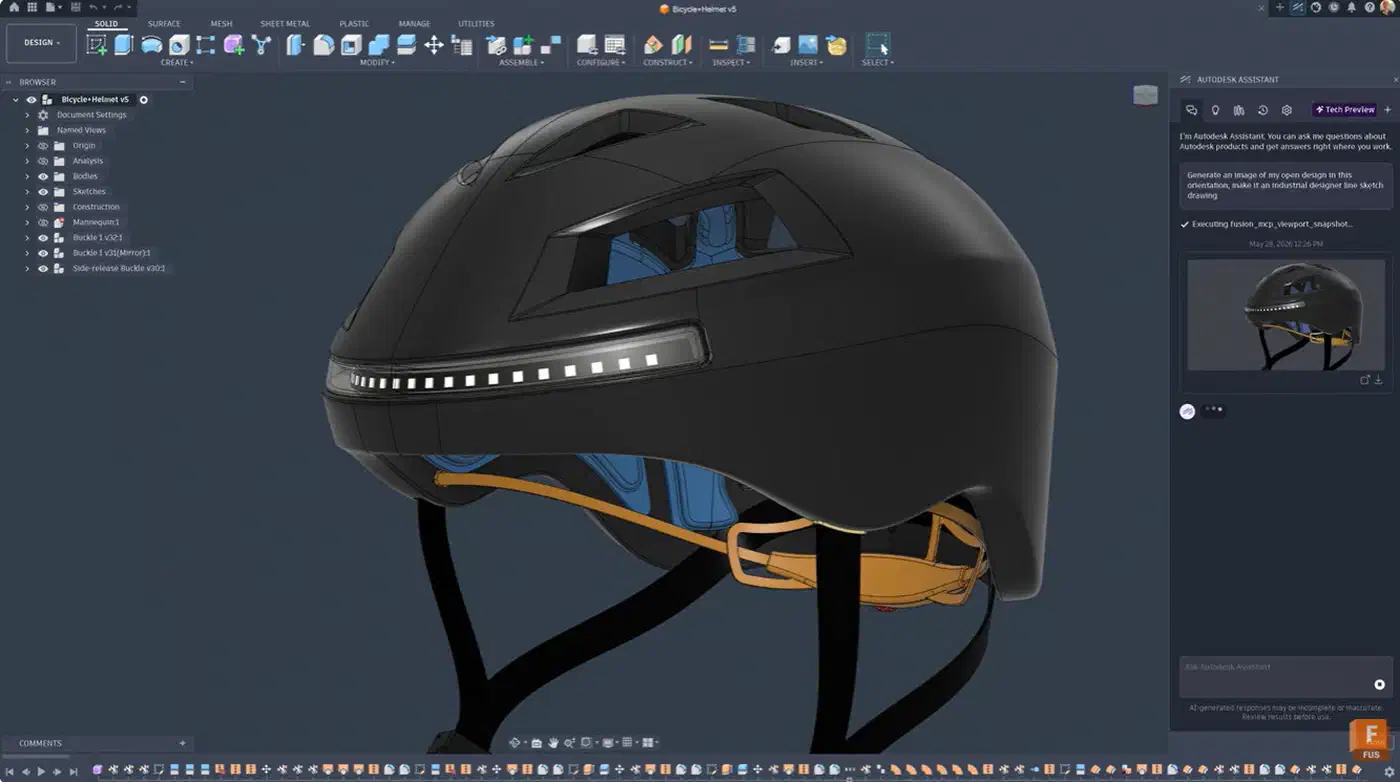
Image: Autodesk Fusion blog
FreeCAD is the free option most people try first. It’s open source and runs on Windows, Mac and Linux. Version 1.0 added a built-in Assembly workbench. It also fixed much of the old bug where editing an early feature broke the ones after it.
But FreeCAD is hard to learn. Its tools are split across workbenches, and each one brings its own toolbar. The screen fills up with small icons fast. People who learned on Fusion often end up fighting it.
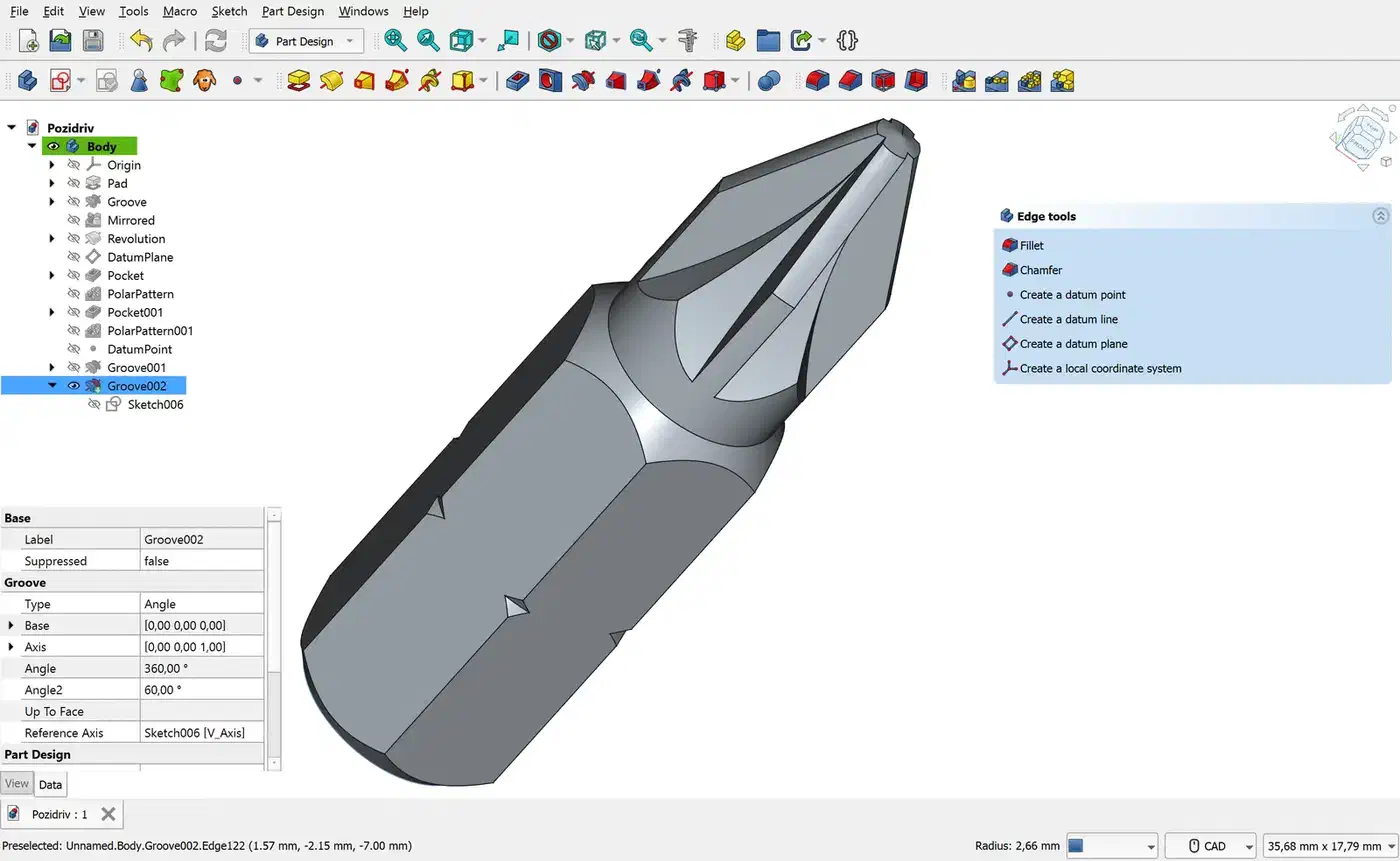
Image: Maxwxyz, Wikimedia Commons, CC BY 4.0
How Autodesk kept shrinking the free Fusion licence
- 2017: EAGLE went subscription-only. You could no longer buy it outright.
- 2019: The free licence split into Personal, Startup and Commercial. Free use became non-commercial only.
- 2020: EAGLE was folded into Fusion and no longer sold alone.
- 2020: Personal use was capped at 10 active documents. It lost some export formats and simulation, and CAM got slower. STEP export was removed, then came back after users pushed back.
- 2026: EAGLE was retired on June 7.
- Today: Personal use means non-commercial work that earns under $1,000 a year. Cloud rendering, simulation and extensions are left out.
The free tier can change at any renewal. That’s a bigger reason than the $680 price to keep an open option close.
What is SolidCraft, the free open-source CAD software?
SolidCraft is a free, open-source CAD app. You sketch, add constraints and extrude. Then you change a size and the model rebuilds. Its layout copies Fusion’s Design workspace on purpose.
Version 0.14.0 came out ten days after the first commit. By then it had 1,412 commits, about 3,300 GitHub stars and 367 forks. Dozens of people have helped, but the lead author, bherbruck, wrote 689 of the commits.
The repo itself shows that AI wrote it:
- The first commit, “M0: workspace, geometry foundation, sketch constraint solver, kernel boundary”, has a
Co-Authored-By: Claude Opus 5.5line. - The ROADMAP counts the work left in “agent hours”. About 82 are left before a useful alpha.
- The repo’s CLAUDE.md is a manual for agents. It tells them how to work on their own. A “never crash” rule bans
unwrap()andpanic!in production code. A clean-room rule says agents may not drive or copy Fusion, SolidWorks or Onshape.
The README lists its own sketch solver plus extrude, revolve, sweep, loft, fillet, shell, holes, threads and patterns. Parameters and configurations are in. So are assemblies with joints and motion studies, and sheet metal with flat patterns. Exports cover STEP AP242, IGES, STL, 3MF and OBJ, and it can open FreeCAD .FCStd and Rhino .3dm files.
The project calls itself “early but usable for simple parts”. Its README says 75 of 76 public test parts match their expected volumes. The ROADMAP now claims 82 of 82. These are the project’s own tests of volume. No test compares the results with Fusion.
An unofficial community guide exists too. It still points at the old repo address under bherbruck’s account. ArtCraft got a lot of attention for Rust remakes of Adobe-style apps. Its developer told Notebookcheck the apps were written with Claude Opus 5.5.
Why pure Rust makes SolidCraft run almost anywhere
SolidCraft is about 97% Rust. That’s 18.0 MB of its 18.5 MB of code, by GitHub’s count. The rest is build scripts and packaging.
Almost every CAD app is built on a geometry kernel written in C++. FreeCAD and Extrudo use OpenCascade. SolidWorks uses Parasolid. Fusion uses Autodesk’s own. A C++ kernel must be built and tested for every chip and every OS. That’s slow, fiddly work.
SolidCraft skips that step. Its kernel wraps truck, a geometry library written in Rust. The GPU turns surfaces into triangles through wgpu, with a CPU fallback. The interface is drawn with egui. So you don’t need a C++ toolchain to build any part of it.
Every pull request must pass a WebAssembly build, so the browser version can’t break without anyone noticing. The code also sets unsafe_code = "forbid" across its crates. There are three documented exceptions where it talks to the OS. In plain terms, the compiler blocks a whole class of memory crash bugs.
The v0.14.0 release page shows the result. Windows and Linux builds include ARM64. The Mac build runs on both Apple silicon and Intel:
| Target | Format | Size |
|---|---|---|
| Windows | MSI, zip, exe | 41-98 MB |
| macOS | DMG | 120 MB |
| Linux | Six formats | 33-64 MB |
| FreeBSD | tar.gz | 60 MB |
| Browser | WebAssembly | 17 MB |
A Raspberry Pi 5, an ARM laptop running Linux, a FreeBSD box and a school Chromebook can all run the same CAD app. Fusion runs natively on none of them.
The Windows and Mac builds aren’t signed, so expect SmartScreen and Gatekeeper warnings the first time you open them. The Flatpak sandbox also blocks 3D mice for now.
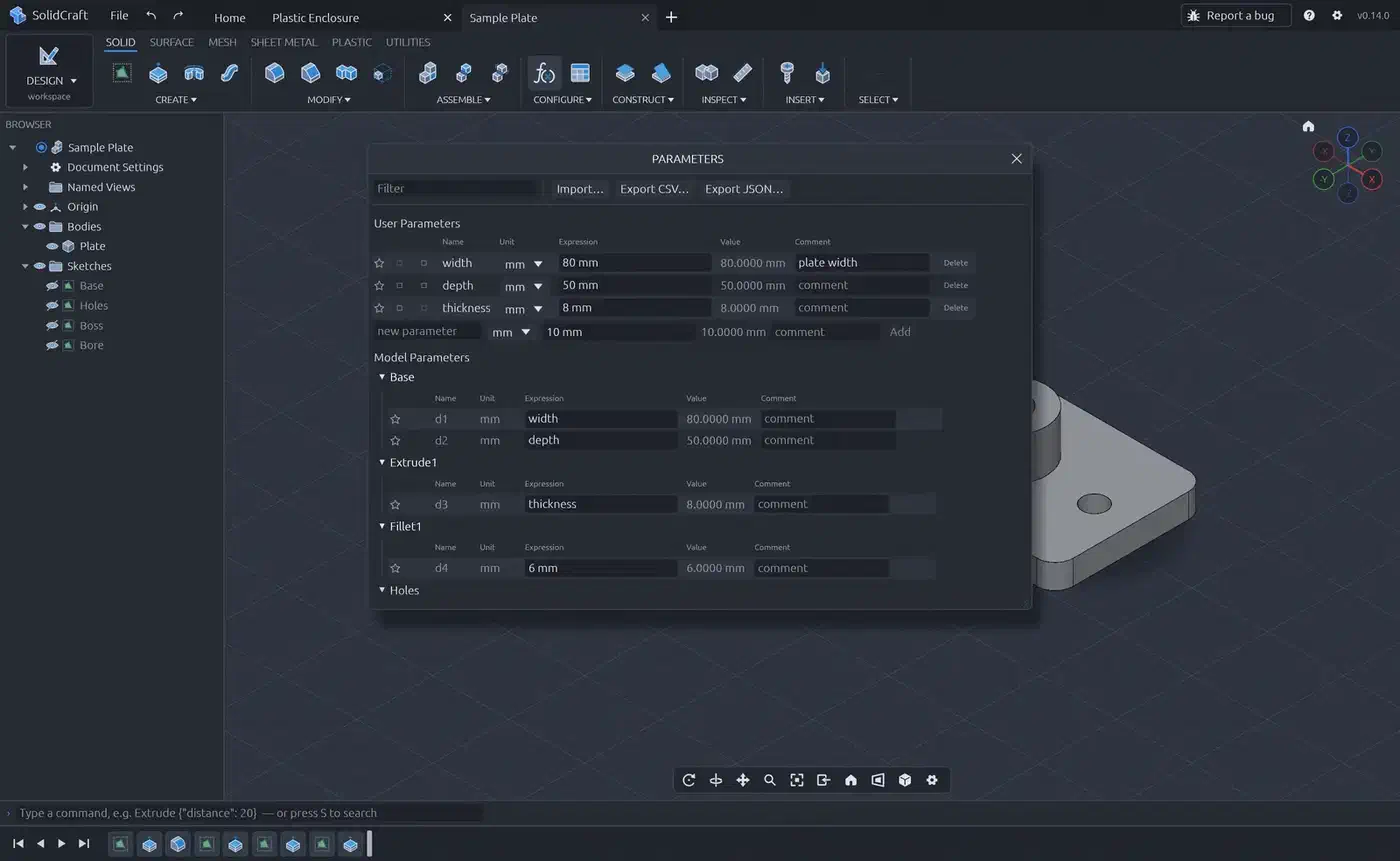
As in Fusion, the three user parameters drive the model’s d1, d2 and d3 sizes.
Extrudo, the other AI-built CAD app, and why it travels less well
Extrudo calls itself parametric CAD for 3D printing in your browser. It’s free and needs no account. Your designs are saved in the browser on your machine. zoltanf builds it alone. The repo has 359 commits and seven GitHub stars, and version 0.7.0 came out three weeks after the first commit.
It’s AI-built too. In the Extrudo repo, 69 of the last 100 commits list Claude Opus 5.5 or Sonnet 5.5 as co-author. Its roadmap also splits work into tasks sized for one agent session.
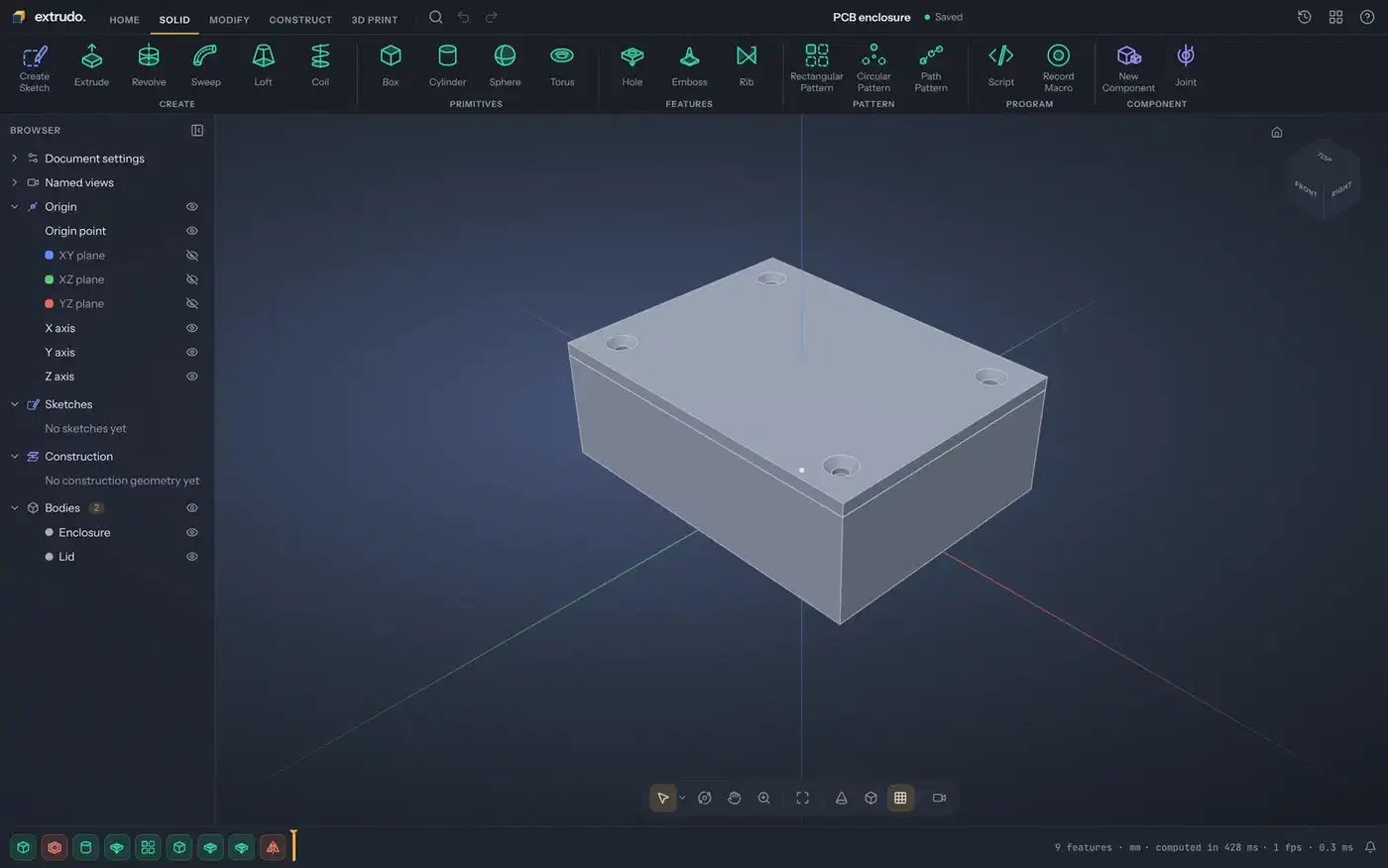
For makers, Extrudo has tools SolidCraft lacks:
- Overhang and wall-thickness checks, plus placing a part on the print bed.
- Filament weight and cost estimates, and 3MF export with colours.
- Send-to-slicer for PrusaSlicer, OrcaSlicer, Bambu Studio and Cura from the desktop app.
- A Customizer with sliders, and OpenSCAD import in the browser.
Its import menu also lists .f3d, Fusion’s own file format. For someone leaving Fusion, that could be the most useful feature of all. I didn’t test a real Fusion file.
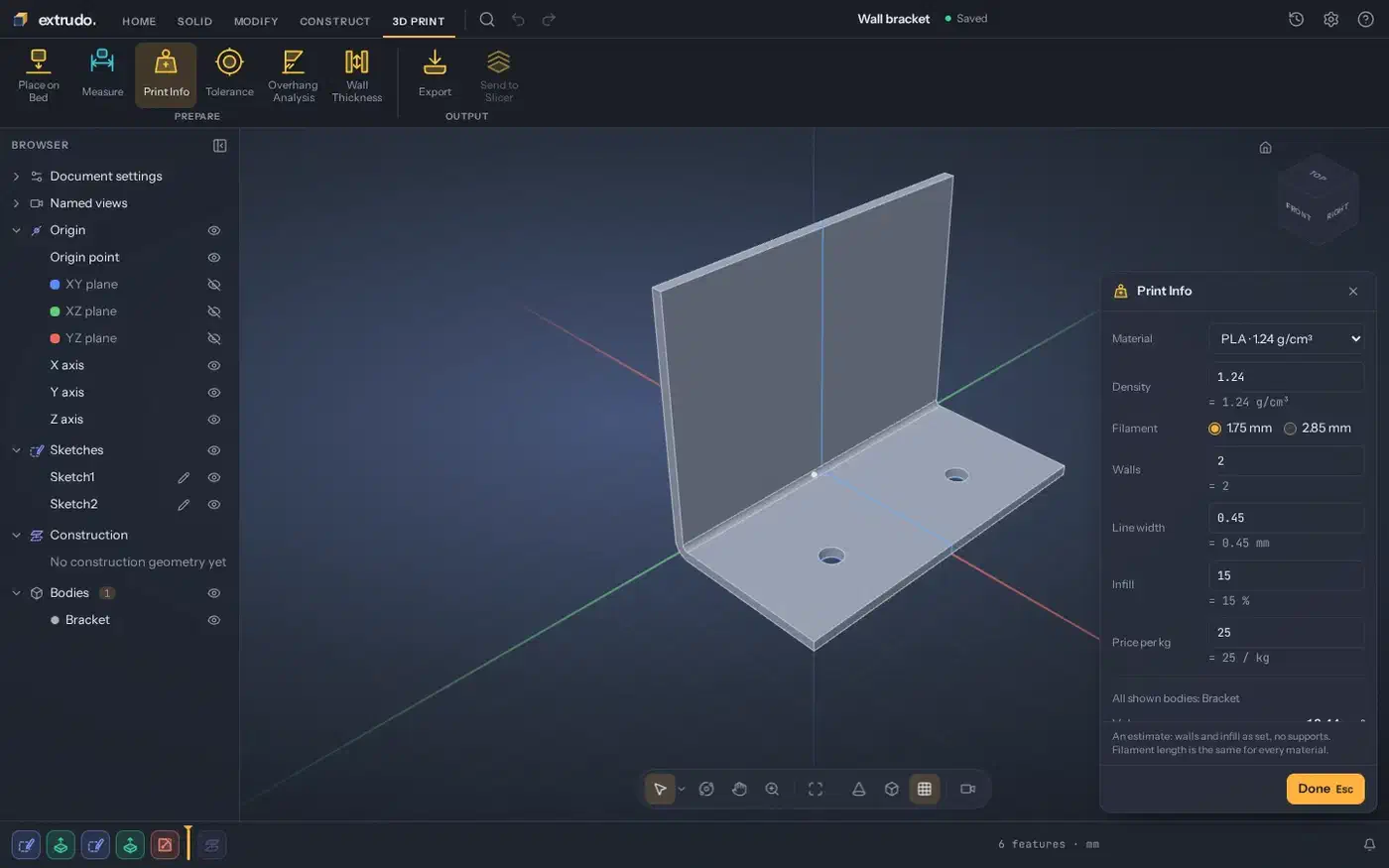
Image: Extrudo README screenshots
The stack underneath is much heavier. GitHub counts about 93% of Extrudo’s code as TypeScript. The app is built on React 19 and three.js. Below that are OpenCascade and FreeCAD’s planegcs sketch solver, both compiled from C++ to WebAssembly. QuickJS runs scripts, and Electron wraps the desktop app. Each layer limits where a native build can run.
Extrudo 0.7.0’s desktop builds cover x64 Windows, Apple silicon Macs and x64 Linux only:
| SolidCraft 0.14.0 | Extrudo 0.7.0 | |
|---|---|---|
| Windows | ✓ | ✓ |
| macOS | ✓ | ✓ |
| Linux | ✓ | ✓ |
| ARM Linux | ✓ | |
| FreeBSD | ✓ | |
| Browser | ✓ | ✓ |
| Linux download | 33 MB | 111 MB |
| Build tools | Cargo | Node, pnpm, OpenCascade |
To be fair, the Extrudo web app works in any current Chrome, Edge, Firefox or Safari. It also works offline after the first visit. ARM Linux users can still use it in a browser.
Driving SolidCraft with an AI agent over MCP
SolidCraft has a built-in MCP server, so an AI agent can use the app as a tool. One command connects it to Claude Code:
claude mcp add solidcraft -- solidcraft-cli mcpThe MCP docs list tools such as execute, batch, measure, screenshot, export and undo. The server can run headless or attach to the open desktop app. The same CLI also turns JSON recipes into STEP files and PNG renders. So you can script parts and test them in CI:
solidcraft-cli run examples/bracket.json --out bracket.stepThe project’s showcase is the SELENE rover. Contributor 0xlillith built it entirely through the MCP server. Its timeline has 3,323 steps. Blender MCP gives Claude the same kind of control over Blender.
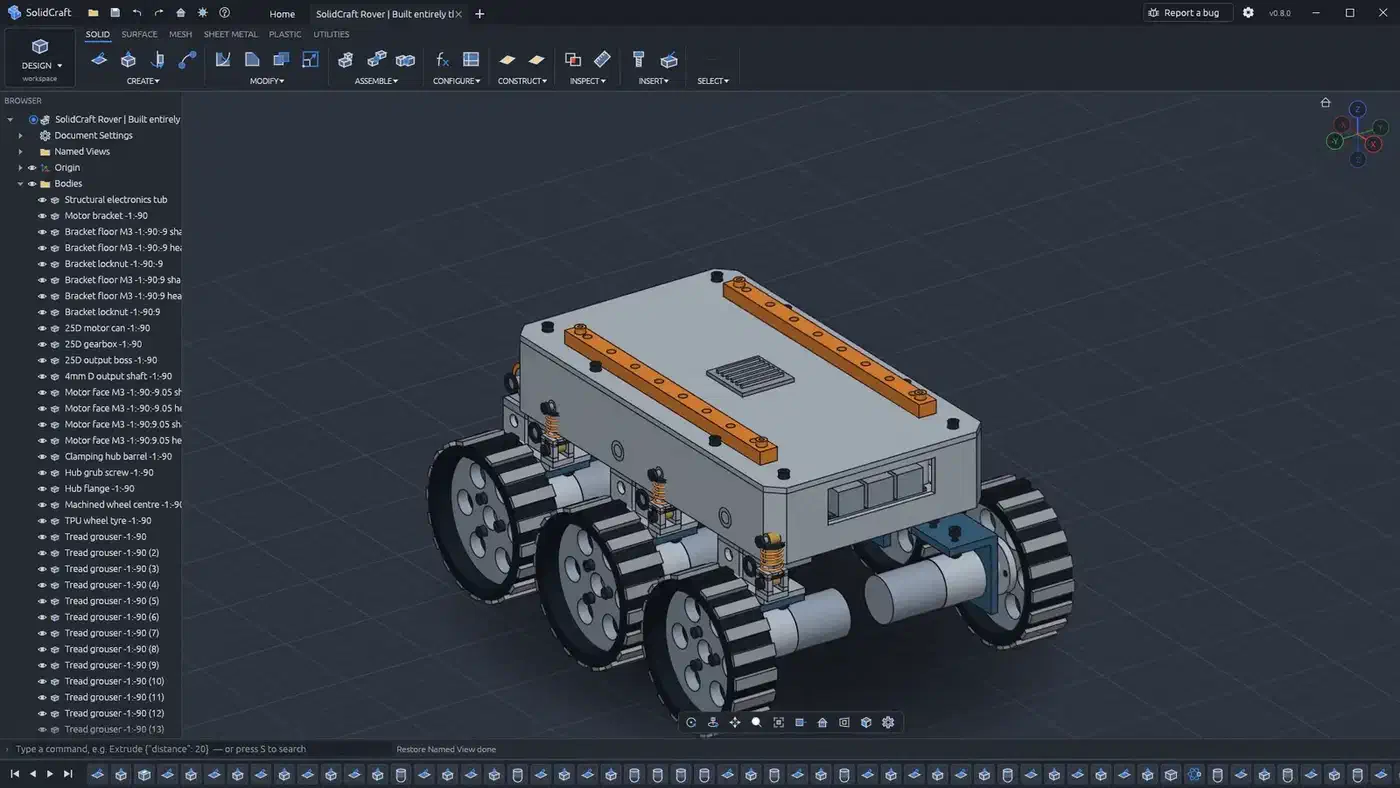
Image: SolidCraft repo screenshots
Fusion does it the other way round. Its Autodesk Assistant is a panel inside the app, marked Tech Preview, and you chat with it there. In SolidCraft, the app is a tool that your own agent calls from any MCP client. Extrudo is in between. It has a TypeScript scripting sandbox, Record Macro, an @extrudo/api package and a headless CLI, but no MCP server.
What happened when I tried both web apps
I opened both browser builds in Chrome and tried a few basic tasks. The SolidCraft web app opened straight to a Home screen with six samples, from a Sample Plate to a Hinge Assembly and a Vent Plate. There was no account and no sign-in.
Pressing F opened the Fillet dialog, the same shortcut Fusion uses. But SolidCraft refused a 2 mm fillet on one edge of its own Plastic Enclosure sample. It said “the rounds would leave openings in the surface”. The dialog offered a Create Issue button. It drafts a bug report and sends nothing on its own.
Extrudo did better on its own templates. The PCB enclosure template has nine features: a box, shell, cylinder, holes, a pattern and a mirror. It rebuilt in 428 ms. Overhang Analysis at 45 degrees then found one overhanging face of 4,764 mm².
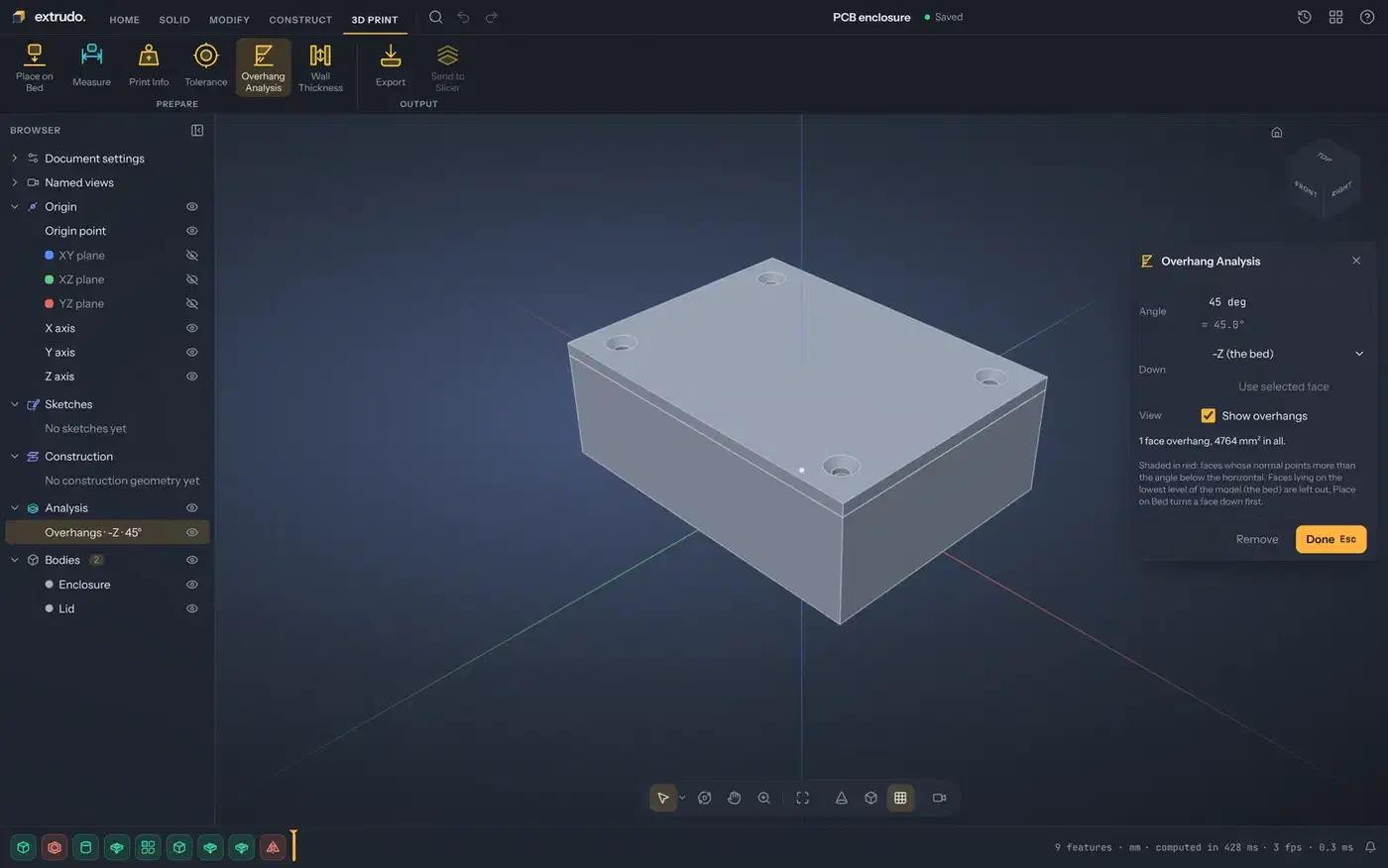
Extrudo’s home screen also warns that browser storage may be cleared. Don’t keep designs there. Export your work or link a local folder (Chrome and Edge only) first.
SolidCraft felt far closer to Fusion. Still, I’d hand Extrudo to a 3D-printing beginner. Its overhang check and slicer hand-off answer a new printer owner’s first questions.
Paid CAD software alternatives to Fusion 360 and their prices
If you’d rather pay for something polished, Fusion has paid rivals too. Onshape is the closest match. It’s a full CAD system from PTC that runs in the browser, so it works on Linux and Chromebooks with nothing to install. Its free plan is for non-commercial use only, and every document you make is public. Private designs start at $1,500 a year on Standard. Professional costs $2,500 a year and adds release management, simulation, rendering and CAM. Students, teachers and qualified startups get it free.
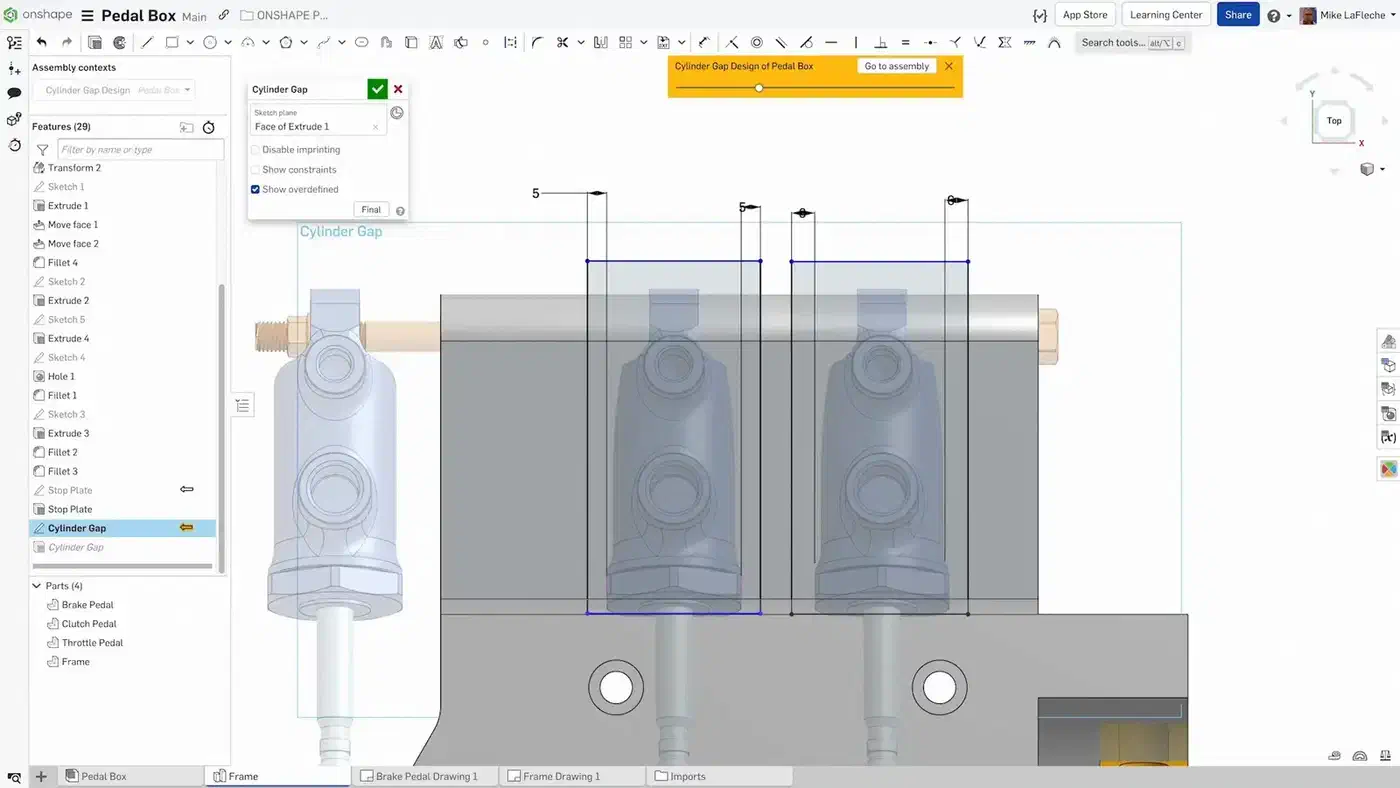
Image: Onshape
Shapr3D started on the iPad and now runs on Mac and Windows too. Its free Basic plan stops at two projects. Pro costs $299 a year.
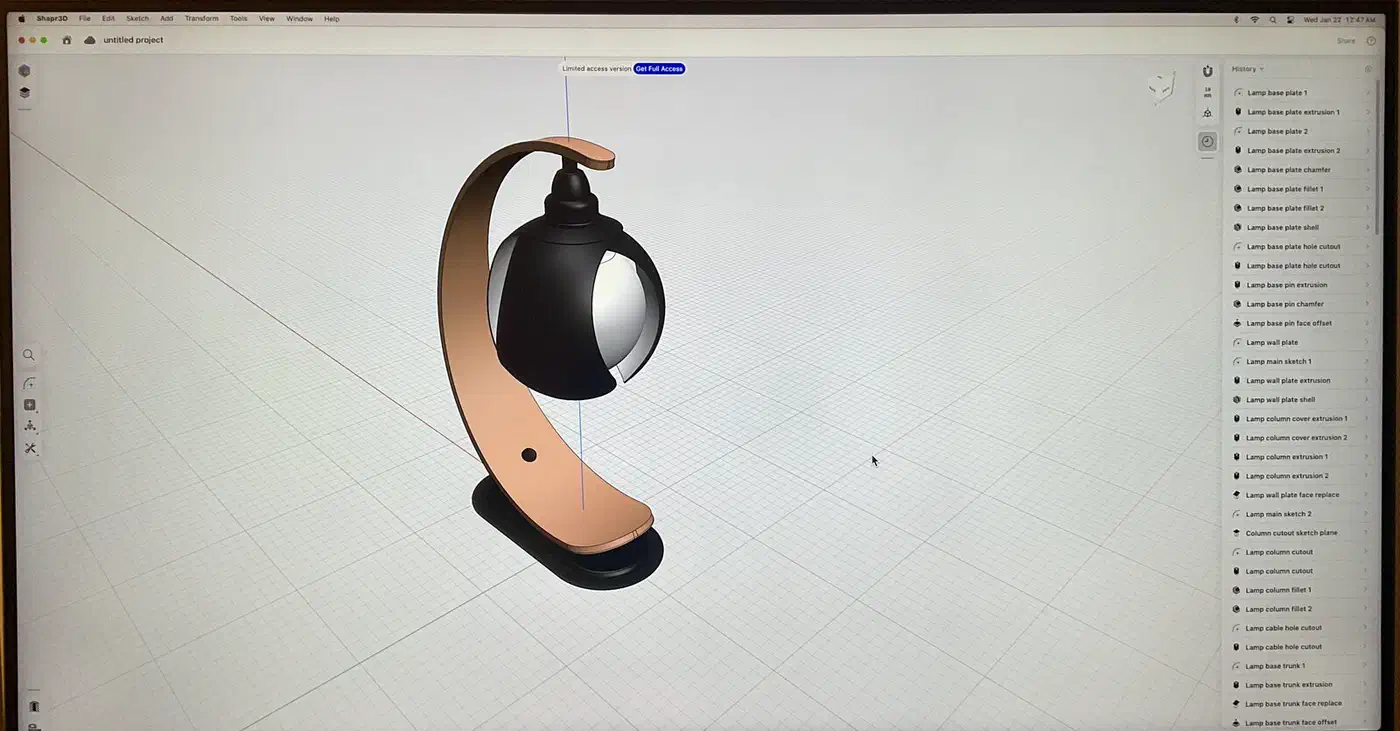
Image: Wikideas1, Wikimedia Commons, CC0
Plasticity is a direct modeller for concept and product design, so there’s no feature timeline. You buy it once, the only app here sold that way: $175 for Indie or $299 for Studio, each with 12 months of updates. It’s also the only one with a Linux app.
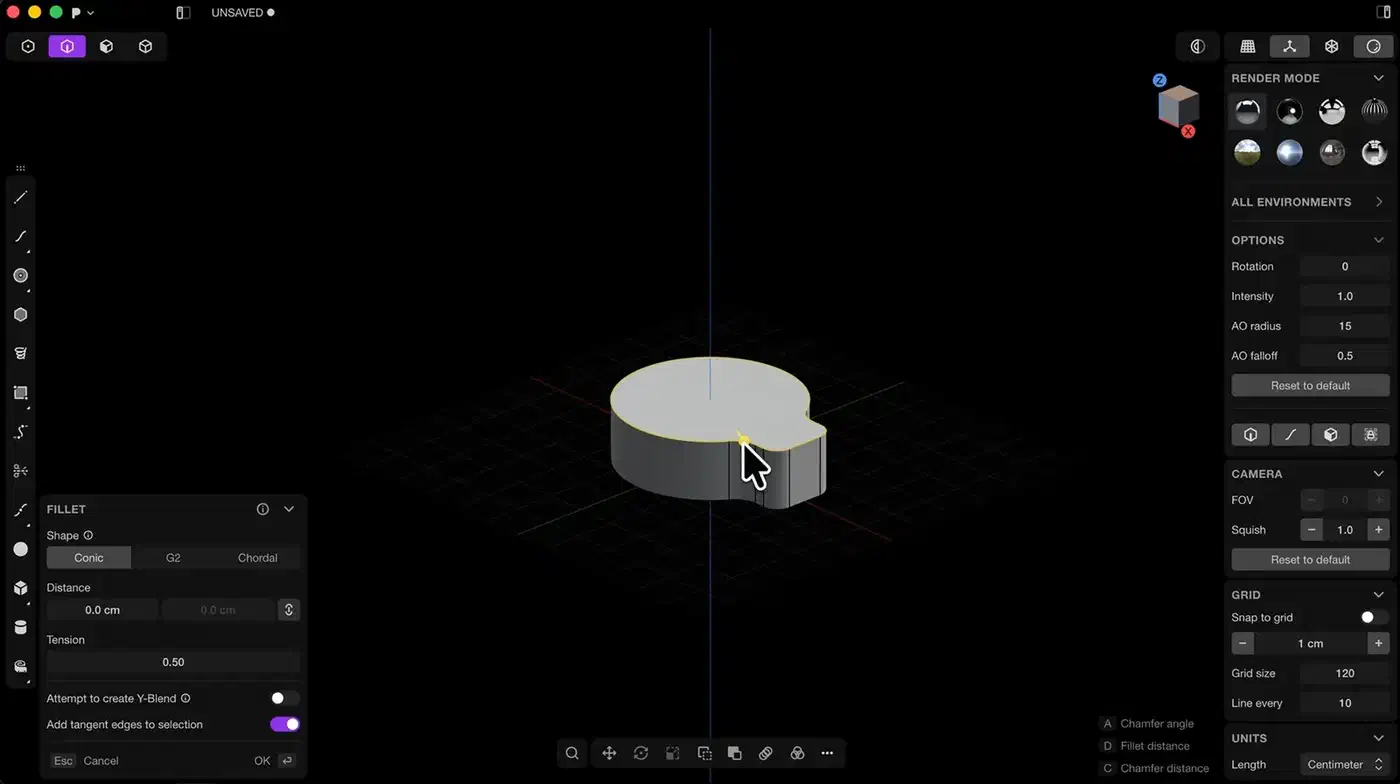
Image: Plasticity, The Basics of Plasticity
SolidWorks for Makers costs $48 a year for hobby projects that earn under $2,000 a year. You get the Windows desktop app or xDesign in the browser.
Image: SolidWorks
Fusion’s free plan is for personal use only, on work that earns under $1,000 a year.
| App | Free | Basic | Pro |
|---|---|---|---|
| Onshape | Public only | $1,500/year | $2,500/year |
| Fusion | Personal use | $680/year | |
| Shapr3D | 2 projects | $299/year | |
| Plasticity | Trial | $175 once | $299 once |
| SolidWorks for Makers | $48/year |
A browser app works on any system, Linux included:
| App | Windows | macOS | Linux | iPad | Browser |
|---|---|---|---|---|---|
| Onshape | ✓ | ✓ | |||
| Fusion | ✓ | ✓ | ✓* | ||
| Shapr3D | ✓ | ✓ | ✓ | ||
| Plasticity | ✓ | ✓ | ✓ | ||
| SolidWorks for Makers | ✓ | ✓ |
* Paid plans only
None of these apps is open source. Onshape keeps every file on PTC’s servers, the same cloud lock-in people leave Fusion over. Still, if you need Fusion-level features on Linux today and can pay, try Onshape.
SolidCraft vs Extrudo vs Fusion 360 vs Onshape: which one should you use?
| SolidCraft | Extrudo | Fusion | Onshape | |
|---|---|---|---|---|
| Free | ✓ | ✓ | Personal use | Public only |
| Paid plan | $680/year | $1,500/year | ||
| Open source | ✓ | ✓ | ||
| Files | Local | Browser | Cloud | Cloud |
| Windows | ✓ | ✓ | ✓ | |
| macOS | ✓ | ✓ | ✓ | |
| Linux | ✓ | ✓ | ||
| FreeBSD | ✓ | |||
| Browser | ✓ | ✓ | ✓* | ✓ |
| AI | MCP server | Scripting | Assistant | API |
| CAM | ✓ | ✓** | ||
| PCB | ✓ | |||
| 3D printing | Export | Built-in | Basic | Export |
| Maturity | Early | Early | Mature | Mature |
* Paid plans only
** Professional plan only
Keep Fusion if you sell parts or need CAM, simulation or PCB design. The same goes if clients send you .f3d files.
Pick Onshape if you need pro CAD on Linux or a Chromebook and can pay $1,500 a year. Its free plan also works for hobby projects you don’t mind sharing.
Pick SolidCraft if you’re on Linux, ARM or FreeBSD, or you want your files on your own disk in an open format. It’s also the one to try if you want an AI agent to build parts for you over MCP. Expect rough edges on fillets and harder features.
Extrudo suits people who mostly design 3D prints. Its overhang checks, wall-thickness checks and slicer hand-off are in the same app as the modelling. For depth today, FreeCAD is still the mature open-source choice, if you can live with the learning curve.
The open question is who will maintain SolidCraft and Extrudo a year from now, once the hype fades. So whichever one you pick, export your parts to STEP often. Then you can walk away from either app without losing your work. Agent tooling keeps spreading to other apps. Reverse Engineer Anything lets an agent read apps that have no API. Voicebox gives Claude Code a cloned voice. Lightpanda is a small headless browser for agents. When no MCP server exists, Claude’s computer use can drive the desktop app directly. OpenMMO shows agents playing a shared game world.