 Botmonster Tech
Bruno or Hoppscotch? Postman alternatives you can trust

This post is open for corrections. Highlight any line of text to challenge it or ask for a clearer explanation and leave a comment.
Bruno and Hoppscotch are the two open Postman alternatives worth trusting. Postman desktop 12.33.4 installed plugins into Claude Code and Codex without asking, then tried to approve its own Codex hook. Bruno keeps your requests as plain files in Git with no account or cloud behind them. Hoppscotch stores them in a browser or on a server.
Key Takeaways
- Opening Postman 12.33.4 put its plugins into Claude Code and Codex without asking.
- Its installer also tried to mark its own Codex startup hook as trusted.
- No data leak has been found, but consent was broken.
- Bruno saves every request as a plain file you can review in Git.
- Hoppscotch keeps data in a browser or on a server, so pick it for convenience.
What did Postman change on your machine?
The first report came from a developer who goes by indicava. They opened an existing, signed-in Postman desktop install on a Mac after an update. Soon after, Codex started throwing login errors and routing unrelated API work through Postman skills.
An API client should not make itself the default workflow in other tools simply because I opened it.
Postman ran the install as part of the update, under the label auto-existing-upgrade, and logged success for both agents:
PostmanAgentPluginService~install: script completed
{"source":"auto-existing-upgrade","results":["claude-code:installed","codex:installed"],"installer":"script"}
That was Postman 12.33.4, with Codex plugin 1.1.0 and Claude plugin 2.0.1. A second user hit the same path on 12.35.1, where the update also added the Postman CLI. Cursor already carried the plugin on that machine.
The files Postman touched
~/.codex/config.tomlgained a[marketplaces.postman]entry pointing at the postman-plugin repo, an enabledpostman@postmanplugin, and a[hooks.state]record with atrusted_hash.~/.claude/settings.jsonenabledpostman@claude-plugins-official, and~/.claude/plugins/installed_plugins.jsonlogged a user-scope install.~/.local/bingot a Postman CLI binary.~/.copilot/settings.jsonand~/.copilot/installed-pluginspicked up the plugin too, and the in-app uninstaller left GitHub Copilot’s copy in place.
The hook and the self-approval
The plugin adds a SessionStart hook that fires on startup|clear|compact. It prints a block of instructions telling the agent to load the postman:api-engineer skill before any non-trivial API task. That is why Codex kept announcing Postman skills on work that had nothing to do with Postman.
Codex normally asks you to approve a new hook in a review screen, but the installer skips that step. codex-hooks.ts reads the hook’s hash through hooks/list and writes trusted_hash through config/batchWrite. Those are the same calls Codex makes when you click approve. The installer approves its own hook, and codex.ts calls it right after install.
The 12.35.1 machine had no trust record, though. So the self-approval may have changed between builds, and Codex would skip the unapproved hook there.
The plugin also wires in a remote MCP server. mcp.codex.json points Codex at https://mcp.postman.com/mcp, which failed with Auth required. Those failing logins are how the first user noticed anything. On the 12.35.1 box, Cursor got the same startup text and the same unauthenticated MCP server.
Claude Code keeps no per-hook trust record, so a plugin enabled in a settings file loads its hooks with no separate approval. There was nothing to forge on that side, and no Claude Code bypass appears in the installer source.
What is not proven
The story spread through AI newsletters and developer feeds, and retellings grew claims the record does not back:
- No data left the machine in any report. The MCP connection never logged in, and the second user found no sign of uploads.
- No broad scan happened. The installer checked which agents were present, and the reports show nothing beyond that.
- Both reports come from existing installs. Each was a signed-in user whose app updated. Postman’s own reply says new downloads get the same bundle.
Postman environments hold bearer tokens, staging keys and internal routes, so an API client that edits your AI agents without asking should be held to a higher bar than a text editor.
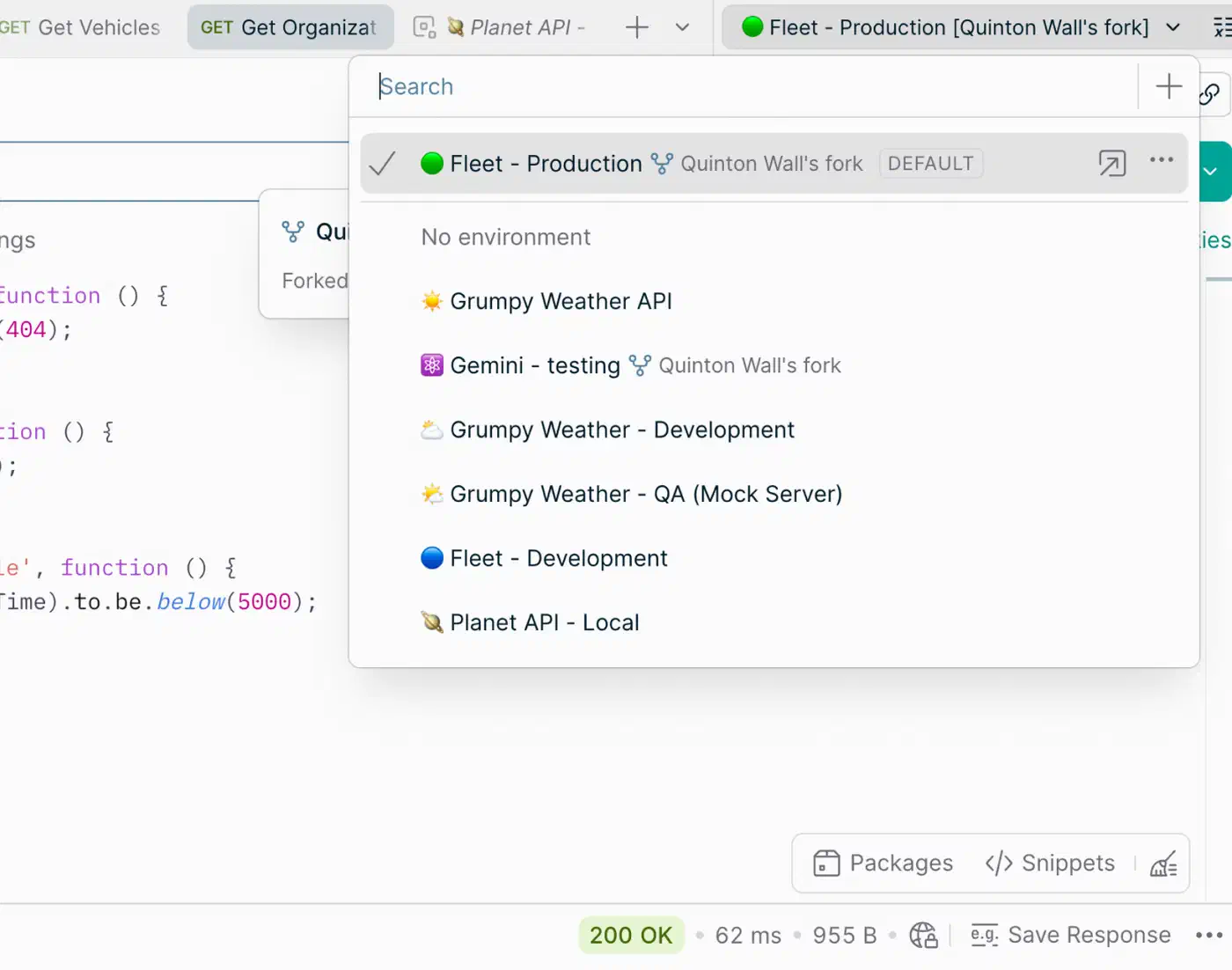
Check your Claude Code and Codex configs for Postman
On a clean machine, these two commands print nothing:
grep -il postman ~/.claude/settings.json ~/.claude/plugins/installed_plugins.json \
  ~/.codex/config.toml ~/.copilot/settings.json ~/.cursor/mcp.json 2>/dev/null
ls ~/.local/bin ~/.copilot/installed-plugins ~/.cursor/plugins 2>/dev/null | grep -i postman
I ran them on my Linux workstation with Claude Code 2.1.316, Copilot CLI and Cursor installed. Both came back empty, which fits: Postman was never installed on that machine. My first attempt grepped whole folders and got one false hit, a function name inside Copilot’s bundled JavaScript. Grep the config files themselves, not package caches or chat logs.
On Windows, the Claude Code and Codex folders live under %USERPROFILE%. Every report comes from macOS, so Windows paths for Copilot and Cursor are less certain.
If you find Postman, remove it in two passes:
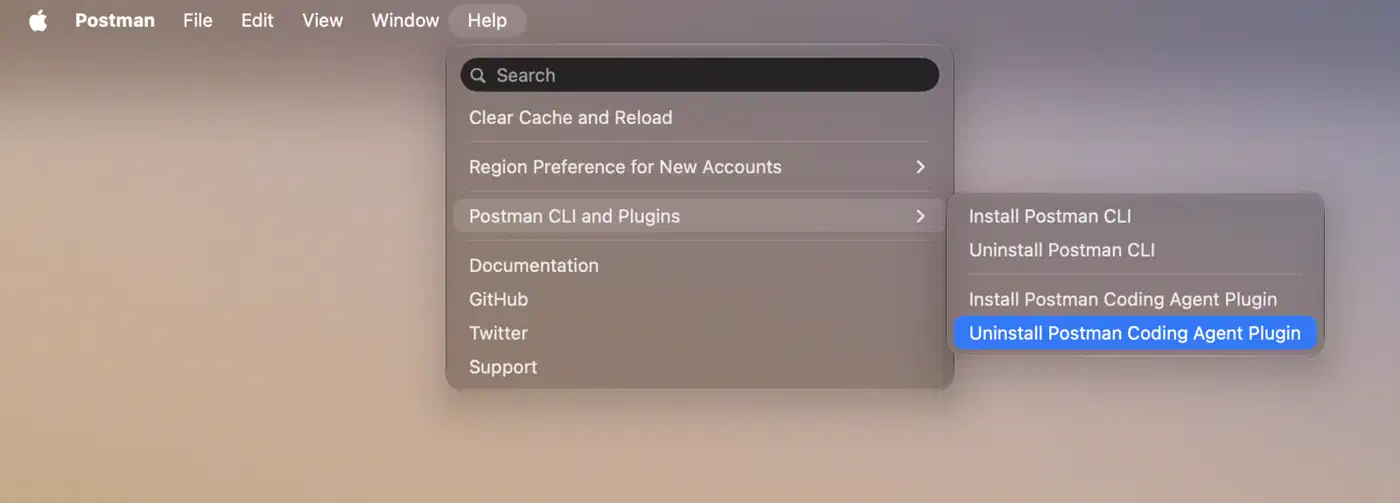
- In Postman, open Help, then Postman CLI and Plugins, then Uninstall Postman Coding Agent Plugin.
- Delete the leftovers by hand. That means the Copilot entries, which survive the uninstaller, and the
[hooks.state."postman@postman:..."]block in Codex’sconfig.toml.
Run the check again after every Postman update. The trigger was an upgrade of an existing install, so a clean config today proves nothing about the next release.
Postman’s response and why trust was already thin
A reply posted on Postman’s behalf gave the company’s reasons. Users struggled to set up the CLI and agent plugins on their own, so Postman bundled them. Postman says the bundling appears on the download page and in the update flow, and each part can be removed in the app. Postman promised a clearer opt-in, “especially for existing users,” and a review of the hook approval.
The download page notice is newer than the incident, though. I checked the Wayback Machine copy from 26 October, the day after the first report. In that copy, the plugins come with manual install steps, and nothing mentions the desktop app bundling them. That matches another commenter’s finding.
Developers also wanted opt-in for everyone, new installs included.
This is unacceptable, even creating risk in corporate environment.
Earlier in 2026, before the plugins, Postman cut its Free plan to a single user, so any shared workspace now needs the Team plan at $19 per user per month, billed yearly (DevTools pricing breakdown). Older plans switch to the new prices at renewal, so some teams will only feel it in 2027. Collections live in Postman’s cloud by default. Postman 12’s Native Git can write them to a project folder as YAML files, but that ties the folder to a Postman workspace.
Before Postman, GitKraken Desktop 12.0 installed Claude Code hooks with no notice or opt-out, put them back if you removed them, and broke some users’ configs. The GitKraken 12.0.1 update added the notice and the opt-out within days.
Postman vs Bruno vs Hoppscotch at a glance
| Feature | Postman | Bruno | Hoppscotch |
|---|---|---|---|
| Requests as Git files | ✅ | ✅ | |
| Saves without account | ✅ | ✅ | |
| Cloud sync | ✅ | ✅ | |
| Self-hosted server | ✅ | ||
| Runs in browser | ✅ | ✅ | |
| Desktop app | ✅ | ✅ | ✅ |
| CLI for CI | ✅ | ✅ | ✅ |
| Free for teams | ✅ | ✅ | |
| Cheapest team seat | $19 | $6 | $6 |
Prices are per user per month, billed yearly. Bruno and Hoppscotch both import Postman collections and environments, so the switch costs little either way.
Bruno keeps every request in your Git repo
Bruno stores a collection as a folder on disk, with one plain-text file per request. It uses its own .bru format, and it can also save collections as YAML in the OpenCollection format. A request file looks like this:
meta {
  name: Get user
  type: http
  seq: 1
}

get {
  url: {{baseUrl}}/v1/users/42
  body: none
  auth: bearer
}

auth:bearer {
  token: {{process.env.API_TOKEN}}
}
Because it is plain text, an API change shows up in a pull request like any code change:
 get {
-  url: {{baseUrl}}/v1/users/42
+  url: {{baseUrl}}/v2/users/42
   body: none
   auth: bearer
 }
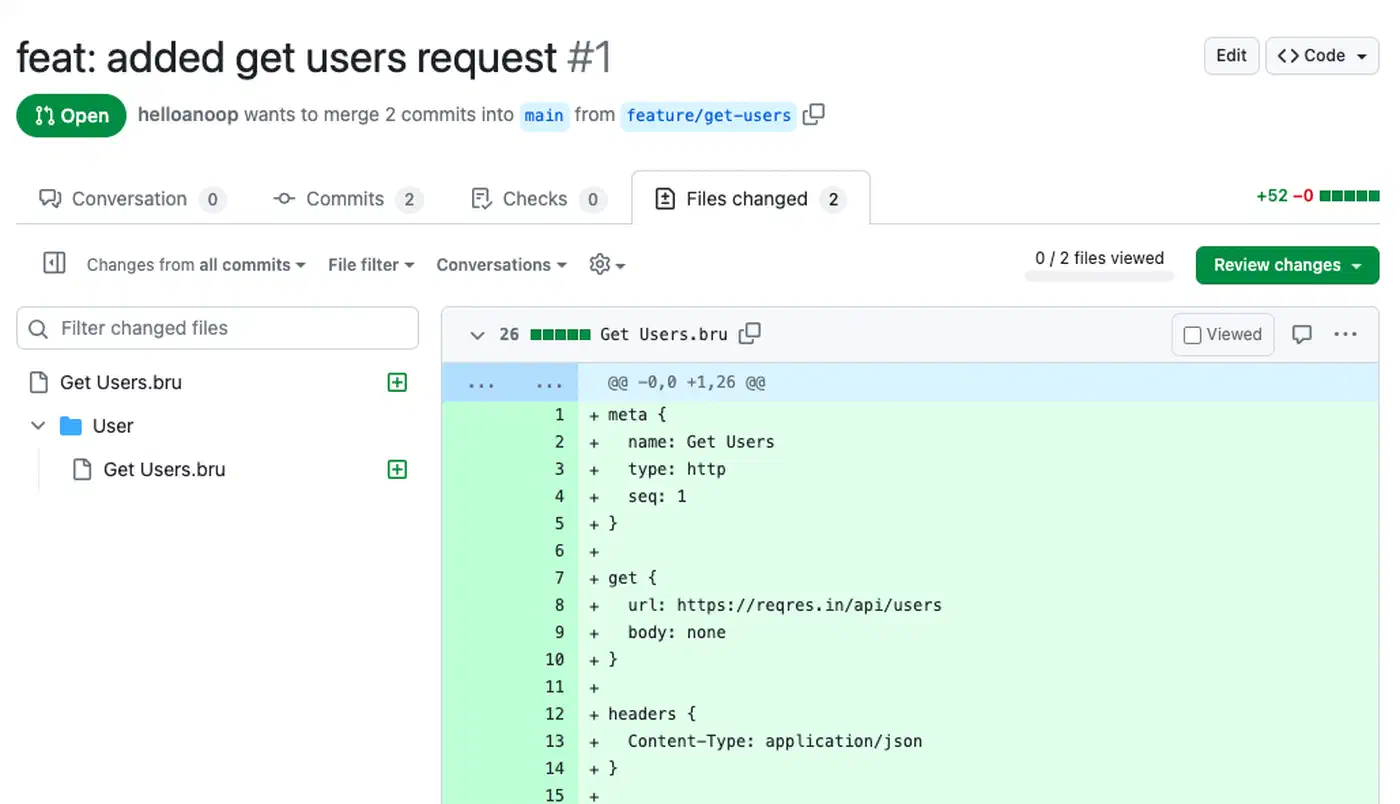
The token never lands in the repo. It comes from a .env file in the collection folder, which you keep in .gitignore. Bruno Ultimate adds integrations with external secret managers.
No cloud, by design
Bruno is offline-only, and its makers have ruled out cloud sync for good. Teams collaborate through Git, so no vendor server holds your collections and there is no account to sign in to.
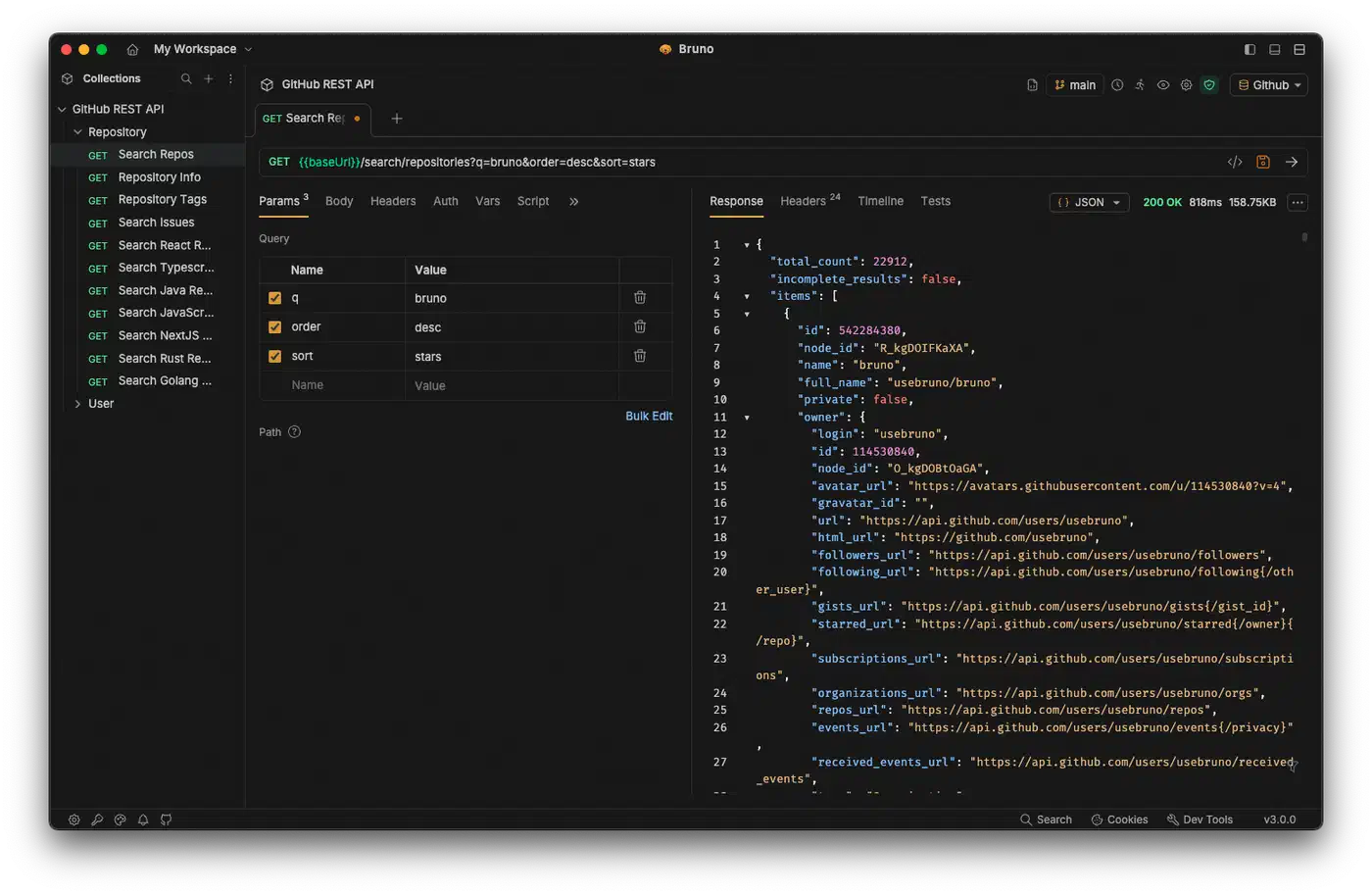
Bruno 4.0 added an AI assistant that calls a model provider you configure, including any OpenAI-compatible endpoint. Nothing in the release notes through 4.3.0 touches Claude Code, Codex or other agents’ configs. The same 4.0 release did add usage telemetry for AI and app features, so check its settings if zero telemetry is part of why you are leaving.
Price and migration
Bruno’s pricing starts at $0. The free tier allows two workspaces, and its built-in Git screen works with public Git hosts. Pro costs $6 per user per month and adds private Git hosts and unlimited workspaces. Ultimate costs $11 and adds secret manager integrations, test reports, SSO, SCIM and audit logs. The plain git command works on any repo at every tier.
Moving over is quick for most collections. Bruno imports Postman collections and environments, and most pm.* scripts carry over, though edge cases need hand fixes. One developer in the Postman thread moved to Bruno in under five minutes.
Bruno has no browser version and no live shared workspace, and everyone on the team needs to be comfortable with Git.
Hoppscotch is fast and open, but it does not live in Git
Some viral posts claimed both tools keep data “100% in local Git repos as plain text.” That is wrong for Hoppscotch. Collections, history and environments sync with the local storage of your browser or desktop app. Once you sign in, they sync with a Hoppscotch server instead. Clearing browser data can wipe a workspace you never synced.
There is no native Git sync either, only export and import of collections as a file or a GitHub gist.
Where Hoppscotch wins
Hoppscotch opens in a browser tab with nothing to install. It also ships desktop apps for Windows, macOS and Linux, plus a CLI for CI runs. Besides REST and GraphQL, it speaks WebSocket, SSE, MQTT and Socket.IO. The 2026.10.0 release added support for your system’s trusted certificates, which helps behind corporate proxies.
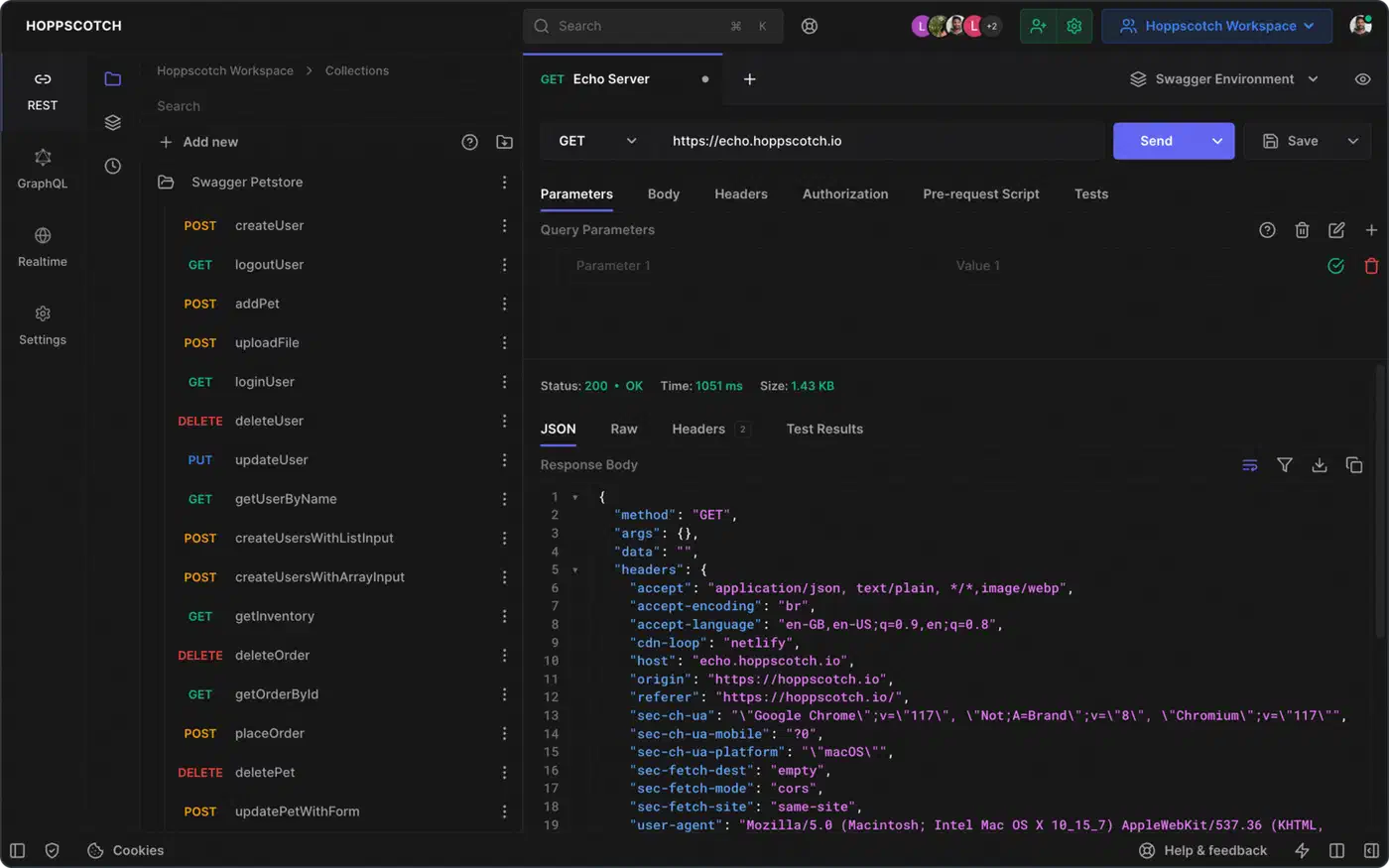
For control over your data, you can run your own server. The self-hosted Community Edition is free under MIT and lets you invite team members. SSO, audit logs and access controls need the Enterprise Edition at $19 per user per month. Either way, your data then lives in your own database.
On the hosted cloud, the Free plan covers a personal workspace. Team workspaces start at $6 per user per month on the Business plan, and Enterprise costs $11.
Nobody in the Postman thread named Hoppscotch as their next tool. Bruno came up again and again, alongside Insomnia, Voiden and plain curl scripts.
Which Postman alternative should your team pick?
Pick Bruno if trust is why you are leaving. It suits regulated and finance teams, anyone who wants API changes reviewed in pull requests, and anyone who wants no cloud at all.
Pick Hoppscotch if you want a browser client with nothing to install, live team sync, or a shared internal server you host yourself.
Stay on Postman only if you depend on its cloud features, such as monitors, mock servers and the public API network. In that case, pin versions and audit your agent configs after each update.
Insomnia, Yaak and curl scripts are the other ways out.
Lock down your AI agent configs no matter which client you use
Any desktop app running as your user can write to ~/.claude and ~/.codex. Codex stores hook trust as a hash in config.toml, and Postman’s installer showed that any process with your file access can write one. Claude Code’s settings.json is no harder to edit.
- Track your agent config folders in a private Git repo or a dotfiles setup, so
git diffshows any surprise edit. - Block plugins by name in Claude Code. In managed settings, set a plugin to
falseunderenabledPluginsto block it at every scope, or limit sources withstrictKnownMarketplaces. Postman’s plugin comes from Anthropic’s official marketplace, so a marketplace allowlist alone won’t stop it. - Read Codex’s startup hooks screen instead of approving hooks blindly, and watch for MCP servers you never added.
The same file access that let Postman in is the opening a prompt-injected agent can use, which is why coding agents are an insider threat worth planning for.