 Botmonster Tech
Niri's scrollable tiling might ruin every other window manager for you

This post is open for corrections. Highlight any line of text to challenge it or ask for a clearer explanation and leave a comment.
Niri is a Rust-based Wayland compositor that arranges windows in an infinite horizontally scrollable strip rather than packing them into a fixed grid. Inspired by the PaperWM GNOME extension, it has matured into something you can genuinely run as a daily driver. The biggest winners are developers on ultrawide or multi-monitor setups who want to keep an editor, browser, documentation, and terminal open without constantly resizing tiles, plus anyone who has ever rage-quit a dynamic tiler because the automatic layout never matched how their brain organizes work. You configure it with a single KDL file that live-reloads on save, and it speaks xdg-shell, uses Smithay under the hood, and plugs into xwayland-satellite for X11 apps.
What Scrollable Tiling Actually Means
The mental model is the biggest shift when moving to niri, and it deserves some context before any config talk. In Hyprland, dwl, and other dynamic tilers, opening a new window rearranges everything on the current workspace to fit. In Sway, i3, and river, you manually split a container and the new window lands where you told it to go. In both cases your screen is a fixed rectangle and windows fight for space inside it.
Niri rejects that premise. The core primitive is the column, not the tile: each new window opens as a column in a horizontal strip that extends infinitely off-screen to the left and right, and you scroll the viewport across the strip rather than rearranging what is already placed. Columns can stack vertically (multiple windows in one column) but never reflow horizontally when a new one appears. Nothing you already placed moves when you open a new app. That single behavioral difference is what makes the workflow feel different from every other tiler.
If you have used PaperWM, the GNOME Shell extension that pioneered this model on X11, you already know the feeling. karousel brings similar behavior to KDE Plasma as a KWin script. Niri is the first compositor built from scratch around the scrollable model instead of bolted onto an existing one, which matters because it controls the full rendering pipeline and input path rather than fighting its host shell.
Workspaces in niri run vertically. You scroll down to a new workspace rather than jumping between numbered desktops, and workspaces are dynamic: empty ones disappear automatically. The “which workspace was that terminal on again” problem vanishes because the layout reflects what you actually have open, not a fixed grid of nine slots.
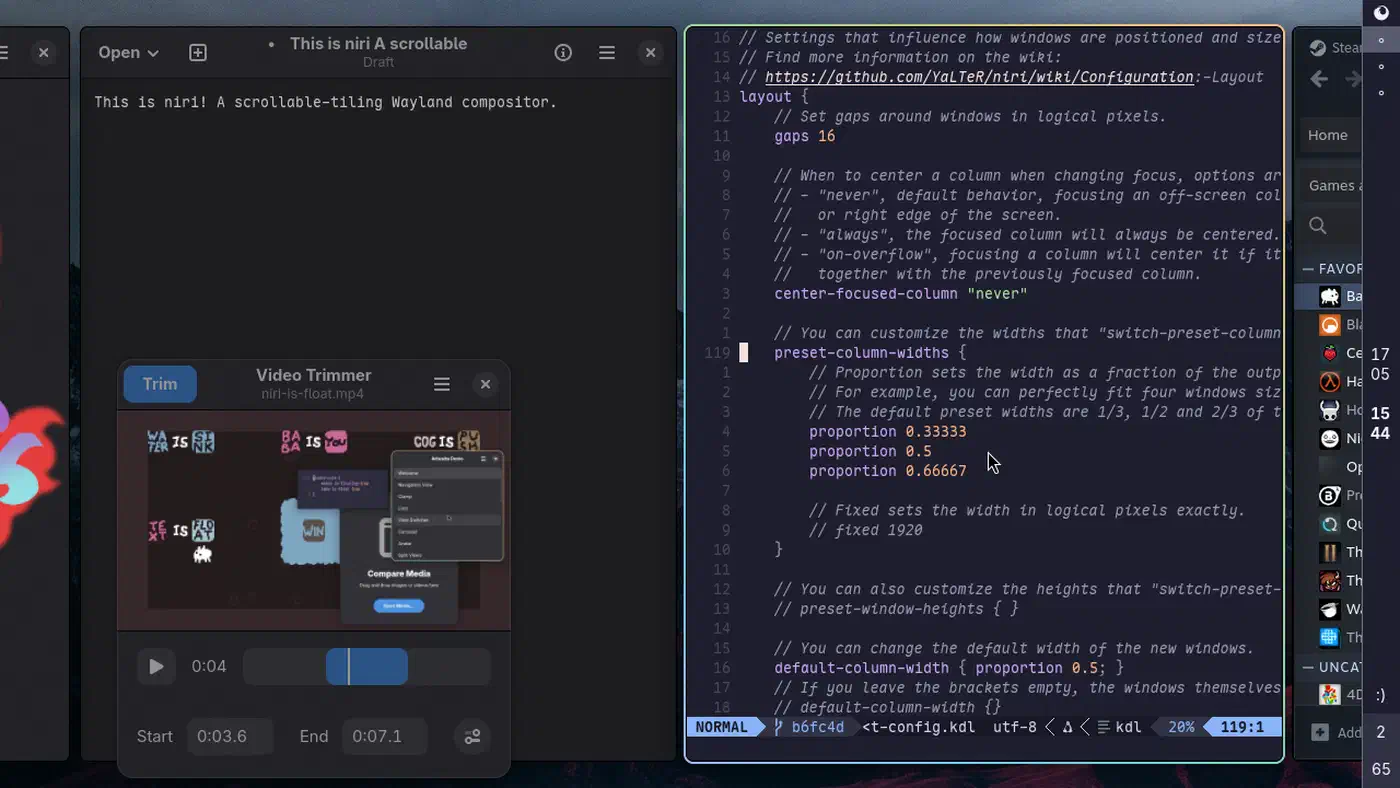
Ultrawide and 4K users tend to fall for it fastest. The scrollable strip rewards horizontal real estate in a way that binary-split tilers cannot match. You can keep eight apps open, see three at a time, and flick between them without Alt-Tab roulette. On the flip side, if you live in floating windows, depend on features niri deliberately omits (like Hyprland’s blur and heavy animations or Sway’s built-in bar protocols), or have muscle memory bound to fixed workspace numbers, you should probably stick with what you have.
The foundation is Smithay, a modular Rust toolkit for building Wayland compositors. That buys niri memory safety, solid multi-monitor handling, and a codebase that outside contributors can actually read without drowning in C macros. The project crossed 22k GitHub stars during 2025 and picked up a proper org namespace at niri-wm.
Installing Niri and Getting to a First Login
Niri is packaged on most major distros by 2026, but the first-boot experience still has gotchas around session files, portals, and which bar to run. Here is what the landscape looks like for the most common distros.
On Arch, pacman -S niri pulls it straight from the extra repository, and Omarchy now ships a preconfigured Arch desktop if you would rather not assemble the session yourself. Fedora ships it in the main repos after a long stint in COPR. NixOS users consume the upstream flake from the niri repository. Ubuntu 24.04 and later can use the official PPA or backports. Alpine has it in community. All of them track releases from the upstream repo reasonably quickly.
Building from source when you want the latest unreleased changes means cargo build --release against a recent stable Rust (1.80+ at time of writing), plus development headers for libinput, libseat, wayland, pixman, and libxkbcommon. The niri wiki documents the exact apt, dnf, and pacman package names per distro so you do not have to guess.
The session file is what lets GDM, SDDM, or greetd show “Niri” as a login option. Distro packages install a niri.desktop entry to /usr/share/wayland-sessions/ automatically. If you built from source, copy the file manually from resources/niri.desktop in the repo. A missing session file is the single most common reason new users cannot find niri at the login screen.
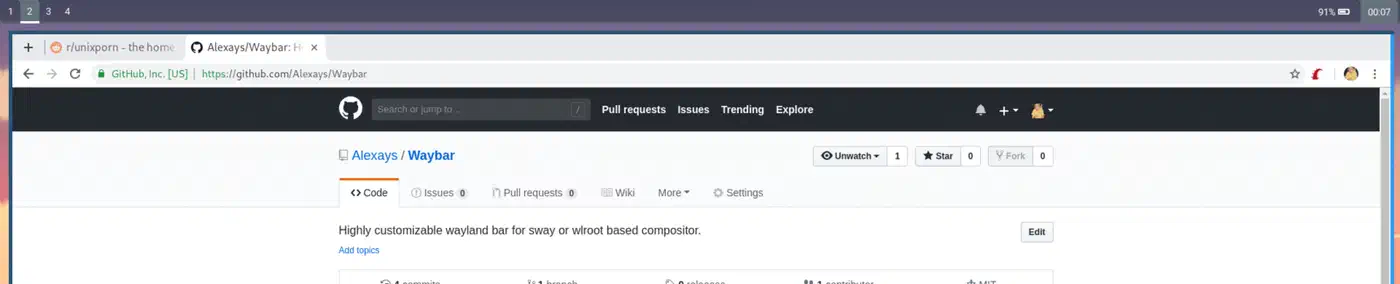
Niri ships no built-in status bar, so you pair it with waybar, yambar, or the newer niriswitcher overview helper. All three speak the standard Wayland layer-shell protocol. The niri wiki maintains a known-good waybar config you can drop in verbatim.
Portals are the single most common first-day problem. Install xdg-desktop-portal-gnome (or xdg-desktop-portal-gtk) plus xdg-desktop-portal-wlr. Niri relies on the wlr portal for screencast and the gtk or gnome one for file pickers. Getting both registered correctly is what stands between you and working screen sharing in Zoom or Slack. systemctl --user status xdg-desktop-portal-wlr.service is your friend when something breaks.
For notifications and launchers, niri defers to external tools. mako or fnott handle notifications, and fuzzel, tofi, or anyrun handle launchers. The compositor itself is deliberately minimal.
Running niri nested inside another compositor is the fastest way to try it without committing to a full login switch. niri --session launches a full session, but niri alone runs a windowed instance inside Sway, GNOME, or KDE. Great for a 15-minute test drive before you commit to reconfiguring your login manager.
The KDL Config File and Live Reload
Niri’s configuration format is one of its defining features. It uses KDL (KDL Document Language), which reads like a cross between JSON and a shell script, and it live-reloads on save so you see changes instantly without restarting the compositor.
Why KDL and not TOML, YAML, or a Lua DSL? KDL supports nested nodes, typed arguments, and comments natively, so a keybinding like Mod+Shift+E { quit skip-confirmation=true; } fits on one line instead of requiring a multi-line table. The v2.0.0 spec was finalized in December 2024, and niri was one of the earliest high-profile compositors to pick it up alongside Zellij.
The config lives at ~/.config/niri/config.kdl. If the file is missing, niri generates a heavily commented default on first run that doubles as the tutorial. Read it top to bottom before editing; it covers more of the option surface than the wiki does.
Live reload uses inotify. Save the file and the change takes effect immediately. Syntax errors are reported in a popup (or in the journal via journalctl --user -u niri.service), and the previous valid config stays active, so a typo never locks you out of the session. That alone makes niri fun to experiment with in a way Sway and i3 are not.
A minimal starter looks like this:
input {
    keyboard { xkb { layout "us" } }
    touchpad { tap; natural-scroll }
}

output "DP-1" { mode "3840x2160@120.000" scale 1.5 }

spawn-at-startup "waybar"
spawn-at-startup "mako"

binds {
    Mod+Return       { spawn "alacritty"; }
    Mod+D            { spawn "fuzzel"; }
    Mod+Q            { close-window; }
    Mod+H            { focus-column-left; }
    Mod+L            { focus-column-right; }
    Mod+Shift+H      { move-column-left; }
    Mod+Shift+L      { move-column-right; }
    Mod+R            { switch-preset-column-width; }
    Mod+F            { maximize-column; }
    Mod+Tab          { toggle-overview; }
}
Preset column widths are the ergonomic heart of daily use. The preset-column-widths node lets you cycle between, say, 33%, 50%, 66%, and full-width with one key. That single binding replaces the manual grow-shrink dance of Sway and i3 and is often the feature that wins skeptics over on the first afternoon.
Window rules borrow i3 and Sway conventions but in KDL. You can open Firefox at 66% width, force Slack into a specific column, or pin a terminal to a workspace on startup. A rule block filtering by app-id, title regex, or role covers almost every real need.
Validating without saving is handy in dotfile CI and pre-commit hooks. niri validate parses the config and reports errors from the command line, which catches typos before they reach your live session.
Daily Workflow: Columns, Overview, and the Editor-Browser-Terminal Dance
Any compositor earns or loses my trust based on whether a full workday in it feels natural. Here is a typical session on niri: Neovim in the center column at 50% width, Firefox at 50% to its right, and the terminal emulator I keep stacked below the editor in the same column. Mod+L scrolls one column right to the browser without touching the mouse. The editor and terminal share vertical space in a column, but the browser does not resize when the terminal opens because they live in different columns.
Opening a documentation tab off to the side works the same way. The fourth window spawns as a new column to the right of the current focus; you scroll over to it when needed and scroll back, and nothing already on screen resizes or rearranges. If you have used PaperWM, you already know this pattern. The difference is that niri runs it natively at compositor level, so there is no GNOME Shell overhead and no JavaScript extension to break on updates.
The overview, bound to Mod+Tab by default since v25.05, zooms out to show all columns on all workspaces as a scrollable map. It is similar in spirit to GNOME’s Activities view or macOS Mission Control, and you can click or arrow-key to any window. It solves the “where did I leave that log file” problem completely, which on Sway usually involves cycling through nine workspaces with rapid Mod+1 through Mod+9 presses.
Moving columns between workspaces uses Mod+Shift+U or Mod+Shift+I to send the current column down to a new workspace or up to the previous one. Because workspaces are dynamic, you never accumulate empty desktops 4 through 9 like you do in i3. The vertical workspace axis and the horizontal column axis feel like a single coherent grid once the muscle memory forms.
Multi-monitor handling is one of niri’s strongest cards, thanks to Smithay’s fractional scaling support. Each output has its own independent strip and workspace stack, and focus-monitor-left or focus-monitor-right (plus move-column-to-monitor) jumps windows cleanly between displays with no DPI weirdness. Mixing a 4K display at 1.5x scale with a 1080p secondary works without rendering artifacts, which is still a sore point on some other compositors.
Touchpad gestures feel native on a ThinkPad or MacBook trackpad. Three-finger horizontal swipe scrolls the strip. Four-finger vertical swipe changes workspace. Pinch opens the overview. Niri ships these bindings by default; you do not need a libinput-gestures layer on top.
Tabbed columns arrived during the 2025 release cycle and matured through 2026. You can stack multiple windows into a single column as tabs for when you want browser-like grouping inside one slot of the strip without spawning new columns. Set default-column-display "tabbed" in the layout block to make all new columns start tabbed, or toggle per-column with a binding.
What you give up compared to Hyprland is blur, heavy animation effects, and per-monitor wallpaper config (use swaybg for wallpapers). Niri prioritizes latency over eye candy and keeps the animation budget deliberately tight. There is no built-in screenshot tool either; pair it with grim and slurp. For most users these are one-time setup costs, not daily friction.
Interop: Xwayland, Screen Sharing, and the Rest of the Wayland Stack
Niri is strict about Wayland protocols. That is great for correctness but means some things that “just work” on KDE or GNOME need a bit of assembly. If you are coming from an X11 setup, our guide to walking through the move off X11 covers the broader transition including driver prep and tool replacements. Here is what every niri user hits in the first week.
Xwayland handling is different in niri than in Sway or Hyprland. Instead of embedding XWayland directly, niri runs xwayland-satellite as a rootless companion process that provides X11 protocol to legacy apps. Since v25.08, niri detects xwayland-satellite automatically, creates the X11 sockets, sets DISPLAY, and spawns the satellite on demand when an X11 client tries to connect. Steam, JetBrains IDEs on older versions, Zoom, and Wine or Proton games all work transparently. If xwayland-satellite crashes, niri restarts it. The main caveat is that X11 apps that position windows at specific screen coordinates (certain system trays, some older games) will misbehave and need a nested compositor like cage as a fallback.
Screen sharing in Zoom, Google Meet, Slack, and Discord relies on xdg-desktop-portal-wlr plus PipeWire. If you run into trouble, fixing Wayland screen sharing covers the full portal and PipeWire setup in detail. Once the portal is running, the Share Screen dialog shows each niri output and you pick one. Full-desktop sharing works out of the box. Per-window sharing works via the portal’s window picker once you have a recent enough wlr portal.
Clipboard managers are a five-minute setup. cliphist plus wl-clipboard is the standard combo. Bind cliphist list | fuzzel --dmenu | cliphist decode | wl-copy to a key and you have GNOME-class clipboard history in ten lines of config.
For wallpapers, swaybg or swww (animated) cover every use case. Niri itself paints a solid color and expects a layer-shell client to handle images.
Idle and lock work without modification. swayidle and swaylock (or gtklock) both talk to niri’s ext-idle-notify-v1 implementation, so modern idle daemons trigger correctly on the first try.
Notifications, tray, and sound follow the same pattern. mako or fnott handle notifications, waybar’s tray module handles the system tray via the standard StatusNotifierItem spec, and PipeWire with WirePlumber handles audio. None of this is niri-specific but the wiki lists known-good combinations so you do not have to pick blind.
Gaming works well in 2026. Steam runs through xwayland-satellite, Proton games run fine, VRR and adaptive sync are supported on outputs via a config flag (output "DP-1" { variable-refresh-rate }), and HDR is still experimental. Check the niri wiki for current HDR status before relying on it for media work.
A quick comparison against neighbors in the Wayland tiler space:
| Feature | Niri | Hyprland | Sway | River |
|---|---|---|---|---|
| Layout model | Scrollable columns | Dynamic tiling | Manual tiling (i3-style) | Tag-based dynamic |
| Config format | KDL (live-reload) | Hyprlang (live-reload) | i3-style (reload on SIGHUP) | Shell scripts |
| Animations | Minimal, intentional | Extensive, GPU-heavy | None | Minimal |
| Built-in bar | No (waybar/yambar) | No (waybar) | swaybar | No |
| Language | Rust | C++ | C | Zig |
| Xwayland | xwayland-satellite | Built-in | Built-in | Built-in |
Each of these has its own pitch. Hyprland, Sway, and COSMIC each have their own trade-offs worth reading before you commit; Hyprland goes further on animations and raw feature count, Sway is the most stable and has the most mature bar ecosystem, and river sits at the minimalist end with its tag-based layout model. Niri’s edge is scrollable ergonomics combined with the live-reload KDL config that makes experimentation genuinely fun. If you spend your days in an editor and a browser on an ultrawide, it is worth a Saturday afternoon to try.