 Botmonster Tech
Omarchy Quattro gives Linux a desktop you can rearrange
This post is open for corrections. Highlight any line of text to challenge it or ask for a clearer explanation and leave a comment.
Omarchy Quattro is the August 2026 release of Omarchy, the Arch Linux desktop from 37signals. Its bar, launcher, notifications and lock screen now run as one Quickshell process instead of eight separate programs. Drag that bar to any screen edge, extend it with plugins, and updates stop overwriting your own changes.
Key Takeaways
- Quattro throws out eight desktop programs and runs one shell instead.
- Omarchy ships as Arch packages now, so updates stop clobbering your tweaks.
- You can grab the menu bar and drag it to any screen edge.
- The ISO dropped under 6 GB and installs in less than a minute.
- The AI features are optional, and dismissing one notification turns them off.
What is Omarchy?
Omarchy is a preconfigured Arch Linux desktop built around the Hyprland tiling window manager. David Heinemeier Hansson of 37signals assembles it and gives it away free. It is pitched at people on Windows and Mac who want to switch. They get a finished desktop without spending thousands of hours building their own. Hyprland’s grid is not the only layout on offer, and niri scrolls windows sideways instead of squeezing them.
He calls the result omakase, a chef’s selection you are still free to change. In practice that means no dock and no desktop icons. SUPER + SPACE opens one menu that acts as the launcher, the settings, the installer and the command palette at once. SUPER + K lists every keybinding and runs the one you highlight.
Arch sits underneath, Hyprland tiles the windows, and in Quattro, Quickshell drives everything you see and click. The basecamp/omarchy repo has picked up close to 25,000 stars since it started in 2025, and the whole thing is MIT licensed. Grab the ISO from omarchy.org or read the full written Omarchy manual.
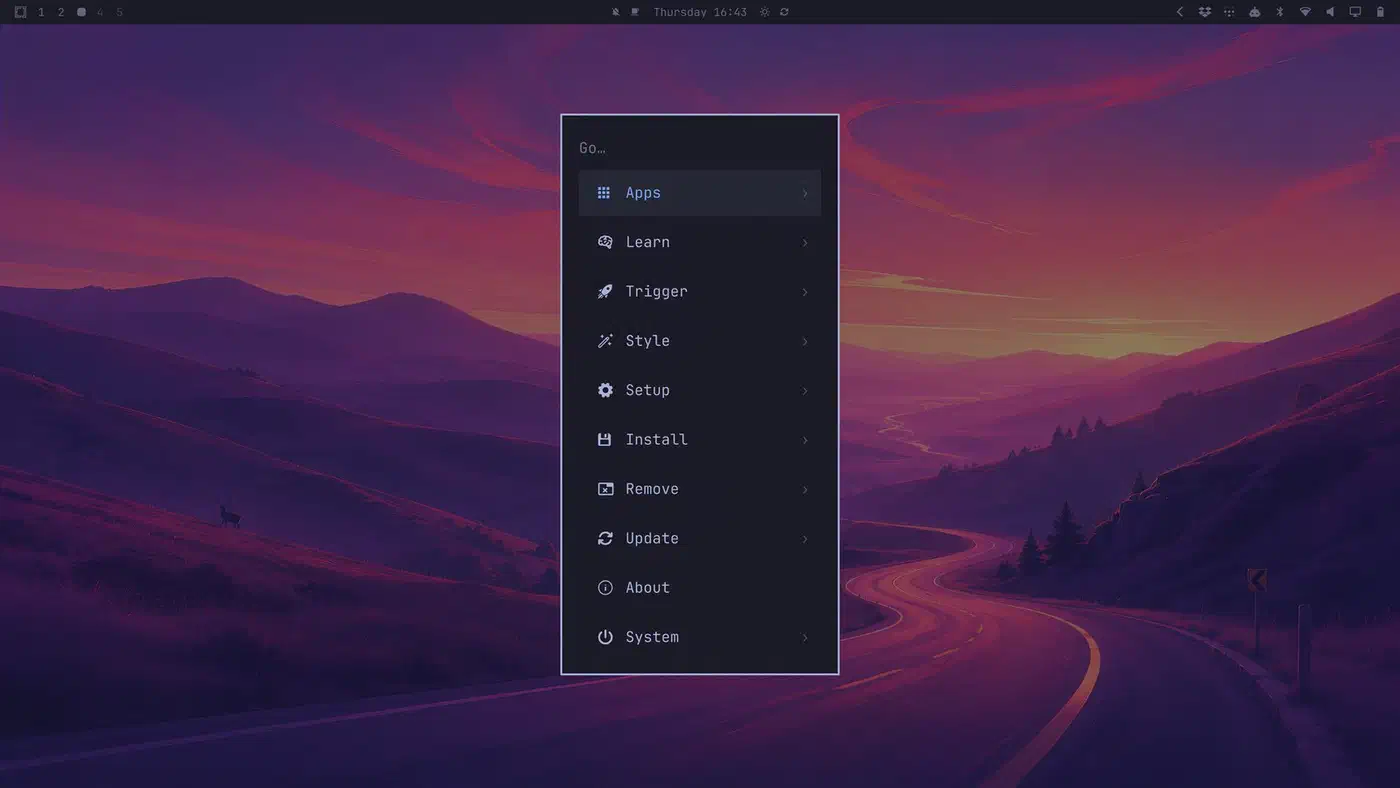
Do not confuse it with Omakub, DHH’s earlier Ubuntu-based setup. Quattro does bring the classic Omakub background back, purely as nostalgia.
What is new in Omarchy Quattro?
Quattro is version 4.0.0, tagged on 14 August 2026, and it is the largest change since the project started. One program replaced a pile of separate Wayland utilities, per the v4.0.0 release notes:
| Removed | Job it did | Now handled by |
|---|---|---|
| Waybar | Status bar | Shell bar plugin |
| Walker | App launcher | Unified Omarchy menu |
| Mako | Notifications | Native notification daemon |
| SwayOSD | Volume and brightness popups | Native on-screen displays |
| hyprlock | Lock screen | Shell PAM flows |
| hypridle | Idle handling | Shell idle service |
| swaybg | Wallpaper | Shell background |
| polkit-gnome | Password prompts | Themed polkit agent |
One process now holds the bar, launcher, menus, notifications, panels, lock screen and polkit agent as plugins. The toolkit doing the work is Quickshell, a QML framework for Wayland desktop parts. The shell is also event-driven, so an idle desktop stops burning CPU on status checks.
Because it is all one program, changing the theme moves the bar, the terminal, notifications, btop, Neovim and VS Code together. The theme colour set grew from 8 base colours to 24, and those application configs are generated from it instead of hand-maintained.
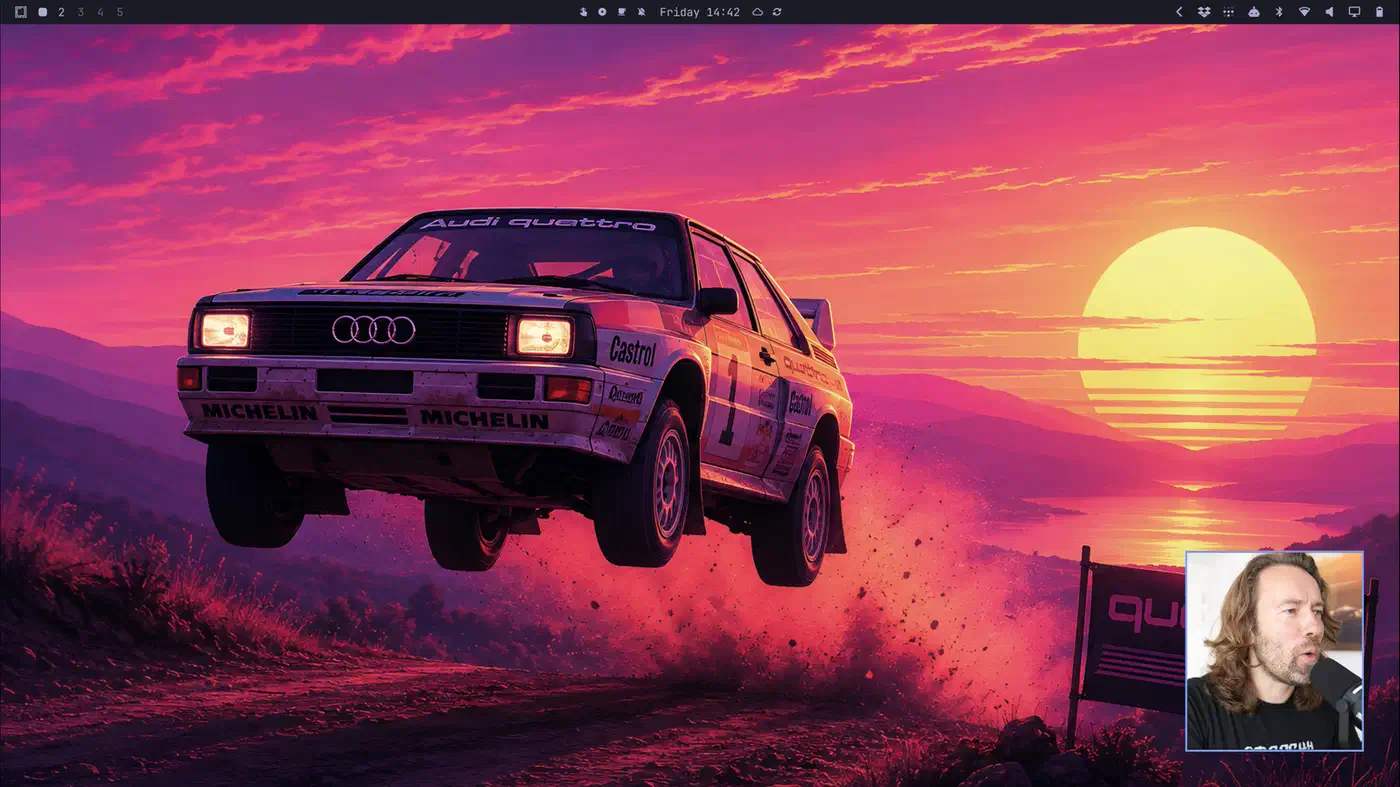
Hyprland’s configuration is now Lua, for Hyprland 0.56 compatibility, so a binding reads like this:
o.bind("SUPER + SHIFT + W", "Omawrite", { launch = "omawrite" })The ISO shrank by over a gigabyte to under 6 GB. Installs run more than 30% faster, and fast hardware finishes in under a minute.
The menu bar you can drag, and the plugins other people wrote
The most visible change is a bar you configure by grabbing it. Drag any empty stretch of bar toward a screen edge and a ghost slab previews where it will dock. Drop it left or right and it becomes a vertical bar. Double-click empty bar space to toggle transparency.

The shell reads the background image and picks white or black text depending on which one stays legible.
Workspaces, the active window, a clock, weather you can pin to one place, media controls, a system tray, battery, keyboard layout, microphone and an update indicator all sit there. So do manual toggles for do not disturb, night light, stay awake, screen recording and dictation. Right-side panels open on SUPER + CTRL + 1 through 9, counted left to right. Rearranging a widget renumbers the panels, so there is no keybinding to rewrite.
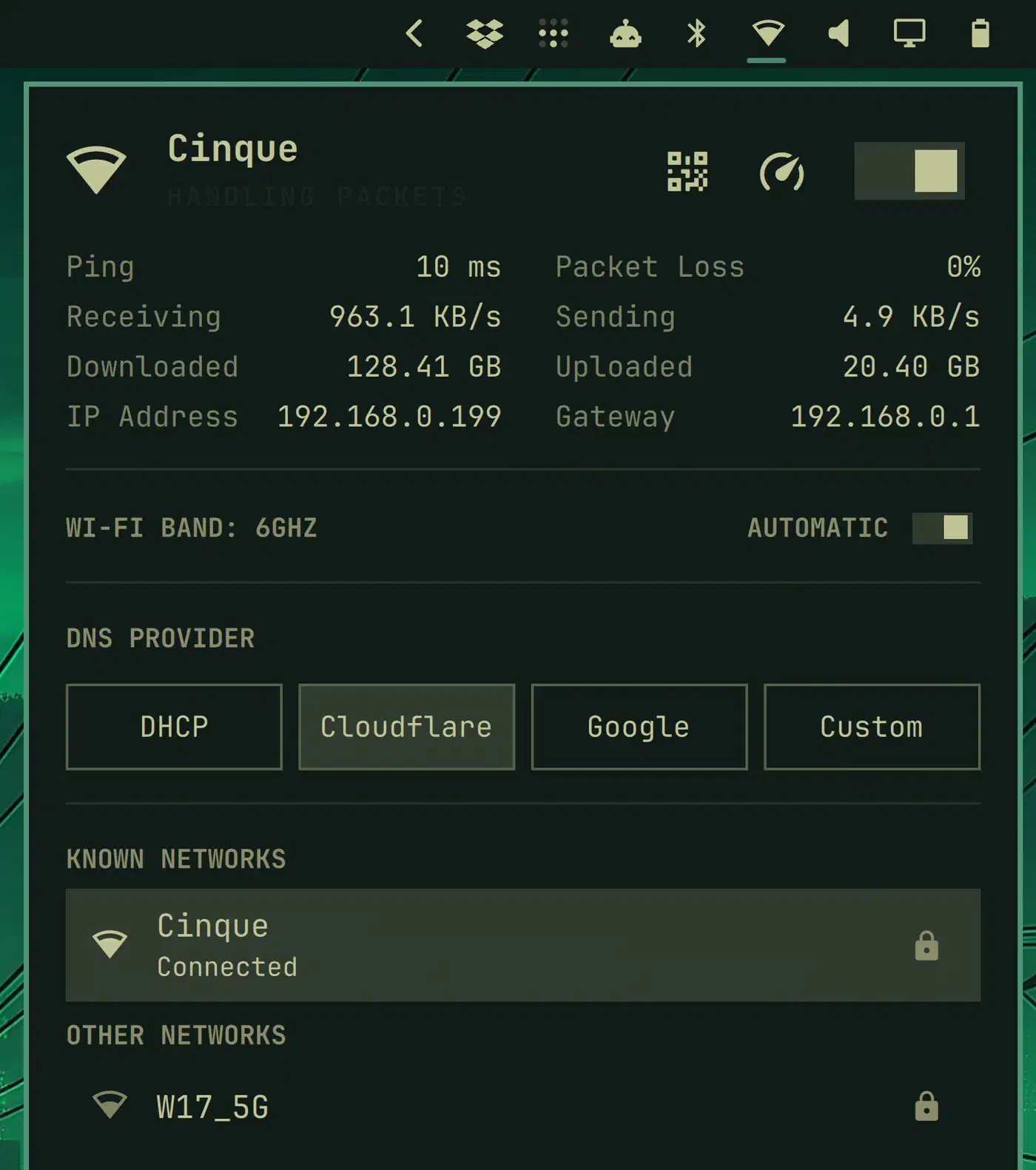
Five control panels have their own keys. Audio is SUPER + CTRL + A, Bluetooth B, Network W, Display D and Power P. The network panel shows live throughput, ping and packet loss, runs a speed test, picks your DNS provider and shares Wi-Fi by QR code. Optional panels ship for Tailscale, with an exit-node picker, and for Dropbox. A separate widget reads your Claude Code and Codex usage against your limits.
Plugins install from a git URL:
omarchy plugin add <git-url>They are managed under Setup > Plugins, which can add, clone, enable, disable and remove them. Cloning a built-in plugin gives you a private copy that supersedes the shipped one, so your version survives updates.
However, plugins are not sandboxed, and DHH says so plainly in his Omarchy Quattro tour. He compares the risk to installing from the AUR, npm or RubyGems. Read the code before you run it. A community registry lives at omarchyplugins.com. HANCORE runs it, with no tie to 37signals. It listed over 100 plugins within days of launch, by DHH’s count in the tour.
Omarchy stopped being a git checkout in your home directory
Until Quattro, the project lived as a git repository inside your home directory. Edit one of its files, take an update, and things stopped working.
Quattro ships Omarchy as Arch packages instead, with system files in /etc and updates flowing through pacman. Your changes now layer on top of the project’s files instead of colliding with them at merge time.
Your own shell settings go in ~/.config/omarchy/shell.toml, which is merged over the active theme. The file is watched, so a font or spacing tweak re-flows the live shell. It also survives a theme switch. The Omarchy menu is JSONC and extends through ~/.config/omarchy/extensions/omarchy-menu.jsonc.
An ALPM guard routes system updates through omarchy update rather than raw pacman, bypassable with OMARCHY_ALLOW_DIRECT_PACMAN=1. Every update takes a Snapper snapshot first, and boot offers a menu to roll back to it. Quattro also fixes a case where an update claimed a snapshot that was never actually created.
Omarchy runs its own package repository on Cloudflare. It mirrors Arch’s official packages a month behind upstream, so a bad package does not reach your machine the day it ships. The lag is only a default, and security fixes jump it. Four channels are on offer: stable with the one-month lag, rc, edge for the newest packages, and dev for people working on Omarchy itself. The AUR is still there with roughly 117,000 packages. It is no longer a runtime dependency, though, after a run of AUR outages and security incidents.
The AI agent features, and how to switch them off
DHH calls Quattro an agentic operating system, which is the part of the release most likely to put readers off. In practice it comes down to a keybinding, a usage widget and an opt-in crash reporter, and nothing runs a model on your machine.
You pick a default agent under Setup > Defaults > Agent. The list runs Claude Code, Codex, OpenCode, Pi, Oh My Pi, Gemini, Grok, Copilot and Crush, and the one you choose installs on first use. Launch it with SUPER + SHIFT + CTRL + A or the a alias in any terminal. It opens in its own window and starts in ~/Work, so directory trust sticks between runs.
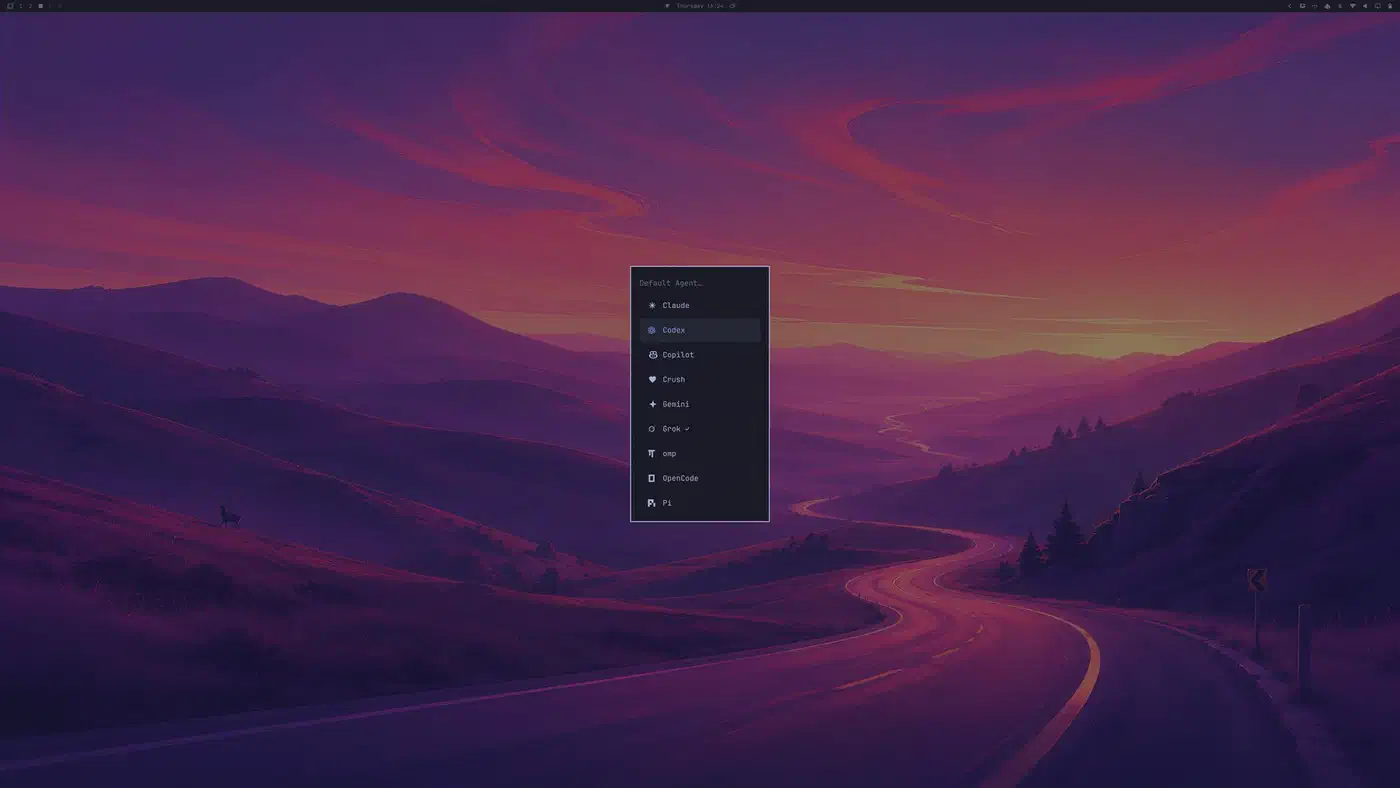
These agents install through mise rather than system packages, so mise up updates them on their own. DHH’s reason: such tools ship many times a day. They should not drag a whole system update along with them.
Crash diagnosis works through the same picker. When systemd-coredump sees a crash, a “Process crashed” toast pops up. Click it and your agent gets briefed with a diagnose-crash skill that reads the backtrace. Filing an upstream bug happens only with your agreement, and only after a duplicate search.
The whole thing switches off in one gesture. The default-agent invitation arrives as a notification, and right-clicking any notification dismisses it. Do that and the agent, the crash reporting and every other AI touchpoint stay out of the desktop. Omarchy’s own development did lean hard on agents, though. DHH is open that Omawrite is C++ he did not write himself.
Omawrite, Omacut and Omacalc replace three apps
Quattro ships three small first-party applications, each written to replace something bigger or paid.
- Omawrite (
SUPER + SHIFT + W) is a Markdown writing app replacing Typora, which was shareware. It autosaves as you type, and pasting a URL over a selected word turns it into a link. - Omacut is a video trimmer built on ffmpeg. You drop in a clip, drag the filmstrip handles and export. It exists mostly for trimming the screen recordings Omarchy itself makes. For converting between formats rather than trimming, a self-hosted file converter such as ConvertX wraps ffmpeg and 18 other tools. For clips from the web, OmniGet puts yt-dlp behind a desktop window and fetches them first.
- Omacalc (
SUPER + CTRL + Q) is a calculator replacing GNOME Calculator.
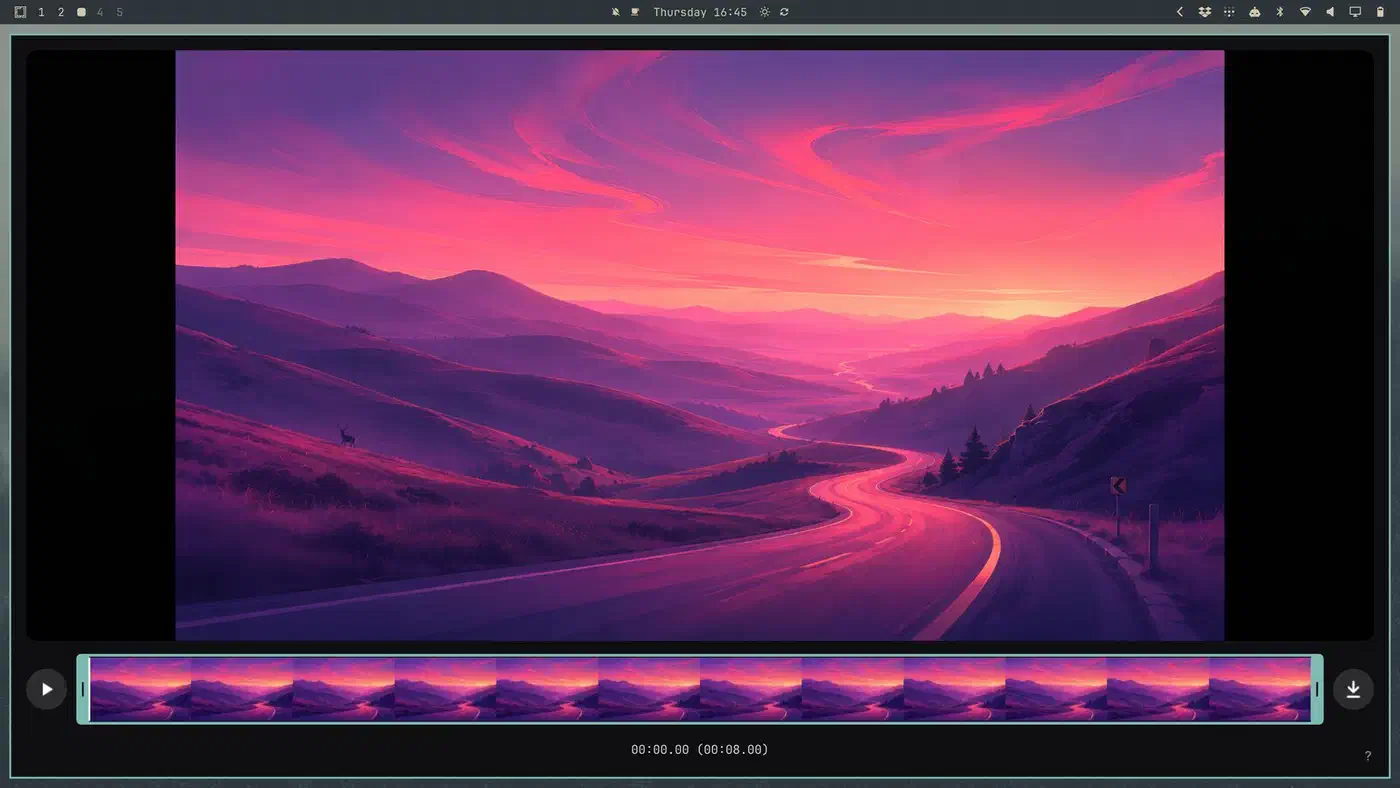
Omawrite and Omacut are C++ with Qt and land in the low single-digit megabytes. Foot is now the terminal, picked so Omarchy runs on old laptops. Tensaku replaces Satty for marking up images, dua handles disk usage, and Moonlight ships for game and desktop streaming.
The Figma and GitHub web apps are out of the defaults, and Signal, Spotify and 1Password moved to on-demand installs. ChatGPT is now a real desktop app under Install > AI rather than a web wrapper. The screensaver switched to ttfx, a Rust port of terminaltexteffects that starts in about 1 ms instead of about 107 ms. It also takes Python out of the base image.
Installing, dual booting, and handing the machine to someone else
Dual boot is offered whenever the installer finds free space on the disk. Turn Bitlocker off on the Windows side first. Fresh installs use omarchy-4.0.0.iso from omarchy.org, with a published SHA256 of 9224fab3720560f771969a99a499e5f7e0f8e2d6a0681d872d52f05fb5003da4.
First-boot setup can also be deferred, so an install finishes with no user account at all. The eventual owner then picks keyboard, account, hostname and timezone on first boot. On an encrypted disk the LUKS volume is re-keyed from the throwaway install passphrase to the owner’s password, all-or-nothing, and every other slot is killed.
Setup > Reset Computer handles the handover itself. It swaps the running root for a fresh clone of the @factory snapshot the ISO takes at install time, then scrubs identity, accounts and fingerprint enrolments. A machine with no factory snapshot is refused rather than half-wiped. Factory reset only works on machines installed fresh from the Quattro ISO, never on upgraded ones.
Upgrading an existing install is two menu entries, Update > Omarchy first, then Update > Omarchy to Quattro. The upgrade stays on whatever channel the machine is already on. It leaves the Omarchy 3 session running until the reboot, which is the real cutover, and it checks boot-critical kernel parameters on the way through. Separately, Setup > Security opens SSHD and pulls your authorised keys straight from your GitHub username, an idea DHH says he took from Ubuntu Server.
What to check before you upgrade to Quattro
Take a backup. The release notes put that above the upgrade instructions.
NVIDIA owners get the most specific handling. Quattro sorts cards by device ID, which keeps pre-Maxwell cards off a driver that cannot drive them. On NVIDIA-only machines it also drops the kms hook and roughly 100 MB of nouveau firmware from the initramfs. Existing images are rebuilt during the upgrade.
Mac hardware got its own round of fixes: T2 suspend and fan defaults, and gmux backlight selection. One Broadcom Wi-Fi quirk made WPA2/WPA3 transition-mode networks reject a correct password, and that is fixed too. During the beta, Wi-Fi management moved to NetworkManager, so a wpa_supplicant left masked from the iwd era had to be unmasked.
Quattro closed three code-execution paths a bad theme could take through install. It also removed a sudoers grant that let any wheel user write a root-owned symlink anywhere. On the audio side, speaker tunings that restore the vendor’s Windows sound ship only for the 2026 Dell XPS 14 and 16. Adding another laptop takes two data files, and so far only those models have them.
Some people should sit this one out entirely:
- You want a distro someone else supports. Omarchy is one company’s opinionated setup.
- You run an NVIDIA card older than Maxwell, which Quattro deliberately keeps off the proprietary driver.
- You want Windows gaming with GPU pass-through, which the built-in Windows VM does not do.
- You dislike rolling releases. The one-month package lag softens Arch here, but it does not stop the churn.
- You are mid-project on a work machine. A whole shell rewrite lands with this upgrade.
Omarchy carries 569 open issues and still rolls on Arch. The delayed packages and the Snapper snapshots cut down how often a bad update reaches your machine, but they do not make it a fixed-release distro.