You can secure your Home Assistant config by pushing your YAML files to a private GitHub repo on a daily schedule. This gives your smart home version control. You can see what changed between the last working state and the broken one, roll back a single file in seconds, and rebuild a fresh HA install from a repo clone. It is faster and far more useful than the built-in snapshot backup for config-level problems.
Designing a Professional Home Assistant Dashboard with CSS
A professional Home Assistant
dashboard uses custom CSS Grid layouts and HACS cards like button-card to build responsive, mobile-first interfaces. Moving past the default grid lets you design a “control center” that looks like a native high-end app, not a scrolling list of toggles. This guide walks through every layer of that change. It covers why the default UI falls short, the CSS Grid basics you need, how to build a clean theme, how to structure room-based navigation, and how to make it all work well on the HA Companion App.
Better Presence Detection with Bayesian Sensors in Home Assistant
Bayesian sensors in Home Assistant
give you one reliable presence signal by fusing weak ones: phone Wi-Fi, GPS zones, motion, power draw, and more. The bayesian platform doesn’t ask “is this one sensor on?” It asks “given everything I can see right now, how sure am I that someone is home?” The result is a presence system that tolerates dropouts, handles sleeping occupants, and stops the lights clicking off while you’re still on the couch.
Automate Smart Blinds and Adaptive Lighting for Better Sleep
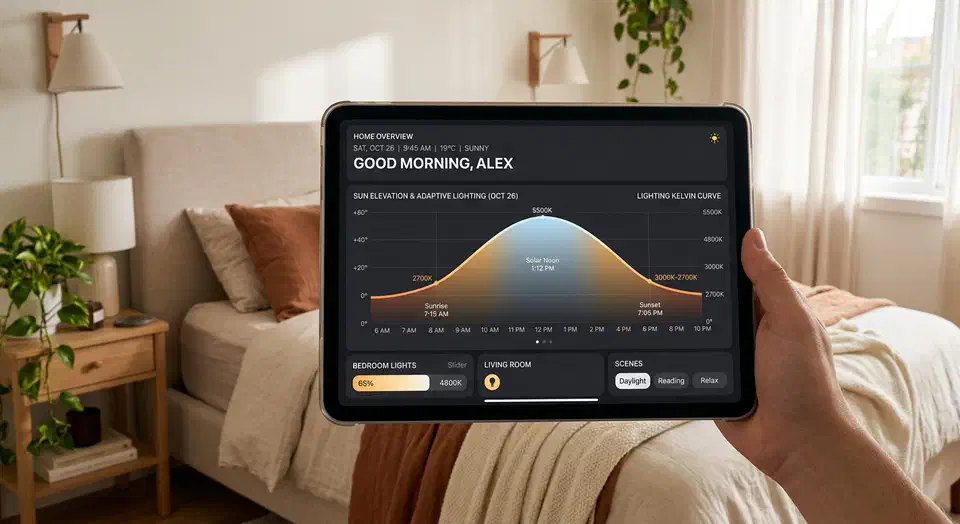
Your home’s lights are one of the best levers for better sleep, and you can set most of it on autopilot. Pair motorized blinds driven by Home Assistant solar elevation data with the Adaptive Lighting HACS integration. The combined setup shifts light and blind positions through the day, in step with your body clock. The result: a gentler wake-up, a calmer wind-down, and better sleep.
The Science of Circadian Lighting
The human circadian system is keenly sensitive to light. The intrinsically photosensitive retinal ganglion cells (ipRGCs) in the eye react strongly to short-wavelength blue light in the 470 to 490 nm range. Cool bluish light, typically in the 5000K to 6500K color range, blocks melatonin and tells the brain it’s daytime. Warm light in the 2200K to 2700K range mostly falls outside that band and won’t trigger the same response, so it’s safe (and even helpful) for evening use.
Target the Triggering Entity in Home Assistant
When you have one automation watching multiple switches, you don’t need to hardcode which one to turn off. You can use the trigger object to dynamically target whichever device started the automation.

Automate Linux Desktop Setup with Ansible and Dotfiles
If you reinstall Linux more than once a year, your setup is probably still too manual. Most people keep a checklist in their head: install packages, copy shell config, fix fonts, set up Git and SSH, restore editor plugins. Then they spend a week finding what they forgot. That works until it doesn’t. A failed SSD, a new laptop, or a distro hop shows how fragile the workflow is.
A better model is to treat your desktop like infrastructure: declarative, version-controlled, and repeatable. Ansible handles package and system state. GNU Stow links your dotfiles cleanly. The result is a setup you can rebuild in 20 to 40 minutes with few hand edits. It also keeps improving over time instead of drifting.
Botmonster Tech