 Botmonster Tech
Asahi Linux daily drives M1 and M2, but not yet the M4
This post is open for corrections. Highlight any line of text to challenge it or ask for a clearer explanation and leave a comment.
Bought a MacBook Pro M4 or Mac mini M4 hoping to run bare-metal Linux? Asahi Linux M4 support doesn’t exist in August 2026, and no installer is close. Asahi Linux still ships support for M1 and M2 only. M3 has moved fast this year. It now has working audio, CPU frequency scaling, and an installer in the works. M4 is stuck in early bring-up, with no installer, no GPU driver, and no ETA. On an M1 or M2 Mac, Asahi is a real daily driver for devs, sysadmins, and terminal work. On an M4, your choices are macOS with a Linux VM, a new laptop, or patience.
The project’s path shifted sharply in 2025, and the blockers on M4 are different in kind from the ones the team solved on M1 and M2.
What “supported” actually means in August 2026
Fedora Asahi Remix 44 shipped on 28 April 2026. It is the reference distro for Apple Silicon. It tracks Fedora Linux 44 with KDE Plasma 6.6, a native setup wizard, and a new login manager. The supported hardware list still stops at M2: every M1 and M2 series MacBook, Mac mini, Mac Studio, Mac Pro, and iMac, and nothing newer. The 14" and 16" MacBook Pro with M2 Pro or M2 Max got working ProMotion 120 Hz displays and a working built-in mic in the last cycle. That closed two of the last big gaps in the M2 story.
The kernel numbering also rolled over. Asahi’s downstream tree moved off the 6.x series and now tracks Linux 7.x. The reference points are the Linux 7.0 and Linux 7.1 progress reports, from April and June 2026.
M3 is not on that list yet, but the gap is now measured in months rather than years. The Linux 6.19 report had M3 at “boots to KDE Plasma on a MacBook Air, software-rendered.” Since then, 7.0 enabled PCIe, keyboards, trackpads, NVMe, the SMC-based real-time clock, and the reboot controller. The team put that at the level of the first M1 alpha. Then 7.1 added speaker and headphone audio, CPU frequency switching, and big.LITTLE task scheduling. The M3 feature support page now lists the installer, the GPU, and the display as work in progress rather than TBA. Wi-Fi, Bluetooth, NVMe, sleep, and cpufreq already work in the linux-asahi kernel. The maintainers say progress is rapid and still refuse to name a date.
M4 sits much further back. The M4 feature support page marks every line as TBA, on the MacBook Pro, the MacBook Air, and the Mac mini alike. That is the whole list: GPU, display, video codecs, audio, webcam, keyboard, trackpad, Wi-Fi, Bluetooth, Thunderbolt, USB3, NVMe, PCIe, cpufreq, sleep, Touch ID, and the neural engine. The installer row reads “no” for every M4 machine.
The one sign of movement showed up in the 7.1 report. The team is laying groundwork for M4 and the A18 Pro, with better handling of Apple’s non-macOS boot mode and support for new power domain metadata in the Apple Device Tree. That is plumbing under the plumbing. It is not a driver, and it does not get a desktop on screen.
| Chip generation | Boot status | GPU | Daily driver? |
|---|---|---|---|
| M1 / M1 Pro/Max/Ultra | Supported | Conformant Vulkan 1.3 | Yes |
| M2 / M2 Pro/Max/Ultra | Supported | Conformant Vulkan 1.3 | Yes |
| M3 / M3 Pro/Max | Boots to desktop, installer in progress | In progress | Not yet |
| M4 / M4 Pro/Max | Early bring-up, no installer | None | No |
Why M4 is harder than anyone expected
Asahi Linux has never been a normal Linux port. The project exists because Apple ships no docs, no firmware blobs for Linux, and a boot chain that looks like nothing in the PC world. The trick since M1 has been to run macOS inside a custom hypervisor built on m1n1, watch its drivers talk to the hardware, and rewrite what they do as upstream Linux drivers in C or, more often now, Rust.
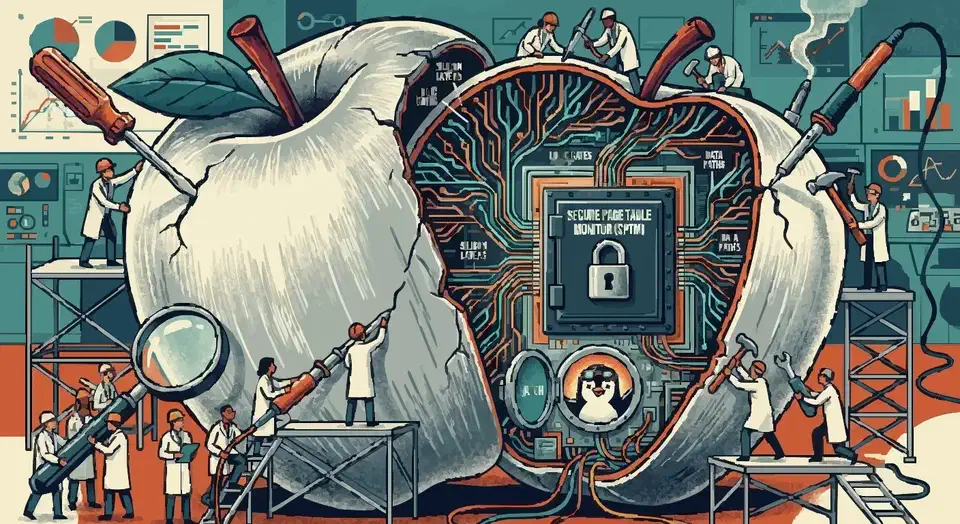
M4 broke that trick. Sven Peter told Linux Magazine that Apple added a new hardware layer called SPTM (Secure Page Table Monitor). It runs at a higher privilege level than the OS kernel. When m1n1 loads a Mach-O boot object on M4, it lands in a world running at GL2 with memory management already on. So Asahi can’t run XNU, the macOS kernel, under its hypervisor the way it did on older chips. Without that, the team loses its main reverse-engineering harness.
The two remaining options are both slow: direct reverse engineering through cold kernel audits, or hooking XNU’s own exception handlers and memory code to inject tracing. Either can work, but it takes orders of magnitude more effort than running macOS as a guest and watching what it does. The project has not set a timetable, and no one working on M4 bring-up is promising one. The M5 is in the same bucket, for the same reason.
That block is also why M3 and M4 have split apart this year. M3 predates SPTM, so the old tracing harness still works on it, and that is exactly why M3 went from “boots to a desktop” to “audio, cpufreq, and a GPU driver in progress” in two kernel cycles. M4 got none of that lift.
The GPU is the clearest example. Alyssa Rosenzweig’s Honeykrisp driver went from zero to full Vulkan 1.3 conformance in four weeks in April 2024. All 686,930 tests passed with zero failures. That pace came from being able to watch Apple’s own driver drive the hardware. On M4 nobody can watch, so nobody can write the driver.
The governance reset and its consequences
Project founder Hector Martin (marcan) resigned from Asahi Linux in February 2025. Shortly before that, he stepped down as upstream Linux kernel maintainer for Apple ARM. He gave three reasons. He was burned out. He called out a major failure of leadership in how Linus Torvalds handled Rust in the kernel. And he was worn down by users griping about M3/M4 support and missing features like Thunderbolt.
The rest of the team dropped the single-lead model. Seven people now share the lead: Alyssa Rosenzweig (graphics), chaos_princess (kernel), Davide Cavalca (Fedora), Neal Gompa (Fedora), James Calligeros (audio), Janne Grunau (kernel), and Sven Peter (kernel). Funding moved off solo Patreon support. Open Collective is the main channel now.
The change shifts how risk and velocity get balanced on a project that used to ride on one person’s willingness to grind. The new team has been clear: M3 will not ship until it hits feature parity with M1/M2. There will be no early access, no “developer preview” distro, and no lowering of the baseline user experience. That is the right call for a project whose name rides on installs not bricking people’s pricey laptops. It also means months, not weeks, between “M3 boots KDE” and “M3 is supported in Fedora Asahi Remix”.
What actually works on M1 and M2 today
Setting M3 and M4 aside, Asahi on supported hardware has come a long way. The 7.0 and 7.1 cycles brought a long list of fixes. A few stand out:
- Variable refresh rate works, on both external displays and MacBook ProMotion panels. Compositors can’t drive it yet because switching needs a full modeset, so for now you turn it on with a kernel parameter.
- The Power Management Processor is now supported, which cut idle power draw by roughly 20 percent. On a 14" M1 Pro MacBook Pro that is about half a watt saved at idle.
- Hardware video decode got real. A contributor wrote a working V4L2 driver against custom AVD firmware that decodes 10-bit AVC up to 4K. VP9, HEVC, and AV1 are still to come.
- The Asahi Installer reached 0.8.0, its first update since June 2024. It adds Mac Pro support and a firmware update mode, and it now builds and uploads automatically from CI.
- Headphone audio gained 44.1, 88.2, 176.4, and 192 kHz sample rates on the CS42L84 jack. The team also fixed Wi-Fi and Bluetooth coexistence handling, which killed a long-running class of audio dropouts.
- DisplayPort Alt Mode over USB-C is still a developer preview on the fairydust branch. One USB-C port at a time can be “blessed” for DisplayPort output. That is enough to drive an external monitor. Hot-plug quirks are still being ironed out.
- GPU memory copy operations were rewritten and now saturate the memory bus. On an M1 Ultra, buffer clears run at 355 GB/s.
On M1/M2 hardware the basics all work: CPU clock scaling, thermals, fan control, keyboard, force-touch trackpad, built-in speakers with safety-limited DSP, mic (now on M2 Pro/Max too), Wi-Fi, Bluetooth, NVMe, USB-C data, and the Retina display. KDE Plasma 6.6 and GNOME 49 both handle the ~254 PPI displays cleanly under Wayland. X11 sessions at native res are unusable. That is true of every high-DPI Linux laptop in 2026.
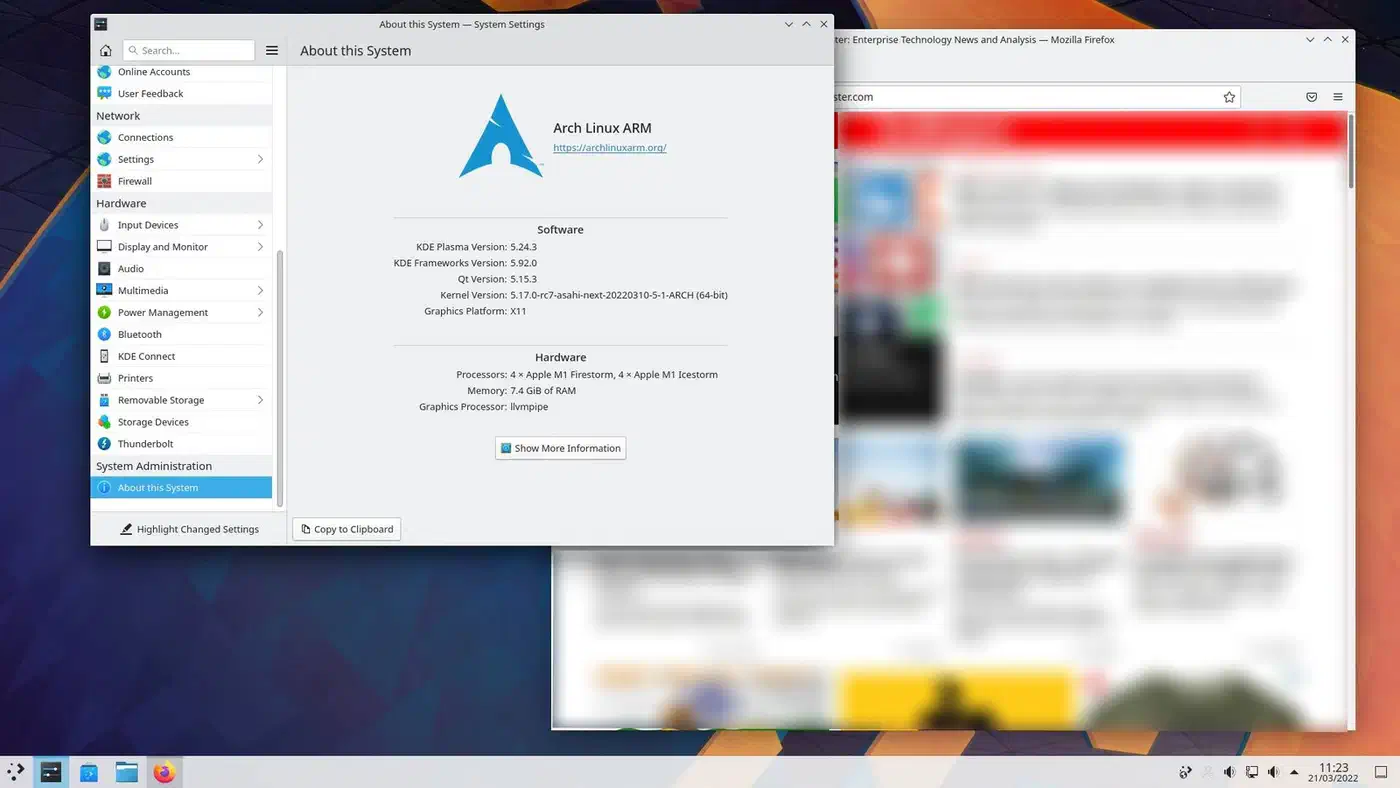
The GPU driver stack is well past hobby-project status. It is Asahi Lina’s Rust DRM kernel driver plus the Mesa userspace: Asahi for OpenGL, Honeykrisp for Vulkan. It holds official Vulkan 1.3 conformance. It runs most of Steam’s ARM64-native Linux catalogue, plus x86_64 games through FEX-Emu with Proton and DXVK. On common titles that lands at roughly 60 to 80 percent of macOS speed on the same hardware.
Two things macOS 27 broke
If you dual boot and you took the macOS 27 update, two bugs are worth knowing about, because both have fixes.
The first one hides your Linux install. The macOS installer sets a flag in the APFS metadata that marks a volume as bootable, and Apple’s boot tooling ignored that flag until macOS 27. Now it doesn’t, so older Asahi installs stop showing up in the boot picker. Re-running the Asahi Installer sets the flag and brings the entry back. New installs get it automatically.
The second one shuts your machine off. macOS 27 changed the SMC firmware, and one battery interface went from returning a 32-bit integer to returning a single byte. That confused the Asahi power supply driver, which then triggered emergency shutdowns. Kernel 7.0.12 and later handle both firmware versions, so the fix is just to update.
Sleep, external displays, and the boring stuff that defines laptops
A daily driver laptop lives or dies on dull plumbing. You close the lid and expect the machine to wake an hour later, take an external monitor, and charge from a dock. This is where Asahi still shows asterisks, even on M1/M2.
S2idle (modern standby) works reliably on MacBook Pro M1/M2. Battery drain is roughly on par with macOS. S3 deep sleep and S4 hibernation are not really a thing on Apple Silicon, so the only thing left to check is overnight drain from modern standby, which is mostly fine. Battery life for typical editor and browser work lands at roughly 60 to 75 percent of macOS on the same hardware. The Power Management Processor work in 7.0 took a bite out of that with its 20 percent cut to idle draw, but the gap under load is still real. Closing it needs the kind of kernel and userspace tuning Apple does in-house. Linux’s power-management stack (tlp, tuned, power-profiles-daemon) does not match that.
Thunderbolt is still the most requested missing feature. USB-C data, charging, and DisplayPort alt mode all work in 2026. Thunderbolt PCIe tunneling and 40 Gbps link speeds do not. That rules out Thunderbolt docks with MST, Thunderbolt audio gear, and eGPUs. For most workflows that is fine, though for some creative-pro work it is a hard block.
Hardware video encode is still missing (no H.264, HEVC, or AV1 encode). Decode is finally moving, thanks to the new AVD driver and its 10-bit AVC support, but VP9, HEVC, and AV1 decode are not there yet. Kdenlive and DaVinci Resolve on Asahi still work in software-encode mode only. That is fine for short clips and painful for anything longer. Touch ID will almost certainly never work. The Secure Enclave talks to the OS over an undocumented protocol that is signed and bound to macOS. The project has dropped it down the priority list.
Who should run this, and who should wait
If you have an M1 or M2 Mac, the practical breakdown is fairly clean.
Asahi on M1/M2 is a comfortable daily driver for web dev (Node, Vite, Bun, Next.js), systems work (Rust, Go, C/C++, Zig), terminal-heavy Linux admin, and Docker and Podman containers natively on ARM64. It also covers Python data work, PyTorch through Vulkan compute included, and general KDE or GNOME use. Four things are workable with caveats. Proton and FEX cover most gaming, though some titles fail. Blender renders through Cycles on Vulkan, but some nodes are still CPU-only. Photo editing in Darktable and RawTherapee is fine, with no Color Sync swap. Video editing runs in software encode only. It is not a drop-in for macOS for Final Cut Pro, Logic Pro, Xcode, iOS dev, Thunderbolt audio or eGPU workflows, HDR video, anything that needs the Neural Engine, or Touch ID auth.
On M3 and M4 hardware, none of this is in reach yet, but the two are no longer in the same situation. M3 has a real installer in progress and drivers landing every cycle, so waiting is a reasonable plan. M4 has no install path at all, and the thing blocking it is a research problem, not a queue of driver work.
If you bought an M4 machine hoping to put Linux on it, you have two real options. One is macOS with Linux in a VM, through UTM or Apple’s own Virtualization Framework, since both run ARM64 Linux guests well. The other is to wait and hope the SPTM puzzle gets solved, which nobody will put a year on. If you need ARM Linux speed today, Snapdragon X Elite laptops are a well-supported swap, with working GPU drivers and mainline kernel support. Owners of an older Intel Mac have the easiest path of all. You can give that aging x86 MacBook Pro a second life with a standard install and no firmware puzzles to solve.
The dual-boot story on supported hardware is unchanged and still strong. Asahi installs next to macOS on Apple’s supported multi-OS path. It keeps macOS recovery and updates intact. It does not touch the APFS container beyond the space you give it. The daily flow for most users is “Linux for work, hold the power button at boot to pick macOS when needed.” That is what Apple’s boot picker was built to do. On a PC the same job falls to running Windows and Linux on the same machine, where systemd-boot keeps both systems side by side on a shared EFI partition.
Good places to watch for news: the asahilinux.org blog for release notes, the Asahi progress reports posted every few kernel versions, and Alyssa Rosenzweig’s blog for GPU driver writeups. The AsahiLinux GitHub org carries the open pull requests, and the #asahi channels on Libera.Chat and Matrix carry day-to-day status. The bring-up work on M3 and M4 happens in the open, and the project takes donations through Open Collective for anyone who wants to help rather than wait.