 Botmonster Tech
Thirty days of COSMIC Desktop
1.0 on Pop!_OS 24.04 LTS, and I am keeping it. Switch if you are a keyboard-first developer who wants a real tiling-plus-floating hybrid, appreciates Rust-grade stability, and likes a UI that sits under 900 MB at idle. Wait a release or two if you depend on a big GNOME extension collection, niche input methods (CJK/IBus edge cases), or a heavy accessibility stack. The COSMIC Store’s catalog is still smaller than Flathub’s GNOME Circle or the KDE offerings, and only a handful of third-party cosmic-ext-* applets exist in 2026. Everyone else should at least boot the live ISO before deciding. COSMIC 1.0 is the first new Linux desktop in a decade that does not feel like a fork of something older.
Developer-Tools
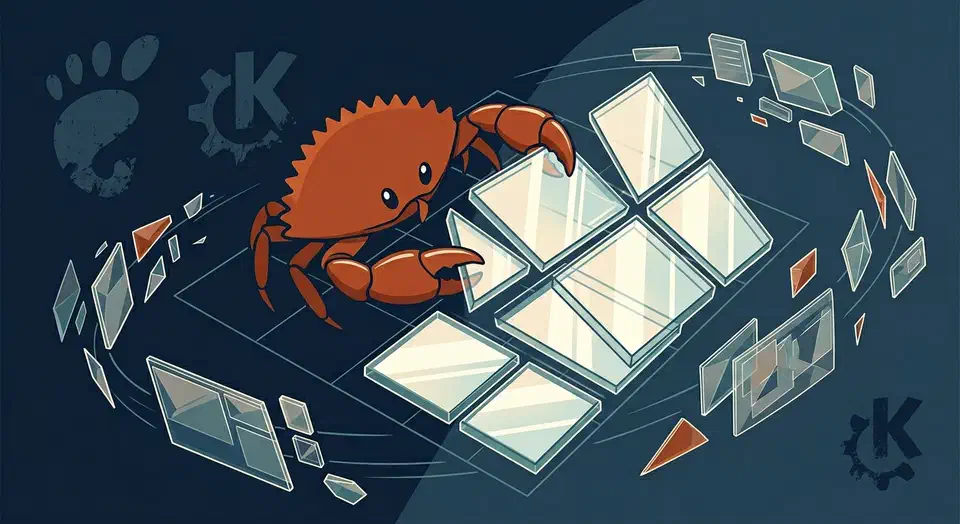
COSMIC Desktop 1.0: One Month of Daily Driving System76's Rust DE

Build a CLI Dashboard with Go and Bubble Tea
The Charmbracelet Bubble Tea framework lets you build live terminal dashboards in Go using the Model-Update-View pattern from Elm. Pair it with Lip Gloss for styling and Bubbles for ready-made widgets. You get live panels, key navigation, and flex layouts. It all ships as one binary with zero runtime dependencies.
Terminal dashboards fill a niche that classic CLIs and web apps both miss. Think of a monitor that runs over SSH on a headless box. Think of a database explorer that starts in milliseconds with no browser. Think of a log viewer your ops team can reach with no auth layer to set up. These are the use cases where TUI dashboards shine. Bubble Tea now sits at v2 with over 41,000 GitHub stars and more than 18,000 apps built on it. It has become the go-to framework for this kind of work in Go.

Gleam for Erlang Developers: Type-Safe Language for the BEAM VM
Gleam is a statically-typed functional language that compiles to Erlang BEAM bytecode and JavaScript. It gives you OTP’s fault tolerance and distribution with Hindley-Milner type inference - the same type system family as Haskell and OCaml - without making you leave the BEAM ecosystem you already know. As of April 2026, the latest stable release is v1.15.3, and the ecosystem has matured to include a full HTTP server stack (Wisp + Mist ), database drivers, and a built-in language server. If you write Erlang or Elixir professionally, Gleam is worth your attention.

eBPF Tracing for Linux 5.15: Real-Time Kernel Monitoring
eBPF (extended Berkeley Packet Filter) lets you attach tiny sandboxed programs to kernel events: syscalls, network packets, scheduler decisions, and filesystem calls. You collect detailed performance data in real time. No kernel source changes, no custom modules, no service restarts. With bpftrace one-liners and the BCC toolkit, you can measure per-process disk latency, trace TCP connections, profile CPU hotspots, and find memory leaks on production Linux. Overhead is usually under 2%.

Multi-Monitor Linux Setup with Mixed DPI Displays
On Wayland with GNOME 46+ or KDE Plasma 6.1+, each monitor gets its own scale factor. A 4K center display at 200% and side 1080p monitors at 100% work without trade-offs. X11 still hurts here. The whole desktop shares one scale, so one display always looks wrong. If old Linux DPI pain has kept you on a single monitor, the 2026 Wayland stack has caught up.
Why Mixed DPI Is Hard
The typical developer setup pairs a 27" 4K center monitor (163 PPI) with one or two 24" 1080p side panels (92 PPI). That’s nearly a 2x pixel density gap. The OS has to draw UI elements at different sizes on each screen.

Flatpak vs Snap vs AppImage: Which Linux Package Format Should You Use?
For most Linux desktop users, Flatpak is the best universal packaging format in 2026. It offers strong sandboxing through Bubblewrap and Linux namespaces. Its curated app store, Flathub , passed 3,200 apps and 433 million downloads in 2025. Snap fits server and IoT setups where Canonical’s store and auto-updates help, but slow cold starts hurt it on the desktop. AppImage wins for portable, single-file delivery, yet ships with no sandbox, no updates, and no shared libraries.