 Botmonster Tech
LikeC4 stops your architecture diagrams going stale

LikeC4 generates architecture diagrams from code by keeping the model and the views apart. You describe your system once in a small text language, then declare as many views onto it as you need. Rename a service in the model and every diagram that mentions it redraws, which is why the diagrams stop going stale.
Key Takeaways
- You describe the system once, and every diagram is generated from it.
- One rename updates every view that mentions the thing you renamed.
- The model lives in your repository, so diagrams get reviewed like code.
- You define your own element types and nesting, not a fixed four levels.
- It is free and open source, with a VS Code extension and a live preview.
Why architecture diagrams from code beat a drawing tool
The usual architecture diagram lives in a drawing tool. Someone exports it as an image and pastes it into a wiki page. The moment the system changes, that image is wrong, and nothing in your process notices.
It gets worse when a team keeps several pictures of the same system at different zoom levels. One change means finding and fixing all of them by hand, so somebody fixes one and forgets the other four. The wiki diagram ends up showing the system as it was two team shake-ups ago, and new joiners learn it as truth. Blame the process here, because no amount of discipline fixes it.
Diagrams generated from a model break in a different place. There is one description of the system, and every view is a projection of that description. Change the description and the views follow.
Because the model is plain text, it lives in the repo and travels through pull requests. A reviewer sees the design change in a diff, right next to the code change. Archify takes the same idea to an agent, reading a repository and drawing a diagram whose boxes you can click through to the files.
Nothing here checks the model against the running system, so the model is only as true as your last edit. You can still test it. The model validation guide shows a Vitest suite that fails when an element has no technology set. Those tests check your own rules, though, so reality can still drift.
What LikeC4 borrows from C4, and what it drops
The C4 model is a convention for describing software at four levels: context, containers, components, and code. Structurizr DSL turned that convention into something you write rather than draw. LikeC4 names both as its inspiration.
LikeC4 relaxes the fixed hierarchy. You declare your own element kinds in a specification block, then nest the model as deep as your system really goes.
specification {
  element actor
  element service
}

model {
  actor customer
  cloud = service 'Cloud Service' {
    api = service 'REST API'
  }
}

views {
  view index {
    include *
  }
}
The notation is yours too. Shapes, colours, and styles follow your team’s house rules. The word “like” in the name is deliberate: the tool is C4-shaped rather than C4-compliant.
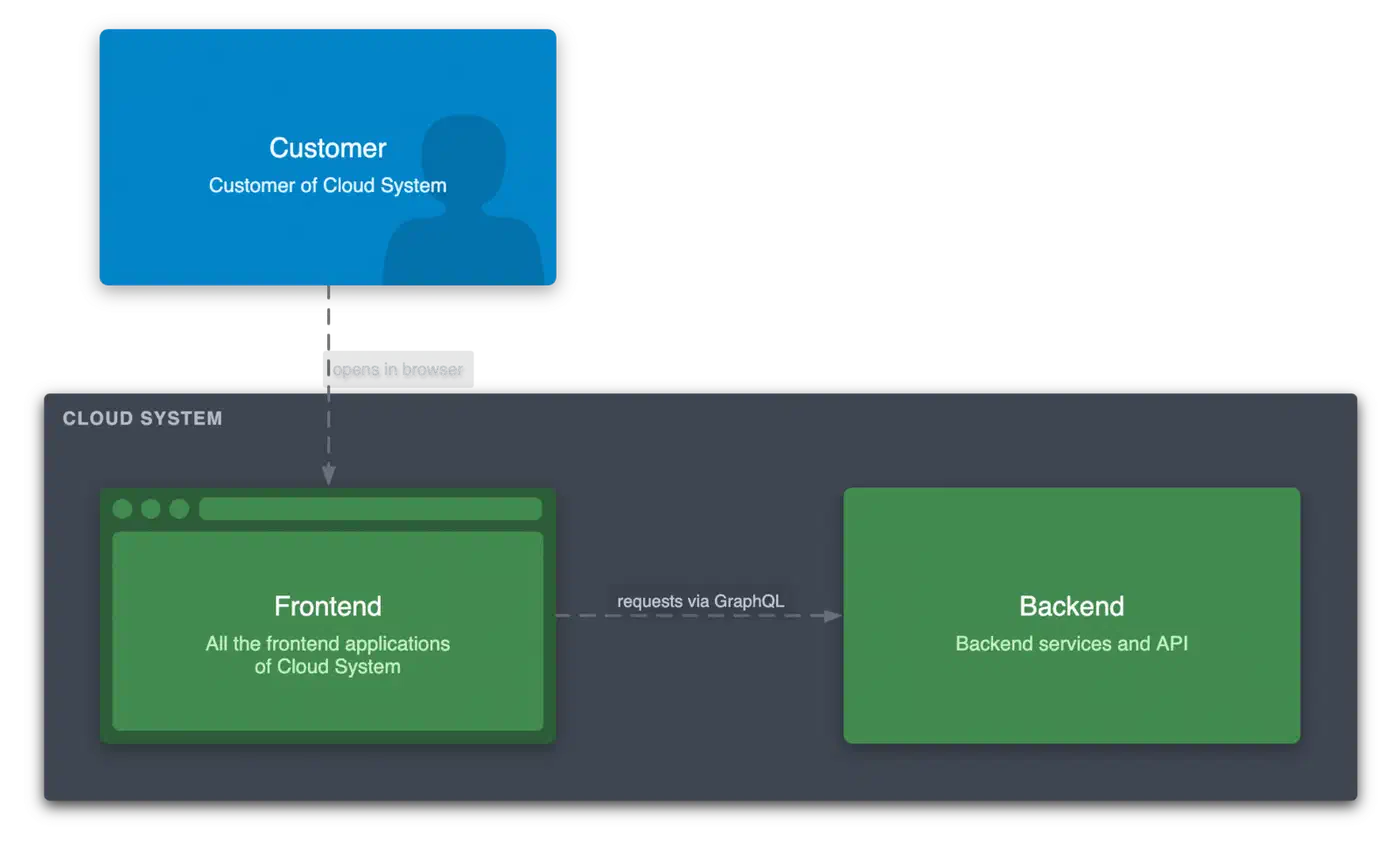
That freedom is the usual reason teams pick it over the stricter option. Marco Bratz, writing up his team’s move off classic diagram tools, put the trade-off plainly.
Structurizr is very strictly oriented to the C4 model with clearly defined diagram levels (system context, container, component, code). This ensures structure and consistency. However, it was important for us to be able to model flexibly outside of these fixed levels.
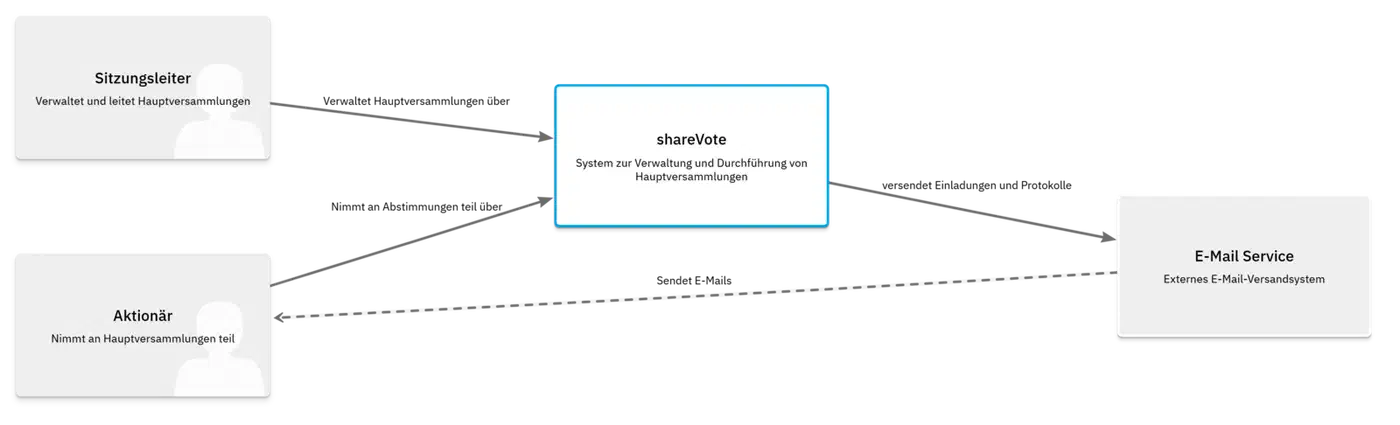
Views themselves can be named, scoped to one element, or extended from another view, so you never write the same include rules twice.
One group should stay put: teams already deep in Structurizr with a pipeline that works. The only gain is flexibility, which rarely justifies tearing that pipeline down and building it again.
| Tool | One model, many views | Fixed level hierarchy | Best for |
|---|---|---|---|
| LikeC4 | Yes | No, you define your own | A system you will describe for years |
| Structurizr DSL | Yes | Yes, the four C4 levels | Teams that want C4 enforced |
| Mermaid | No, each diagram stands alone | Not applicable | A quick diagram inside a document |
| draw.io | No, you draw every picture | Not applicable | One-off pictures nobody regenerates |
How the tooling fits into a working day
Adoption turns on the tools around the language, and LikeC4 ships more of those than most modelling projects. The first command needs no project setup at all:
npx likec4 startThat serves a live preview of every view in your model, and it redraws as you type. The VS Code extension is the main surface for daily work. You get syntax support plus the preview docked beside the source. It ships on Open VSX too, so VSCodium and Cursor users aren’t locked out.
Before installing anything, you can try the language in the browser playground. There is also a template repository and a deployed example showing what a real project layout produces.
Publishing takes one more command. npx likec4 build -o ./dist writes a static site you can host anywhere. Add --output-single-file and you get one HTML file you can email. That is how the diagrams reach people who will never open your repo.
There is an MCP server too, covered on the AI tools page. It is read-only: an agent can query your model in plain English, but it cannot change it. You can ask it to list every incoming link to the backend API, or every element tagged legacy. For writing, the project ships an agent skill instead. That skill is a DSL reference which Claude Code and Cursor load when they open a .c4 file.
The npm package pulls around 163,000 downloads a month, the VS Code extension sits above 23,000 installs, and Open VSX adds another 37,000.
What it costs to adopt
Someone has to learn the language. It’s small, and the tutorial on likec4.dev is short. Even so, it’s a language, and the first useful model takes an afternoon.
Someone also has to own the model. A description nobody updates rots exactly like the drawing it replaced, just in a nicer format. So pair it with a review habit: a design change gets a model change in the same pull request.
Layout is generated, which is usually a relief and sometimes a pain. When you wanted one exact arrangement, you get the one the engine picked. Styling has limits too. The doubleSlash team found the theming too narrow for their design system. They ended up writing their own MkDocs plugin to fit the diagrams into their docs.
The payoff arrives on the second diagram. Drawing one view by hand is easy enough, but five views of the same system all needing the same rename is where generation wins.
Mermaid is better for a quick diagram inside a document, because there is no model to set up. LikeC4 is better for a system you will describe repeatedly for years.
Roughly 175 open issues and pull requests sit on a codebase about three years old. That reads as real users filing real bugs on a project that is still alive. It’s MIT licensed and funded through OpenCollective and GitHub Sponsors, so nobody is paid to answer your issue fast. Set your expectations to match, and check your Node version is recent enough before you start.