 Botmonster Tech
T3 Code drives Claude Code and Codex from your phone
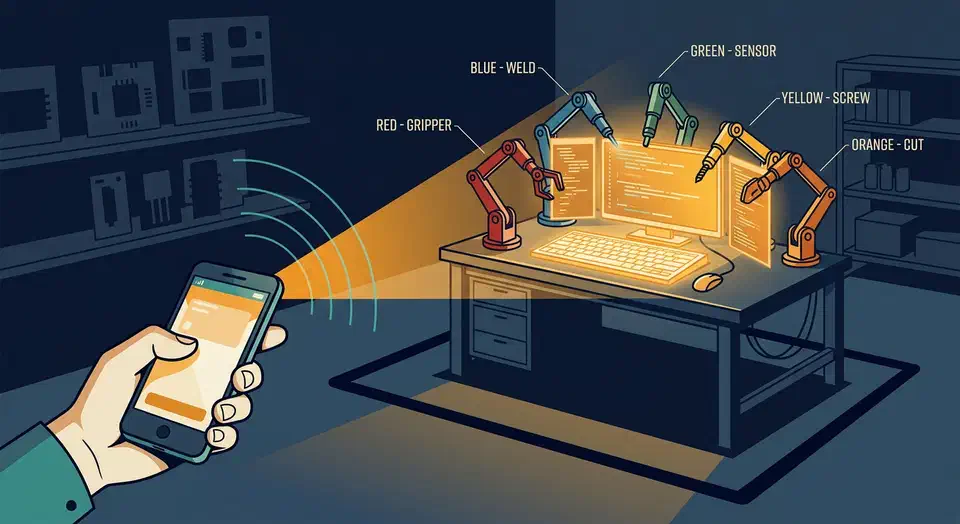
T3 Code lets you control coding agents from your phone without moving any code to the cloud. It’s a control surface for the agents already installed on your computer: Claude Code, Codex, Cursor CLI, Grok Build, and OpenCode. The server runs on your machine, and the phone app is a remote for it.
Key Takeaways
- T3 Code is a remote control for coding agents you already installed.
- It drives Claude Code, Codex, Cursor, Grok Build, and OpenCode.
- Your own subscriptions do the work, so there’s nothing extra to buy.
- The server stays on your computer, and the phone just connects to it.
- The authors call it very early and turn down most pull requests.
What it means to control coding agents from your phone
The easiest way to misread T3 Code is to picture an AI agent living on your handset. The agent runs on your computer, against your own repository and on the subscription you already pay for. The phone is a client, exactly like the desktop and web apps are clients.
You can kick off a long refactor before you leave the house, watch it from a train, and approve a shell command without opening a laptop.
It also suits the way a lot of people run agents now: three or four sessions going at once on one box. You move between them from whichever screen is nearest. The iOS app and Android app both let you start a run, browse files, review a diff, run git actions, and open a terminal from the phone.
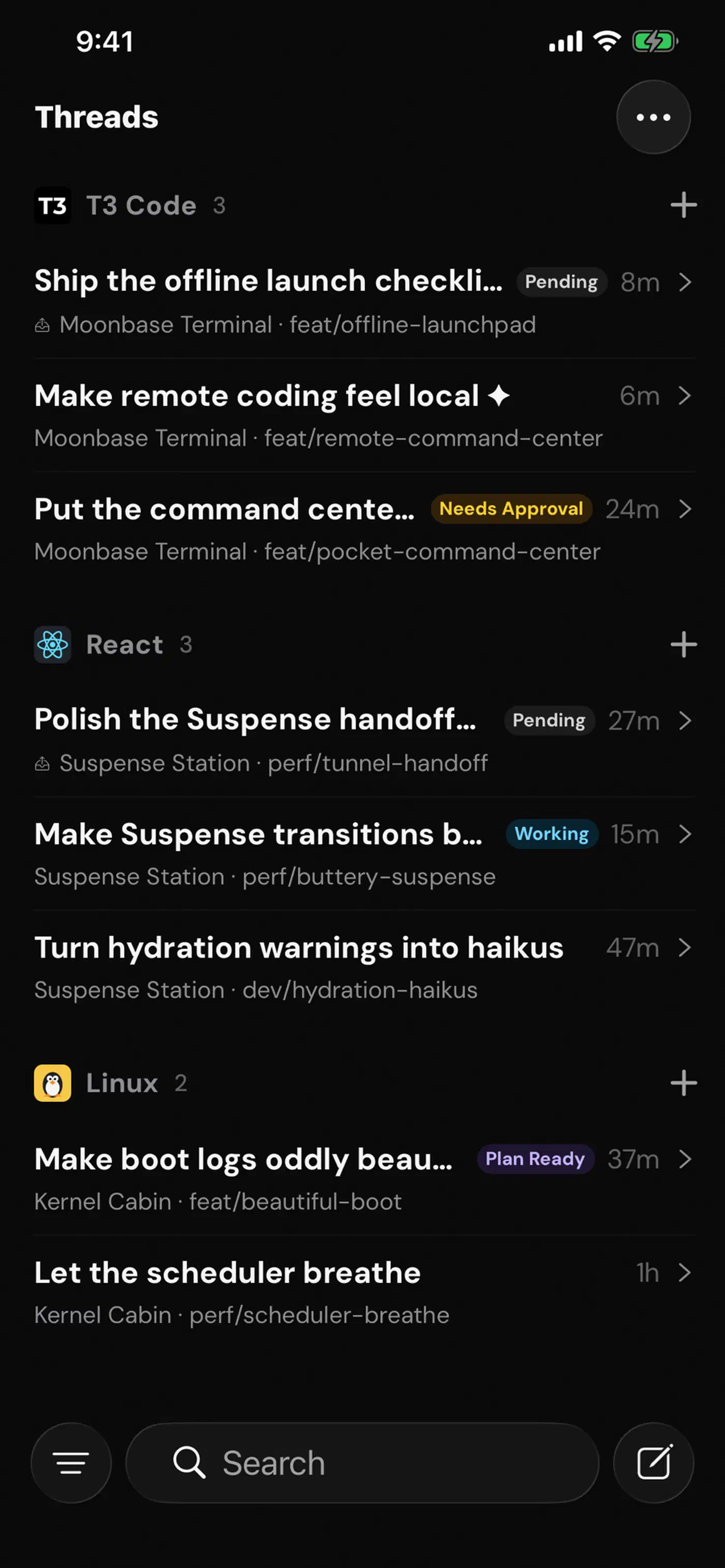
Each agent has to be installed and logged in on the server machine first, a prerequisite the project flags in a warning box:
| Agent | CLI to install | Log in with |
|---|---|---|
| Claude | Claude Code | claude auth login |
| Codex | Codex CLI | codex login |
| Cursor | Cursor CLI | agent login |
| Grok Build | Grok Build CLI | grok login |
| OpenCode | OpenCode | opencode auth login |
Cursor is the trap in that table. You install the Cursor CLI, which drops a cursor-agent binary, but you authenticate with agent login. The install guide calls that out, and skipping it costs you an hour of guessing.
Agents outside that table get no driver. Moonshot’s video-reading terminal agent is one of them, so it stays at the keyboard.
How T3 Code compares with other remote agent setups
Driving an agent from a phone isn’t new. Anthropic shipped its own Remote Control feature, which TechRadar covered as an encrypted bridge between your terminal and the Claude mobile app. People have also been running agents over SSH and tmux from a phone terminal for years.
| Option | Agents it drives | Where your code sits | What you pay |
|---|---|---|---|
| T3 Code | Five, including Claude and Codex | Your machine | Nothing |
| Claude Code Remote Control | Claude only | Your machine | A Claude Max plan |
| Cursor cloud agents | Cursor | Cursor’s cloud | A Cursor plan |
| SSH plus tmux | Anything on the box | Your machine | Nothing |
SSH remains the most flexible option and the worst one to use with a thumb. Approving a permission prompt in a phone terminal means squinting at a wrapped diff. T3 Code’s answer is a real mobile interface over the same local process. You gain comfort and pay for it with another moving part between you and the agent.
Start T3 Code and reach it from your phone
Install and log in to an agent first
T3 Code drives agents that already live on the machine. Install at least one and authenticate it on the computer that will run the server.
Try it without installing anything
With Node.js 22.16 or newer, run npx t3@latest. That starts the backend on your machine and opens the local web app in a browser, with nothing installed permanently.
Or install the desktop app
Windows users run winget install T3Tools.T3Code. On macOS it’s brew install --cask t3-code, and on Arch Linux it’s yay -S t3code-bin. Signed builds are also published on the releases page.
Check the permission mode
Read the permission modes page before pointing an agent at a repository you care about. There are four modes, set per conversation, and new threads start in Full access unless you change it first.
Install the mobile app
Grab the app from the App Store or Google Play. It stays empty until you give it an environment to connect to.
Connect over your own network
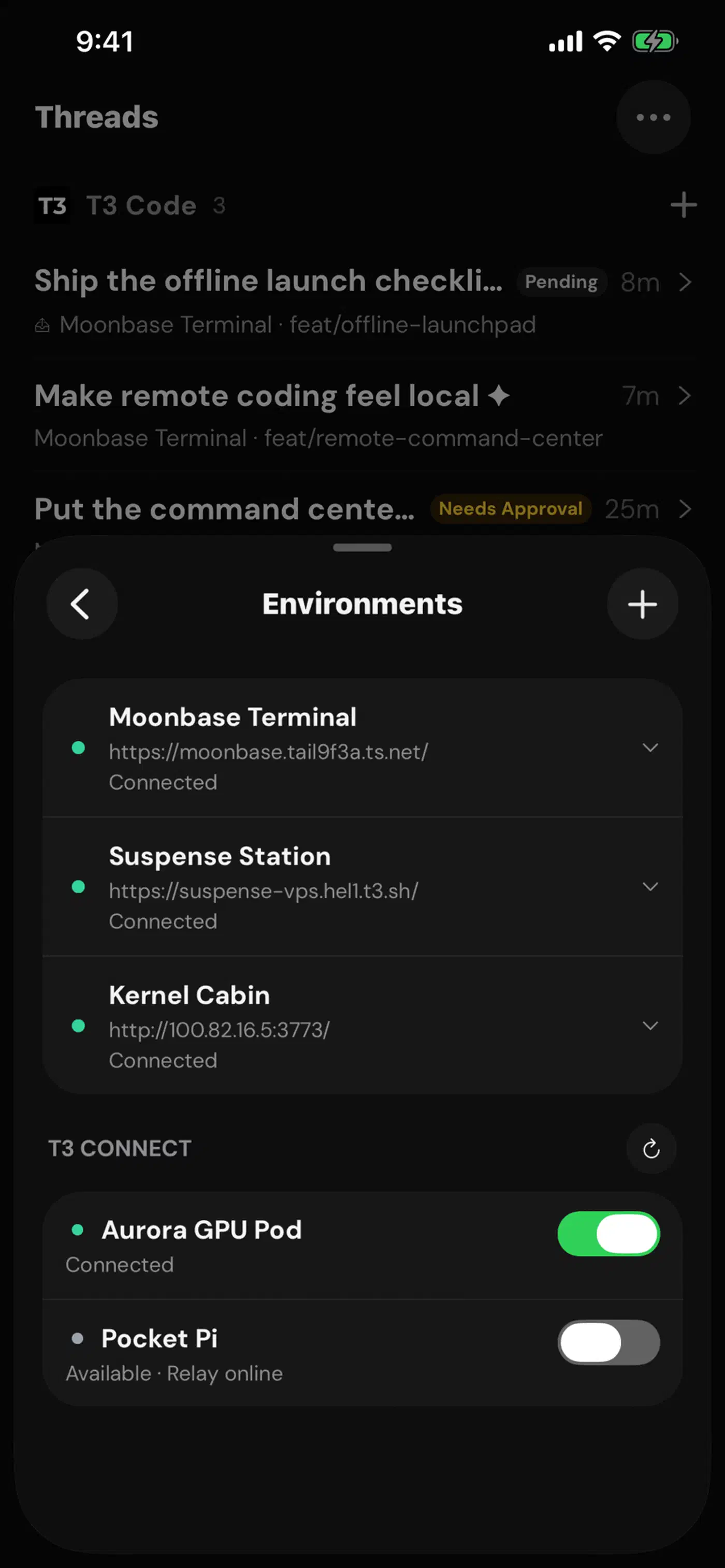
Run npx t3 pair on the server machine. It mints a one-time pairing token and prints a QR code you scan from the phone. Follow the remote access guide, which recommends a private mesh network such as a tailnet rather than opening the server to the public internet.
Keep the two versions in step
The app and the server are separate pieces. A version gap between them is the first thing to check when something breaks. T3 Code shows a warning above the message box when they drift, and the updating page explains which of the three fixes applies to you.
The security question a remote agent raises
On the other end of that phone connection sits a process that can read your repository, write files, and run shell commands. That makes the server the most valuable thing on your home network.
Access runs on pairing tokens. The server issues a one-time token that the device trades for a session, and later access rides on that session. Anyone holding a valid pairing credential can open a session until it expires or you revoke it. So the docs tell you to treat pairing URLs like passwords. The t3 auth command lists active sessions and kills the ones you no longer trust.
Permission modes are the other control worth learning before you rely on this. Supervised asks before commands and file edits, while Auto-accept edits waves through file changes and still stops for shell commands. Full access, which is the default, runs the agent unattended. The phone offers the same four modes and calls the first one Approve actions.
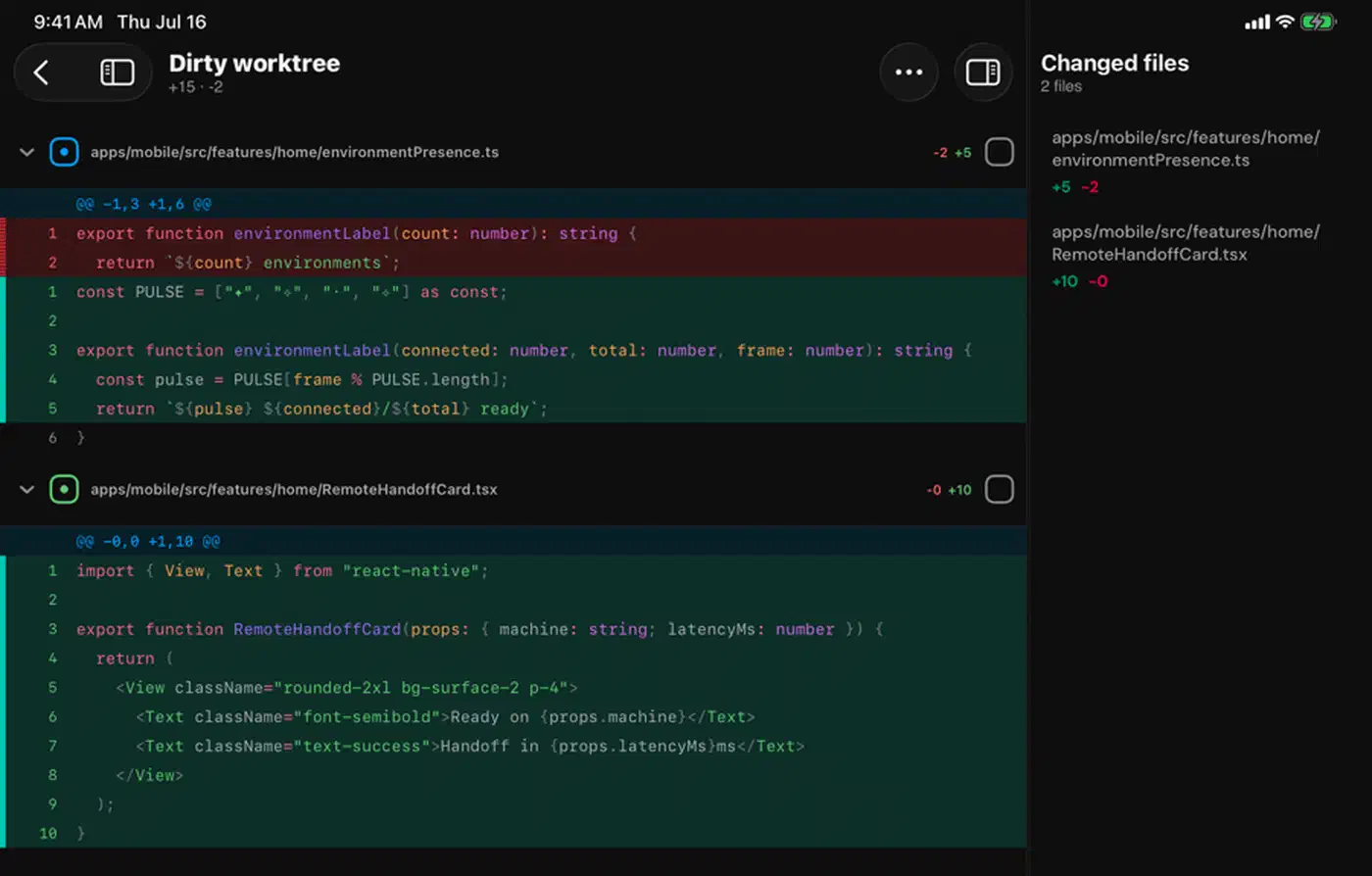
The rest is old and boring habit. Work on a branch and read the diff before you merge. Never point an unsupervised agent at something you can’t revert. The source control integrations help here. The agent’s work lands in commits and pull requests you can review, instead of silent edits on your working copy.
The docs say nothing about the battery and latency cost of leaving the mobile app connected all day, or about what happens when two clients drive the same session at once. Threads do survive a server restart, since updates leave saved conversations and settings in place.
What are you paying for?
Nothing, and the project puts that answer under a heading of its own. T3 Code adds no model cost on top of your agent subscriptions. It needs no account to run the server, and it ships under the MIT licence with the source in the open.
The stated reason for building it is that the authors wanted the best agent development experience and found nothing that met their bar. They name the Codex desktop app, Conductor, Claude Desktop, and Cursor Glass as inspirations that fell short on speed, remote access, or being open. They open sourced it to keep the exit open. If they ever take the project somewhere you dislike, you already have what you need to fork it.
That’s a good answer, and it’s still only a statement of intent. A company can change direction, and the licence is the part that survives the change. A hosted piece is already in the picture too. The mobile listing mentions a managed T3 Connect option alongside manual pairing codes, and the background-service docs treat it as a separate thing you sign in to.
How early the project is
The project README says the project is very very early and that you should expect bugs. It also says contributions are mostly not accepted yet: small fixes may be considered, big features will not.
Releases are still in the v0.0.x range, and the repository carries roughly 557 open issues. That backlog is what happens when a young TypeScript project has to track five separate agent CLIs, each of which changes on its own schedule.
There’s no documentation site either. The docs are Markdown files in the repository covering install, permission modes, keyboard shortcuts, remote access, updating, source control, multiple accounts, and the Linux background service. Reading them on a phone beats a docs site, and if you ever want a published page in that same shape, ten tools do the conversion with very different results. That last one is the setup for anyone leaving the server on all day. You install it with npx t3@latest service install and manage it through systemd. Keeping docs beside the code is the same instinct behind writing architecture diagrams as code, where the description travels with the repository instead of rotting in a wiki.
Building from source adds one more surprise. The project uses Vite Plus, so you need its global vp command before dependencies will install. Most contributors won’t have it.
Anyone who wants a polished, supported remote for their coding agents should wait a few months. If you want the shape of the thing today, npx t3@latest costs five minutes to try. Keep the server on a private network and pick a permission mode you have read. Everything still runs where it always ran, on your own machine, through the web app or the phone in your pocket.