 Botmonster Tech
Fedora Silverblue, NixOS, or Vanilla OS: which immutable Linux holds up?

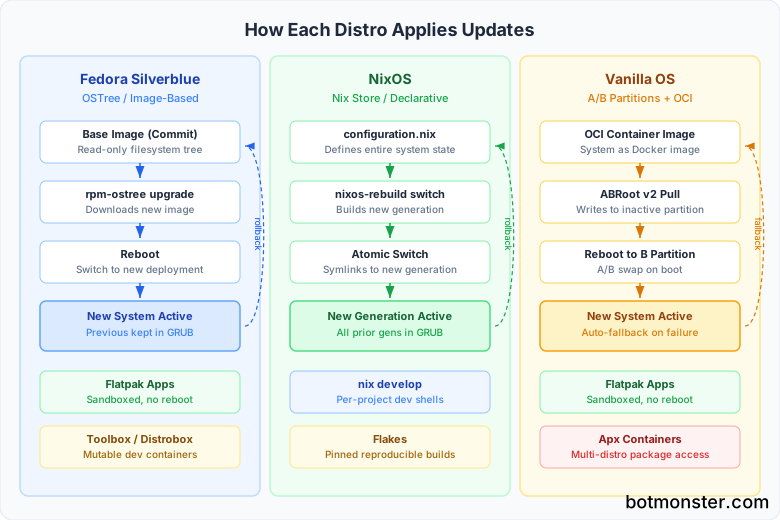
Immutable Linux distros lock down the root filesystem at runtime. Updates apply atomically: they either finish or roll back, and one reboot returns you to a known good state. Fedora Silverblue uses OSTree for image-based updates with Flatpak for apps. NixOS defines your whole system in one config file. Vanilla OS ships OCI container images to A/B partitions. Each one trades package flexibility for reliability.
If you’ve used Linux long enough, you’ve hit the moment when apt upgrade or dnf update breaks mid-transaction and leaves the box in a half-broken state. Immutable distros are built to make that scenario impossible.
What “Immutable” Actually Means
The word “immutable” gets thrown around loosely. In practice, it covers three setups: image-based (OSTree), declarative (Nix), and container-native (OCI images). What they share is a read-only root at runtime. You can’t write to /usr or /etc on the live system. Changes go through a controlled update path that builds a new system state. You switch to it on the next boot.
The atomic update model fixes a real problem. Old-style package managers edit the live filesystem one file at a time. If the power dies mid-upgrade, or a post-install script fails, you end up half-upgraded. Atomic updates either apply in full or leave the old state alone. You do not need a whole immutable distro for that, since systemd-sysupdate brings the same model to an ordinary install.
Rollback falls out of the same design. Every update creates a new snapshot or generation. If a release breaks something, you reboot into the prior working state. No rescue USB needed, no chroot gymnastics.
There’s a security angle too. A read-only root makes it harder for malware or stray config to stick around across reboots. Changes that bypass the proper channel simply vanish.
The trade-off is friction when adding system packages. You can’t just apt install htop anymore. Each distro solves this differently with package layering, containers, or Nix files. That workflow gap is what splits the three distros below.
Fedora Silverblue - The Image-Based Approach
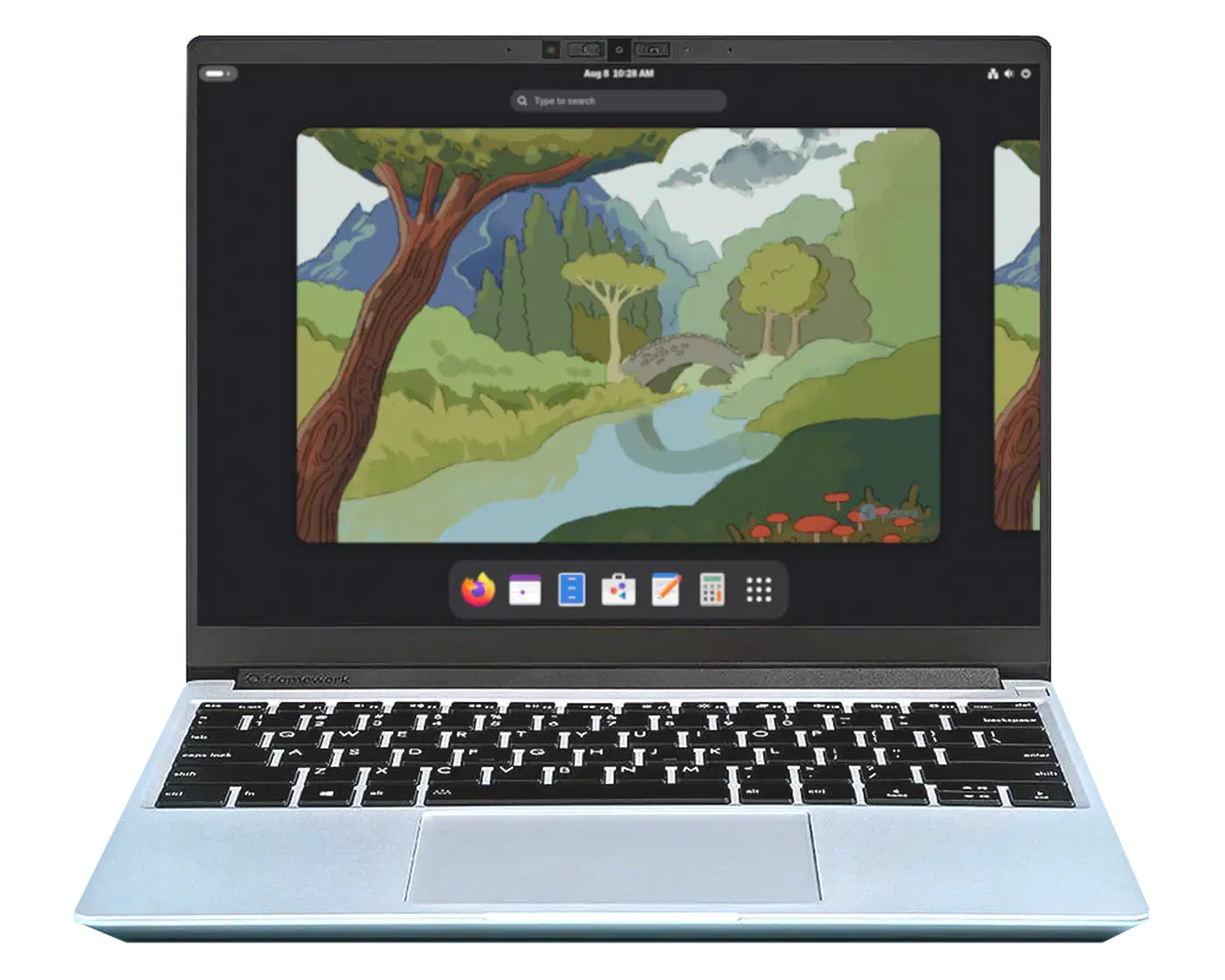
Silverblue is the easiest immutable distro to land on if you’re coming from a normal Fedora or Ubuntu desktop. It ships with GNOME 48 (Fedora 42, released April 2025) and plugs into Fedora’s 60,000-package repo.
The core piece is rpm-ostree, which builds on OSTree. The base system arrives as a “commit,” a full filesystem tree that downloads and applies in one shot. Fedora 42 turned on composefs by default. It mounts system files read-only and adds integrity checks that plain OSTree skipped.
For apps, Silverblue is Flatpak-first. GUI apps install from Flathub, and GNOME Software is preset to use it. Firefox, LibreOffice, and most desktop apps work the same as on any other distro.
When you need system-level packages, like vim, htop, or dev headers, you layer them with rpm-ostree install vim. This stacks them on top of the base image, but you need a reboot for the change to take effect. It works fine. The reboot just feels heavy for one quick CLI tool.
The fix most people use is Toolbox or Distrobox. They spin up mutable Fedora (or any other distro) containers with full dnf install access. Your dev setup lives in the container, fenced off from the host. toolbox create && toolbox enter drops you into a normal Fedora shell in seconds. For a deeper walkthrough across any host, see our guide on containerizing your dev environment with Distrobox.
Updates run in the background via rpm-ostree upgrade. When it’s done, reboot to switch to the new image. Rollback is rpm-ostree rollback plus a reboot. Silverblue also keeps the prior deployment in the GRUB menu, so you can pick it at boot if the current one acts up.
Universal Blue and Bazzite
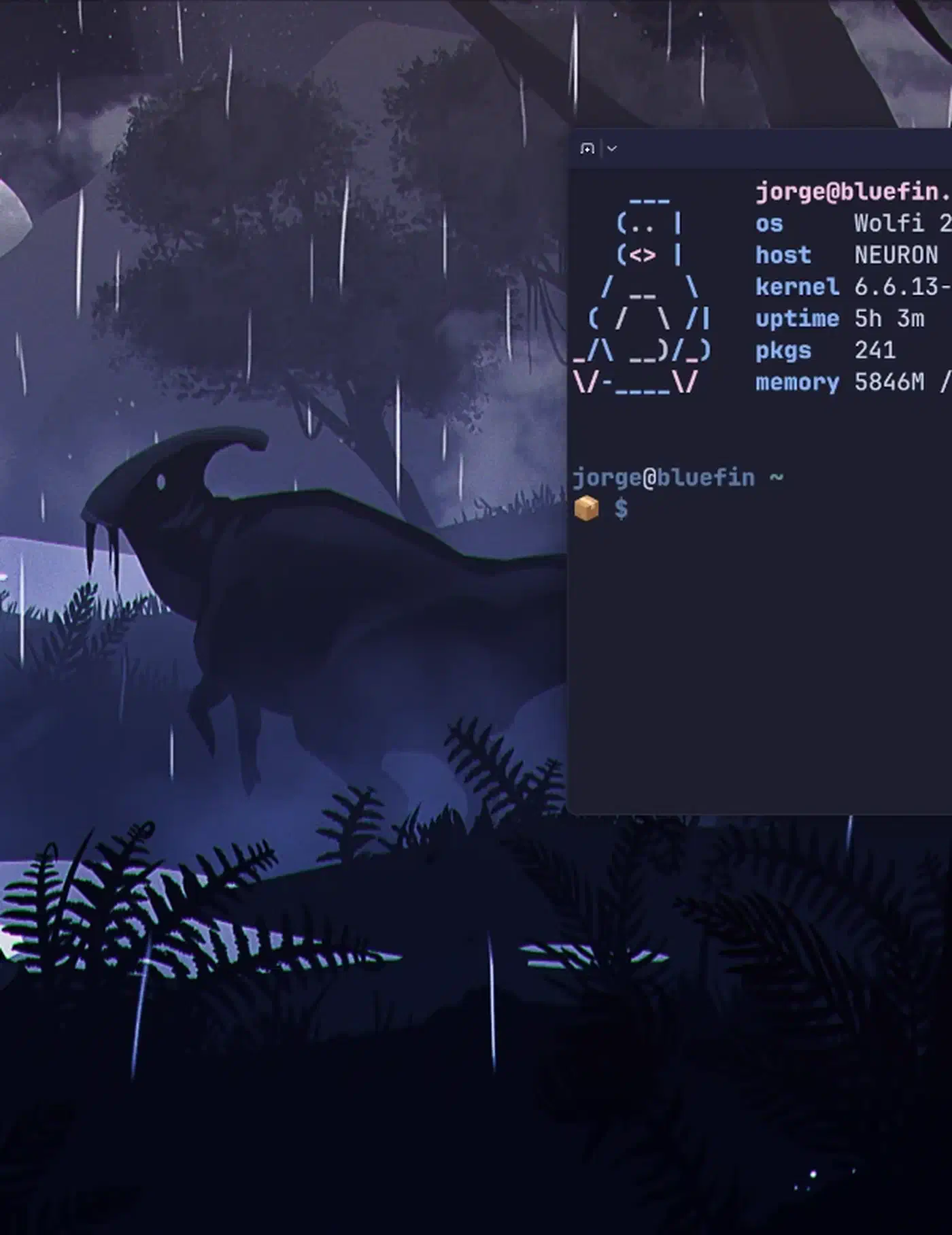
The Universal Blue project builds custom images on top of Fedora Atomic Desktops. NVIDIA drivers, codecs, and other common bits come pre-baked. That kills the biggest pain point for Silverblue users: you don’t have to layer NVIDIA drivers yourself.
Bazzite is Universal Blue’s gaming image. It ships the OGC kernel, fresh Mesa drivers for AMD and Intel, and Steam pre-installed. Bazzite is now moving toward its 44 release with kernel 6.19.10 and Mesa 26.0.4. For gaming on an immutable distro, Bazzite is the smoothest path.
Fedora Kinoite
If you prefer KDE Plasma over GNOME, Fedora Kinoite is the same setup with a KDE desktop. Kinoite 42 turns on auto updates by default and uses the same composefs layer as Silverblue.
NixOS - The Declarative Approach
NixOS takes immutability to a different place. Instead of shipping pre-built images, NixOS defines your whole system in one config file. That covers every package, service, user, and kernel flag.
The Nix package manager stores every package in /nix/store/. The path includes a crypto hash of the build inputs. So many versions of the same package can sit on disk without clashing. Python 3.11 and Python 3.12 can live side by side, each with its own deps, with zero collision.
Your system config lives in /etc/nixos/configuration.nix. A normal config file sets your hostname, timezone, packages, services, and firewall rules in one place. Run nixos-rebuild switch, and Nix builds a new “generation” of the system and flips to it. Each generation is a bootable entry in GRUB, so you can boot into any prior state.
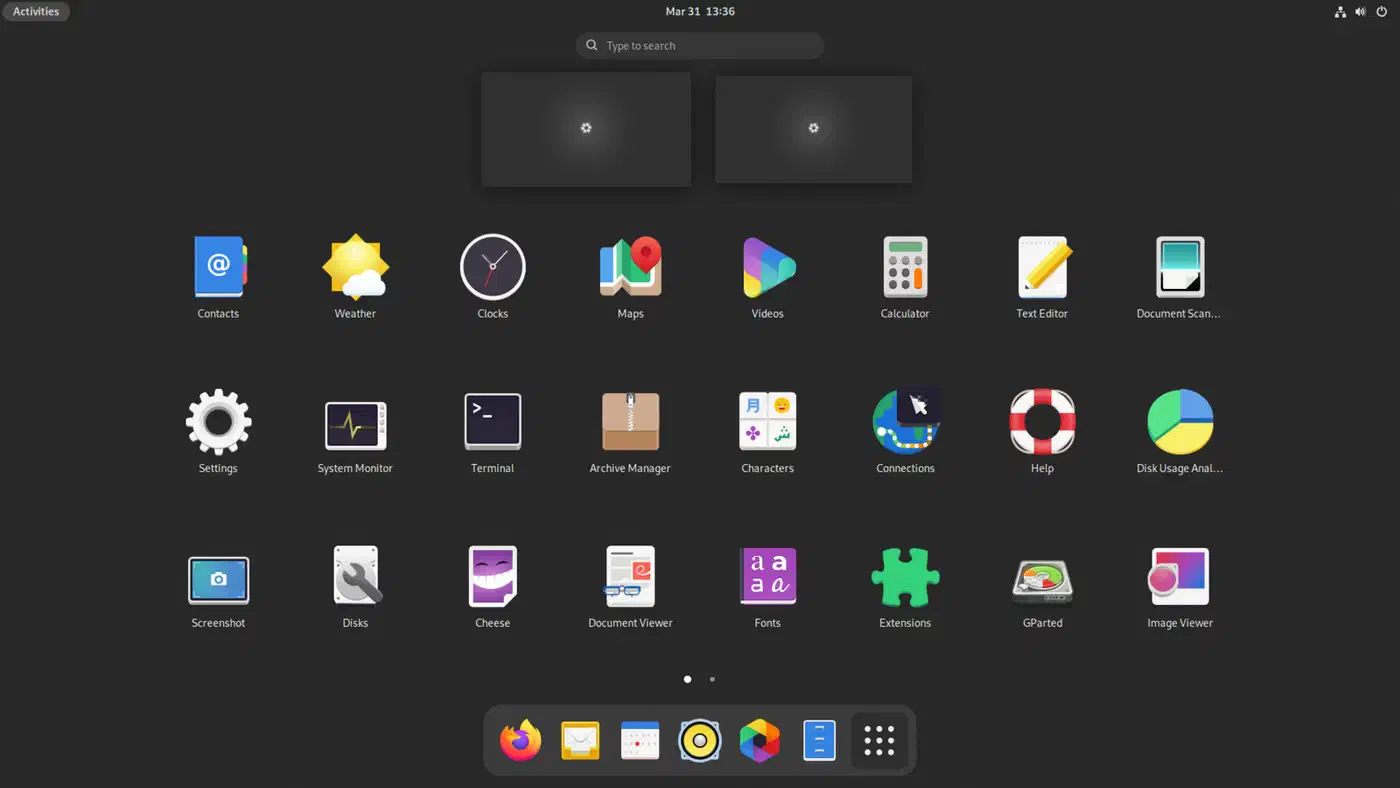
Stable releases carry the name of an animal, such as NixOS 25.11 “Xantusia.”
Rollback is nixos-rebuild switch --rollback, or just pick a previous generation at boot. There’s no separate rollback tool to learn. It’s the same command you use for every system change.
Flakes and Reproducibility
Nix flakes (still tagged experimental but used by most of the community) pin exact dep versions for repeatable builds. Hand someone your flake.nix and flake.lock, and they’ll build a byte-identical system on their machine. That’s NixOS’s killer feature for teams running many servers or dev boxes.
Development Shells
nix develop builds isolated, per-project dev shells. Need Node.js 20, PostgreSQL 16, and Redis for one project, but Python 3.12 and SQLite for another? Each project gets its own shell with the exact deps from its flake. Nothing leaks into the host. For many devs, this replaces Docker for local development.
The Learning Curve
Nix has its own functional language. The syntax of configuration.nix is not like Ansible, Docker, or any common package manager. Expect 2-4 weeks of pain before things click. The community docs have come a long way. Even so, you’ll spend time reading source code and forum posts to work out how to say what you want. For a hands-on intro that walks through the most common first-month traps, the NixOS guide for developers pairs well with this overview.
Disk Space Considerations
NixOS generations pile up in /nix/store, and the store can grow large. A typical desktop with 10-15 generations might use 20-40 GB in the store. Running nix-collect-garbage -d clears every generation except the current one. nix store optimise swaps identical files for hard links and usually shrinks the store by 25-35%. You can also turn on auto cleanup with nix.gc.automatic = true in your config to keep things in check.
Vanilla OS - The Container-Native Approach
Vanilla OS is the newest of the three. It takes a different design path. Vanilla OS 2 “Orchid” shipped in July 2024 as a full rewrite. It moved from an Ubuntu base to a hybrid Debian base built from Debian packages and Vib modules.
The update model uses an A/B partition scheme. Two root partitions sit on disk. One is live while the other takes the update. On reboot, the system switches to the updated partition. If that one fails to boot, it rolls back to the prior partition on its own. Android phones have done this for years.
System images are built and shipped as OCI (Docker) container images through ABRoot v2. This is well-known turf if you already work with containers. Updates are atomic. The new OCI image gets pulled, unpacked into the inactive partition, and switched on at boot. Building a custom image on every commit is a natural job for Gitea Actions paired with its built-in container registry.
Apx and Multi-Distro Containers
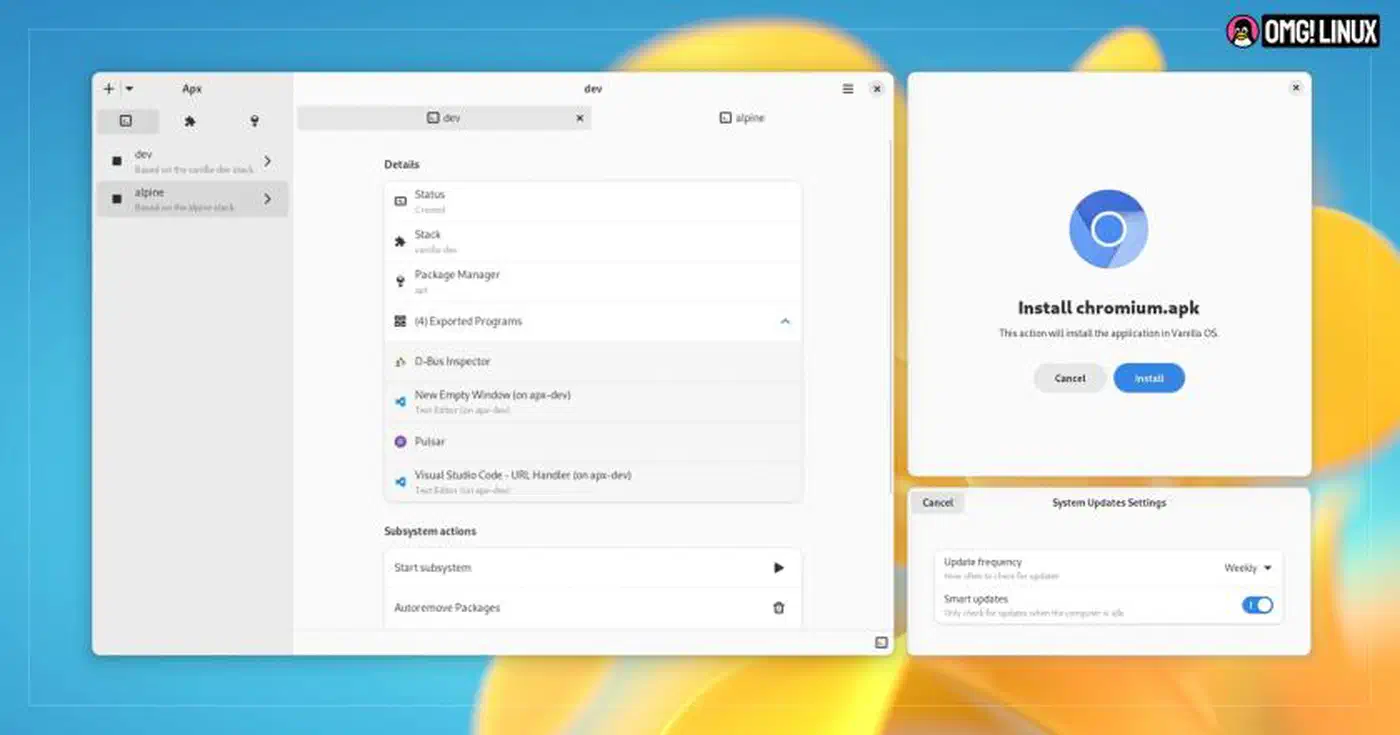
Where Vanilla OS gets fun is its package manager, Apx. Instead of dropping packages on the host, apx install runs inside a managed container. You don’t touch the immutable host.
The multi-distro trick is even better. Apx can spin up Fedora, Arch, Alpine, or Ubuntu containers. That gives you each distro’s repos on tap. Want an AUR package next to a Debian package? Put them in separate Apx containers. Stacks let you save and copy container setups across machines.
Current Maturity
Vanilla OS 2 is still younger than Silverblue or NixOS. The community is smaller, the docs are thinner, and you’re more likely to hit edge cases with no forum thread to guide you. It ships a clean GNOME 46 desktop with light tweaks. The dev team uses a staged “Vision” process where new features get tested before landing in the stable channel.
Daily Workflow Differences
Switching to an immutable distro does not change everything. Web browsing, office work, and media playback feel the same. Flatpak builds of Firefox, LibreOffice, and VLC act like their normal versions.
What changes is how you install and manage software. Here’s how common tasks map across the three distros:
| Task | Fedora Silverblue | NixOS | Vanilla OS |
|---|---|---|---|
| Install GUI app | flatpak install flathub firefox | Add to configuration.nix, rebuild | flatpak install flathub firefox |
| Install CLI tool | rpm-ostree install htop (reboot) or use Toolbox | Add to configuration.nix, rebuild | apx install htop (runs in container) |
| System update | rpm-ostree upgrade + reboot | nixos-rebuild switch | Automatic via ABRoot |
| Rollback | rpm-ostree rollback + reboot | Select previous generation at boot | Automatic fallback on failed boot |
| Dev environment | Toolbox / Distrobox | nix develop | Apx containers |
| NVIDIA drivers | Universal Blue images or rpm-ostree install | Declare in configuration.nix | Included in base image |
| VPN setup | NetworkManager (standard) | Declare in configuration.nix | NetworkManager (standard) |
Docker and Podman work the same on all three. Containers are a natural fit for an immutable host. The host stays stable while your workloads run in containers.
The biggest adjustment is the “I just want to install something fast” friction. On a normal distro, sudo apt install something takes five seconds. On Silverblue, you either layer with a reboot or open a Toolbox. On NixOS, you edit a config file and rebuild. On Vanilla OS, you run it inside an Apx container. None of these are hard. They all add a step over what you’re used to.
Gaming on Immutable Distros
Gaming works well on all three, mostly because Proton handles 95%+ of AAA titles on Linux. Steam installs as a Flatpak on Silverblue and Vanilla OS, and as a Nix package on NixOS (where it usually just works).
For the best gaming setup on an immutable distro, Bazzite is the current front-runner. It ships NVIDIA drivers, codecs, fresh Mesa, and gaming-tuned kernel patches pre-installed. No layering, no setup, just install and play.
On NixOS, Steam works but sometimes needs tweaks for specific games. The NixOS wiki has a Steam page with fixes for common issues. If a native Linux build acts up, forcing Proton compat mode in Steam’s settings usually clears it.
Which One Should You Choose?
Fedora Silverblue is the right pick if you want the smoothest jump from a normal Linux desktop. You get GNOME, Fedora’s hardware support, Flatpak for apps, and Toolbox for dev work. The learning curve is gentle. If you want KDE instead, Kinoite is the same thing with a different desktop.
NixOS is for people who value repeatable builds over comfort. If you run many machines and want the same setup on all of them, if you want per-project dev shells without Docker, or if you’re the kind of person who wants the whole system in version-controlled config files, NixOS is worth the learning curve.
Vanilla OS suits users who want immutability plus access to many distro ecosystems. The Apx multi-container model is handy if you often need packages from different distro families. The OCI update system uses common container tools. The downside is a smaller community and less battle-tested gear.
Stay on a normal distro if you install system-level packages all the time, lean on PPAs or third-party repos, or need top flexibility on a heavily tweaked desktop. Immutable distros add friction to system-level changes on purpose. That’s the point, but it isn’t for everyone.
| Criteria | Silverblue | NixOS | Vanilla OS |
|---|---|---|---|
| Update mechanism | OSTree image commits | Nix generations | A/B partitions + OCI |
| App installation | Flatpak + rpm-ostree layering | Nix packages | Flatpak + Apx containers |
| Rollback speed | Reboot (~30s) | Reboot or rebuild (~30-60s) | Automatic on failed boot |
| Learning curve | Low | High (2-4 weeks) | Low-Medium |
| Community size | Large (Fedora ecosystem) | Large (active, niche) | Small (growing) |
| Enterprise support | Red Hat backed | Community only | Community only |
| Desktop | GNOME (Kinoite for KDE) | Any (user-configured) | GNOME |
The immutable desktop is clearly where Linux is heading. Fedora’s full Atomic Desktops lineup, SteamOS on the Steam Deck (5.6 million devices on an immutable system), and the steady rise of NixOS in dev tooling all point the same way. Immutable distros are already mainstream for set use cases. The open question is which of the three fits your workflow.