 Botmonster Tech
Home Assistant 2026.1 adds Matter devices with no phone
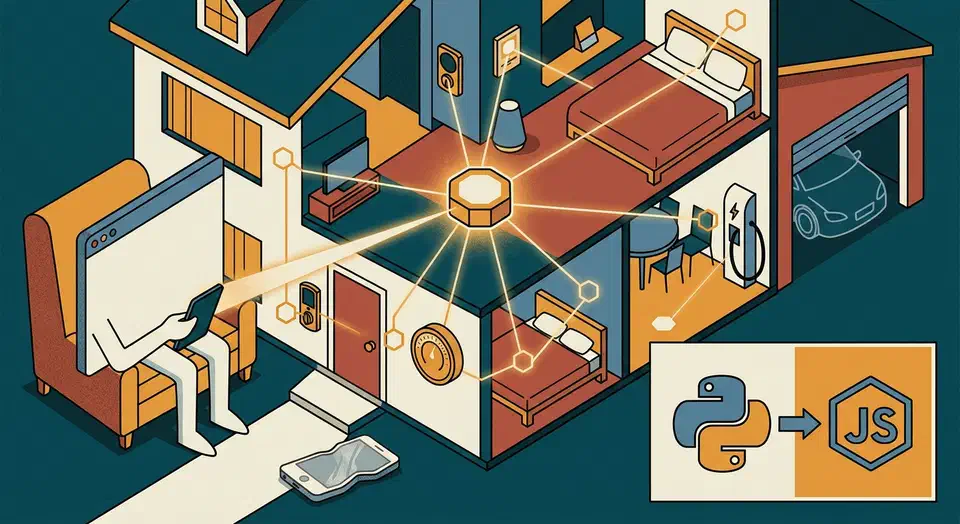
Home Assistant 2026.1 pairs Matter devices straight from the web UI, with no phone and no detour through Apple, Google, or Samsung. Matter and Thread move to the top of the Settings menu, and a build from matter.js replaces the Python Matter server. Your existing devices keep working.
Key Takeaways
- You can add a Matter device from a browser, with no phone in the loop.
- Matter and Thread now sit at the top of the Settings menu.
- A headless box in a closet can pair devices through its own Bluetooth.
- Door locks, thermostats, and speakers gain controls that needed developer tools before.
- Your existing devices keep working, and the migration runs by itself.
What changed in 2026.1: Matter and Thread at the top of Settings
The biggest change in 2026.1 is where things live. Matter and Thread no longer sit several layers deep inside Devices & Services. They now share space with Zigbee, Z-Wave, KNX, and Bluetooth in a new “Protocols” section right after core settings. That makes them easy to find for users who never touched the YAML era of Home Assistant.
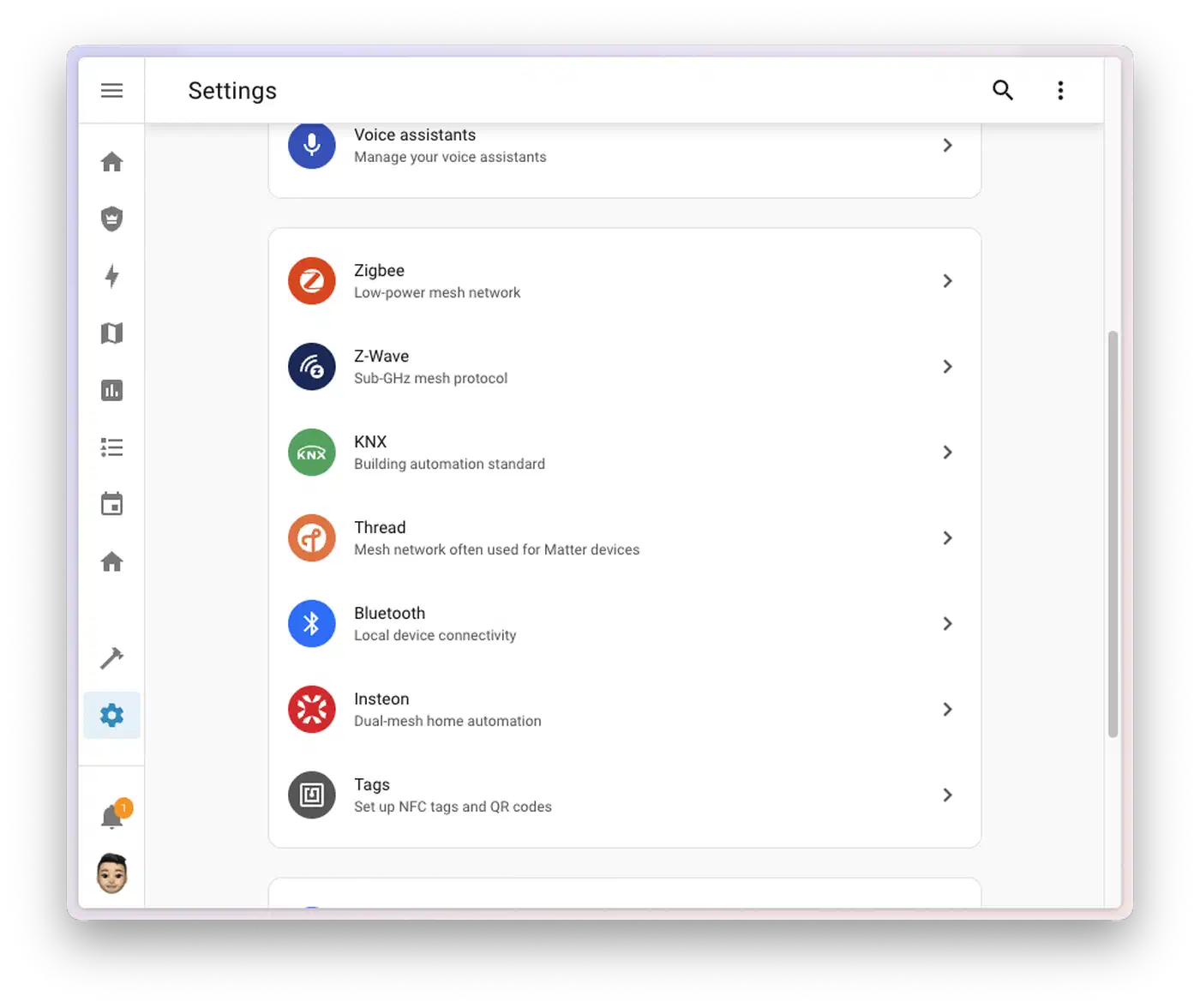
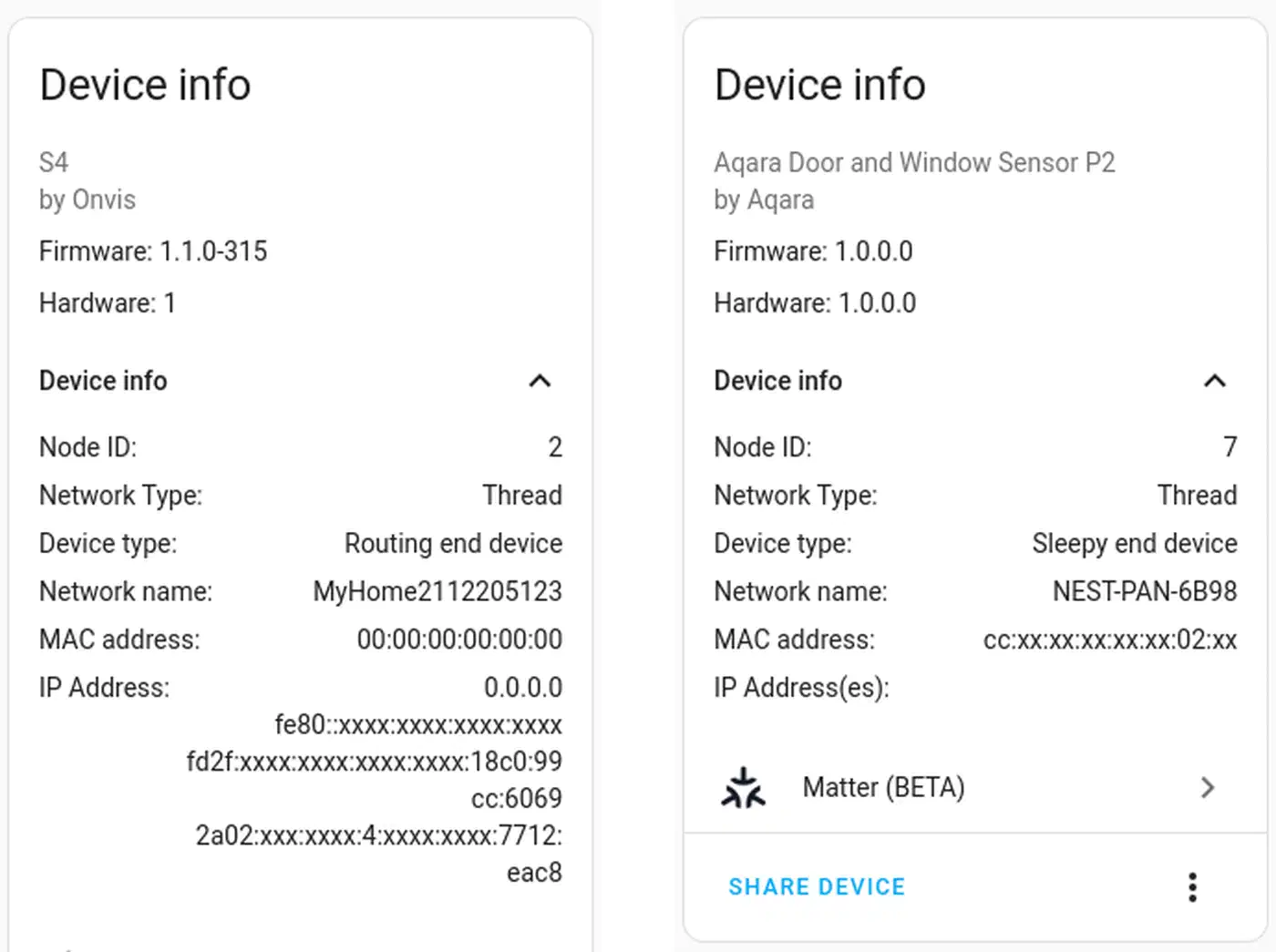
The new Matter panel shows fabrics, node IDs, vendor IDs, and per-device diagnostics in one view. Before, you had to dig into developer tools or raw Matter server logs to get the same data. Thread gets the same treatment. Border router status, dataset settings, and OpenThread Border Router health all share one screen.
The panel supports shareable deep links for a given device, so support threads and forum help are far easier to follow. You can assign a Matter device to an area during pairing instead of after it. The redesigned panel is keyboard-friendly and screen-reader friendly, in line with the rest of the 2026.1 UI work. If you’re weighing Matter against a Zigbee setup, our take on when to switch from Zigbee2MQTT to Matter covers both side by side.
Commissioning a Matter device from the web UI
Before 2026.1, pairing a Matter device usually meant installing the Home Assistant app on a recent Android or iOS phone. The phone acted as a Bluetooth LE relay for the pairing handshake. Now the Home Assistant host can do the pairing itself, through its own radio or a supported USB Bluetooth adapter. That helps a headless box in a server closet with no screen and no phone nearby. If you run Home Assistant in a Proxmox VM, pass the USB Bluetooth adapter through to the guest first.
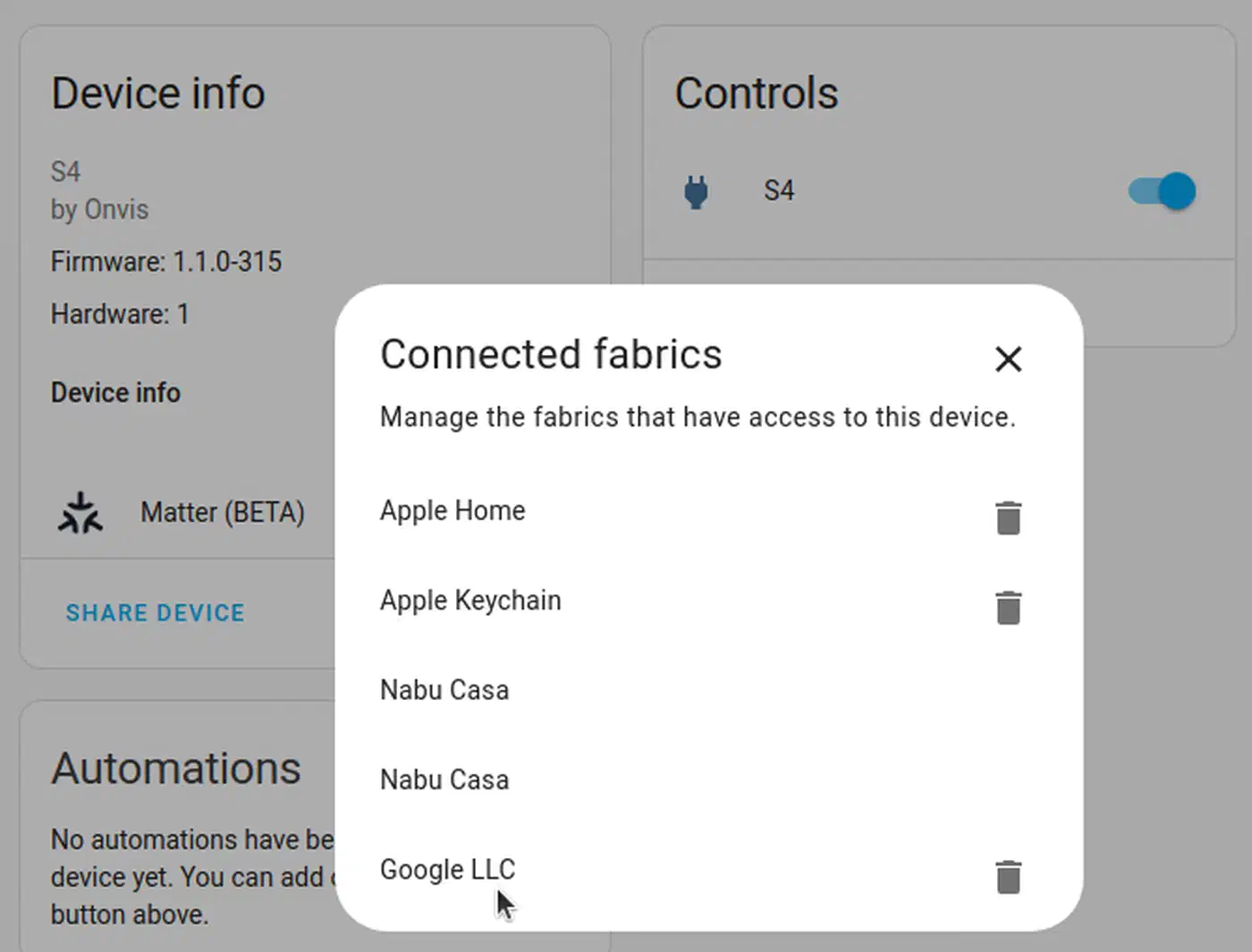
The new “Add Matter device” wizard takes three inputs: the 11-digit manual pairing code, a QR code scanned through the browser’s camera API, or the setup code printed on the device label. Home Assistant OS and supervised installs use the host’s own BLE stack. They run the PASE and CASE handshakes with no phone in the loop. To add a device already paired to Apple Home, Google Home, or SmartThings, ask the origin controller for a new pairing code. Paste it into Home Assistant, and the device joins a second fabric.
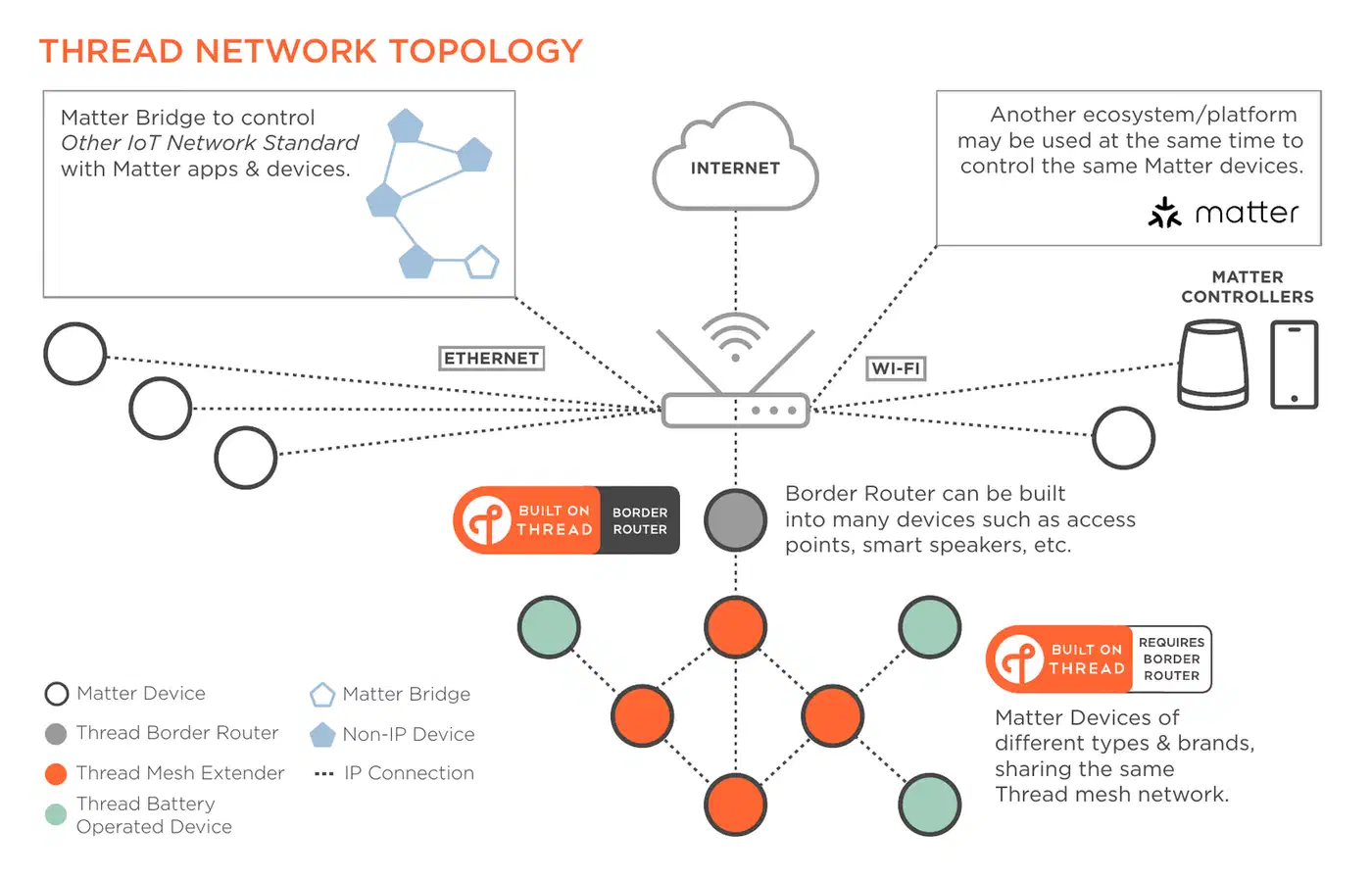
Thread credentials are handed off on their own. When you pair a Thread-based Matter device, the panel offers the active OTBR dataset. The device then joins the local Thread mesh on first boot with no manual entry. If you don’t have a host-side Bluetooth adapter, the iOS and Android apps still work as BLE relays. The wizard looks identical either way.
Pairing diagnostics improved too. The wizard reports each step as it happens: BLE discovery, PASE session setup, credential exchange, and the ACL write. A failure now points at the stage it happened in, instead of dumping you into the logs after one “commissioning failed” toast. The official Matter integration documentation now covers the new flow and the dropped phone step.
Typical commissioning times by transport
| Transport | Typical time | Notes |
|---|---|---|
| Wi-Fi (BLE pairing) | 30-60 s | Wi-Fi credentials passed over BLE |
| Thread (BLE pairing) | 20-45 s | Thread dataset hand-off is automatic |
| Ethernet (LAN discovery) | 10-20 s | No BLE needed once device is on the LAN |
| Re-pair from another fabric | 15-30 s | Share code pasted from origin ecosystem |
The new matter.js-based Matter server
The old python-matter-server wrapped the official C++ SDK from the Connectivity Standards Alliance. That SDK is built for small embedded devices with tight resources, so it was always a clumsy fit for a smart home controller that runs for months. The Open Home Foundation said as much when it shared the rewrite plan: C++ wrapped by Python moves too slowly for open-source work at the pace Matter changes.
2026.1 swaps the Python server for a server built on matter.js, a TypeScript take on the full Matter stack that runs on Node.js 20 and newer. You get faster upstream cluster coverage, plus active maintainers who also sit in the CSA working groups. The async model fits Home Assistant’s websocket setup far better than the Python bindings ever did.
Matter 1.4 cluster support lands in the box. Door locks, thermostats, energy gear, and smart speakers all gain cluster attributes the Python server had not exposed. The new server also uses less memory on Home Assistant Green and Yellow hardware, and pairing over Thread is faster because it remembers each device’s last IP and reloads only what changed since the last session.
The deployment model is the same. The server still ships as a Home Assistant add-on and speaks the same websocket API to Core. Integrations and blueprints written for the old server keep working.
matter.js also exposes cleaner hooks for the OTA Provider role. A future release could use them to push firmware to paired devices. For debugging, you get structured logs tagged per session, plus optional PCAP-style packet captures.
Device-specific improvements
Beyond the server rewrite, 2026.1 ships a batch of device polish you’ll see right away on Matter door locks, thermostats, and smart speakers.
Matter door lock modes moved out of the setup gear and into the main control area of the device card. Those modes are unlocked, locked, privacy, vacation, holiday, and passage. PIN and RFID credential slots are readable and partly writable from the Matter panel, with clear labels for slot numbers and user indices. You can finally manage user codes without developer tools.
Thermostat support gains three new diagnostic binary sensors tied to the RemoteSensing attribute. Each one shows where a reading comes from: the thermostat itself, or a remote node on the Matter fabric. The three cover local temperature, outdoor temperature, and occupancy. That helps a lot when a room feels wrong despite a “correct” setpoint.
They also slot neatly into dashboard tiles bound to entity state, so a warning shows up only when a reading comes from the wrong source. Weekly schedule clusters arrive as read-only entities. Automations can then mirror on-device schedules instead of fighting them.
Smart speakers get a proper volume slider in the device card through the LevelControl cluster. That puts Matter-native speakers on par with older media_player integrations. Multi-room grouping is not built in yet. The panel does expose the cluster attributes, so you can try grouping through automations.
Preview support for Matter 1.4 EVSE and battery clusters shows up in the panel too. It is not yet wired into the energy panel that watches solar and battery flows.
Cluster coverage comparison
| Cluster | Python server | matter.js server |
|---|---|---|
| Door Lock (mode select) | Partial | Full |
| Door Lock credentials | Read-only | Read + partial write |
Thermostat RemoteSensing | Not exposed | Three diagnostic sensors |
| Thermostat weekly schedule | Not exposed | Read-only entities |
LevelControl (speaker volume) | Not exposed | Volume slider |
| EVSE (Matter 1.4) | Not exposed | Preview only |
| Battery (Matter 1.4) | Not exposed | Preview only |
| OTA Provider hooks | Limited | Exposed for future use |
Migrating from the old Python Matter server
Migration makes people nervous, all the more so when the front door runs on Matter. The upgrade is built as a drop-in swap for existing fabrics. Paired devices come back on their own with no re-pairing.
The new matter.js server reads the fabric credentials, node IDs, and operational certificates from the old Python server. Update Home Assistant Core to 2026.1, then let the Matter Server add-on auto-update. The add-on swaps engines on first restart and imports the old credentials in the background.
Take a full backup before the upgrade. That is standard for any Home Assistant release, and doubly so when a protocol stack changes. On first boot after the migration, expect a short re-subscribe phase. Each paired device opens a new CASE session and refills cluster attributes in the UI. A few devices show as unavailable for a moment before that finishes.
Devices paired during the first Matter 1.0 rollout may need to be re-paired if their credentials no longer match the current spec. The panel flags these and links to a short walkthrough for the affected devices. If something breaks, the old Python add-on stays in the add-on store as an escape hatch for one release cycle. The new features (door lock modes, volume slider, RemoteSensing, 1.4 preview clusters) are not on the legacy path.
The Matter integration docs link to both the core issue tracker and the matter.js repo. Pairing UI bugs belong in Core, cluster bugs go to matter.js, and questions about the integration itself go to its own tracker.
Common commissioning failure modes
A handful of failure modes show up often enough to cover them up front.
A missing BLE adapter trips up Raspberry Pi 5 installs. The on-board radio is shared with Wi-Fi and may need an external USB adapter. Home Assistant OS on x86 usually picks up the internal Bluetooth chip on its own. The pairing wizard now checks the adapter before it starts, which saves a lot of trial and error.
Without an OTBR, Thread-based devices can’t be paired at all. Bring one online first. A HomePod Mini, Apple TV 4K, Nest Hub 2nd gen, or a Home Assistant SkyConnect / Connect ZBT-1 stick running OTBR firmware all work.
PASE timeouts usually trace back to a weak BLE signal between the host and the device. Bring the device within a meter of the host during pairing. Move it to its final spot once credentials are written and the CASE session is up on Wi-Fi or Thread.
Multi-admin fabric limits are easy to miss. Matter devices must support at least five fabrics. Some cheap devices stick to the bare minimum. If you already share the device with Apple Home, Google Home, and SmartThings, adding Home Assistant as a fourth fabric puts you one share short of the cap. Drop an unused fabric from the origin controller before adding a new one.
Is 2026.1 worth upgrading for
2026.1 is the release where Matter starts feeling like a native Home Assistant protocol. You can add devices with no phone and manage them from a first-class Settings panel. Cluster coverage now runs ahead of anything the Python server was going to reach.
Existing installs migrate on their own. New users get a setup flow that does not assume they own the right kind of phone. If you held off on Matter because of the old pairing friction, this is the release to revisit.