Logo

Botmonster Tech

AI Smart Home Self-Hosting Coding Web Dev Hardware Bootpag Image2SVG Tags
Hands-on experience with AI, self-hosting, Linux, and the developer tools I actually use

Latest

Hands-on experience with AI, self-hosting, Linux, and the developer tools I actually use

  • ◀︎
  • 1
  • …
  • 31
  • 32
  • 33
  • 34
  • 35
  • …
  • 49
  • ▶︎
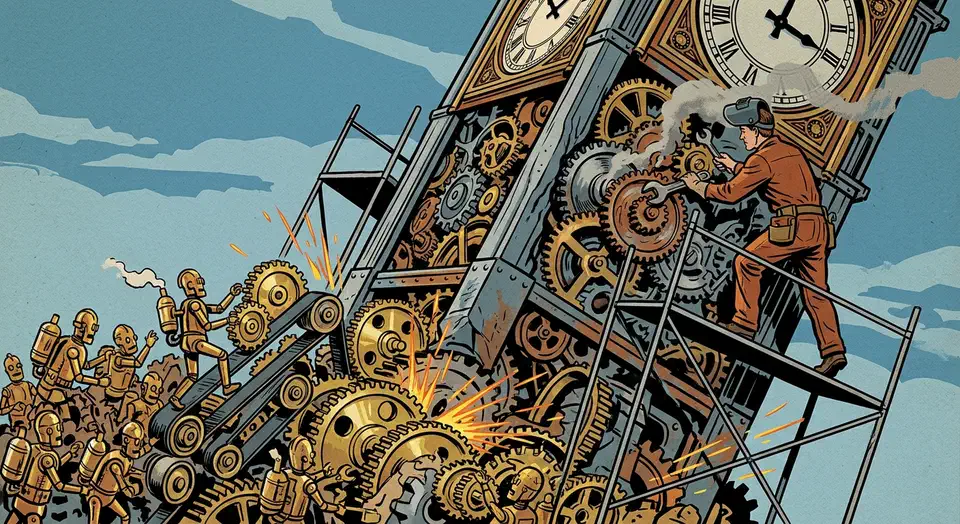
Three Tiers of AI Pair Programming: From Autocomplete to Autonomous Overnight Agents

Three Tiers of AI Pair Programming: From Autocomplete to Autonomous Overnight Agents

The most productive developers in 2026 don’t use a single AI tool. They run a three-tier stack. Tier 1 is inline completions for line-by-line speed. Tier 2 is parallel agent sprints that take on feature-sized work. Tier 3 is overnight batch agents that run 30 to 50 improvement cycles while you sleep. GitHub’s research shows AI pair programming makes developers 55% faster, but that gain comes mostly from Tier 1. The real win comes from running all three tiers at once, with clear rules about which task goes where.

Do You Need Wi-Fi 7 for Matter? What a Smart Home Really Uses

Do You Need Wi-Fi 7 for Matter? What a Smart Home Really Uses

No, you don’t need Wi-Fi 7 for Matter. Every Matter device on my network connects over 2.4GHz Wi-Fi or Thread, and neither path touches Wi-Fi 7’s headline features. A Wi-Fi 7 router still helps a busy smart home in three indirect ways, but device compatibility is not one of them.

Key Takeaways

  • Matter devices use 2.4GHz Wi-Fi or Thread, never Wi-Fi 7’s fast 6GHz band.
  • A Wi-Fi 7 router helps indirectly: it handles a crowded network better.
  • Thread devices need a border router, and your Wi-Fi router probably isn’t one.
  • The 6GHz band requires WPA3, which locks out many older smart home gadgets.
  • Skip the upgrade unless you run 30+ active devices or multi-gigabit internet.

What Matter Actually Runs On

Matter is an application protocol, not a radio. It runs over standard IP networks, and the spec defines three transports: Wi-Fi, Thread, and Ethernet. Bluetooth LE is used only for the initial pairing handshake. Consequently, your router doesn’t need any “Matter support” checkbox; it just needs to move IP packets on a network the device can join.

Fine-Tuning Gemma 4 with Unsloth on a Single GPU: A Practical Guide

Fine-Tuning Gemma 4 with Unsloth on a Single GPU: A Practical Guide

Google’s Gemma 4 family covers the 2.3B E2B, 4.5B E4B, 26B MoE, and 31B dense variants. It delivers strong open-weight performance across text, vision, and audio. But general-purpose models still struggle with narrow tasks. You often need a fixed output format, special terms, or facts that weren’t in the training data. Fine-tuning fixes this. Unsloth makes it work on a single consumer GPU. Its custom CUDA kernels cut VRAM by up to 60% and double training speed next to a standard Hugging Face plus PEFT setup.

Gemma 4 vs Qwen 3.5 vs Llama 4: Which Open Model Should You Actually Use? (2026)

Gemma 4 vs Qwen 3.5 vs Llama 4: Which Open Model Should You Actually Use? (2026)

For most developers in 2026, Gemma 4 31B is the best all-around open model. It ranks #3 on the LMArena leaderboard, scores 85.2% on MMLU Pro, and ships under Apache 2.0 with zero usage limits. Qwen 3.5 27B edges it on coding, and its Omni variant offers real-time speech output that no other open model matches. Llama 4 Maverick (400B MoE) wins on raw scale, but it needs datacenter hardware and Meta’s restrictive 700M MAU license. So pick Gemma 4 for the best quality-to-size ratio, Qwen 3.5 for coding-heavy work, and Llama 4 only when you need the largest open model.

Local Meeting Transcriber: Whisper, Ollama, Structured Notes

Local Meeting Transcriber: Whisper, Ollama, Structured Notes

You can build a fully local meeting transcriber on Linux. Capture system audio with PipeWire. Transcribe with Faster-Whisper on your GPU. Pipe the transcript to a local LLM through Ollama for structured summaries with names, decisions, and action items. The pipeline runs on 16GB of RAM and a mid-range NVIDIA GPU, and produces notes within seconds of the call ending. No data leaves your network.

Commercial services like Otter.ai and Fireflies.ai route your audio through their servers. If your meetings cover sensitive topics like product plans, HR, or legal reviews, that’s a non-starter. A local pipeline gives you the same structured output, and nothing leaves your building.

Route Ollama, vLLM, OpenAI through one LiteLLM API

Route Ollama, vLLM, OpenAI through one LiteLLM API

You can unify access to Ollama, vLLM, cloud providers like OpenAI, Anthropic, and Google, plus custom model servers behind one OpenAI-compatible endpoint using LiteLLM Proxy . LiteLLM is a reverse proxy. It maps the standard /v1/chat/completions request to each provider’s native API. From one YAML file it handles auth, model routing, load balancing, fallbacks, rate limits, and spend tracking. Your app calls one endpoint with one key, and LiteLLM picks the right backend. You can swap models, add providers, or run A/B tests without touching app code.

  • ◀︎
  • 1
  • …
  • 31
  • 32
  • 33
  • 34
  • 35
  • …
  • 49
  • ▶︎

Most Popular

Gemma 4 vs Qwen 3.5 vs Llama 4: Which Open Model Should You Actually Use? (2026)

Gemma 4 vs Qwen 3.5 vs Llama 4: Which Open Model Should You Actually Use? (2026)

Gemma 4, Qwen 3.5, and Llama 4 compared on benchmarks, licensing, speed, and hardware so you can pick the right open model fast.

5 Open Source Repos That Make Claude Code Unstoppable

5 Open Source Repos That Make Claude Code Unstoppable

Five March 2026 repos extend Claude Code with autonomous ML, self-healing skills, GUI automation, multi-agent coordination, and Google Workspace access.

Cross-section of a translucent crystal brain threaded by red, gold, and teal attention ribbons resting on a doubly-stochastic matrix pedestal beside a guitar-tuning lab figure.

DeepSeek V4 Tech Report: 3 Tricks That Cut Compute 73%

DeepSeek V4 ships 1.6T parameters and 1M context using only 27% of V3.2's inference FLOPs. Inside the hybrid attention, mHC residuals, and Muon optimizer.

Cracked stone tablet engraved with a bulleted system prompt, four crossed-out goblin silhouettes repeated, a tiny goblin escaping with upvote-arrow sparks, a giant dollar-sign price tag, and figures refusing to step onto a glossier pedestal.

GPT 5.5 Reddit Reception: Goblins and the Cost Backlash

GPT-5.5 Reddit reception: viral goblin prompt leak, doubled pricing backlash, and 5.4 holdouts citing hallucination regressions in factual recall workflows.

What X and Reddit Users Are Saying about Claude Opus 4.7

What X and Reddit Users Are Saying about Claude Opus 4.7

How power users on X and Reddit reacted to Claude Opus 4.7: praise for agentic coding, token burn concerns, and teams' practical prompting habits.

Qwen3.6-35B-A3B: Alibaba's Open-Weight Coding MoE

Qwen3.6-35B-A3B: Alibaba's Open-Weight Coding MoE

Alibaba's sparse Mixture-of-Experts: 35B total parameters, 3B active per token. Q4 quantization runs on MacBook Pro M5, matches Claude Sonnet performance.

Alacritty vs. Kitty: Best High-Performance Linux Terminal

Alacritty vs. Kitty: Best High-Performance Linux Terminal

Alacritty vs Kitty in 2026: emoji and Unicode rendering, real benchmarks, latency, memory, maintainer reputation, and the right terminal for your workflow.

Like what you read?

Get new posts on Linux, AI, and self-hosting delivered to your inbox weekly.

Privacy Policy  ·  Terms of Service
2026 Botmonster